

The first step to automating your workflow is simple: figure out which boring, routine tasks are eating up your day and then find a simple tool to do them for you. It’s all about spotting the patterns. Are you sending the same email every single week? Chasing down the same people for updates every month?
You set up a system to handle that, and suddenly you've bought back your time. This isn't about some massive, complicated overhaul. It's about making small, consistent improvements that free up your brainpower for work that actually matters.
The True Cost of Your Repetitive Tasks
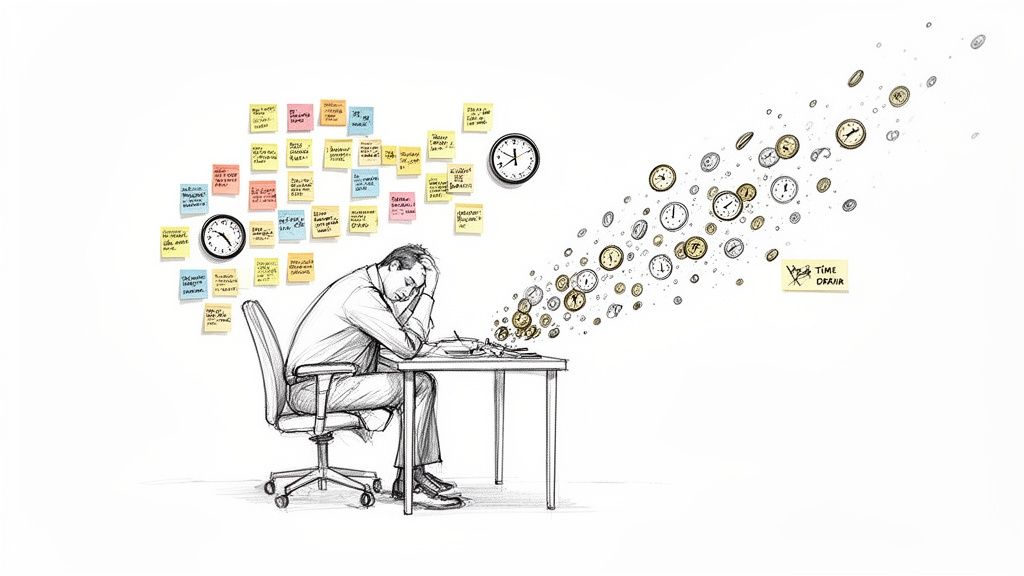 Ever have that nagging feeling you’ve been busy all day but haven’t actually accomplished anything important? That’s usually the fault of all the tiny, recurring tasks that quietly hijack your schedule.
Those little "five-minute jobs"—checking for status updates, firing off reminders, pulling weekly data—don't seem like a big deal on their own. But add them all up, and they become a massive drain on both your time and your focus.
If you're a busy professional, freelancer, or part of a small team caught in this loop, this guide is for you. We're going to walk through how to automate these tasks not as some complex corporate project, but as a series of small, easy wins. The goal is to add a simple productivity hack that works with the tools you already know and love.
More Than Just Wasted Minutes
The real damage from these tasks goes way beyond the minutes they take. They force you to constantly switch contexts, pulling your attention away from deep, focused work. Every time you have to stop what you're doing to handle a routine email, you lose your momentum. It’s this constant interruption that leads to mental fatigue and that all-too-common feeling of being completely overwhelmed.
If that sounds familiar, we've got a guide on how to stop being overwhelmed by tasks that might help.
The scale of this issue is honestly staggering. Did you know a whopping 51% of employees spend at least two hours every single day on repetitive tasks that could easily be automated? That insight, from a report on workflow automation statistics on DocuClipper.com, shows just how much time we’re losing to work a machine could be doing.
By finding and automating just a few of these tasks, you can literally reclaim hours every week. This is more than just an efficiency play; it’s about creating the mental space to focus on work that truly moves the needle. You'll feel more in control and less like you're just reacting to your inbox all day.
Pinpointing Your Best Automation Opportunities
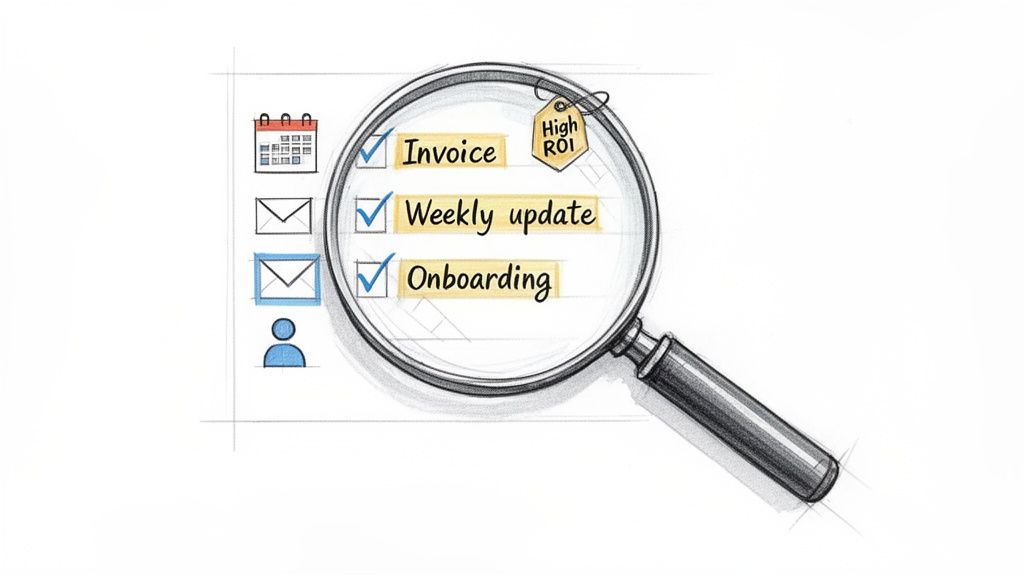 Before you can automate anything, you have to figure out what to automate. The best place to start isn't with fancy software, but with a simple audit of your own work week. Just think about all the small, nagging jobs that pull you away from the work that actually matters.
The most powerful automation opportunities are usually hiding in plain sight. They're disguised as "quick" five-minute chores that add up over time.
The Tell-Tale Signs of a Task Ready for Automation
So, how do you spot them? Just look for patterns. I find it helps to ask a few simple questions about any task I'm considering:
- Is it rule-based? Does it follow the exact same steps, every single time, without fail?
- Is it frequent? Am I stuck doing this daily, weekly, or at least every month?
- Is it mindless? Does it require zero creative thinking or strategic decision-making?
- Is it just data entry? Am I just copying information from one place to another, like from an email into a spreadsheet?
If you're nodding "yes" to most of these, congratulations—you've just found a perfect candidate for automation.
To help you get started, I've put together a quick table. Use it to run through your daily activities and spot the easy wins.
Quickly Identifying Tasks to Automate
Task CharacteristicExampleAutomation PotentialFollows a strict processSending a "welcome" email to a new client with the same 3 attachmentsHigh. This is a classic "if this, then that" scenario.Occurs on a set scheduleCreating and sending a weekly project status updateHigh. Perfect for a recurring workflow.Involves moving dataCopying customer details from a contact form into a CRMHigh. This is what integration tools were made for.Requires human judgmentReviewing a design proof and providing creative feedbackLow. Automation can't replicate nuanced, strategic thinking.Once you start looking at your work through this lens, you'll see opportunities everywhere. It's not just theory; it's about reclaiming your time from the mundane.
From Vague Idea to Concrete Action
Let's ground this in reality. I know a project manager who used to burn an hour every Friday just chasing down team members for their weekly updates. Another friend, a freelancer, had to stop her creative flow on the first of every month to manually generate and send the same invoices.
And think about the team lead who walks every single new hire through the identical onboarding checklist. Each of these is a predictable, time-consuming pattern. They are the perfect low-hanging fruit for your first automation efforts. If you want to dive deeper into the nuts and bolts, you can learn more about how to automate repetitive tasks effectively.
Prioritize for Quick Wins and Build Momentum
Once you have a list, resist the urge to automate everything at once. That's a recipe for getting overwhelmed. The key is to prioritize for the quickest, most satisfying wins first. This builds momentum and proves the concept to yourself.
Your goal is to find the tasks that offer the highest return on investment (ROI) for the lowest amount of effort. A weekly task that takes 15 minutes is a much better first target than a quarterly task that takes two hours.
Here's a simple way I like to prioritize:
- High-Frequency, Low-Effort: Start here, no question. Automating a daily reminder or a weekly follow-up email is a perfect example. It's a tiny change that delivers immediate, consistent time savings day after day. Many of the best recurring task app options are built to handle exactly these kinds of jobs.
- High-Frequency, Medium-Effort: Once you've got a win under your belt, move on to things like compiling simple weekly reports or sending follow-ups based on a specific trigger (like a completed form).
- Low-Frequency, High-Effort: Save these for last. Complex, multi-step processes are much easier to tackle once you're comfortable with the tools and the mindset.
By starting small, you prove the value of automation without a huge upfront investment of time. You'll build the confidence and the skills to take on bigger, more complex workflows down the line.
Choosing the Right Automation Tool for the Job
The world of automation software is huge, and picking the right one can feel like a job in itself. The secret isn't finding the single "best" tool out there. It's about finding the right-sized tool for what you need to get done.
I've seen it happen time and again: someone gets excited about automation, buys into a massive, complex system for a simple task, and then gives up in frustration. It's a classic mistake.
Think of it like choosing a vehicle. You wouldn't use an 18-wheeler to go grocery shopping, and you wouldn't try to move your entire apartment with a tiny scooter. Automation tools follow the same logic—different tools are built for different jobs.
Three Tiers of Automation Tools
Broadly speaking, you can sort most automation software into three main buckets. Figuring out which bucket you need to be in will save you a ton of headaches.
- All-In-One Platforms: Tools like Zapier and Make are the Swiss Army knives of automation. They can connect thousands of different apps, letting you build some seriously complex, multi-step workflows. They’re incredibly powerful, but that power comes with a steeper learning curve and can be total overkill for simple, one-off tasks.
- Enterprise-Level Systems: These are the heavy-duty industrial cranes. Think of platforms like Microsoft Power Automate or Salesforce Automation Studio. They’re built for huge organizations to automate core business processes and usually require dedicated IT support and a significant budget.
- Specialized "Hidden Gem" Tools: This is where you find the focused, elegant solutions designed to do one thing exceptionally well. They are the small productivity hacks that you can use in addition to other tools to solve a specific, nagging pain point with zero fuss.
Finding Your Perfect Fit
That third category is where the quickest wins are, but it’s often the most overlooked. This is exactly where a tool like Recurrr fits in. It’s not trying to be your all-in-one project management app or habit tracker; it's an invisible tool that just works quietly in the background. Its entire purpose is to automate repetitive tasks like sending recurring emails or reminders—and that's it.
You don't need a complicated system to remind your team about weekly reports. You just need a simple, reliable tool that sends the right email to the right people at the right time.
Choosing a tool that's too powerful for the job is a primary reason so many automation efforts fizzle out. The potential is massive, but the challenges are real—a staggering 70% of digital transformation projects fail due to poor implementation, which really highlights the need for intuitive tools over complex ones. As you look at your options, you can find more automation insights from this industry data on thunderbit.com.
By picking a right-sized solution, you sidestep the complexity trap entirely. For a more detailed comparison, check out our guide on the best workflow automation tools. The goal here is to find software that feels less like a complicated project and more like a simple, empowering hack that actually gives you your time back.
How to Build Your First Automated Workflow
Alright, enough theory. This is where the magic really happens. Let's get our hands dirty and build your first simple, high-impact automated workflow from scratch. We're not aiming for some complex, multi-app masterpiece right now. The goal is a quick win that immediately frees up some of your time and mental energy.
We'll tackle a classic use case that nearly everyone can relate to: setting up a recurring monthly client check-in reminder. This one little automation can be the difference between a strong client relationship and an awkward silence, all without you having to remember a thing.
The Anatomy of a Simple Workflow
Every automation, no matter how basic, is built on three core parts. I like to think of them as the "who, what, and when" of your workflow.
- Trigger: This is the event that kicks things off. For our client check-in, the trigger is a specific date and time—say, 9:00 AM on the first Monday of every single month.
- Action: This is the job you want the system to do. In this case, the action is simple: "send an email."
- Details: This covers all the specifics. Who gets the email? What's the subject line? What does the message say?
That's really it. Once you define these three pieces, you've given the system a clear, repeatable instruction that it can run on autopilot for you.
Here's a simple way to think about which type of tool you need for the job. You don't always need a giant Swiss Army knife.
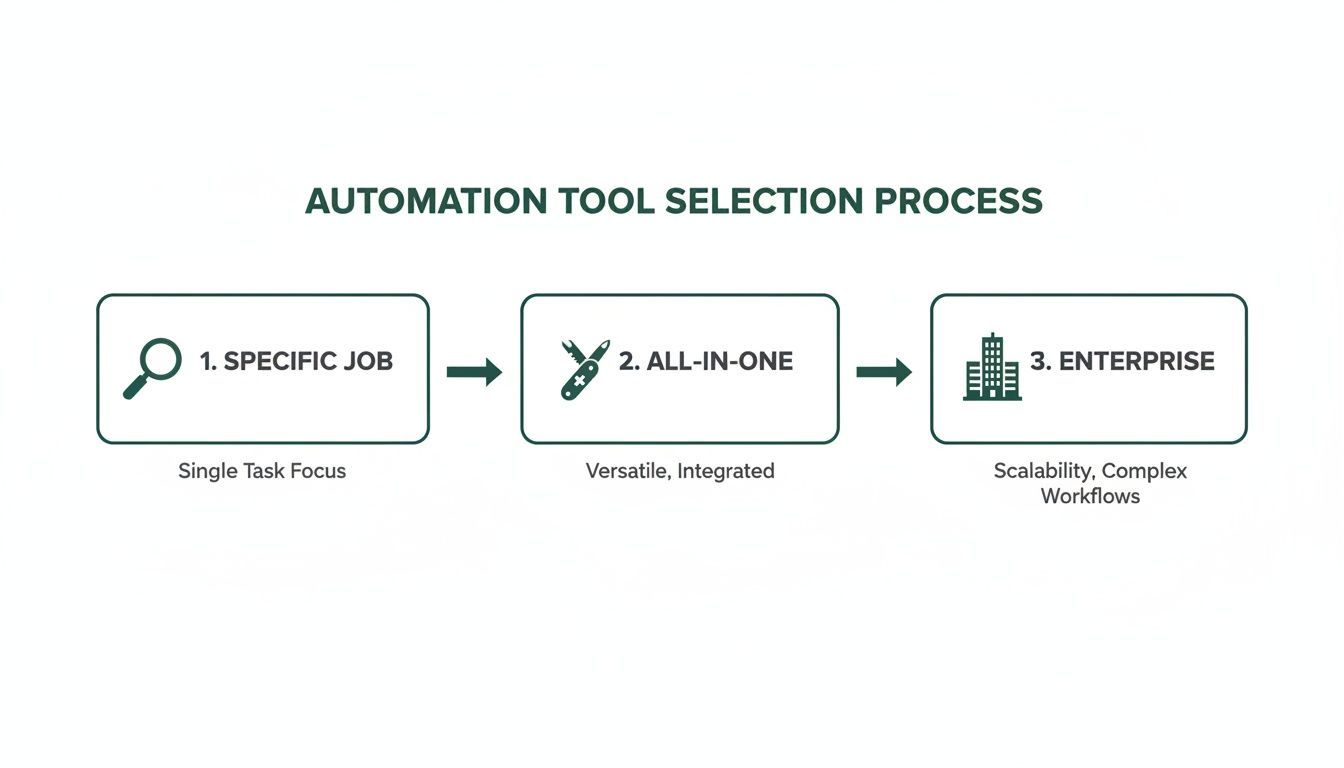 The key is matching the complexity of the tool to what you're actually trying to do. Most of the time, a specialized tool is the fastest way to get a result.
Building Your Workflow in Minutes with Recurrr
Let's see this in action using a tool built for exactly this kind of thing. Recurrr is a perfect example of what I call an "invisible tool"—it's a small productivity hack that slots into your existing setup without getting in the way. It’s not trying to be your project manager; it just does one thing really well: automating recurring messages.
Here’s how you’d set up our monthly client check-in in just a couple of minutes:
- Define the Task: First, give your routine a name you'll recognize, like "Monthly Client Check-In: Project Alpha."
- Set the Schedule (Trigger): Next, you tell Recurrr when to do its thing. You’d select "repeats monthly" and then specify "the first Monday." You can even set the exact time to make sure it lands in their inbox right when they're most likely to see it.
- Craft the Message (Action & Details): Finally, you just write the email. Pop in the recipient's address, a subject line like "Quick Check-In for October," and the body of your message. You can even use placeholders that automatically insert the current month, so the email always feels fresh and personal.
Hit save, and you're done. For real. The system now owns this task, and it will run every single month without you lifting another finger. You've just built a hands-off system that helps nurture a client relationship. For those of you who have looked at bigger platforms, we wrote an article comparing this approach to more complex tools, which you can find here: a simpler alternative to Zapier for recurring emails.
This is what I love about this approach—it removes the friction. You don't need to know how to code or map out a complicated flowchart. You just describe what needs to happen in plain English, and the tool handles the rest.
This same process works for tons of other scenarios. A project manager could set up a weekly reminder for the team to submit their updates. A freelancer could schedule monthly invoice reminders to go out automatically. The building blocks are exactly the same. For another hands-on guide, you can learn how to automate data entry in Excel and start reclaiming your time.
By starting with one simple, high-impact workflow, you make the whole idea of automation feel achievable. You can get your first one running today and immediately feel the benefit of having one less thing to worry about.
Keeping Your Automated System Healthy and Optimized
Getting your first workflow up and running feels great, but the real magic happens when you turn automation into a sustainable practice. This isn't a "set it and forget it" kind of deal. Think of your automation system as a living thing—it needs to grow and change right along with your own goals and priorities to keep being useful.
Without the occasional check-in, even the most brilliant automated system will start collecting dust. That workflow that was a lifesaver last quarter might be totally irrelevant today. The key is to build a simple review habit to keep everything humming along smoothly.
How to Make Automation a Lasting Habit
The secret to making this stick? Start small. You don't need to try and automate your entire life in a single weekend. That's a recipe for burnout.
Instead, just add one new, small automated workflow every couple of weeks. This slow-and-steady approach keeps it from feeling overwhelming and helps the habit actually take root.
Here are a few practical ways to keep your system in top shape:
- Schedule a Quarterly Review: Put a recurring reminder on your calendar every three months to just glance over your active automations. For each one, ask a simple question: "Is this still saving me time or mental energy?"
- Audit Your Notifications: Automation should reduce digital noise, not create more of it. If you're suddenly drowning in confirmation emails from your own system, it's time to tweak the settings. A good system works quietly in the background.
- Cut What Isn't Working: Don't be precious about it. If a workflow is no longer serving you, pause it or delete it. This keeps your system lean and focused on what actually matters right now.
This kind of periodic maintenance is what ensures your efforts to automate repetitive tasks keep paying you back, preventing your system from becoming another source of digital clutter.
Troubleshooting the Inevitable Hiccups
Even the most well-oiled machine can hit a snag. A teammate goes on vacation, a project gets pushed back, and suddenly your perfectly timed reminders are all out of whack. Knowing how to handle these little curveballs is what makes automation practical.
Your automation tool shouldn't be a rigid box you're trapped in. The best tools are flexible, letting you adapt to the messy reality of work and life. You should be in charge of the automation, not the other way around.
If a task needs to be delayed, you shouldn't have to nuke the entire workflow and start over. A well-designed tool—especially a simple productivity hack like Recurrr—lets you just pause a routine or skip a single occurrence with one click.
This kind of flexibility is what makes automation work in the real world. When you embrace a mindset of small, continuous tweaks, you build a resilient system that truly has your back.
Still Have Questions About Automation? Let's Clear Things Up.
Jumping into automation can feel like a big leap. It’s a totally different way of thinking about your work, so it's only natural to have a few questions rattling around. Let's tackle the big ones so you can get started with confidence.
This isn't about some massive, life-altering overhaul. It's about making small, smart moves that hand you back your most valuable asset: your time.
What Are the Best Tasks to Automate First?
The smartest place to start is with the tasks that are high-frequency but low-complexity. Forget trying to automate some massive, multi-part project right out of the gate. That's a recipe for frustration.
Instead, hunt for the small, nagging jobs you do every single day or week on autopilot.
Good candidates for your first "quick wins" include things like:
- Sending the weekly team update reminder email.
- Paying the same utility bill on the same date each month.
- Following up with a standard "thank you" note after a client call.
These are perfect because they require almost no setup but give you an immediate, tangible win. You free up a little bit of time and a little bit of brainpower, day after day. That success is what builds the momentum you need to tackle bigger, more complex automations down the road.
Will I Lose Control If I Automate Too Much?
This is a huge, and totally understandable, fear. But when you do it right, the exact opposite happens. Good automation actually increases your control. It handles the tedious execution, freeing you up to focus on strategy and oversight. You're not handing over the keys to the kingdom; you're just hiring a ridiculously efficient assistant who never sleeps.
The trick is to automate the action, not your decision-making.
Look for tools that keep you firmly in the driver's seat. A good system, for instance, should let you easily pause a workflow, skip one occurrence, or tweak a recurring task whenever you need to. You're the one setting the rules; the system just follows them, giving you more control over your focus, not less.
Smart notifications can keep you in the loop without drowning you in digital noise. You should always feel like the system is working for you, not the other way around.
How Much of a Tech Whiz Do I Need to Be?
Honestly? Not much at all. The days when you needed to be a programmer to automate simple jobs are long gone. The entire industry has shifted toward "no-code" or "low-code" platforms built for people who have better things to do than learn to code.
If you can write an email and find your way around a website, you've got this. Most tools designed to automate repetitive tasks, especially things like recurring emails, use simple, plain-language interfaces. You just tell the software what to do and when to do it, and it takes care of the rest.
How Do I Get My Team on Board with This?
Trying to convince your team to adopt automation isn't about a top-down mandate. It's about showing them what's in it for them. Nobody gets excited about another "efficiency initiative," but everyone loves the idea of ditching the most mind-numbing parts of their job.
Frame it as a way to kill off the boring stuff so they can spend more time on the creative, high-impact projects they actually enjoy.
Start small. Run a pilot program with one or two people who seem open to the idea. Let them automate a simple, annoying task and then actually track the time they get back.
Once they have a clear personal win, have them share their story with the rest of the team. A testimonial from a coworker about reclaiming three hours a week is infinitely more powerful than any memo from management. It proves automation is a tool for them, not just for the company.
Ready to stop drowning in repetitive tasks and reclaim your time? Recurrr is the hidden gem that makes it easy. Start automating your recurring emails and routines in minutes, and see what it feels like to have a system that works for you. Get started with Recurrr today.