

In a world of constant distractions, a well-structured daily routine is the key to productivity and peace of mind. While the concept is simple, manually planning and adhering to a schedule can be tedious, inflexible, and prone to failure when life gets busy. This is where technology steps in. The right application can transform your best intentions into consistent, automated actions, helping you build momentum and reclaim control over your day.
This guide is designed to cut through the noise and help you find the best daily routine apps tailored to your specific needs. We’ve done the research to bring you a comprehensive list of the top 12 tools for 2025. Whether you’re a professional managing complex projects, a freelancer building sustainable habits, a student juggling classes, or a small team coordinating operational tasks, the perfect digital solution is waiting for you. Before diving into specific applications, it’s essential to understand the underlying principles of successful habit formation, including strategies on how to stick to a routine without giving up.
Here, we will explore a diverse range of tools, from simple habit trackers to powerful task automators. Each review includes a detailed analysis of key features, ideal use cases, pros, cons, and direct links with screenshots to give you a clear picture of what to expect. Our goal is straightforward: to provide you with a practical resource that helps you choose the perfect app to conquer your schedule, streamline your responsibilities, and achieve your most important goals. Let’s find the tool that will upgrade your routine.
- Recurrr
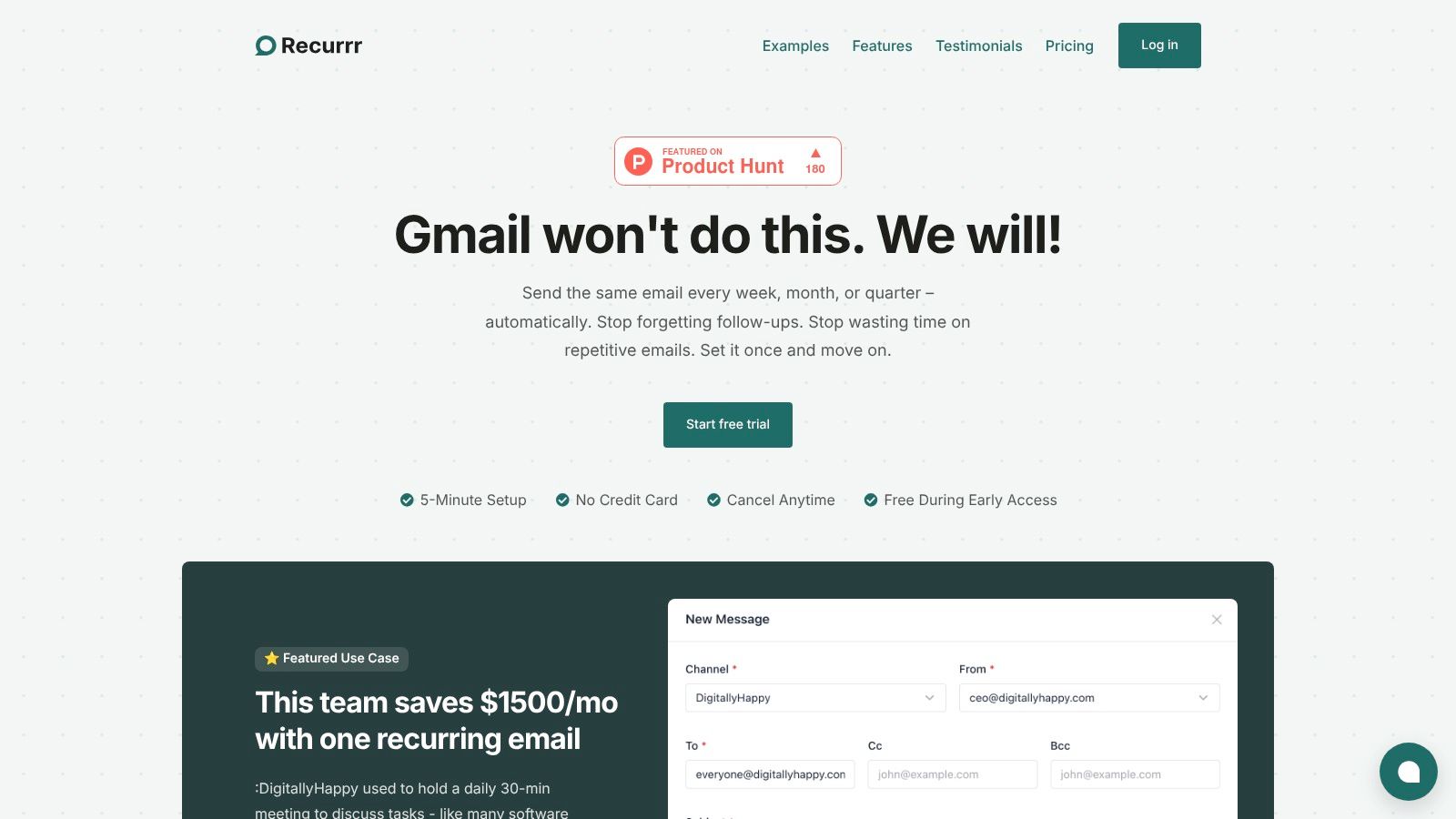
Recurrr earns the top spot on our list of best daily routine apps by targeting a specific, high-impact area of modern work: repetitive communication. It’s a lightweight, privacy-first platform designed to automate recurring emails, turning a constant time-drain into a simple ‘set it and forget it’ process. Instead of managing a complex, all-in-one system, Recurrr focuses on doing one thing exceptionally well, making it a powerful supplement to any professional’s toolkit.
The platform integrates directly with your existing email provider, like Gmail or Outlook, eliminating the need for any complicated setup or data migration. This seamless integration allows individuals and small teams to automate everything from daily standup updates and client follow-ups to weekly progress reports and monthly rent reminders. One of its standout features is a natural-language scheduling engine, which lets you define complex recurrence patterns (e.g., “every last Friday of the month”) with remarkable ease.
 ### Key Features & User Experience
Recurrr’s design philosophy prioritizes simplicity and security. The interface is clean, centered around an intuitive calendar-style outbox that provides a clear visual overview of all your scheduled communications. Flexible controls allow you to easily pause, skip, or reschedule a message without disrupting the entire sequence, which is essential for real-world application.
A significant differentiator is its privacy-first approach. Recurrr uses AES-256 encryption for sensitive content and deliberately restricts its own access to your inbox and contacts. Unlike many other tools, it does not read your emails or sell your data, offering peace of mind for users handling confidential information.
Ideal Use Cases & Practical Implementation
- For Small Teams: Replace short, repetitive meetings like daily standups with an automated asynchronous update. One user reported saving approximately $1,500 per month by switching to a scheduled email routine.
- For Freelancers & Solopreneurs: Automate client onboarding emails, project status updates, and invoice reminders to ensure consistent communication and improve lead nurturing.
- For Personal Productivity: Use it for accountability nudges, birthday messages, or reminders for household chores and appointments.
Pricing & Platform Details
Recurrr offers a straightforward pricing model after a no-credit-card-required free trial.
- Pricing: $9 per month for an all-inclusive plan.
- Limits: Send from up to 3 of your own email addresses and to up to 30 recipients per message (10 To, 10 Cc, 10 Bcc).
- Support: The platform includes helpful customer support and a dedicated blog with productivity tips.
FeatureDetailsAutomation FocusRecurring Email & Routine CommunicationKey StrengthSimplicity, Security, Natural-Language SchedulingIntegrationGmail, Outlook, and other standard email providersSecurityAES-256 Encryption, No Inbox/Contact AccessPricingFree Trial, then $9/monthPros:
- Saves significant time by automating routine emails.
- Privacy-first architecture ensures your data remains secure.
- Simple, powerful scheduling and an intuitive user interface.
- Affordable, all-inclusive pricing with no hidden tiers.
Cons:
- Focused solely on one-way, recurring communications.
- Recipient and sender limits may be too restrictive for larger teams.
Website: https://recurrr.com
- Apple App Store
The Apple App Store isn’t a single routine application, but rather the essential starting point for anyone within the Apple ecosystem searching for the best daily routine apps. It serves as a highly curated and secure marketplace where users can discover, compare, and download tools like Structured, Routinery, and Streaks. The platform excels at discovery through its editorial content, including the “Today” tab, curated lists, and detailed app pages that transparently display pricing, privacy labels, and user reviews.
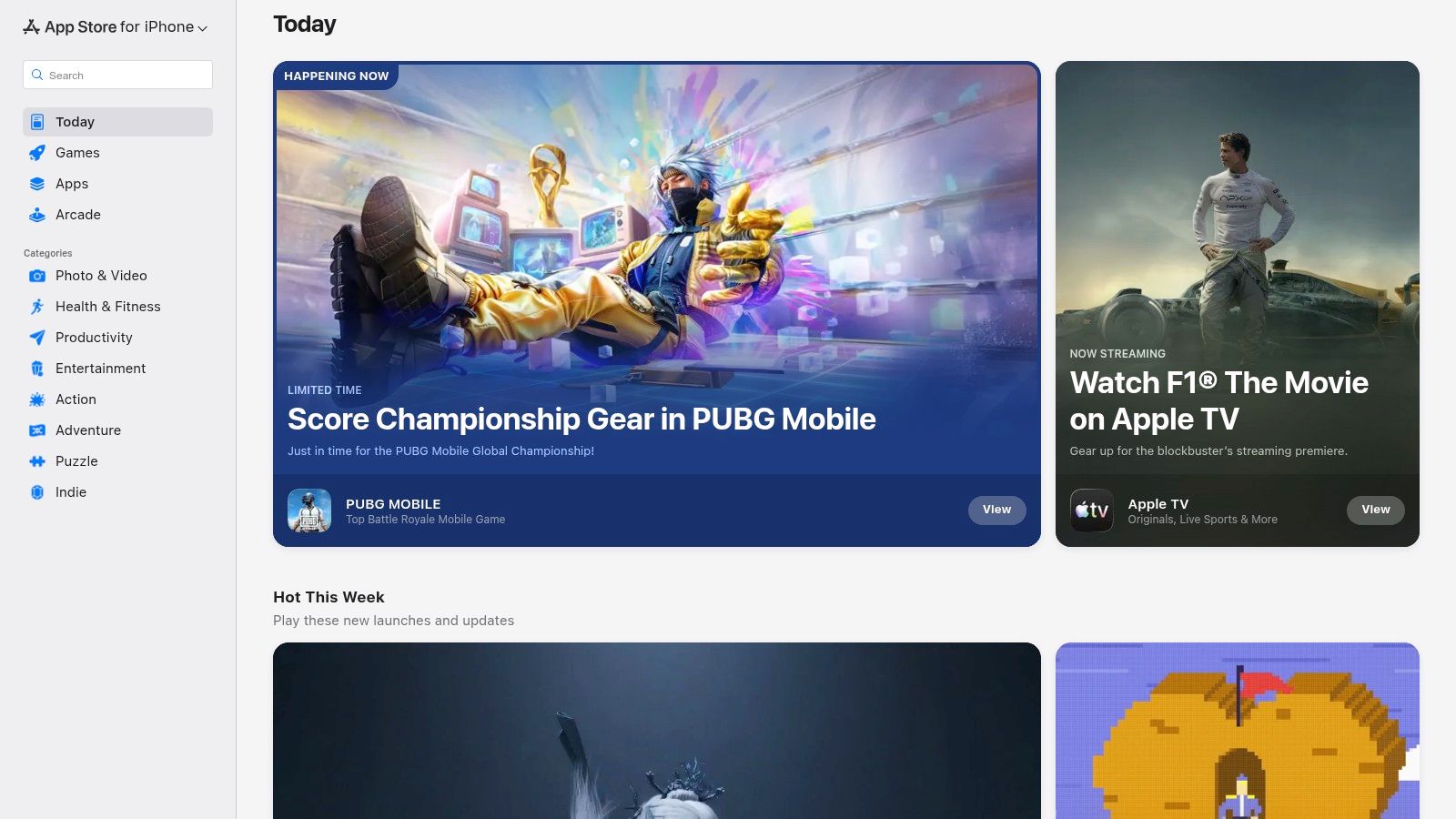 This centralized approach simplifies the entire user journey, from finding an app to managing its subscription. Unlike other platforms, all purchases, subscriptions, and even refund requests are handled directly through your Apple ID, providing a consistent and trustworthy user experience.
Key Aspects & User Experience
FeatureDescriptionDiscoveryCurated editorial stories, top charts, and robust search functionality make it easy to find new and niche routine apps.SecurityApple’s stringent review process ensures that apps meet high standards for privacy, security, and quality, reducing user risk.ManagementCentralized subscription management and straightforward refund processes via Apple Support eliminate the hassle of dealing with individual developers.Family SharingEligible paid apps and subscriptions can be shared with up to five family members, offering excellent value for households.Pros:
- Exceptional quality control and app safety.
- Seamless and secure billing integrated with your Apple account.
- Powerful editorial curation aids in discovering the perfect app.
Cons:
- Exclusively for Apple device users (iPhone, iPad, Mac, etc.).
- Web-based discovery is useful, but installation requires an Apple device.
Website: https://apps.apple.com/us
- Google Play Store
The Google Play Store is the definitive hub for Android, Chromebook, and Wear OS users to find the best daily routine apps. Much like its Apple counterpart, it’s a vast marketplace rather than a single application, offering access to millions of tools, including popular choices like TickTick, Habitica, and Routinery. It excels at making discovery accessible through user ratings, detailed app descriptions that highlight in-app purchases, and editor-curated collections.
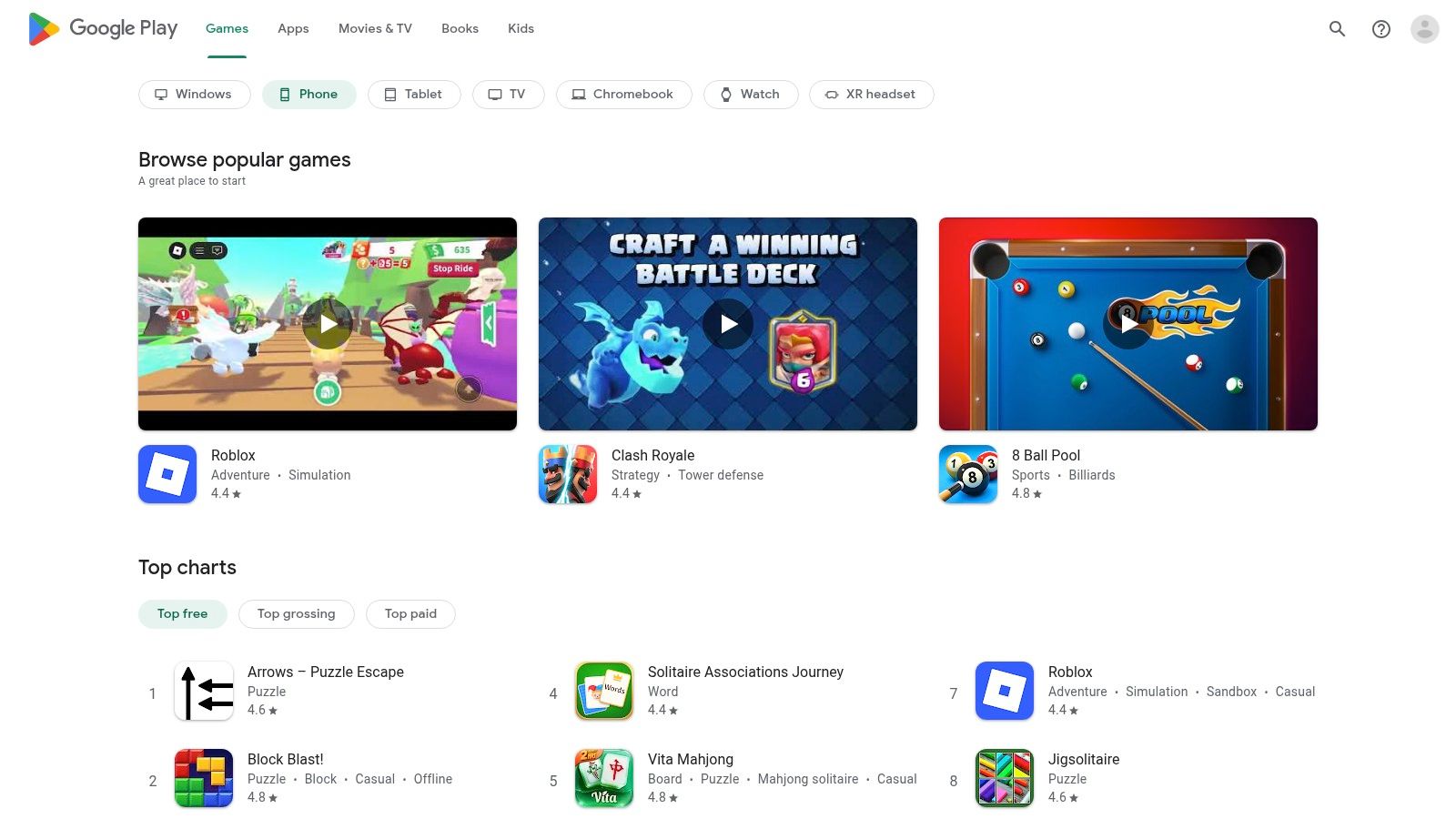 This centralized ecosystem simplifies how users manage their digital tools. All downloads, payments, and subscriptions are processed through a single Google account, creating a standardized and secure experience. This consolidation means users can easily track their app-related spending and manage their subscriptions from one convenient location, without needing to navigate different developer websites.
Key Aspects & User Experience
FeatureDescriptionApp DiscoveryA massive catalog of apps is filterable by ratings, popularity, and categories, complemented by editorial picks to help users find suitable routine apps.Unified ManagementSubscriptions are managed directly through the Google Play Store, with standardized notifications for price increases and easy cancellation options.Security & QualityGoogle Play Protect and an improving app review process help ensure apps are secure and meet quality standards, though the catalog’s size can still present variability.Family LibraryMany paid apps and in-app purchases can be shared with family members through the Google Play Family Library, providing added value.Pros:
- Consolidated billing and standardized refund and price-increase notifications.
- An enormous selection of apps catering to every possible need and budget.
- Recent policy enforcement is consistently improving overall app quality and security.
Cons:
- Exclusively for Android and Google ecosystem devices.
- Refund windows can be tighter than what some developers offer directly.
Website: https://play.google.com/store
- Todoist
Todoist is a powerhouse task manager renowned for its ability to seamlessly blend one-off to-dos with structured daily routines. It excels at creating recurring tasks, making it one of the best daily routine apps for users who need to manage both fixed habits and dynamic project work within a single, streamlined interface. The platform’s clean design and cross-platform availability ensure your routine stays in sync, whether you’re at your desk or on the go.
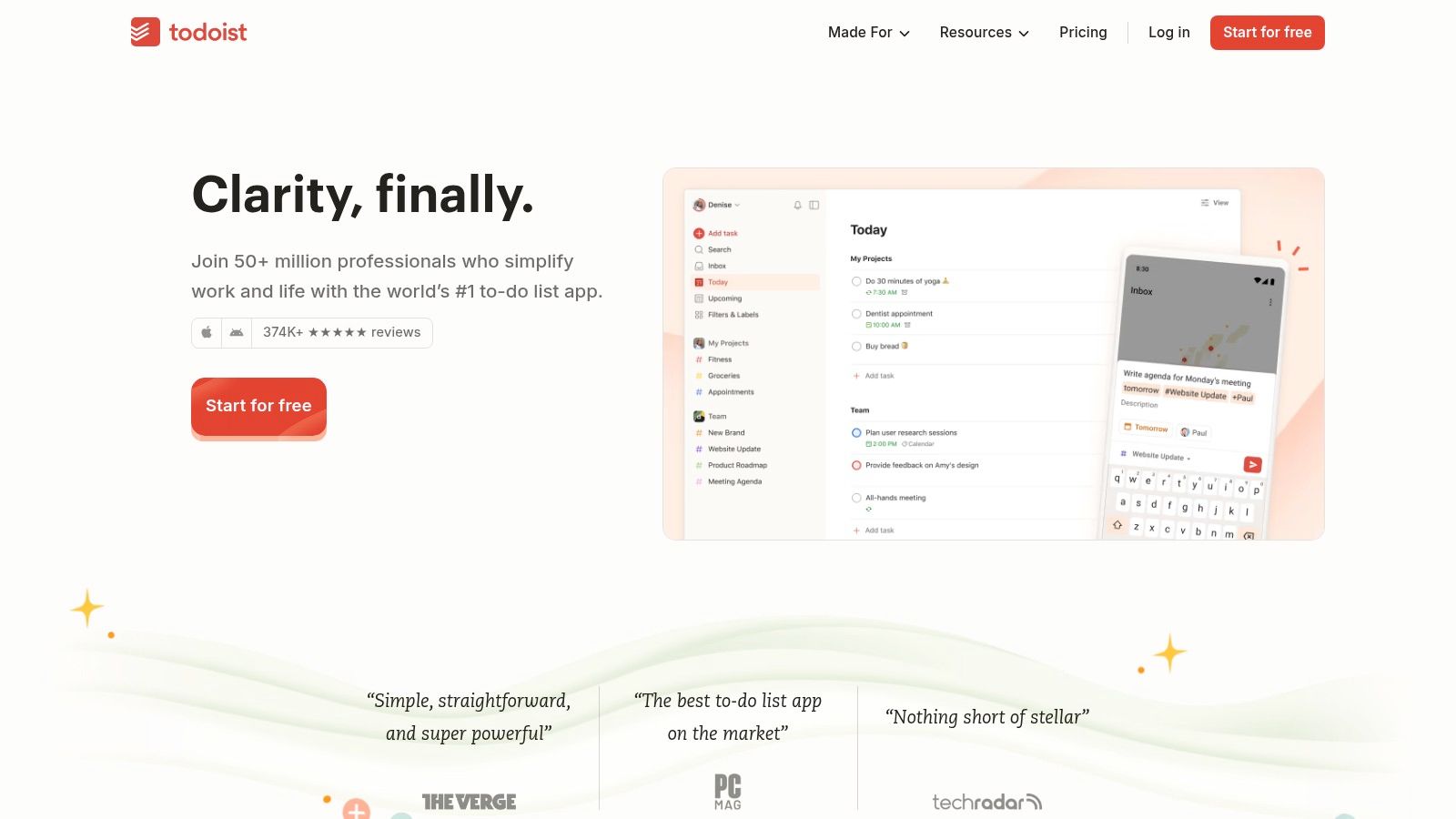 Unlike apps focused solely on habit tracking, Todoist integrates routine management into a broader productivity framework. This allows you to connect daily habits directly to larger goals and projects, providing valuable context. The platform’s versatility makes it ideal for anyone looking to build a productive workflow, and those interested in maximizing its potential can discover how to automate tasks to further enhance their efficiency.
Key Aspects & User Experience
FeatureDescriptionRecurring TasksPowerful and flexible scheduling for daily, weekly, or custom-interval habits and tasks, such as “every weekday” or “every 3 days.”Project & Task ManagementOrganizes routines and tasks into projects, sections, and sub-tasks, offering a clear hierarchy for complex workflows.AI AssistantHelps plan projects, break down tasks, and generate ideas, streamlining the setup process for new routines and goals.Extensive IntegrationsConnects seamlessly with calendars (Google, Outlook), email clients, and hundreds of other apps via IFTTT and Zapier.Pros:
- Exceptional cross-platform synchronization (web, desktop, mobile).
- Strong balance between simple routine scheduling and deep project management.
- Clear plan tiers and transparent communication about future pricing changes.
Cons:
- Some advanced features like reminders and comments are behind a paywall.
- Pro and Business plan prices are scheduled to increase beginning December 10, 2025.
Website: https://todoist.com
- TickTick
TickTick is a powerhouse application that masterfully blends task management with habit tracking, making it one of the best daily routine apps for users who need a single tool for everything. It moves beyond simple to-do lists by integrating features like a Pomodoro timer, calendar views, and even a white noise generator directly into the app. This allows users to build comprehensive daily routines that seamlessly mix one-off tasks with recurring habits.
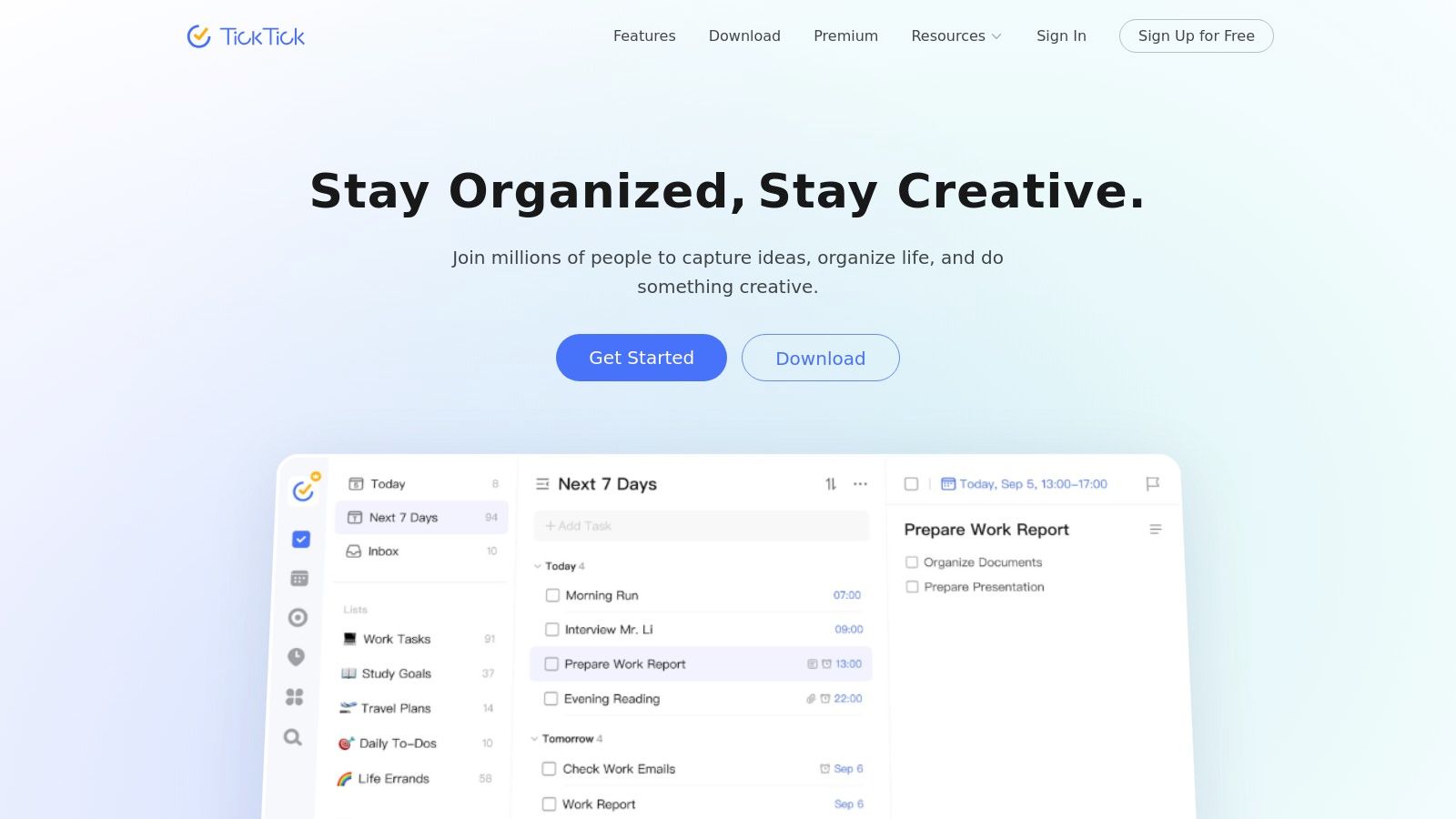 The platform’s strength lies in its versatility and cross-platform availability, syncing effortlessly across web, desktop, and mobile devices. For those managing a mix of professional deadlines and personal habits, TickTick provides the filters, tags, and statistical insights needed to stay organized and motivated without needing to switch between different applications.
Key Aspects & User Experience
FeatureDescriptionIntegrated ToolsCombines task management, habit tracking, Pomodoro timer, and a calendar view in one interface, simplifying workflow.CustomizationPowerful filtering and tagging systems allow users to create custom views for their daily, weekly, and monthly routines.Cross-Platform SyncOffers robust and reliable syncing across iOS, Android, macOS, Windows, and web browsers for seamless access anywhere.Habit StatisticsProvides detailed statistics and check-in logs for habits, helping users visualize progress and maintain consistency over time.Pros:
- Rich feature set for routines and planning at a very competitive price.
- Excellent cross-platform support ensures your routine is always accessible.
- Student and educator discounts are available, increasing its affordability.
Cons:
- Pricing can differ between the website and app stores depending on the region.
- Some users have reported occasional friction with customer support or billing issues.
Website: https://ticktick.com
- Structured
Structured is a visually driven day planner that excels at merging your calendar, reminders, and to-dos into a single, intuitive timeline. It’s one of the best daily routine apps for users who think in terms of time blocks, as it allows you to visually map out your entire day from morning to night. The app is designed to make the process of planning routines feel tangible and less abstract, transforming a list of tasks into an actionable schedule.
 Its core strength lies in its clean interface, which makes it incredibly simple to add, adjust, and check off tasks as your day progresses. Structured is particularly popular within the Apple ecosystem, offering seamless cross-device synchronization. For those feeling overwhelmed by their schedule, the app provides a clear path forward, helping to visualize and conquer tasks one block at a time. For more strategies, see how to stop being overwhelmed by tasks.
Key Aspects & User Experience
FeatureDescriptionVisual TimelineCombines all tasks, routines, and calendar events into a single, scrollable timeline for a comprehensive daily overview.Cross-Device SyncOffers native support and synchronization across iPhone, iPad, Mac, and Apple Watch for a consistent experience.Planning ToolsIncludes widgets, color-coding, a focus timer, and an optional AI assistant to help draft your daily schedule efficiently.AccessibilityBuilt with accessibility in mind, ensuring the app is usable for a wide range of individuals.Pros:
- Excellent user interface that makes time-blocking feel intuitive and satisfying.
- Seamless integration and performance within the Apple ecosystem.
- Flexible pricing with monthly, yearly, and lifetime purchase options.
Cons:
- The optimal experience is limited to Apple device users.
- Fewer native integrations with third-party project management tools.
Website: https://structured.app
- Routinery
Routinery is a purpose-built routine timer designed to transform intentions into concrete, habitual actions. Its core strength lies in its step-by-step timed format, which guides users through a sequence of tasks, making it one of the best daily routine apps for building strong morning or evening flows. By breaking down larger goals into manageable, timed chunks with voice and push prompts, it excels at keeping users focused on the immediate next step, a feature often praised for its ADHD-friendly structure.
 This app gamifies the process of habit formation by focusing on execution rather than just tracking. The user interface is clean and encouraging, allowing for easy adjustments like pausing, skipping, or adding time to any step in the routine. This flexibility ensures the structure doesn’t feel overly rigid, while still providing the necessary momentum to complete each sequence.
Key Aspects & User Experience
FeatureDescriptionStep-by-Step TimersEach task in a routine is assigned a specific duration, with controls to pause, skip, or adjust time as needed.Progress TrackingProvides clear visual reports of daily, weekly, and monthly progress to reinforce consistency and motivate users.Routine TemplatesOffers a variety of pre-built recommended routines to help new users get started quickly and discover effective habits.Cross-Device SyncRoutines can be started and managed seamlessly across phones, tablets, and smartwatches for on-the-go execution.Pros:
- Excellent for building momentum with strong guidance to “do the next step now.”
- Highly effective for users who benefit from timed, sequential task flows.
- Large global user base and frequent recognition in app stores.
Cons:
- The heavy reliance on timers may not suit users who prefer free-form, untimed task tracking.
- Premium features are required for advanced customization and unlimited routines.
Website: https://www.routinery.app
- Streaks
Streaks is a visually striking habit tracker designed exclusively for the Apple ecosystem. Its core philosophy is simple: don’t break the chain. The app transforms your daily routines into a game of maintaining consecutive “streaks” for each habit you want to build. It’s one of the best daily routine apps for users who are motivated by visual progress and want a simple, elegant tool that integrates deeply with their Apple devices.
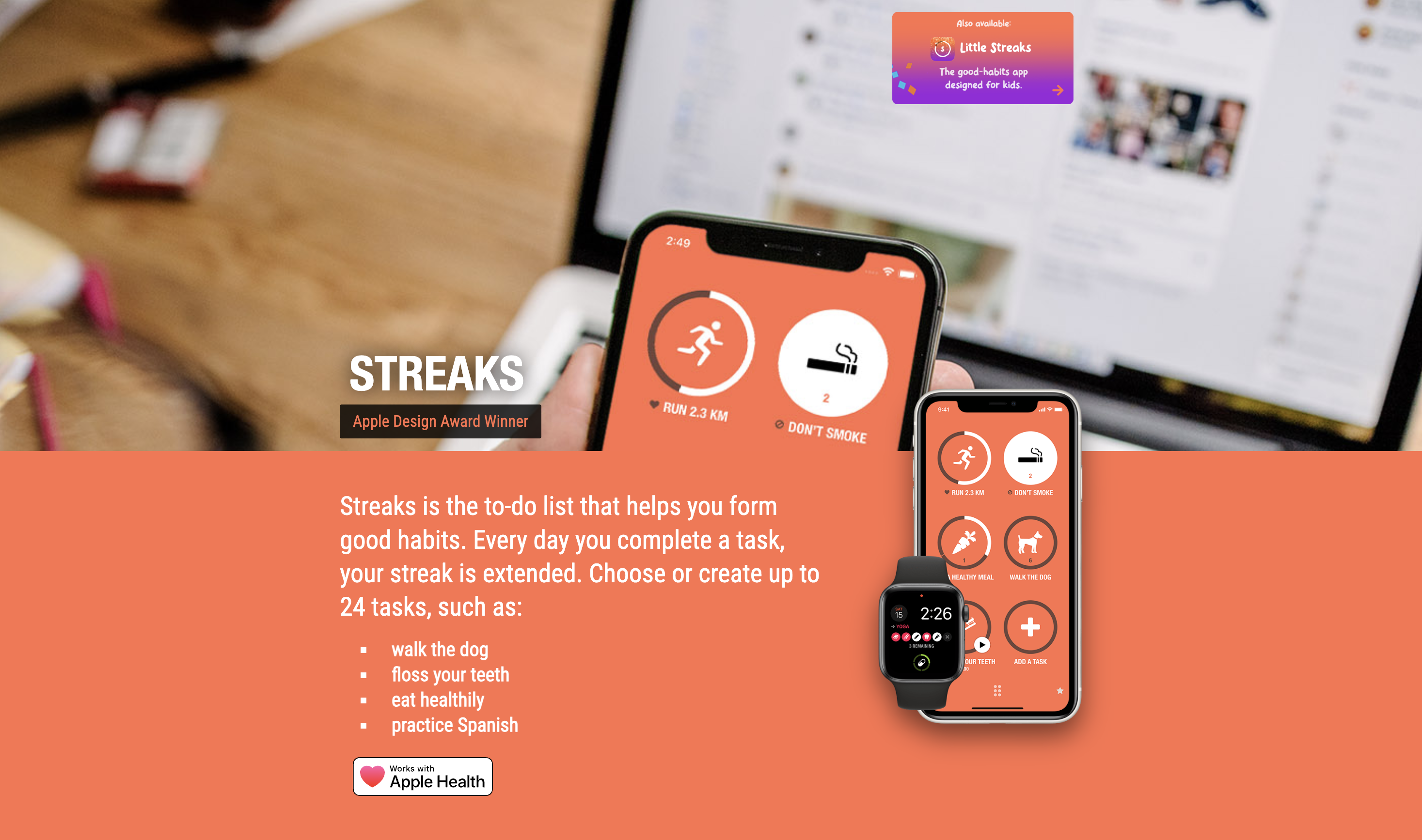
The app stands out with its minimalist design, extensive customization options, and powerful integration with Apple Health. This allows certain habits, like walking a set number of steps or practicing mindfulness, to be completed automatically, reducing manual input. With a one-time purchase, Streaks offers a compelling, subscription-free experience for dedicated Apple users.
Key Aspects & User Experience
FeatureDescriptionHabit TrackingTrack up to 24 customizable habits at once, including negative habits (tasks you want to avoid), like smoking or eating junk food.Apple Health IntegrationAutomatically logs health-related tasks such as steps, heart rate, sleep, and mindful minutes directly from the Health app.CustomizationOffers a wide range of theme colors and over 600 task icons to personalize the experience and make your dashboard your own.Cross-Device SyncUtilizes iCloud to seamlessly sync your habits and progress across iPhone, iPad, Apple Watch, and Mac.Pros:
- One-time purchase model provides excellent long-term value.
- Beautifully designed UI with deep Apple-centric integrations.
- Apple Watch complication is highly effective for at-a-glance tracking.
Cons:
- Strictly limited to the Apple ecosystem; no Android or web versions.
- Lacks advanced scheduling or detailed routine-building features.
Website: https://streaks.app/
- Habitify
Habitify is a cross-platform habit tracker that excels at turning data into motivation. It’s designed for users who want a clean, analytical view of their progress, helping them visualize streaks and build consistency across all their devices. Its strength lies in balancing a simple, user-friendly interface with powerful features like detailed stats, calendar syncing, and automation hooks, making it one of the best daily routine apps for data-driven individuals.
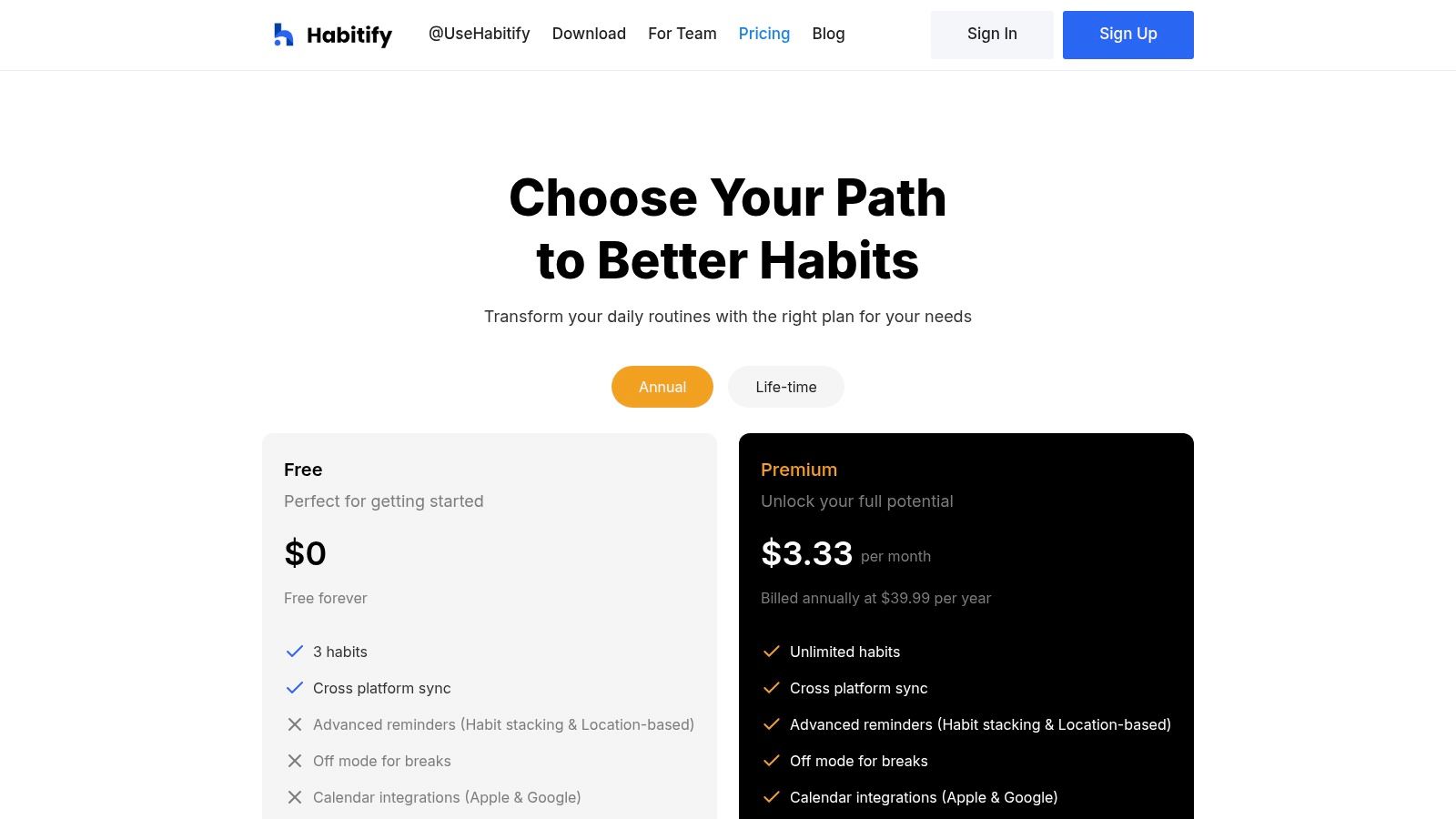 Unlike many competitors that lock you into a single ecosystem, Habitify offers seamless synchronization between its iOS, Android, macOS, and web applications. This multi-platform support, combined with its ability to integrate with Apple Health and automation tools like Zapier and IFTTT, allows users to embed their habits directly into their existing digital workflows and health tracking efforts.
Key Aspects & User Experience
FeatureDescriptionData & AnalyticsProvides clear charts, streaks, and completion history to visualize progress and maintain momentum.Cross-Platform SyncFully functional apps for iOS, Android, macOS, and the web ensure your routine is always accessible.IntegrationsConnects with Apple Health for fitness habits and offers Zapier, IFTTT, and API support for advanced automation.Pricing TransparencyThe website clearly outlines its monthly, annual, and lifetime pricing options, helping users make an informed decision.Pros:
- Excellent cross-platform availability and synchronization.
- Strong focus on data visualization and performance tracking.
- Powerful integration capabilities for creating automated workflows.
Cons:
- The free plan is quite restrictive, allowing only three habits.
- App Store pricing can sometimes vary from what is displayed on the main site due to regional differences.
Website: https://www.habitify.me/pricing
- Habitica
Habitica takes a unique approach to productivity by transforming your habits and daily routines into a role-playing game (RPG). This gamified task manager is designed for those who find traditional to-do lists uninspiring and are motivated by rewards, leveling up, and social accountability. It’s one of the best daily routine apps for turning mundane chores into engaging quests, complete with virtual pets, armor, and collaborative monster battles with friends.
Unlike standard planners, Habitica uses in-game consequences to build discipline. Completing “Dailies” earns you experience and gold, while skipping them can cause your character to lose health. This clever mechanic adds a tangible sense of urgency and accomplishment to maintaining your schedule, making it highly effective for users who thrive on game-like feedback loops.
Key Aspects & User Experience
FeatureDescriptionGamificationTurns habits, daily tasks, and to-dos into an RPG with rewards (gold, gear) and penalties (health loss) to motivate consistency.Social AccountabilityUsers can join Parties and Guilds to take on quests together, where failing to complete tasks can damage your entire team.CustomizationExtensive options to customize your avatar with gear, backgrounds, and pets purchased with in-game currency earned from productivity.Cross-Platform SyncAvailable and seamlessly synchronized across web browsers, iOS, and Android, so you can manage your quests anywhere.Pros:
- A fully functional and engaging experience is available for free.
- Strong community features and party quests provide powerful social motivation.
- The unique gamified system makes habit-building fun and addictive.
Cons:
- The interface can feel busy or overwhelming for users preferring a minimalist design.
- Some cosmetic items and advanced features require an optional subscription.
Website: https://habitica.com
- Notion
Notion is less a dedicated app and more an all-in-one workspace where you can build a completely bespoke system for managing your life. For those who find pre-built apps too rigid, Notion provides the ultimate flexibility to design a custom routine dashboard, habit database, or integrated task list that connects directly with your notes, projects, and calendars. It is one of the best daily routine apps for tinkerers and system builders.
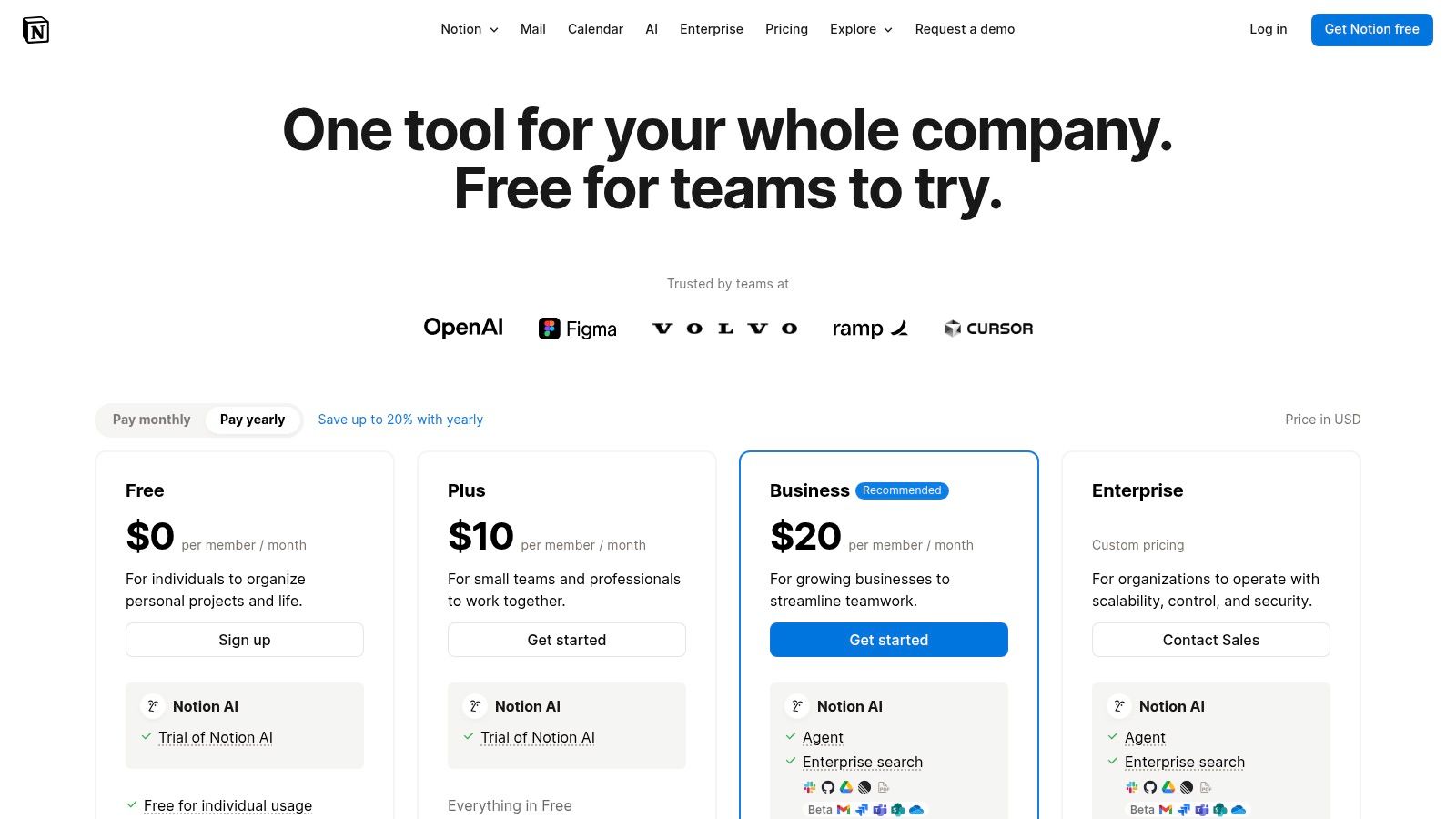 This adaptability means you can create a simple checklist or an elaborate, automated system with relational databases and custom properties. The platform’s strength lies in its ability to centralize your entire workflow, turning your routine tracker into a dynamic part of your broader productivity ecosystem rather than a siloed tool. You can find more details in our comparison of the best workflow automation tools.
Key Aspects & User Experience
FeatureDescriptionCustomizationBuild anything from simple checklists to complex relational databases for tracking habits, tasks, and goals with custom properties.TemplatesA vast library of community-created and official templates provides an excellent starting point for building your ideal routine manager.IntegrationNotion serves as a central hub for notes, tasks, and knowledge bases, allowing your routines to live alongside all your other information.CollaborationShare your dashboards and routine trackers with family, friends, or team members to coordinate schedules and shared habits.Pros:
- Extremely flexible and customizable to fit any workflow.
- Generous free plan for personal use and free Plus plan for students/educators.
- Combines routines with notes, project management, and more in one place.
Cons:
- Requires a significant upfront investment in time and effort to set up.
- Can be overly complex for users who just want a simple, ready-to-go habit tracker.
Website: https://www.notion.so/pricing
- Product Hunt
Product Hunt is not a single app but a discovery platform where the latest and most innovative tech products, including many of the best daily routine apps, make their debut. It’s an essential resource for finding new, niche, or upcoming tools that haven’t yet hit the mainstream charts. The platform functions as a daily leaderboard of new products, with a community of tech enthusiasts voting, commenting, and reviewing each launch.
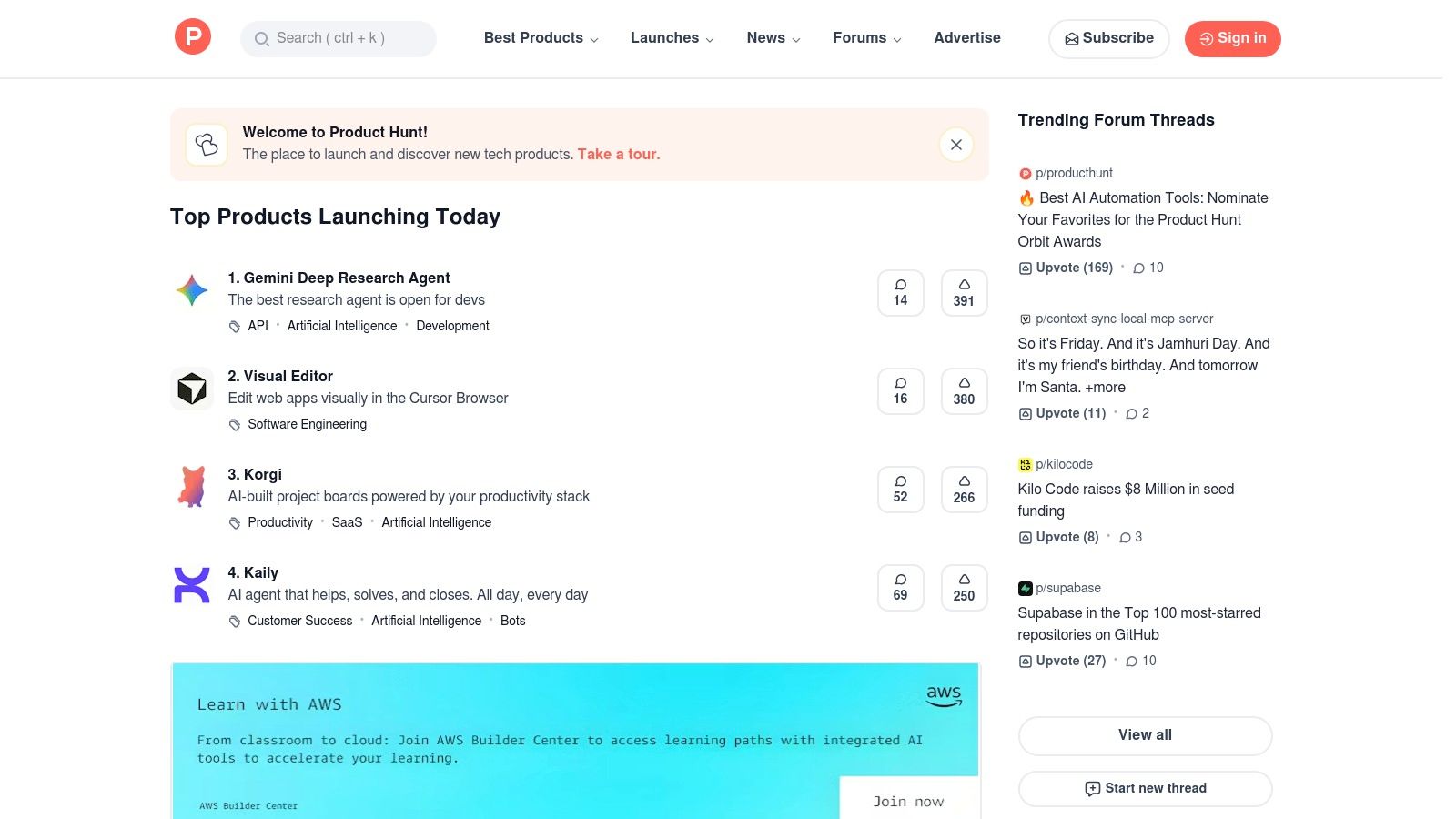 This community-driven approach offers authentic, unfiltered feedback directly from early adopters. You can see discussions between users and the app’s makers, providing deep insights into a tool’s purpose, features, and roadmap. It’s the perfect place to uncover a specialized routine app tailored to a unique workflow before it becomes widely known.
Key Aspects & User Experience
FeatureDescriptionProduct DiscoveryDaily launches, collections, and a powerful search engine help you find cutting-edge routine and habit-tracking apps for iOS, Android, and web.Community FeedbackUser comments, Q&As with creators, and upvotes provide genuine social proof and help you evaluate an app’s suitability and quality.Direct AccessEach product page includes direct links to the official website, App Store, or Google Play Store, making it easy to download or subscribe.Maker InteractionYou can often interact directly with the founders and developers of the apps, asking questions and giving feedback on the launch page.Pros:
- Excellent for discovering brand-new or specialized routine tools.
- Community comments offer valuable and honest user perspectives.
- Direct access to product creators for questions and insights.
Cons:
- Product quality can vary, requiring due diligence to check official store pages.
- Can be overwhelming due to the sheer volume of daily new products.
Website: https://www.producthunt.com
Top 12 Daily Routine Apps — Feature Comparison
ProductCore featuresUX / Quality (★)Price & Value (💰)Target audience (👥)Unique selling points (✨)🏆 RecurrrAutomated recurring emails; calendar outbox; NLP scheduling; pause/skip/reschedule★★★★★💰 $9/mo after free trial — all features included; limits: 3 send addresses, 30 recipients👥 Individuals, solopreneurs, small teams✨ Privacy-first AES‑256, set‑and‑forget email automation, flexible controlsApple App StoreCurated discovery, app pages, family sharing, trusted billing★★★★💰 Free to browse; app prices/subs vary via Apple billing👥 iOS users discovering routine/habit apps✨ Editorial curation and trusted refundsGoogle Play StoreLarge app catalog, ratings, centralized subs, family library★★★★💰 Free to browse; in‑app pricing and centralized billing👥 Android/Chromebook/Wear users✨ Broad app selection and standardized subscription noticesTodoistRecurring tasks, calendar view, team workspaces, AI assistant★★★★💰 Freemium + paid tiers (public pricing updates noted)👥 Individuals & teams needing task/project management✨ Strong blend of routines + project features; AI planningTickTickTasks + habit tracking, Pomodoro, calendar, widgets★★★★💰 Freemium + premium; educational discounts available👥 Users mixing habits and to‑dos✨ Pomodoro, white noise, robust widgetsStructuredVisual timeline, recurring tasks, time‑blocking, focus timer★★★★💰 App Store: monthly/annual/lifetime options👥 Apple users who prefer visual time‑blocking✨ Timeline UI and tight Apple ecosystem integrationRoutineryStep‑by‑step timers, templates, progress tracking, prompts★★★💰 Freemium with IAPs/subscription options👥 Users wanting timed morning/evening flows (ADHD‑friendly)✨ Step timers + step guidance for “do the next step now”StreaksUp to 24 habits, Health app integration, widgets, iCloud sync★★★★💰 One‑time purchase on Apple platforms👥 Apple users focused on streaks and simple habits✨ Health integration and polished Apple‑centric UXHabitifyStats, streaks, history, Zapier/IFTTT/API, cross‑platform★★★★💰 Freemium + monthly/annual/lifetime plans👥 Data‑driven habit trackers across devices✨ Automation hooks and clean analyticsHabiticaGamified habits/tasks, parties, quests, cross‑platform★★★💰 Free core; optional subscriptions and IAPs👥 Gamers and community‑driven accountability seekers✨ RPG mechanics, social parties/guilds for motivationNotionDatabases, templates, reminders, custom dashboards★★★★💰 Generous free plan; paid tiers for advanced/team use👥 Power users and teams building bespoke routine systems✨ Highly customizable workflows and publishable pagesProduct HuntLaunch pages, community comments, collections, links★★★💰 Free to browse; links to product/app store pages👥 Early adopters, makers, discovery hunters✨ Discover emerging or niche routine apps and community feedbackChoosing the Right App to Build Your Ideal Day
Navigating the landscape of productivity tools can feel like a monumental task in itself. We’ve explored a diverse set of the best daily routine apps, from robust task managers like Todoist and TickTick to visual day planners like Structured and gamified habit builders like Habitica. Each platform offers a unique philosophy and feature set designed to help you organize, execute, and build consistency in your life. The core takeaway is this: there is no single “best” app, only the best app for your specific needs, workflow, and personality.
The journey to a more structured and intentional day begins with a clear understanding of your primary pain point. Are you drowning in a sea of recurring client reminders and follow-ups? Or is your main struggle the internal battle of forming positive personal habits? Identifying your core challenge is the most critical first step in selecting the right digital companion.
Synthesizing Your Options: A Practical Framework
To move from analysis to action, consider these guiding questions to pinpoint the ideal tool for you:
- What is my primary goal? Is it task management (getting things done), habit formation (building consistent behaviors), time blocking (visualizing my day), or communication automation (reducing manual outreach)? Your answer will immediately narrow the field. For instance, a student focused on study habits might gravitate towards Routinery, while a freelancer needing to send weekly invoices would find immense value in Recurrr.
- What is my preferred user experience? Do you thrive on data and analytics, like those offered by Habitify? Or do you prefer a minimalist, aesthetically pleasing interface like Structured? Perhaps the gamification elements of Habitica are what you need to stay motivated. Your personal preference for interacting with an app will heavily influence your long-term adherence.
- How much complexity am I willing to handle? A tool like Notion offers unparalleled flexibility but comes with a steeper learning curve. Conversely, an app like Streaks is brilliantly simple, focusing on one thing and doing it exceptionally well. Be honest about the time you’re willing to invest in setup and ongoing management.
From Selection to Successful Implementation
Choosing an app is only half the battle; integrating it effectively into your life is what truly creates change. Start small. Instead of trying to overhaul your entire life overnight, pick one or two key routines you want to digitize. This could be a simple morning workout, a daily check-in with your team, or a recurring reminder to a client.
As you begin, pay attention to friction. If an app feels cumbersome or you consistently forget to use it, it might not be the right fit. Don’t be afraid to experiment. Most of the tools listed here offer free versions or trial periods. Use this opportunity to test-drive a few top contenders for a week or two before committing. The goal is to find a system that reduces your cognitive load, not one that adds another complicated task to your to-do list.
For many professionals, freelancers, and small business owners, the most significant source of daily friction comes from repetitive communication. Manually sending the same email or text message week after week is a drain on time and mental energy. This is where specialized automation tools shine, creating a “set-and-forget” system that works for you in the background.
Ultimately, the power of these applications lies in their ability to offload the mental burden of remembering, allowing you to focus your energy on high-value work and being present in your life. Whether you’re building personal habits or streamlining professional workflows, the right app acts as a reliable partner in your pursuit of a more organized, productive, and intentional day. If your focus is primarily on building personal habits and you’re interested in a deeper dive into that specific category, you can find more tailored recommendations in a comprehensive list of the best habit tracking apps.
Ready to automate the most repetitive parts of your day and reclaim your focus? Recurrr is designed to put your recurring communications on autopilot, from client reminders to team check-ins. Stop manually typing the same messages and start building a system that runs itself. Try Recurrr today and see how much time you can save.