

Building good habits is tough. Sticking to them is even tougher. While a simple checkbox provides a fleeting sense of accomplishment, true consistency comes from having the right system. You need a tool that aligns with your specific goals, integrates into your life, and removes the friction that often leads to failure. With hundreds of options available, the real challenge is finding the best habit tracking app that fits your unique workflow and personality.
This guide is designed to cut through the noise. We move beyond generic "did I do it?" logs to explore a curated selection of modern habit-building tools. We’ll analyze 12 top-tier options, breaking down their distinct strengths, weaknesses, and ideal use cases. Each entry includes detailed analysis, screenshots, and direct links to get you started quickly. As you embark on finding the ideal app, a comprehensive understanding of various habits to track can significantly inform your selection process.
We will cover everything from gamified apps that make motivation fun to data-rich platforms for analytical goal-setters. We also uncover powerful "invisible tools" designed for automating recurring professional routines, such as client check-ins or team reminders, which act as a forcing function to ensure crucial business habits happen. Whether you're a student building study routines, a freelancer managing recurring tasks, or part of a team coordinating operational duties, this list will help you find the perfect partner for building a more disciplined, productive life.
- Recurrr
While not a habit tracking app, Recurrr earns its place on this list as the next logical step in your productivity journey: habit automation. Think of it as a "hidden gem" or a powerful productivity hack that you use in addition to your primary tools. Its purpose isn't to track if you did something, but to make sure you do it. Recurrr acts as a forcing function, automatically initiating the first step of professional habits, making it an invaluable tool for ensuring your most important recurring outreach actually happens.
The core difficulty in many habits is simply triggering them. Recurrr solves this by automating the outreach. For example, if a key professional habit is to "catch up with a key contact every quarter," you can set Recurrr to automatically send an email to them every quarter. By automating the outreach, you've created a forcing function that makes you stick to that habit.
 ### Why Recurrr Excels at Habit Automation
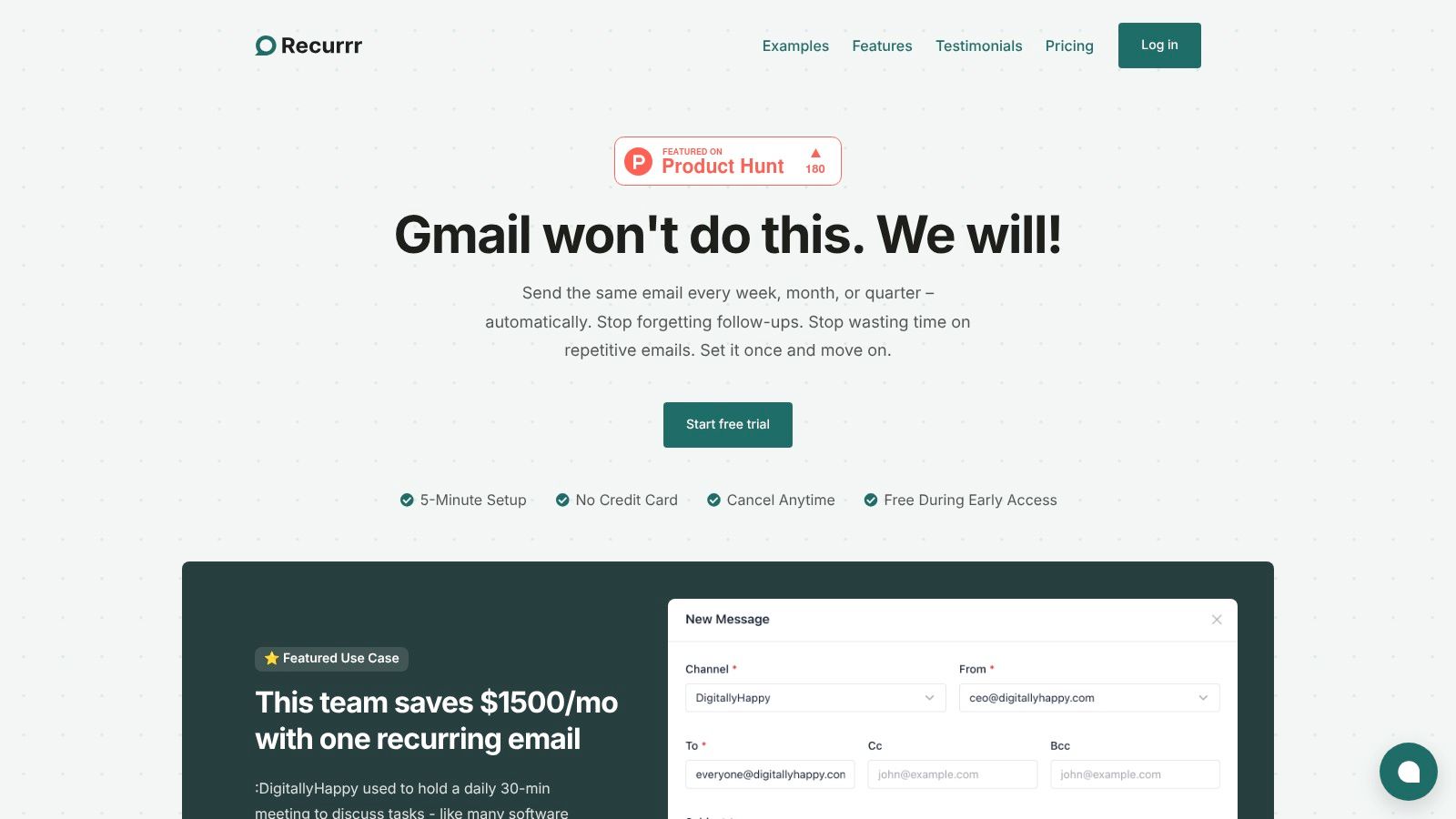
Recurrr is particularly powerful for business and professional habits for two reasons. First, these habits often involve multiple people, so automating the initial outreach ensures they get started. Second, since many professionals use their inbox as a to-do list, sending an automated email effectively "creates a task" for the recipient, prompting a response and moving the ball forward.
One standout feature is its Natural Language Processing (NLP) for scheduling. You can simply type "send every last Friday of the month" or "every 2 weeks on Monday at 9am," and the system sets it up. The calendar-first interface gives you a clear visual overview of your automated routines, ensuring nothing slips through the cracks. It’s the ultimate "set it and forget it" tool for habits that require outreach.
Real-World Impact: An engineering team reportedly saved $1,500 per month by replacing a daily stand-up meeting with a single, automated status update email sent via Recurrr. This demonstrates the tool's power to not just build habits but to optimize professional workflows for significant time and cost savings.
Practical Use Cases for Habit Formation
- Networking: Automatically send quarterly check-in emails to key contacts.
- Team Management: Schedule weekly "what are your priorities?" emails to your direct reports.
- Personal Finance: Send yourself an automated reminder to review your budget on the 1st of every month.
- Client Management: Automate monthly progress report requests or invoicing reminders.
Pricing and Key Details
Recurrr offers a straightforward and accessible pricing model. There is a free trial (no credit card required) to test the platform. Afterward, it moves to a single, all-inclusive plan at $9 per month. This plan includes all core features, such as sending from up to 3 email addresses to 30 recipients per routine.
Pros:
- Acts as a "forcing function" to automate the first step of a habit.
- Extremely simple setup (under 5 minutes) with an intuitive calendar UI and NLP input.
- Privacy-first design with AES-256 encryption; it never accesses your inbox or contacts.
- Affordable, all-inclusive pricing makes it accessible for individuals and small teams.
Cons:
- It is not a habit tracker; it lacks features like streak counters or detailed analytics.
- Focused solely on email automation, so it won't replace a full project management or CRM tool.
- Recipient and sender limits are best suited for individuals and small-scale operations.
Website: https://recurrr.com
- Apple App Store
For anyone using an iPhone, iPad, or Mac, the Apple App Store is the essential starting point and primary marketplace for finding the best habit tracking app. It's not a single app, but rather the official, secure ecosystem where developers list their software. This platform provides a centralized, trusted environment to discover, compare, and install a vast array of habit-focused applications.
What makes it indispensable is its rigorous vetting process and transparent user-centric features. Every app listing includes crucial information like user ratings, detailed reviews, version history, and Apple’s own privacy labels, which break down exactly what data an app collects. This transparency is key when choosing a tool to manage your personal goals.
User Experience and Key Features
The App Store excels in discovery. Its curated editorial sections often highlight new and effective productivity tools, while its powerful search helps you pinpoint apps with specific features. The direct integration with Apple's ecosystem means installation is seamless, and purchases are securely handled through your Apple ID.
- Pricing & Access: App prices are clearly displayed in USD (for the US store) and range from free and freemium models to one-time purchases and subscriptions. Family Sharing is often supported, allowing one purchase to be shared across multiple family members.
- Unique Offerings: The platform provides a clear and standardized process for requesting refunds, managing subscriptions, and viewing your purchase history. This centralized control is a significant advantage over downloading software from disparate websites.
- Practical Tip: When searching, pay close attention to the "In-App Purchases" section and the "Last Updated" date. A recently updated app is a good indicator of active developer support.
Pros and Cons
Pros:
- Security: The safest method to find and install vetted software on Apple devices.
- Transparency: Clear, upfront pricing, privacy information, and user reviews.
- Convenience: Simple installation, updates, and purchase management.
Cons:
- Ecosystem Lock-in: Exclusively for users within the Apple ecosystem (iOS, iPadOS, macOS).
- Regional Differences: App availability and pricing can vary significantly by country.
Website: https://apps.apple.com/us/search?term=habit%20tracker
- Google Play Store
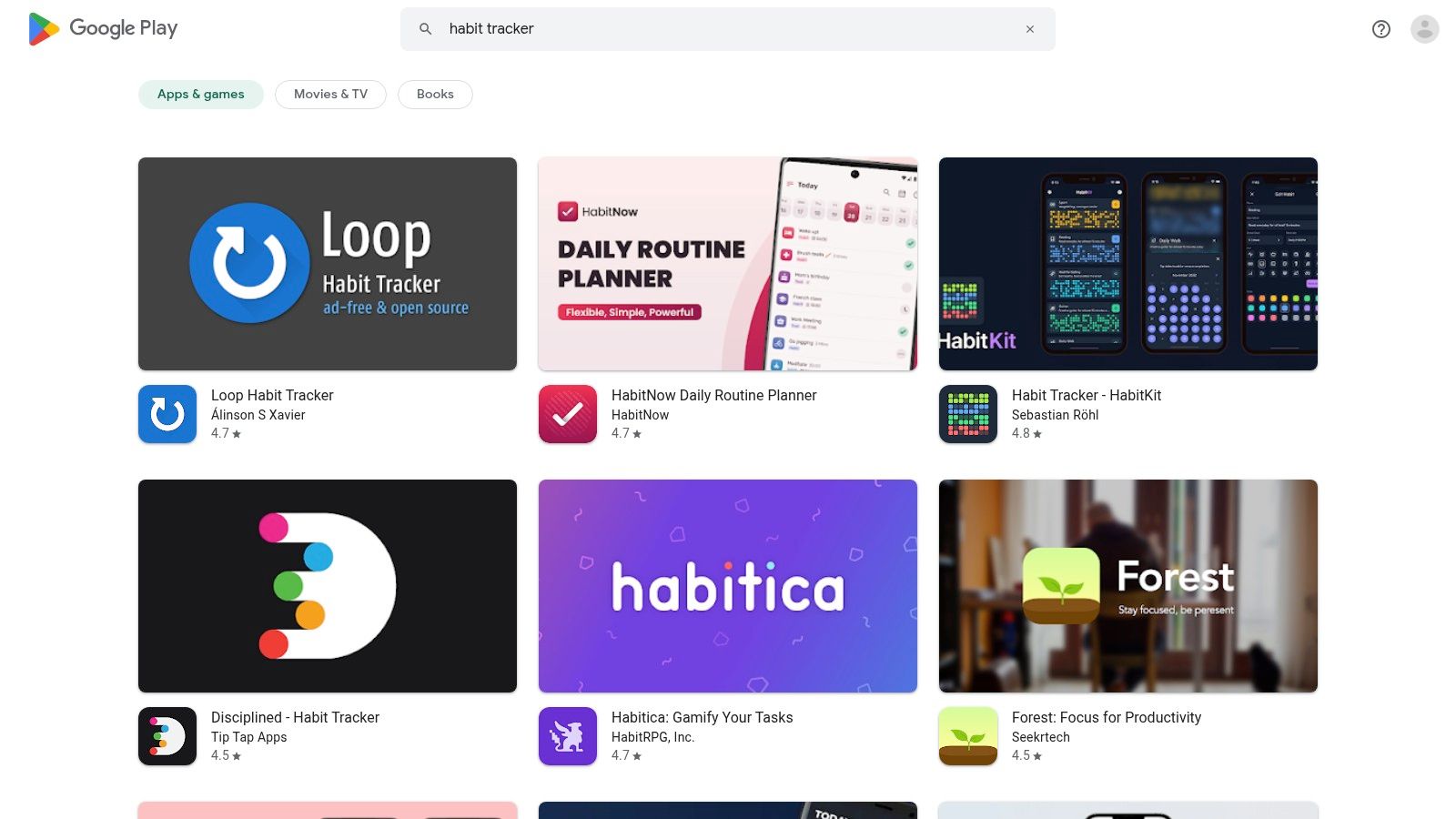
For the billions of Android users worldwide, the Google Play Store is the definitive and official marketplace for discovering the best habit tracking app. As the central hub for Android and ChromeOS software, it offers an enormous catalog of applications designed to help you build, track, and maintain positive routines. It functions as a secure gateway where developers list their tools, providing a trusted environment for users to browse and install software.
The strength of the Play Store lies in its sheer volume and the user-focused data available on each app page. Listings provide essential details like user ratings, in-depth reviews, the date of the last update, and developer contact information. Google also includes a "Data safety" section, offering transparency into how apps collect and share user data, a critical factor when choosing a personal development tool.
 ### User Experience and Key Features
Discovery on the Play Store is driven by powerful search algorithms, curated collections, and "Top charts" that highlight popular and trending apps. Installation is a one-tap process, with apps managed directly through your Google Account. This makes it easy to install apps across multiple devices, like your phone and tablet, seamlessly.
- Pricing & Access: Prices are displayed in local currency and cover all models: free, ad-supported, freemium, one-time purchases, and subscriptions. Google Play Pass, a subscription service, also offers access to a curated library of paid apps and games without ads or in-app purchases.
- Unique Offerings: The platform provides a standardized refund process, typically within a 48-hour window, and centralized subscription management. Frequent sales, promotions, and the ability to use Google Play Points for discounts offer added value.
- Practical Tip: Always check the "What's new" section for recent updates and the "Data safety" tab before installing. The sheer number of apps means quality can vary, so prioritize those with recent updates and high ratings from a large number of reviewers.
Pros and Cons
Pros:
- Massive Selection: An unparalleled variety of habit-tracking apps for every niche and need.
- Flexibility: Open platform with frequent sales, discounts, and flexible pricing models.
- Convenience: Easy installation and management across all your Android devices.
Cons:
- Variable Quality: The huge selection includes many low-quality or abandoned applications.
- Inconsistent Experience: App features and designs can differ significantly from their iOS versions.
Website: https://play.google.com/store/search?q=habit%20tracker&c=apps
- Streaks
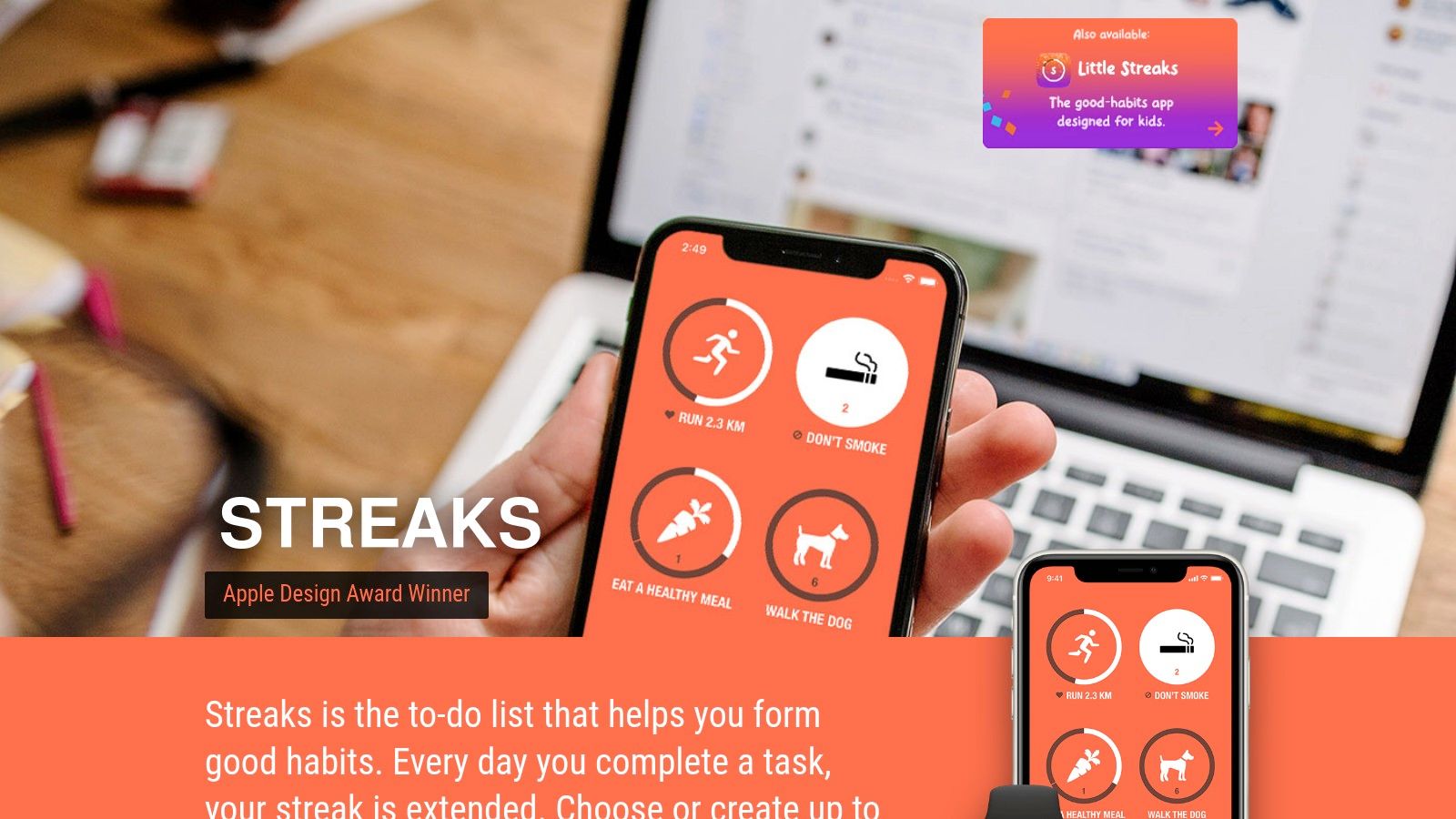
For users deeply embedded in the Apple ecosystem, Streaks is a beautifully designed, award-winning habit tracking app that prioritizes simplicity and visual motivation. Its core philosophy revolves around not breaking the chain, making it an excellent tool for building consistency. The app focuses on a clean, customizable interface that encourages daily engagement without overwhelming the user with excessive data.
What makes Streaks a standout choice is its seamless integration with Apple Health. This allows for automatic tracking of health-related habits like walking a certain number of steps or completing a workout, reducing manual input and making it one of the most frictionless options for fitness goals. This focus on a polished, native experience has earned it an Apple Design Award.
 ### User Experience and Key Features
The user experience is highly intuitive, centered around a grid of up to 24 habits. Tapping and holding an icon marks a habit as complete for the day, extending its streak. The app syncs flawlessly across iPhone, iPad, Mac, and Apple Watch, with its watch complication being particularly effective for at-a-glance tracking and quick logging. Streaks is a prime example of a specialized tool among the best personal productivity apps available on iOS.
- Pricing & Access: Streaks is available as a one-time purchase on the Apple App Store. There are no recurring subscriptions, which provides excellent long-term value for dedicated Apple users.
- Unique Offerings: The app can track "negative habits" to help you quit bad routines, like smoking or eating junk food. Its powerful Siri Shortcuts integration also allows for hands-free habit logging.
- Practical Tip: Leverage the Apple Health integration for any fitness or wellness goals. Set up habits for steps, workout minutes, or mindfulness, and let the app track your progress automatically.
Pros and Cons
Pros:
- One-time purchase: A single payment provides lifetime access with no subscriptions.
- Polished Interface: Clean, highly customizable, and intuitive user experience.
- Excellent Apple Integration: Deep ties with Apple Health, Siri, and Apple Watch.
Cons:
- Ecosystem Lock-in: Exclusively available on Apple devices with no Android or web version.
- Limited Analytics: Reporting is less detailed compared to more data-heavy competitors.
Website: https://streaksapp.com/
- Strides
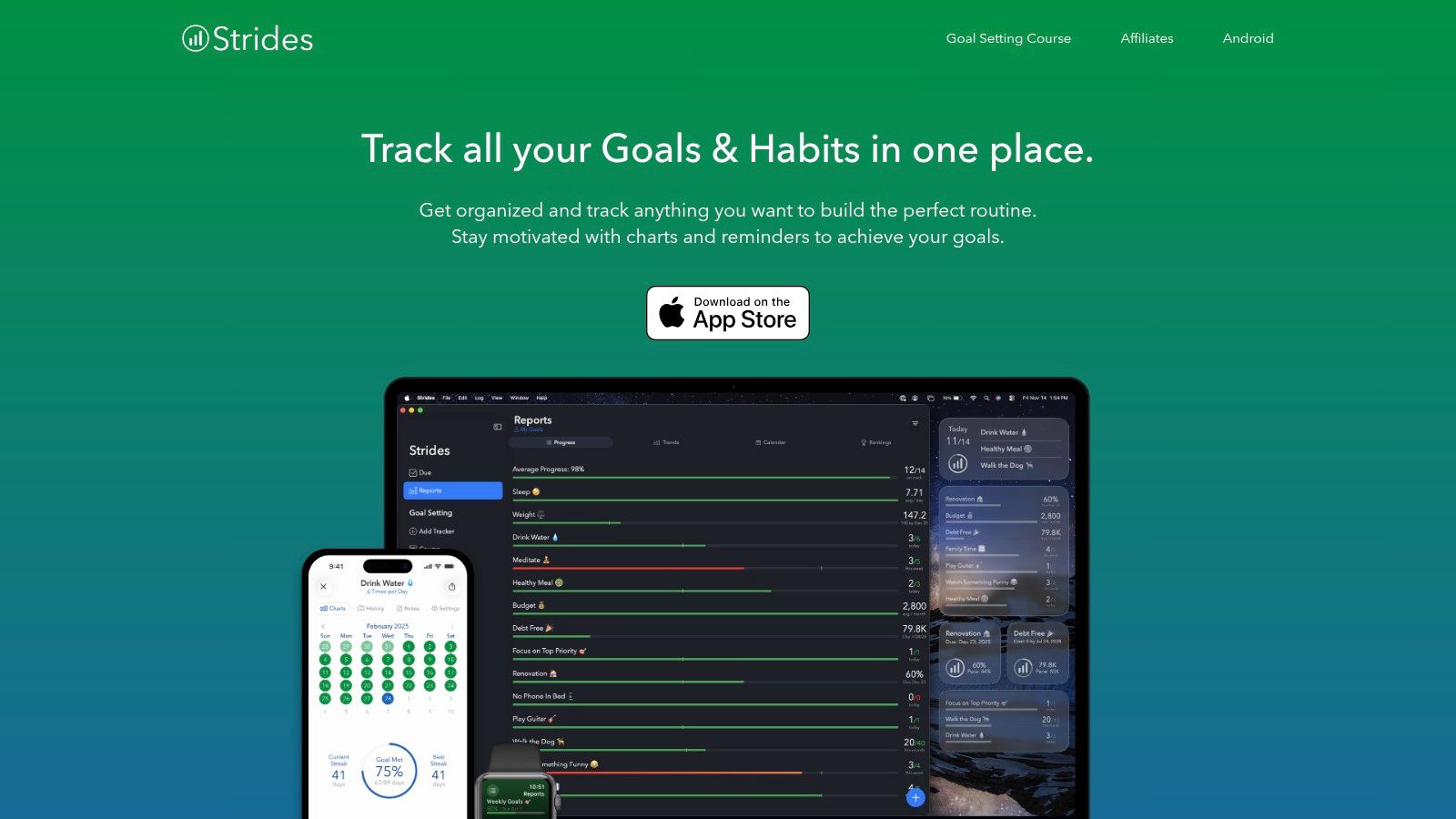
Strides is a goal-oriented habit tracking app designed for users who thrive on data and visual progress. It positions itself as a comprehensive tool by offering more than just simple habit streaks. Instead, it provides four distinct tracker types, allowing you to monitor not just binary habits (did/didn't do), but also specific targets, project milestones, and averages over time. This flexibility makes it an excellent choice for detailed goal-setters.
What sets Strides apart is its powerful reporting and pacing features. The app doesn't just show you a chain of completions; it provides clear charts and visuals to let you know if you're on track to meet your long-term goals. With over 150 templates, it helps you get started quickly, whether you're tracking water intake, savings goals, or project completion percentages.
 ### User Experience and Key Features
The interface is clean and focused on data visualization, making it easy to see your progress at a glance. Strides excels at turning abstract goals into concrete, measurable steps. The app’s strength lies in its ability to manage different types of goals within one system, catering to a more analytical user who appreciates detailed feedback on their performance.
- Pricing & Access: Strides offers a capable free tier to get started. For unlimited trackers, data backup, and advanced features, you need to upgrade to Strides Plus via a monthly or annual subscription.
- Unique Offerings: The four tracker types (Habit, Target, Average, and Project) are its core strength. This system supports everything from breaking a bad habit to saving a specific amount of money by a deadline. Some of these goals can be considered recurring tasks, which is where specialized tools can offer further automation; for more on this topic, you can learn about recurring task apps.
- Practical Tip: Use the tagging feature to group related habits and goals. This allows you to create custom dashboards for different areas of your life, like "Health," "Work," or "Finances," for a more organized overview.
Pros and Cons
Pros:
- Flexibility: Four distinct tracker types accommodate a wide range of goals.
- Data-Rich: Excellent progress reports, charts, and on-track pacing visuals.
- Templates: A large library of pre-built templates helps new users start quickly.
Cons:
- Platform Limitation: It is only available on Apple devices (iOS, iPadOS, watchOS).
- Paywalled Features: The most powerful features, including unlimited trackers, require a paid subscription.
Website: https://stridesapp.com/
- Habitify
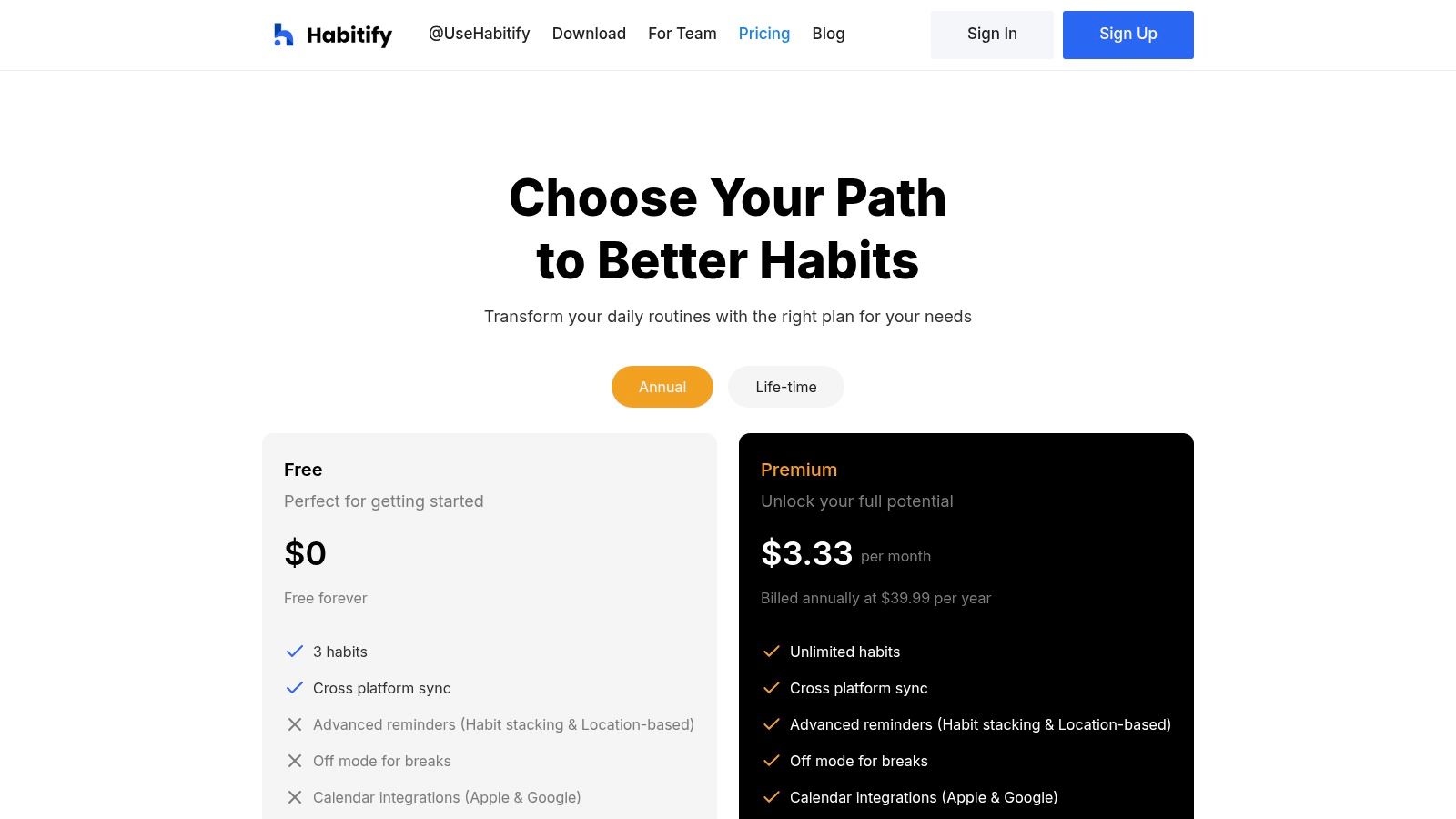
For users who operate across different devices, Habitify stands out as a powerful, cross-platform habit tracking app. It seamlessly syncs between iOS, Android, macOS, and a dedicated web app, ensuring your habit data is always accessible, regardless of your current device. This multi-device support is crucial for anyone who splits their time between a phone, tablet, and computer.
Habitify is designed not just for tracking, but for intelligent implementation. It goes beyond simple check-ins by offering smart reminders, including location-based prompts that can trigger a habit when you arrive at or leave a specific place, like the gym or office. The clean interface makes it easy to visualize progress and stay motivated.
 ### User Experience and Key Features
The user experience is centered around clarity and integration. Habitify provides detailed charts and statistics to analyze your performance, helping you understand streaks, completion rates, and daily progress. Its ability to connect with other ecosystems, like Apple Health and digital calendars, automates data logging for health-related habits.
- Pricing & Access: Habitify offers a free tier with a limit on the number of active habits. The Premium plan, available as a monthly, annual, or lifetime purchase, unlocks unlimited habits, advanced statistics, and all integration features.
- Unique Offerings: A key differentiator is its automation support. Through its API and integrations with Zapier and IFTTT, you can connect Habitify to hundreds of other apps, creating powerful automated workflows around your routines.
- Practical Tip: Use the "Habit Stacking" feature to group related habits together. This makes it easier to complete a sequence of actions, like a morning routine, and builds momentum.
Pros and Cons
Pros:
- Cross-Platform Sync: Excellent support across iOS, Android, macOS, and web.
- Powerful Integrations: Connects with calendars, Apple Health, and automation tools like Zapier.
- Actionable Insights: Clear data visualizations help you understand your performance.
Cons:
- Limited Free Version: The free plan is restrictive, limiting users to only a few habits.
- Subscription Required: Full functionality, including integrations and unlimited habits, requires a Premium subscription.
Website: https://www.habitify.me/pricing?utm_source=openai
- Habitica
Habitica transforms personal goal-setting into a role-playing game (RPG), making it a uniquely motivating platform for users who thrive on gamification. Instead of simple checklists, you manage your goals by battling monsters and leveling up a custom avatar. This approach is ideal for those who find traditional habit tracking apps uninspiring and want to add an element of fun and narrative to their daily routines.
What makes Habitica stand out is its deep integration of social accountability through game mechanics. You can join parties with friends to embark on quests where failing your real-life Dailies hurts the entire group, creating a powerful and collaborative incentive system. This community-driven accountability makes Habitica a compelling choice for a best habit tracking app, especially for those who enjoy multiplayer experiences.
User Experience and Key Features
The interface is designed like a classic RPG dashboard where you manage your character, inventory, and tasks. Tasks are split into three categories: Habits (positive or negative actions), Dailies (scheduled tasks), and To-Dos (one-off tasks). Completing them earns you experience points (XP) to level up and gold to buy in-game rewards like armor and pets.
- Pricing & Access: The core experience is entirely free on web, iOS, and Android. An optional subscription offers exclusive in-game items and gems but is not required for full functionality.
- Unique Offerings: The social system includes Guilds for shared interests and Challenges where you can compete with the entire community. Seasonal events and quests keep the experience fresh and engaging over the long term.
- Practical Tip: Join a party as soon as you feel comfortable. The shared accountability of quests, where one person's failure can damage the entire team's health, is one of the platform's most powerful motivators.
Pros and Cons
Pros:
- Highly Motivating: Gamified rewards and social quests make sticking to habits fun.
- Strong Community: Active guilds, parties, and challenges provide excellent social accountability.
- Cross-Platform: Seamlessly syncs between web and mobile apps.
Cons:
- Potentially Distracting: The game elements can feel cluttered or overwhelming for users seeking a minimalist tool.
- Learning Curve: New users may need time to understand the RPG mechanics and how they relate to productivity.
Website: https://habitica.com/
- Loop Habit Tracker
For Android users seeking a powerful, private, and completely free habit tracking app, Loop Habit Tracker is an exceptional open-source choice. It stands out by being entirely ad-free, requiring no account, and functioning perfectly offline. This commitment to privacy and simplicity makes it a favorite among users who want a straightforward tool without data tracking or unnecessary cloud features.
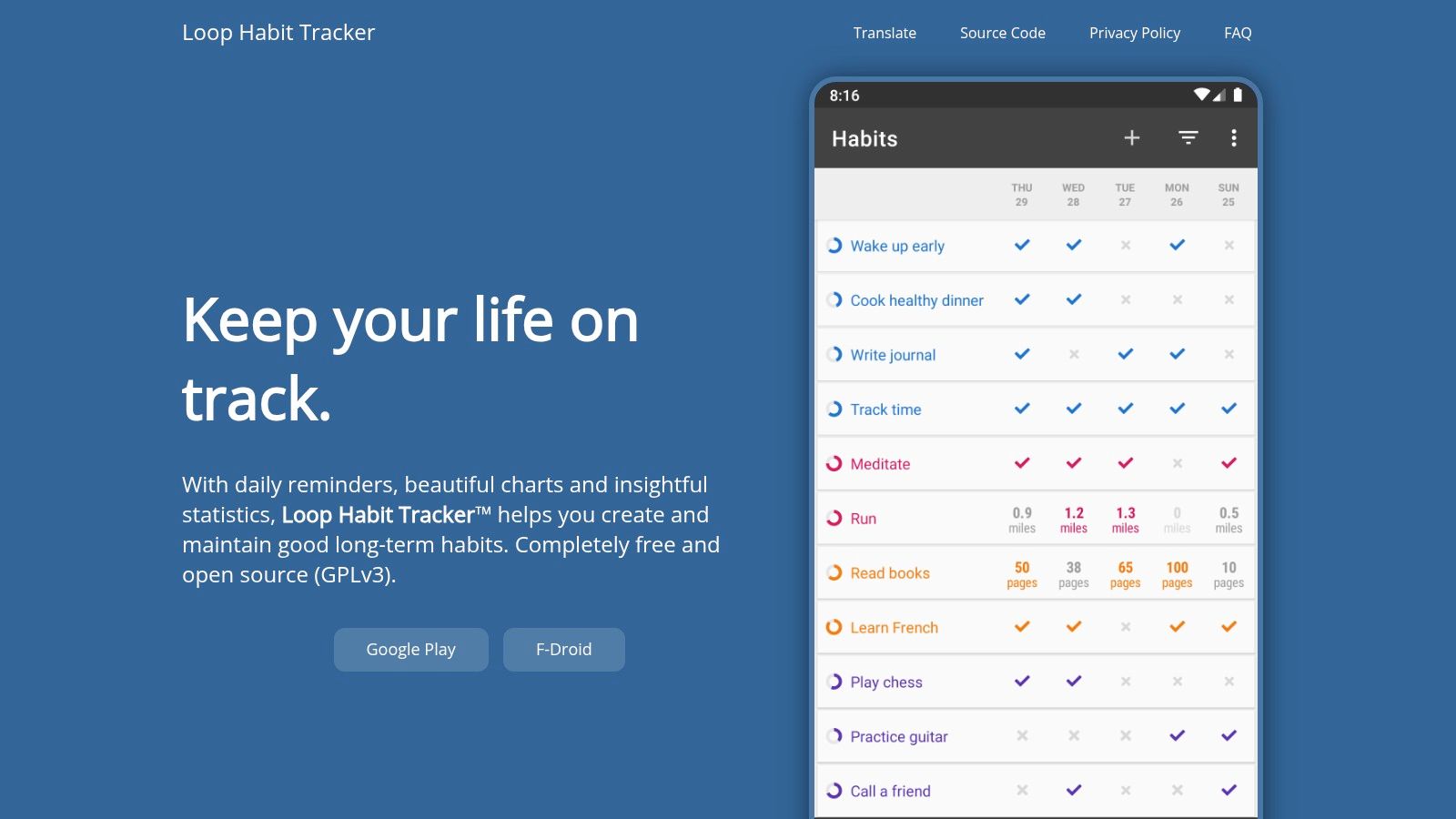
Instead of focusing on social connectivity, Loop provides robust data visualization tools. It helps you understand your progress through detailed charts and a unique habit score algorithm, giving you a clear picture of your consistency over time. It’s an ideal solution for anyone who values data ownership and a clean, minimalist interface.
 ### User Experience and Key Features
The user interface is minimal and efficient, focusing entirely on marking habits and viewing your history. Its strength lies in its detailed statistics, including streaks, completion rates, and frequency graphs that help you analyze your performance. The app is lightweight, ensuring it runs smoothly even on older devices without draining the battery.
- Pricing & Access: Loop Habit Tracker is 100% free and open-source. There are no ads, no subscriptions, and no in-app purchases. It is available on Google Play and F-Droid, an alternative app store focused on free and open-source software.
- Unique Offerings: The app's algorithm calculates a "Habit Score" that provides a more nuanced view of your consistency than a simple streak count. A few missed days won't reset your progress to zero, which can be more motivating.
- Practical Tip: While the app doesn't have native cloud sync, you can export your data to a file. Use a third-party service like Syncthing or a cloud storage app to manually back up and sync this file between your Android devices.
Pros and Cons
Pros:
- Completely Free: No ads, no tracking, and no hidden costs.
- Privacy-Focused: Works entirely offline with no account or internet connection required.
- Powerful Analytics: Excellent charts and a unique habit score give deep insights.
Cons:
- Android-Only: No official client for iOS or web browsers.
- No Built-in Sync: Users must manage their own backup and sync solutions.
Website: https://loophabits.org/
- Way of Life
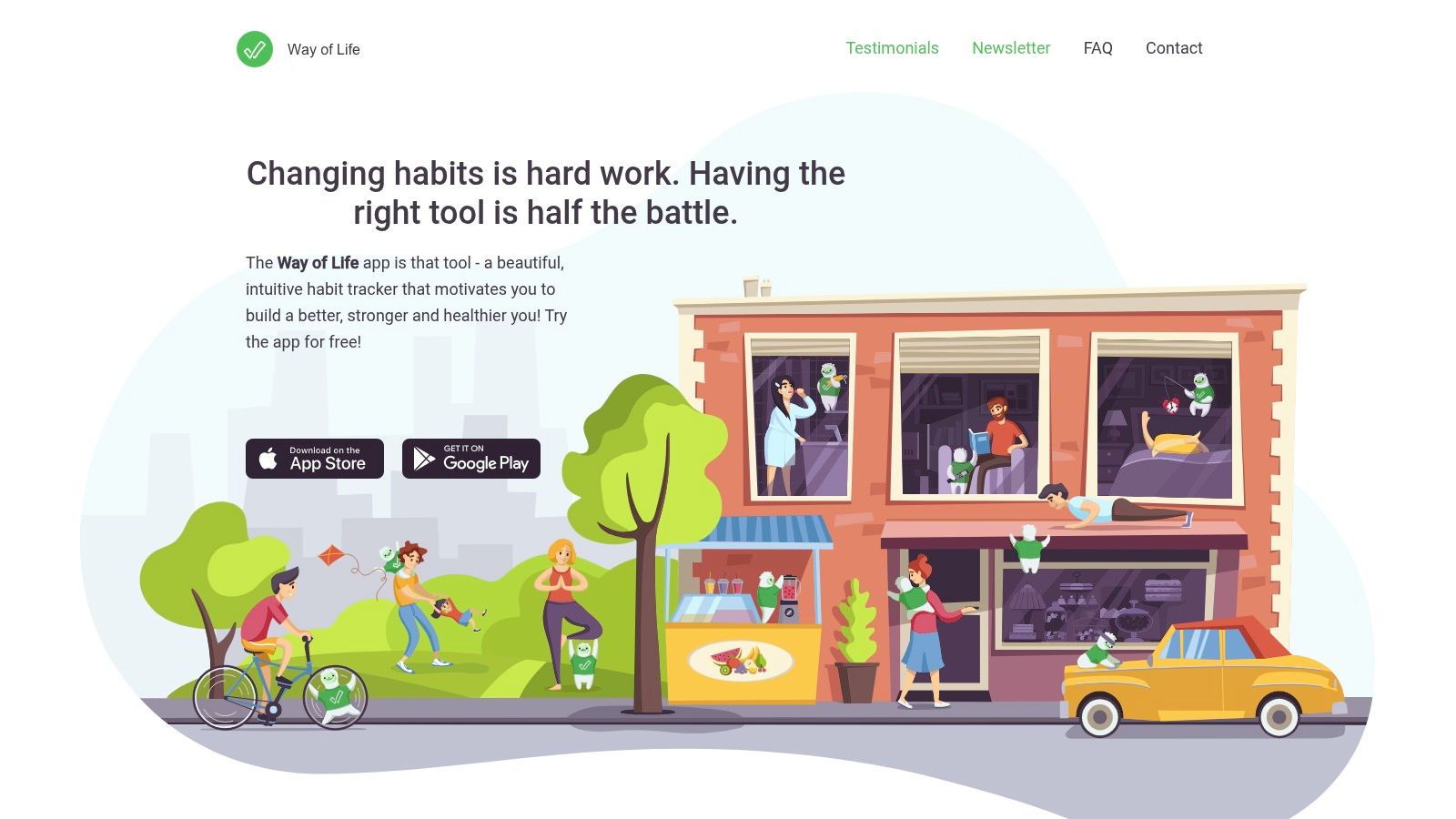
Way of Life is a long-standing habit tracker known for its simplicity and powerful data visualization. It’s built around a core concept of rapid, low-friction daily check-ins, making it one of the best habit tracking app choices for users who value speed and efficiency. Instead of complex inputs, the app uses a simple "yes" or "no" system, allowing you to log your entire day in seconds.
This approach strips away unnecessary complexity, focusing entirely on consistency and trend analysis. The app’s strength lies in its ability to quickly collect data and present it back to you in clear, motivating formats. By showing you streaks, trends, and patterns over time, Way of Life helps you understand your behavior at a glance without getting bogged down in details.
 ### User Experience and Key Features
The interface is clean and centered on a color-coded "journal" where you mark habits as green (yes) or red (no). This visual feedback is immediate and satisfying. The app excels at translating this simple input into insightful charts and graphs, which are its standout feature.
- Pricing & Access: The app is free to download and use for up to three habits. A one-time purchase for the Premium version unlocks unlimited habits, cloud backup, Face/Touch ID lock, and advanced features.
- Unique Offerings: Its powerful trend analysis is a key differentiator. Users can view bar charts, pie charts, and trend lines for any habit, providing a clear visual history of their progress. The ability to export data to CSV/Excel is also a major benefit for those who want to do their own analysis.
- Practical Tip: Use the "skip" option (represented by a blue dash) for days when a habit wasn't applicable, like skipping a weekday workout on a weekend. This keeps your data clean and ensures your streaks aren't unfairly broken.
Pros and Cons
Pros:
- Efficiency: Incredibly fast yes/no logging for quick daily entry.
- Strong Visuals: Excellent charts and graphs provide clear insight into your progress.
- Longevity: A well-established and trusted app in the habit-tracking space.
Cons:
- Platform Limitation: Primarily iOS-focused with no full-featured Android client.
- Paywall: Many of the most useful features, including unlimited habits, require the Premium upgrade.
Website: https://wayoflifeapp.com/
- Productive – Habit Tracker
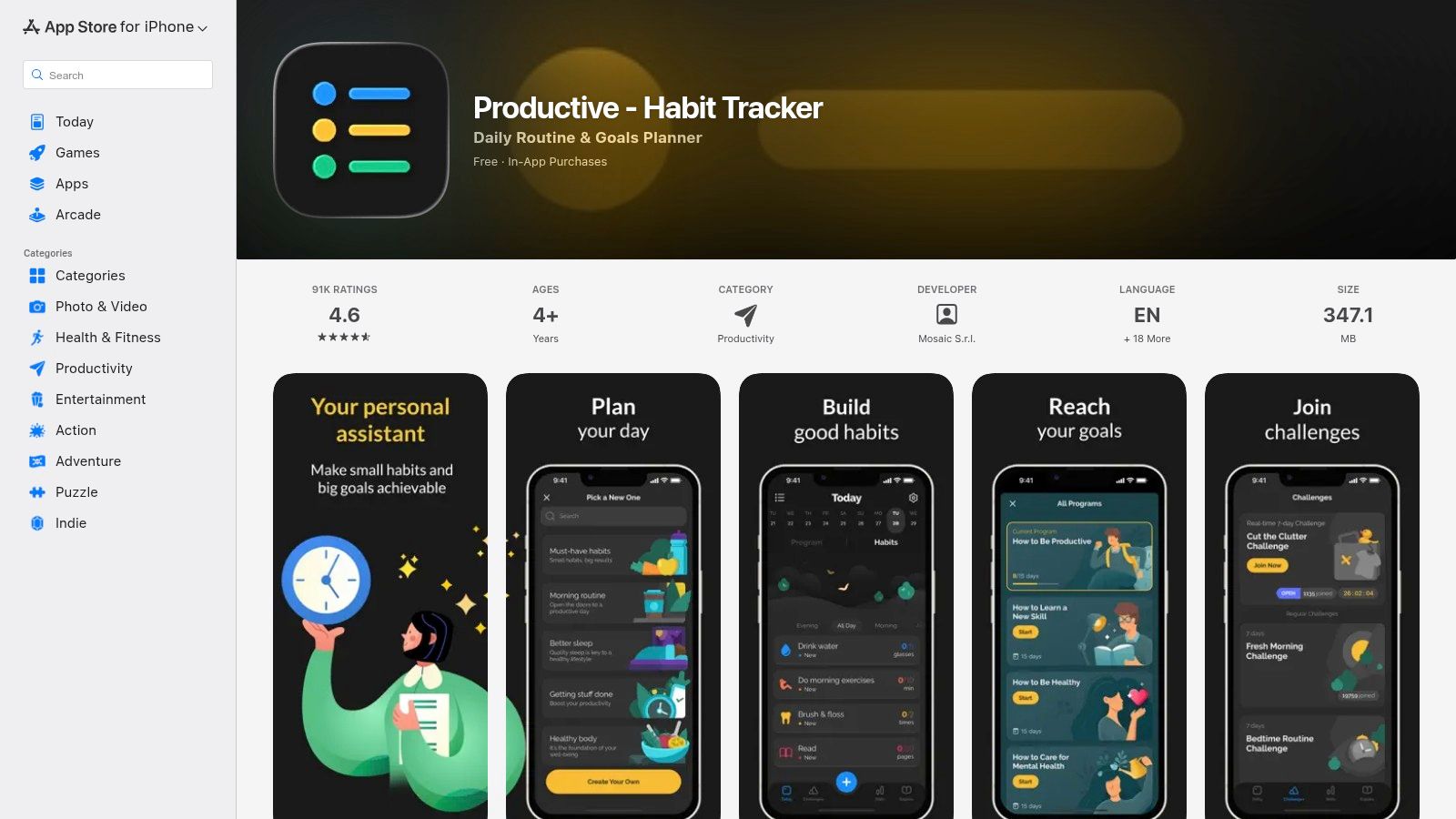
Productive is a highly polished and feature-rich iOS application that has become a mainstream choice for those looking to build better habits. It stands out with a visually appealing interface and a structured approach that guides users through setting up and maintaining their goals. The app is designed for a broad audience, offering everything from simple daily check-ins to complex, multi-step routines.
What makes Productive a contender for the best habit tracking app is its combination of guided programs and flexibility. It provides pre-built "challenges" and habit templates to help users get started quickly, which is perfect for beginners. At the same time, its advanced reminder system and detailed statistics cater to power users who want deep insights into their progress and performance over time.
 ### User Experience and Key Features
The user experience in Productive is smooth and motivational. The app uses vibrant colors and satisfying animations to celebrate completed tasks, making the process feel rewarding. Its well-organized dashboard provides a clear overview of your day, week, and overall progress, helping you stay focused without feeling overwhelmed.
- Pricing & Access: The app operates on a freemium model with a subscription for premium features. Pricing can vary based on promotions, so it's wise to check the App Store listing for current offers. Subscriptions are managed through your Apple ID.
- Unique Offerings: Productive includes specialized programs and challenges, such as a "Morning Routine" or "Digital Detox," which provide a structured path to building specific habits. It also features robust Apple Watch integration for on-the-go tracking.
- Practical Tip: Take advantage of the customizable reminders. The app offers location-based and time-sensitive notifications, which can be particularly effective for habits tied to a specific place, like going to the gym.
Pros and Cons
Pros:
- Feature-rich: Offers guided programs, challenges, and detailed statistics.
- Polished Interface: A highly refined and motivating user experience with frequent updates.
- Broad Appeal: Suitable for both beginners and experienced habit trackers.
Cons:
- Cost: The full feature set requires a subscription, which can be more expensive than some alternatives.
- Confusing Billing: Some users have reported that promotional offers and subscription terms can be unclear; always verify the details before committing.
Website: https://apps.apple.com/us/app/productive-habit-tracker/id983826477
- The Fabulous
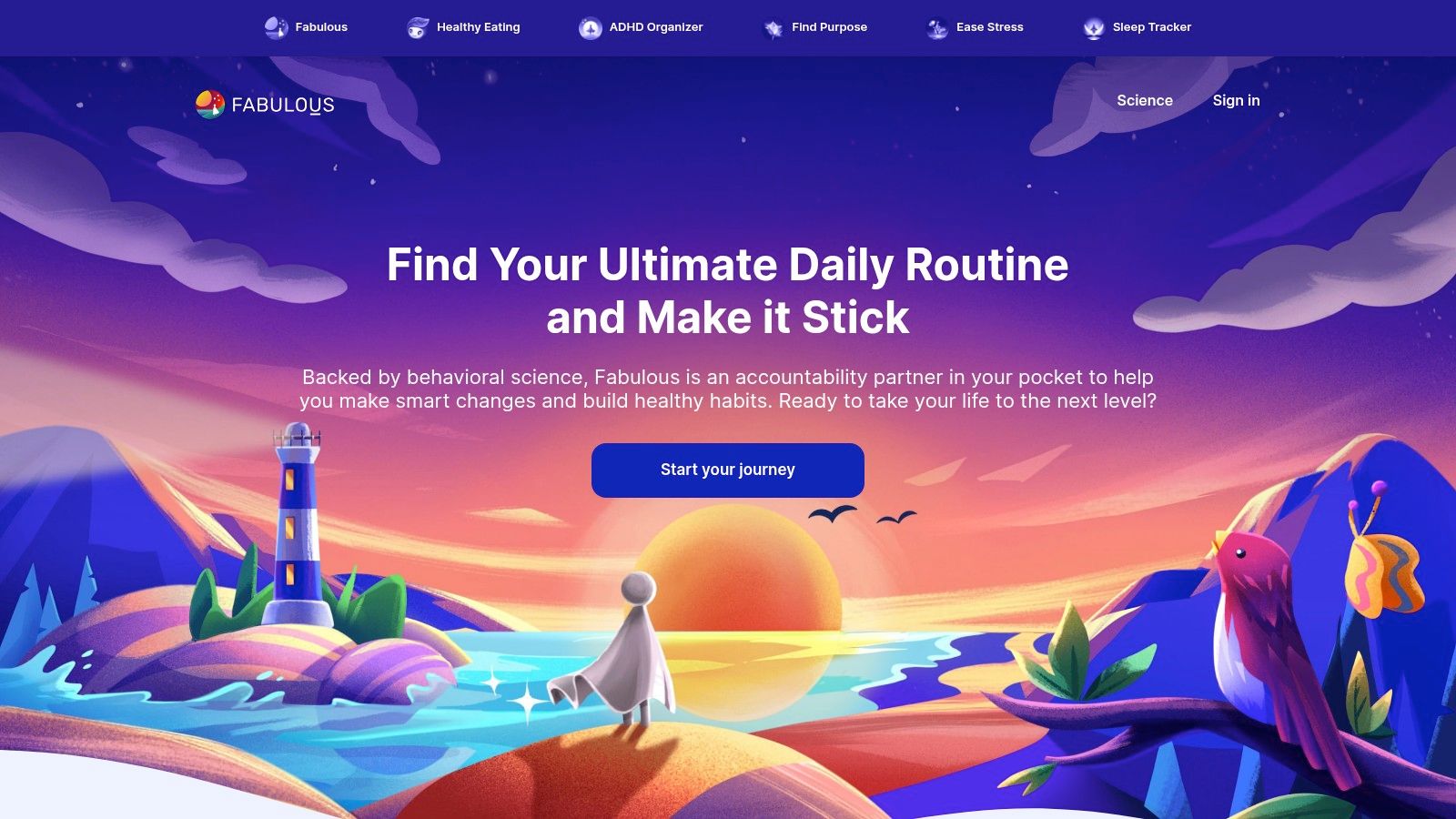
The Fabulous approaches habit formation from a behavioral science perspective, positioning itself as a "coach" rather than just a tracker. It uses a holistic, guided methodology to help users build entire routines, starting with a simple morning ritual and gradually layering in more complex habits. This structured approach is ideal for individuals who feel overwhelmed by the idea of starting from scratch and prefer a step-by-step, narrative-driven process to build lasting change.
What makes The Fabulous a unique entry in the best habit tracking app category is its focus on "journeys." These are pre-packaged, multi-week programs designed to tackle specific goals like better sleep, increased focus, or improved fitness. The app uses habit stacking, beautiful animations, and motivational coaching prompts to make the process engaging and less of a chore.
 ### User Experience and Key Features
The user experience is highly visual and immersive, designed to feel encouraging and almost game-like. The Fabulous guides you through building a morning, afternoon, and evening routine, providing a framework that many other apps lack. Its extensive content library and guided sessions feel like having a personal wellness coach in your pocket. Because it's a great fit for building complete systems, we also featured The Fabulous in our roundup of the best daily routine apps.
- Pricing & Access: The Fabulous operates on a subscription-heavy model. While a limited free version exists, full access to journeys and premium features requires a monthly or annual paid plan, with subscriptions managed through mobile app stores.
- Unique Offerings: The platform's standout feature is its 'journeys' system. These are structured, science-backed programs that include guided audio sessions, check-ins, and challenges to help users achieve a specific life goal.
- Practical Tip: Start with the foundational "An Unexpected Journey" to understand the app's philosophy. Don't try to add too many habits at once; follow the app's gradual, guided pace for the best results.
Pros and Cons
Pros:
- Highly Structured: Excellent for beginners who want step-by-step guidance.
- Engaging Interface: Beautiful design and motivational content keep users engaged.
- Holistic Approach: Focuses on building entire routines, not just isolated habits.
Cons:
- Subscription-Heavy: Most of the valuable content is locked behind a paywall.
- Less Flexible: May feel too rigid for users who prefer to create their own custom systems from scratch.
Website: https://www.thefabulous.co/
- TimeCamp Blog – Best Habit Tracker Apps (comparison guide)
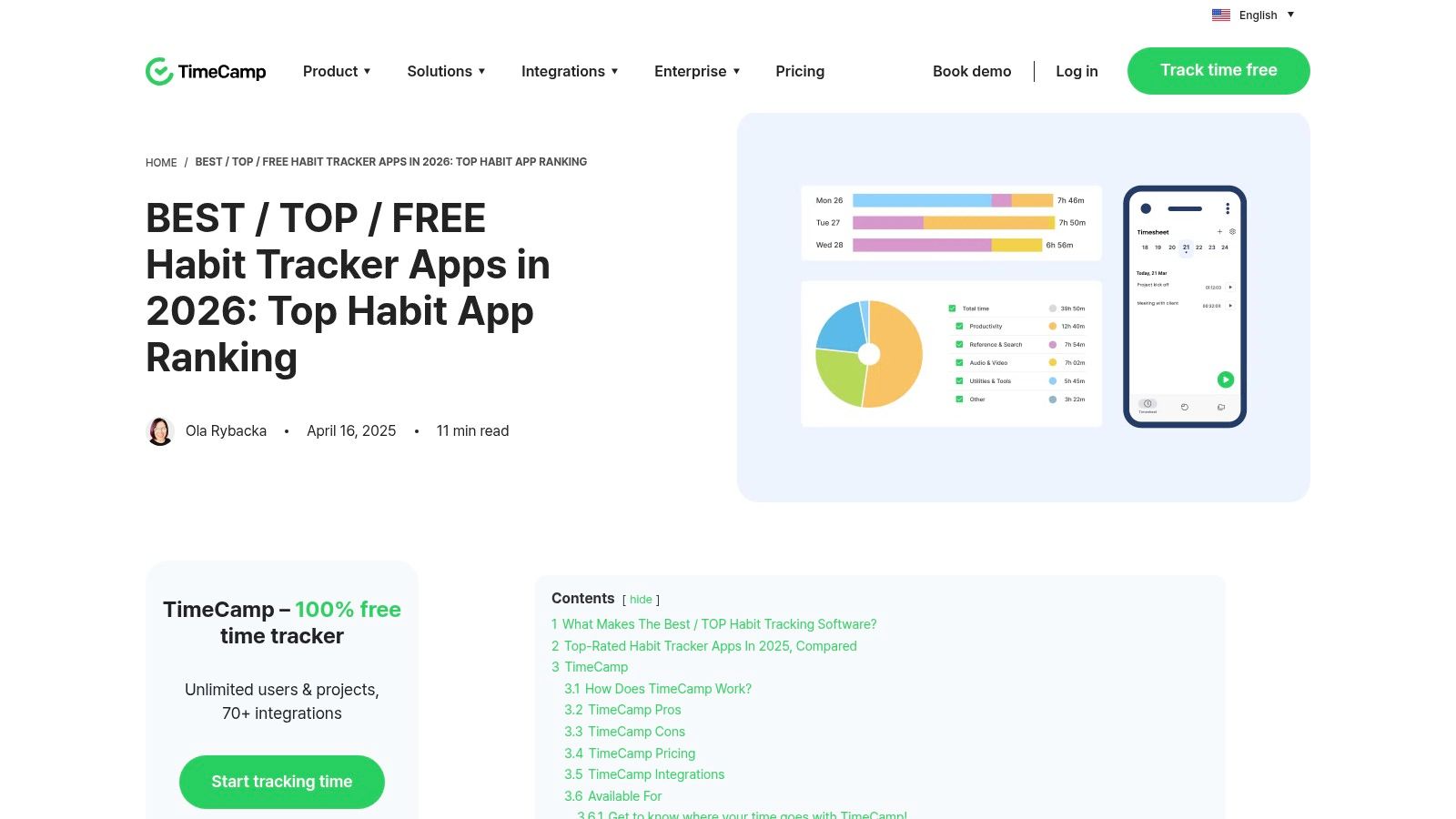
Instead of a single app, this resource is a comprehensive comparison guide from the team at TimeCamp. It acts as a powerful research tool, saving you the effort of individually searching for and vetting every potential habit tracker. The article provides a curated roundup of mainstream and niche apps, helping you create a shortlist of the best habit tracking app candidates that fit your specific needs before you commit.
This guide stands out by offering at-a-glance summaries and direct comparisons, which is invaluable when the market is saturated with options. It presents key information in an easily digestible format, allowing you to quickly understand what each app offers, who it's best for, and its general price point.
 ### User Experience and Key Features
The blog post is designed for efficient decision-making. Its clean layout and comparative tables let you quickly scan features, user ratings, and pricing snapshots for popular tools like Loop, Habitica, and Habitify. This approach is much faster than opening dozens of tabs and trying to compare app store pages yourself. While many guides focus on paid tools, this one offers a balanced perspective; if you're specifically evaluating no-cost options, you can explore our analysis of the best free habit tracking apps for more detail.
- Pricing & Access: The guide provides pricing snapshots (e.g., "Free," "Starts from $4.99/mo") and is a completely free-to-access article.
- Unique Offerings: It includes a "Best for" summary for each app, helping you immediately identify tools suited for specific goals like gamification, minimalism, or data analysis. Direct links to official websites are provided for easy follow-up.
- Practical Tip: Use this guide to build a top-three list. Then, visit the official websites for each to verify the most current pricing and feature sets before making your final decision.
Pros and Cons
Pros:
- Efficiency: Saves significant research time by consolidating key information in one place.
- Clarity: Quick-scan tables and "best for" notes simplify the comparison process.
- Convenience: Direct links to app websites make it easy to continue your research.
Cons:
- Secondary Source: Information like pricing can become outdated; always confirm on the official app site.
- Limited Depth: As a roundup, it offers a summary rather than an exhaustive deep-dive into each app.
Website: https://www.timecamp.com/blog/best-habit-tracker-apps-top-habit-app-ranking/?utm_source=openai
Top 12 Habit Trackers: Feature Comparison
ProductCore featuresUX & Quality (★)Value & Pricing (💰)Target audience (👥)Unique selling points (✨)🏆 RecurrrAutomated recurring emails; calendar UI; NLP recurrence; pause/skip/reschedule; send from up to 3 addresses★★★★☆ intuitive 5‑min setup, smart notifications💰 $9/mo all‑inclusive; free trial (no card)👥 Individuals & small teams automating repeat admin✨ Privacy‑first (AES‑256), browser‑based, continues sending 24/7Apple App StoreApp marketplace, editorial picks, ratings, privacy labels★★★★☆ curated, reliable discovery💰 Prices vary by app; in‑store purchases/subs👥 iOS/macOS users seeking vetted apps✨ Official distribution, reviews & editorial discoveryGoogle Play StoreAndroid/ChromeOS marketplace, charts, app pages, refunds★★★☆☆ huge selection, quality varies💰 Prices vary; frequent discounts/offers👥 Android & Chromebook users✨ Wide selection & easy installs across devicesStreaksTrack up to 24 habits; iCloud & Apple Watch; Health integration★★★★★ polished Apple Design Award UI💰 One‑time purchase (good long‑term value)👥 Apple users who prefer one‑time buys✨ Award‑winning UI + deep Apple Health/Watch supportStrides4 tracker types (Habit/Target/Average/Project); 150+ templates; reports★★★★☆ powerful analytics & pacing visuals💰 Free tier; Strides Plus for full features👥 Goal‑focused iOS users needing charts/templates✨ Extensive templates & detailed progress reportsHabitifyCross‑platform (iOS/Android/mac/web); location reminders; automations★★★★☆ clean UI, reliable multi‑device sync💰 Freemium; Premium or lifetime purchase👥 Multi‑device users wanting automation hooks✨ Zapier/IFTTT + location‑based remindersHabiticaGamified RPG tasks (XP, gold, items); parties & quests; cross‑platform★★★☆☆ fun & social but can be busy💰 Free core; optional subscriptions/perks👥 Users motivated by gamification & social play✨ Strong community, quests & party accountabilityLoop Habit TrackerOpen‑source Android app; offline, streaks & charts★★★★☆ privacy‑focused, reliable offline💰 Completely free (no ads, no tracking)👥 Android users who prioritize privacy & OSS✨ GPLv3 open‑source + no‑account offline useWay of LifeYes/no quick logging; streaks, pie/bar charts, exports★★★★☆ very low‑friction daily input💰 Freemium with Premium features👥 Users wanting fast daily tracking & trends✨ Extremely fast input + clear trend visualsProductive – Habit TrackerTemplates, challenges, advanced reminders, Apple Watch★★★★☆ polished, frequent updates💰 Subscription (varies by offer)👥 Broad mainstream iOS users✨ ADHD‑friendly scheduling & structured programsThe FabulousGuided journeys, coaching prompts, routine building★★★★☆ structured, coaching‑style UX💰 Subscription‑heavy (monthly/annual)👥 Users wanting step‑by‑step coaching✨ Large library of guided routines & habit stackingTimeCamp Blog – GuideAt‑a‑glance comparisons, pricing snapshots, links★★★☆☆ helpful roundup but secondary source💰 Free article👥 Researchers shortlisting habit apps✨ Quick shortlist + direct links to official pagesFrom Tracking to Action: Choosing Your System for Success
Navigating the world of digital tools to build better habits can feel overwhelming, but the journey to find the best habit tracking app is ultimately a search for what best suits you. As we've explored, the ideal solution isn't one-size-fits-all. Your perfect match depends entirely on your personality, your goals, and the specific friction points you face in building consistency.
The key takeaway is to move beyond a simple feature comparison and instead diagnose your primary obstacle. Is your biggest challenge a lack of motivation? An app like Habitica, with its RPG-style gamification, might be the perfect antidote to procrastination. Do you thrive on data and detailed progress reports? Strides offers the robust analytics you need to visualize your journey and make informed adjustments. For those embedded in the Apple ecosystem who value elegant simplicity, Streaks provides a seamless and aesthetically pleasing experience.
Moving from Passive Logging to Proactive Automation
Once you've established a foundation with a primary habit tracker, the next logical step is to identify which habits can be put on autopilot. This is where the true power of system-building comes into play. Simple tracking is reactive; it relies on you to remember, initiate, and log an action. But for many crucial professional and social habits, this manual process is the weakest link.
Consider habits that involve outreach:
- Networking: Touching base with key contacts every quarter.
- Client Management: Sending a check-in email to your top clients on the first of every month.
- Team Coordination: Reminding your team to submit weekly reports every Friday.
- Personal Connections: Reaching out to a different family member each week.
These are the exact scenarios where a traditional habit tracker falls short. You can check a box that says "Contacted Client," but the app itself can't perform the action. This is the gap where a tool like Recurrr shines, not as a replacement for your tracker, but as a powerful, specialized addition to your productivity arsenal. It serves as an "invisible" engine that transforms intention into action.
How to Choose Your Perfect Habit System
To build a truly effective system, consider this two-step approach:
- Identify Your Tracking Style: First, select a core habit app from our list that aligns with your personality. Are you motivated by seeing an unbroken chain (Streaks, Productive), analyzing trends (Strides), or earning rewards (Habitica)? This app will be your central dashboard for daily check-ins and progress monitoring.
- Pinpoint Automation Opportunities: Next, review your list of habits and identify which ones are rooted in recurring communication. Any task that begins with "email," "remind," or "reach out to" is a prime candidate for automation. This is where you layer in a tool like Recurrr to act as a forcing function, ensuring the initial outreach happens automatically and reliably.
By separating the act of tracking from the act of initiation, you create a far more resilient system. You use your chosen app to track habits like "go to the gym" or "read 20 pages," while your automation tool ensures that your professional networking and client management habits execute themselves. This approach is also incredibly effective for building routines in other areas of life. For instance, if you're establishing a new home organization habit, these actionable decluttering tips to turn paralysis into progress can provide a great starting point for tasks you might want to schedule and track.
Ultimately, the goal is to design a system that makes consistency feel effortless. The best tools are the ones that fade into the background, freeing up your mental energy to focus on the work, relationships, and goals that truly matter. Stop just tracking your habits; start automating them.
Ready to move beyond tracking and start automating your most important professional habits? Recurrr is the simple yet powerful tool that sends recurring emails for you, ensuring your key outreach happens on schedule, every time. Visit Recurrr to see how you can build an unstoppable system for your networking, client management, and team reminders today.