


Embarking on a new habit is easy. Sustaining it is the real challenge. Whether you're a busy professional aiming to automate routines, a freelancer managing recurring client tasks, or a student building a consistent study schedule, the right tool can make all the difference. The market is flooded with options, but many fall short, offering little more than a digital checklist that quickly loses its appeal. This isn't just about maintaining a streak; it's about integrating new behaviors seamlessly into your life until they become second nature.
This comprehensive guide cuts through the noise to showcase the best habit tracking apps available today, each with a unique approach to building consistency. We move beyond generic feature lists to provide an in-depth analysis of what makes each app tick. You will find a detailed breakdown for every tool, including its core strengths, key features, pricing, and honest pros and cons. To help you visualize how they work, we've included screenshots, practical workflow examples, and direct links to get you started immediately.
Our goal is to help you find the perfect match for your specific needs. For some, especially those managing neurodivergence, the right app structure is critical. For users with specific needs, such as adults with ADHD, finding a habit tracker that genuinely helps can be a game-changer for consistency and long-term success. We've considered a wide range of use cases, from individuals looking to gamify their goals with apps like Habitica to small teams needing to coordinate operational routines with a tool like Recurrr. Let’s find the system that will finally make your habits stick.
- Recurrr
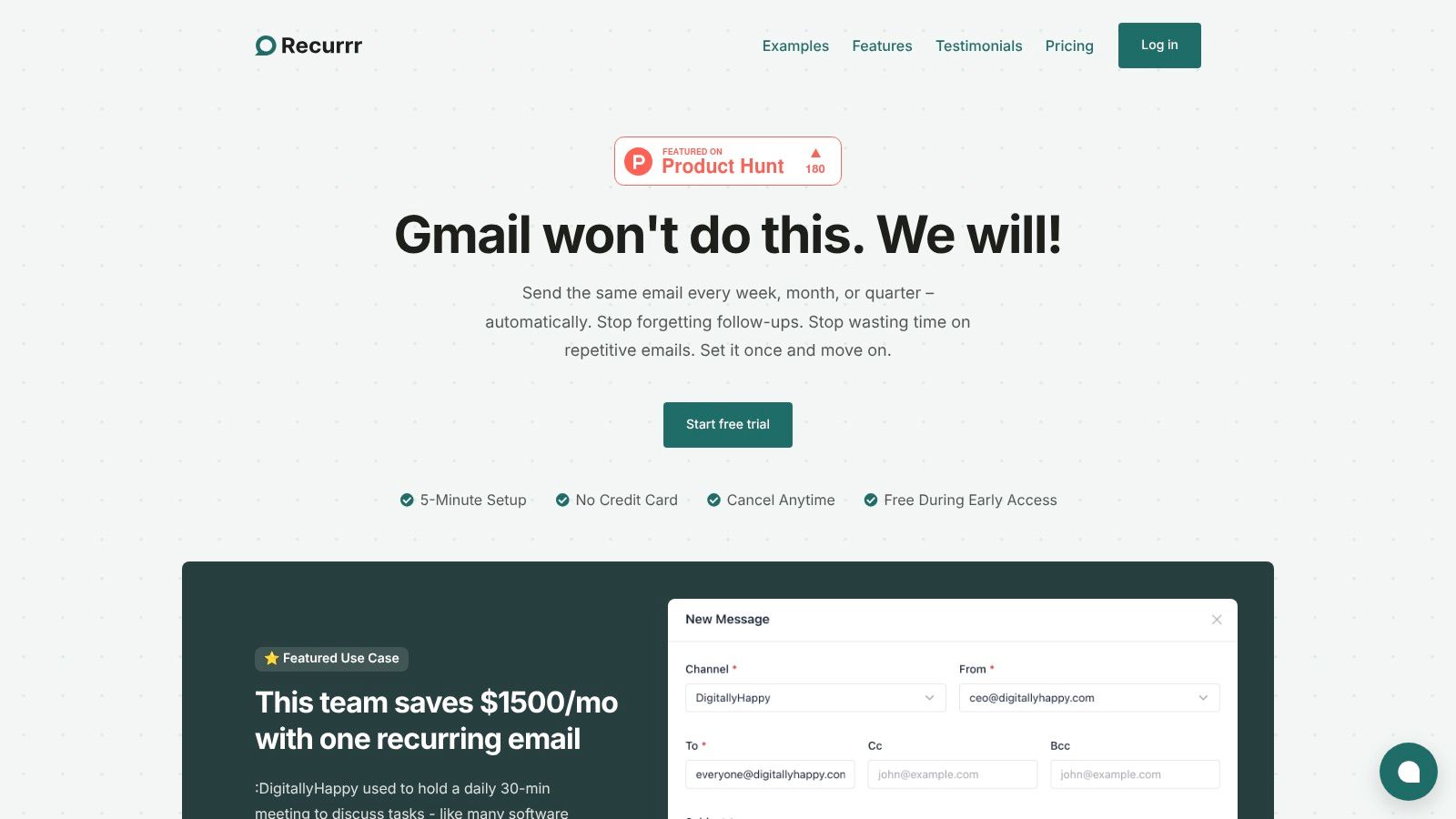
Recurrr excels by treating consistency as an automation problem. While not a conventional habit tracker with checkboxes and charts, it stands out as a powerful tool for building and maintaining routines that rely on communication. Its core function is automating recurring emails, making it one of the best habit tracking apps for professionals, freelancers, and small teams who want to enforce accountability and structure through scheduled nudges and reminders.
The platform's philosophy is simple: remove the friction of manual repetition. Instead of just reminding you to send a weekly project update or a daily check-in, Recurrr sends it for you. This "set-it-and-forget-it" approach is ideal for habits like sending client follow-ups, dispatching team status updates, or even sending yourself a daily prompt with your top three priorities. Its privacy-first stance is a significant differentiator; it operates without accessing your inbox or contacts, using AES-256 encryption to secure your data.
 ### Key Features and Use Cases
Recurrr’s strength lies in its focused and brilliantly executed feature set. The natural language input allows you to schedule a routine as easily as you would describe it (e.g., “every weekday at 9 AM” or “the last Friday of every month”). The calendar-style outbox provides immediate clarity on all scheduled sends, while flexible controls let you pause, skip, or reschedule any message without disrupting the entire sequence.
Example Workflows:
- Building a Writing Habit: Schedule a daily email to yourself with a writing prompt or a link to your document.
- Team Accountability: Automate a weekly "What are your top 3 priorities?" email to your team, saving hours on standup meetings.
- Client Management: Ensure consistent follow-up by scheduling a check-in email to clients every two weeks.
Pricing and Access
Recurrr offers a straightforward and accessible pricing model. You can begin with a free trial without providing a credit card. Afterward, a single plan at $9 per month grants access to all features. This includes sending from up to three of your own email addresses and messaging up to 30 recipients per send (10 To, 10 Cc, 10 Bcc). As a web-based platform, no installation is necessary, and it integrates seamlessly with any email provider like Gmail or Outlook.
FeatureDetailsPricingFree trial (no credit card), then $9/monthSending LimitsFrom up to 3 email addressesRecipient LimitsUp to 30 per message (10 To / 10 Cc / 10 Bcc)PlatformWeb app (no native app)SecurityAES-256 encryption, no inbox/contacts accessPros:
- Truly automates recurring email-based routines
- Extremely user-friendly with a 5-minute setup
- Strong privacy and security focus
- Simple, affordable all-inclusive pricing
Cons:
- Recipient and sending limits may not suit larger teams
- Focused solely on email automation, not a full workflow platform
Website: https://recurrr.com
- Apple App Store
Best For: iOS users seeking the largest, safest, and most integrated selection of habit tracking apps.
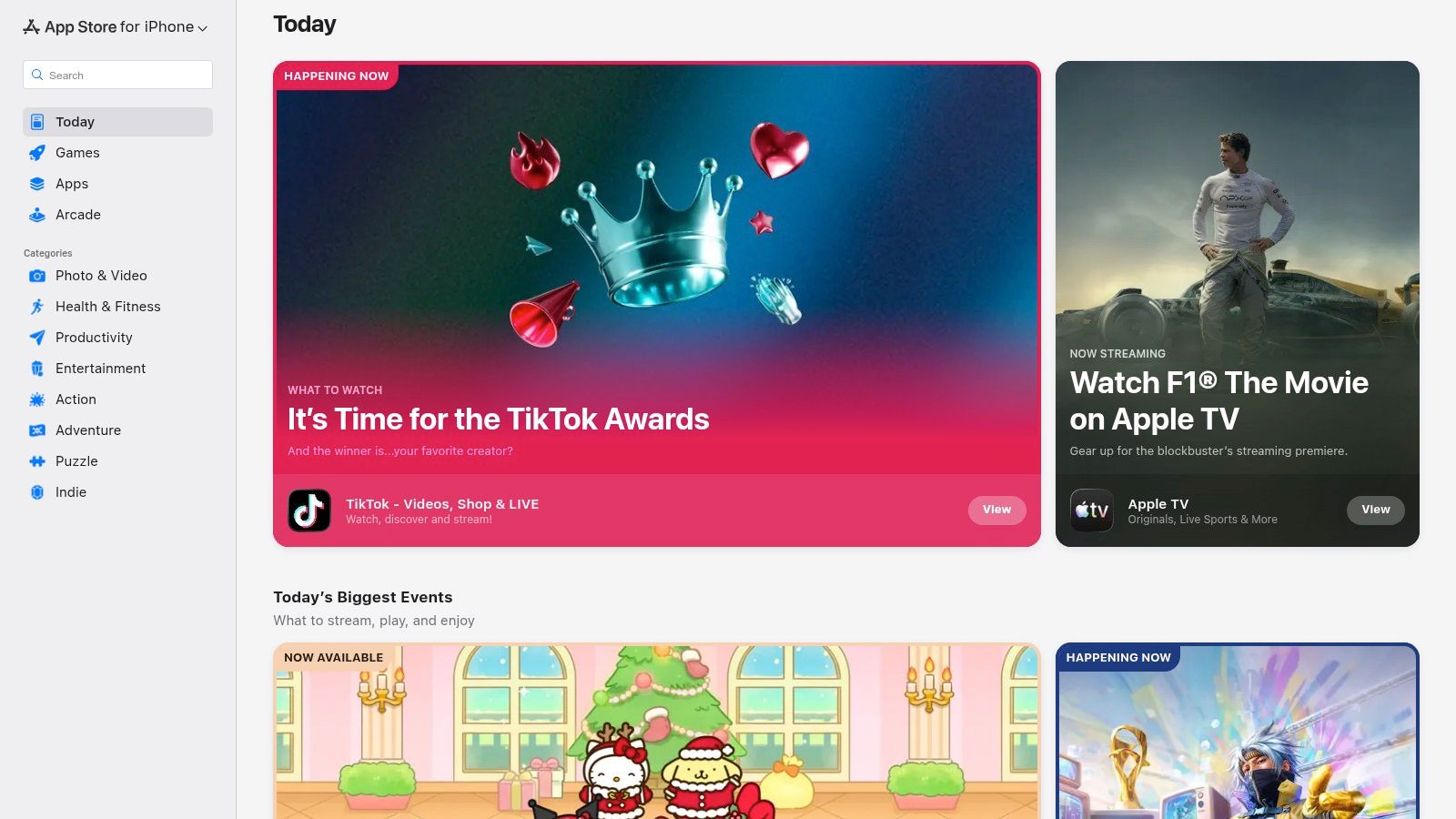
For anyone in the Apple ecosystem, the App Store is the definitive starting point and central hub for discovering the best habit tracking apps. It’s not an app itself, but a curated marketplace that provides a secure, reliable environment to find, compare, and manage top-tier tools like Streaks, Strides, and Way of Life. The platform excels by offering deep integration with the iOS, iPadOS, and watchOS experience, allowing apps to leverage native features like widgets, Apple Health data, and Apple Watch complications for a seamless user experience.
 ### Why It's a Top Resource
What makes the App Store essential is its quality control and user-centric features. Each app page provides a wealth of information, including user ratings, detailed reviews, version history, and privacy "nutrition labels," giving you a clear picture of what to expect before downloading. Centralized subscription management and easy refund processes remove the risk of trying new apps.
A practical tip for navigating the store is to look beyond the top charts. Use specific search terms like "minimalist habit tracker" or "gamified habits" to uncover niche apps. Also, pay close attention to the "What's New" section on an app's page to see how actively the developer maintains and improves it.
FeatureDescriptionSelectionMassive collection of both premium and free habit trackers.SecurityAll apps are vetted by Apple for security and privacy.IntegrationApps can integrate with Apple Health, Siri, Widgets, and Apple Watch.ManagementEasy subscription and purchase management through your Apple ID.- Pros: Safest way to install iOS apps, huge selection, unified billing and Family Sharing.
- Cons: Exclusively for Apple devices (no Android access), in-app purchase models can be unclear upfront.
Website: https://apps.apple.com
- Google Play Store
Best For: Android users looking for the widest variety of habit tracking apps, including powerful free and open-source options.
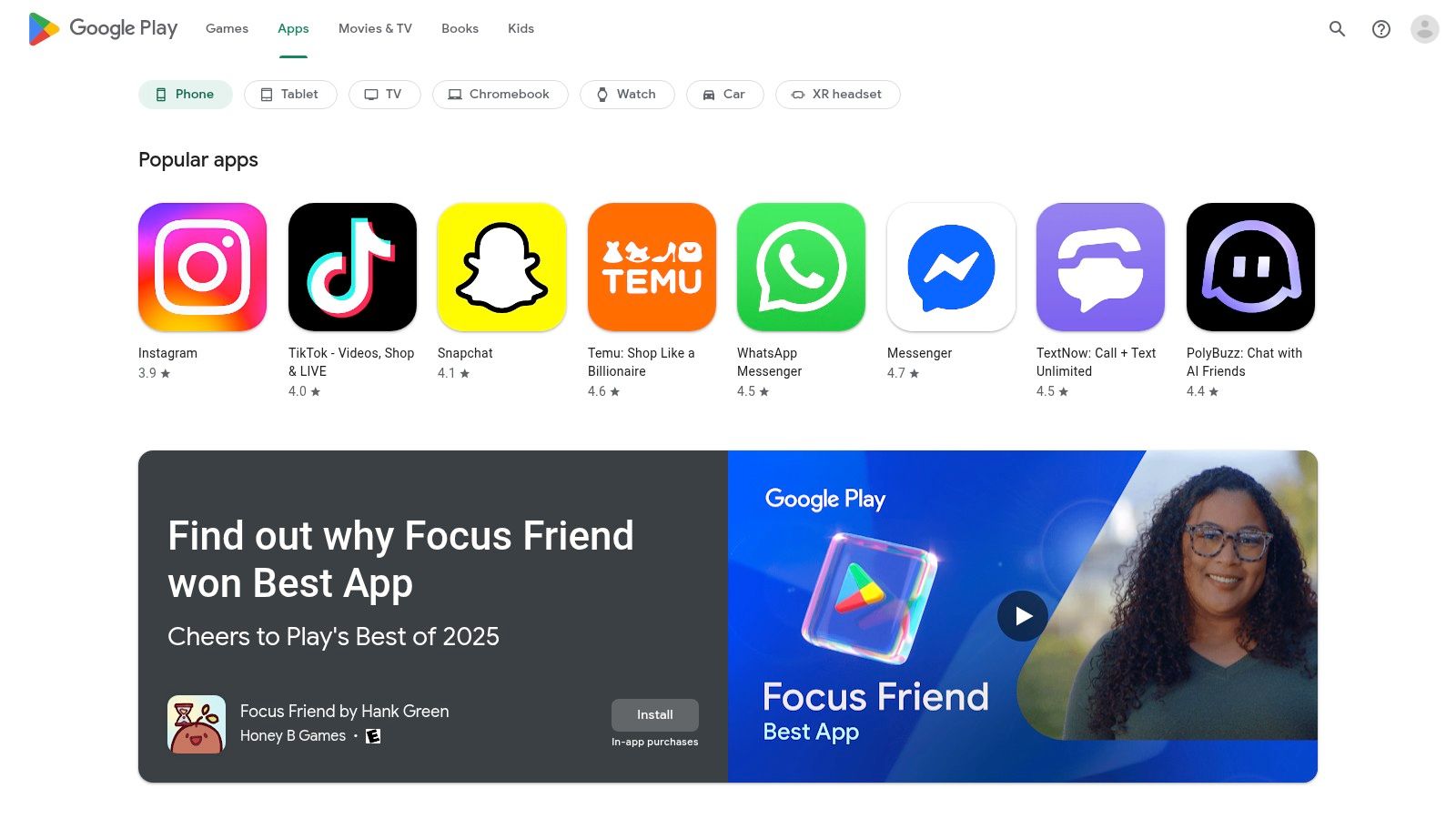
For Android users, the Google Play Store is the essential first stop for finding and downloading the best habit tracking apps. More than just a storefront, it’s a massive ecosystem offering a diverse range of tools suited for any goal, from minimalist trackers like Loop Habit Tracker to gamified experiences like Habitica and data-heavy platforms like HabitBull. It serves as the primary, secure gateway for discovering apps that are deeply integrated with the Android operating system, leveraging features like home screen widgets and notifications for an effective user experience.
 ### Why It's a Top Resource
The Google Play Store’s strength lies in its sheer volume and accessibility. Each app listing provides crucial details like user reviews, ratings, screenshots, and developer changelogs, helping you vet an app's quality and maintenance frequency. With its centralized payment system, managing subscriptions or requesting refunds is straightforward through your Google account. Many modern habit apps on the platform also integrate with Google Fit and the Health Connect API, allowing for the automatic tracking of physical activities like steps or workout duration.
When searching, be specific with terms like "ad-free habit tracker" to filter out lower-quality apps. Always check the "Updated on" date to ensure the app is actively supported. Also, read recent reviews, not just the all-time highest-rated ones, to get a current picture of the app's performance and stability.
FeatureDescriptionSelectionAn enormous catalog of habit trackers, including many excellent free and open-source choices.SecurityGoogle Play Protect scans apps to help ensure device safety.IntegrationApps can connect with Health Connect, Google Fit, and use native Android widgets.ManagementPurchases and subscriptions are tied to your Google account for easy control.- Pros: Extensive catalog including free and open-source options, easy updates and cross-device restore via Google account.
- Cons: Quality varies across listings so vetting is required, feature parity can differ compared with iOS counterparts.
Website: https://play.google.com/store/apps
- Habitify
Best For: Users who need a clean, cross-platform experience with powerful analytics and automation hooks.
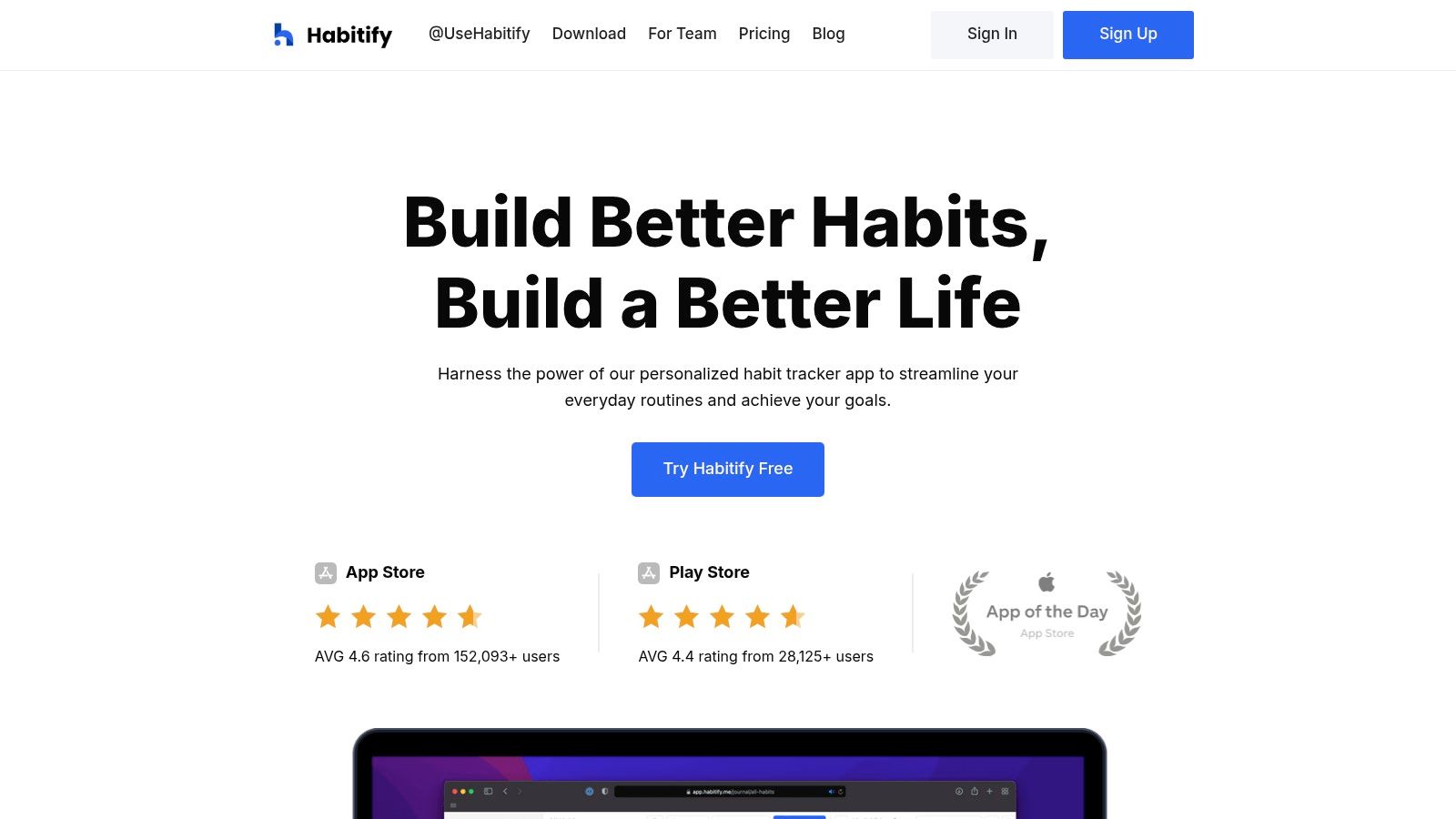
Habitify stands out as one of the best habit tracking apps for its multi-platform availability, covering iOS, Android, macOS, and the web with seamless syncing. It strikes a rare balance between a minimalist, data-driven interface and powerful, flexible features. Users can track habits, view detailed progress charts, and stay motivated with streaks and completion rates, all within an elegant and intuitive design. Its focus on consistency across all your devices makes it a reliable choice for tracking habits whether you're at your desk or on the go.
 ### Why It's a Top Resource
What elevates Habitify is its deep integration and automation potential. Beyond standard reminders, it offers advanced scheduling and connects to Apple Health and Google Calendar. For power users, the real advantage lies in its API access and integrations with platforms like Zapier and IFTTT. This opens the door to creating automated workflows, such as logging a workout in Habitify whenever you complete one in your fitness app. To get more out of the app, explore its automation capabilities to connect your habit tracking to other digital tools; you can learn more about how to automate tasks to streamline your routines. The free plan is a great starting point, but the Premium subscription unlocks unlimited habits and advanced features.
FeatureDescriptionCross-Platform SyncSeamlessly syncs data across iOS, Android, macOS, watchOS, and Web.Advanced AnalyticsProvides detailed charts and statistics to visualize progress and streaks.IntegrationsConnects with Apple Health, Google Calendar, Zapier, and IFTTT.Smart RemindersSet up multiple, time-specific, or location-based reminders for each habit.- Pros: Excellent cross-device support with web access, clean and motivating interface, strong automation potential.
- Cons: The free version is limited to only a few habits, many advanced features require a Premium subscription.
Website: https://www.habitify.me
- Habitica
Best For: Gamers and anyone who needs fun, RPG-style rewards to stay motivated.
Habitica transforms the process of building habits into a role-playing game (RPG), making it one of the most unique and engaging habit tracking apps available. Instead of just checking off a task, completing your habits and daily goals allows you to level up a character, earn gold, and collect gear, pets, and mounts. It cleverly re-frames productivity as an adventure, turning mundane tasks like "floss teeth" or "go for a run" into quests that yield tangible in-game rewards. The platform is available on both web and mobile, ensuring your character’s progress is always in sync.
Why It's a Top Resource
What sets Habitica apart is its powerful use of both positive and negative reinforcement within its game mechanics. Completing "Dailies" earns you experience and gold, but failing to do them causes your character to lose health. This creates a compelling incentive to stay consistent. The social aspect is another major draw; users can form "Parties" with friends to go on quests and fight monsters, where everyone’s success depends on their collective ability to complete their real-life habits.
For new users, a practical tip is to start with just a few core habits and dailies. Overloading your character can make the game feel punishing rather than rewarding. Focus on building a sustainable routine first, then gradually add more tasks as you level up. The community guilds and challenges are also a great source of inspiration for new habits to tackle.
FeatureDescriptionGamificationRPG-style leveling, gold, gear, pets, and mounts as rewards.Task TypesSeparates tasks into positive/negative Habits, daily goals, and one-off To-Dos.Social AccountabilityForm Parties with friends to fight monsters and participate in community challenges.CustomizationExtensive options to customize your avatar, rewards, and difficulty.- Pros: Highly motivating for those who enjoy games, strong community features, core experience is free and open-source.
- Cons: The RPG elements can feel overly complex for users seeking simplicity, user interface can be initially overwhelming.
Website: https://habitica.com
- Streaks
Best For: Apple users who want a simple, beautifully designed app to build and maintain habit chains.
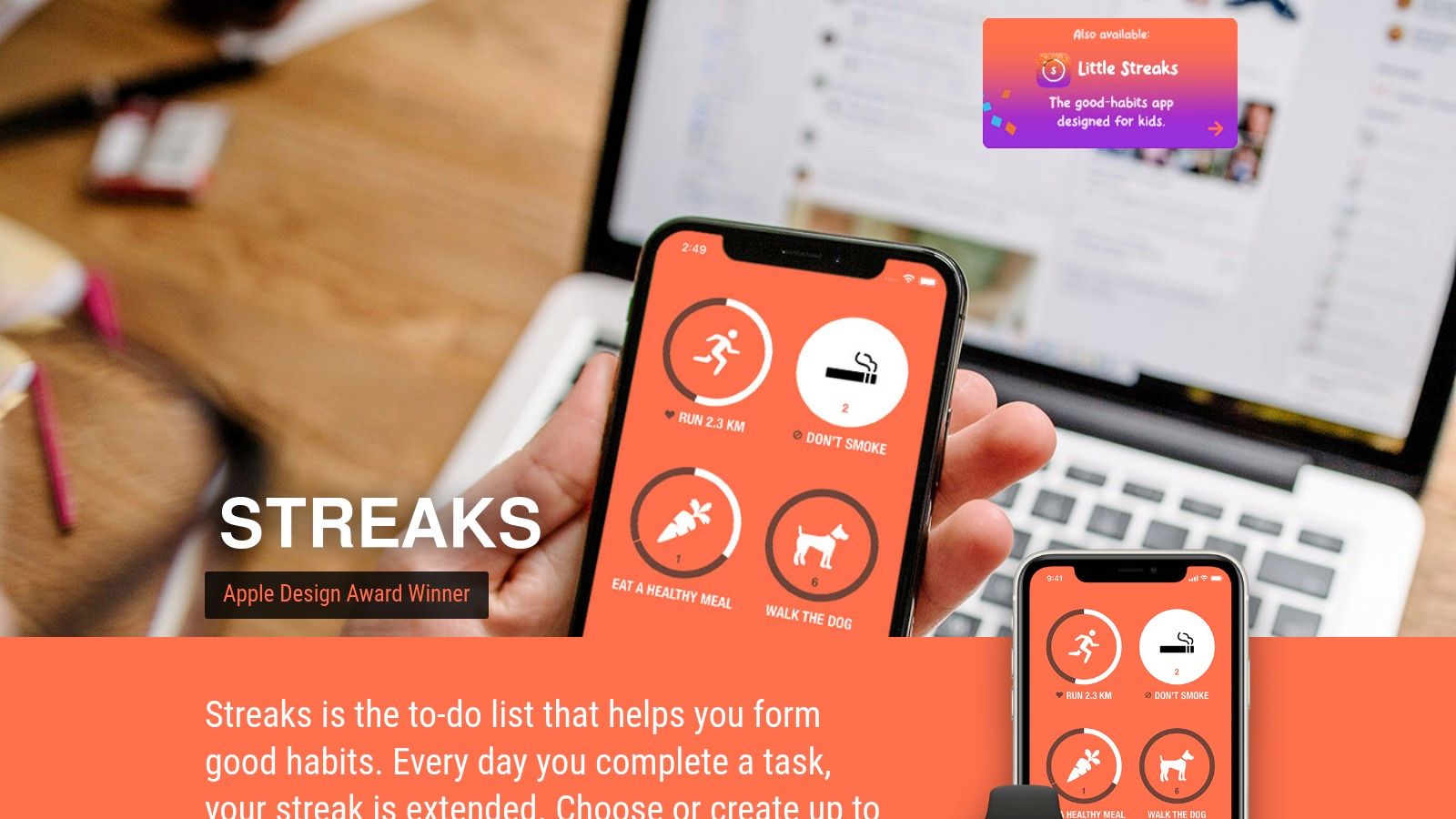
Streaks is a paid, one-time purchase app built exclusively for the Apple ecosystem, centered entirely around the powerful "don't break the chain" motivational concept. It’s one of the best habit tracking apps for those who value speed, simplicity, and deep integration with Apple’s platforms. The app encourages consistency by visualizing your success as a growing chain for each habit, making it satisfying to mark a task as complete and keep your streak alive.
 ### Why It's a Top Resource
What sets Streaks apart is its laser focus on the core mechanic of streak-building combined with best-in-class Apple Health integration. This allows for truly automatic habit tracking; habits like "Walk 10,000 steps" or "Practice Mindfulness" can be completed automatically based on data from your iPhone or Apple Watch, removing manual check-ins. Its design is clean, customizable, and incredibly fast to use across all Apple devices.
To get the most out of Streaks, link it to Apple Health immediately and identify habits that can be automated. Use the powerful scheduling options to set tasks for specific days of the week or a certain number of times per week, which is perfect for habits that aren't daily. The rich complications for the Apple Watch face are also a key feature, keeping your habits front and center.
FeatureDescriptionAutomationAutomatically tracks habits by linking to Apple Health data.Platform SyncNative apps for iPhone, iPad, Mac, Apple Watch, and Vision Pro.CustomizationUp to 24 tasks with flexible scheduling options and customizable icons.SimplicityMinimalist interface focused purely on building and maintaining streaks.- Pros: Elegant, fast design, excellent Apple Watch and Health integrations, one-time purchase.
- Cons: Limited to the Apple ecosystem (no Android or web), no free trial to test before buying.
Website: https://streaksapp.com
- Way of Life
Best For: Visual thinkers who want a fast, simple, and satisfying way to see their progress at a glance.
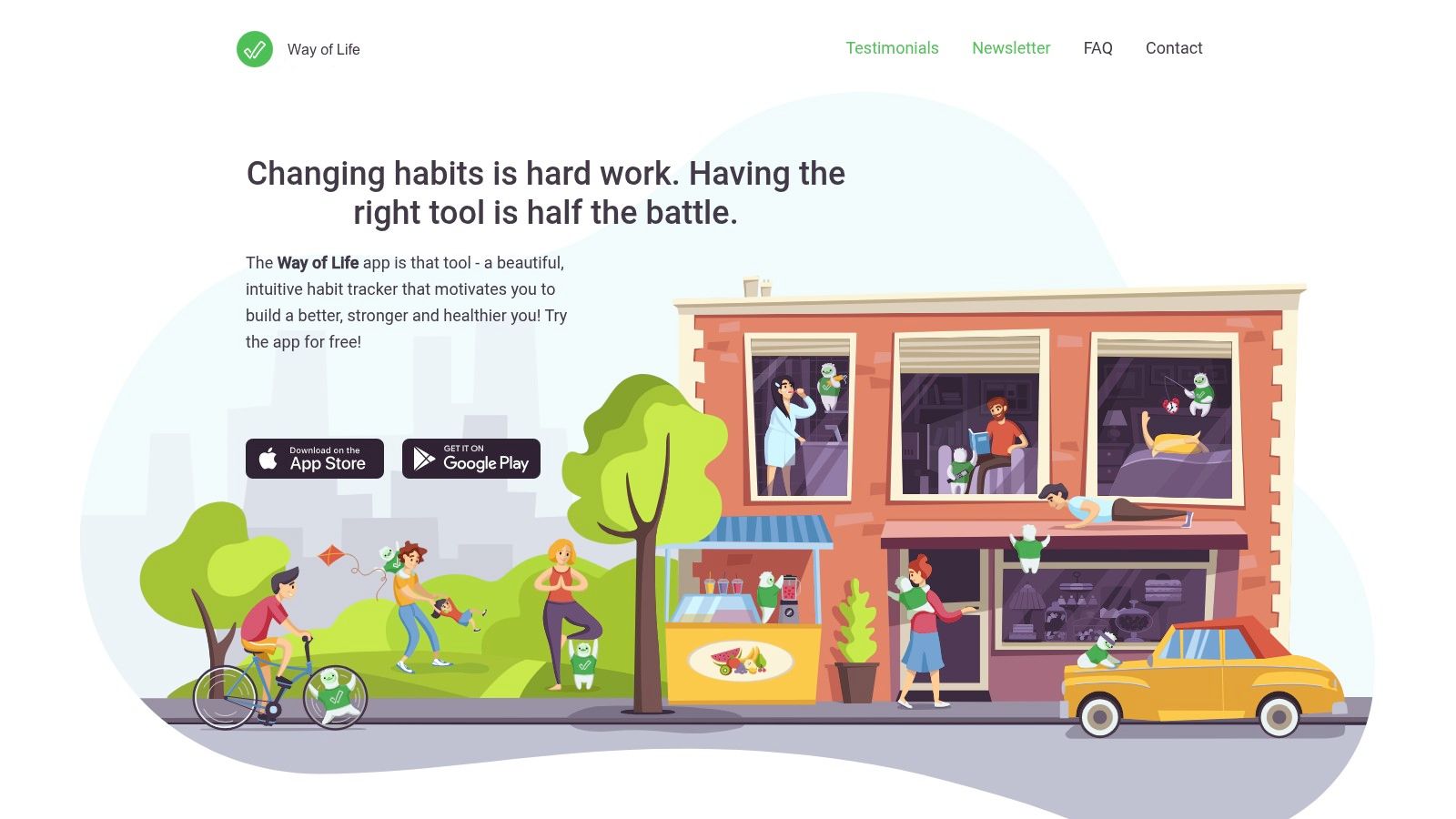
Way of Life is one of the original and best habit tracking apps, celebrated for its brilliantly simple red/green system. Instead of complex data entry, you simply mark a habit as "yes" (green), "no" (red), or "skip" for the day. This immediate visual feedback makes it incredibly fast to log your daily progress and see trends develop over time without getting bogged down in details. The app's core strength is its focus on clarity and speed, helping you understand your behavior through powerful charts and graphs.
 ### Why It's a Top Resource
What sets Way of Life apart is its ruthless efficiency. The interface is designed for a check-in that takes seconds, removing friction that often causes people to abandon tracking. Its charts and trendlines are particularly effective, providing a clear visual answer to the question, "Am I sticking to my goals?" This can be a powerful motivator when you feel overwhelmed by tasks and need a quick win. For a deeper dive into managing that feeling, you can learn more about how to stop being overwhelmed by tasks.
The free version is great for getting started, but the one-time premium upgrade unlocks unlimited habits and is well worth the investment. A practical tip is to use the note-taking feature to add context to your red or green days, helping you identify what triggers your successes or failures.
FeatureDescriptionAt-a-Glance LoggingSimple red/green color-coding for rapid daily updates.Powerful VisualsBar charts and trend lines to easily spot patterns in your behavior.Notes & JournalingAdd optional context to any day for deeper insights.Flexible RemindersSet custom reminders to ensure you never miss a check-in.- Pros: Incredibly fast and lightweight for daily logging, clear visuals make trends easy to spot, one-time purchase option for premium.
- Cons: Intentionally simple UI lacks gamification, most advanced features require the premium upgrade.
Website: https://wayoflifeapp.com
- Strides
Best For: Individuals who need to track more than just binary yes/no habits and want flexible goal-setting options.
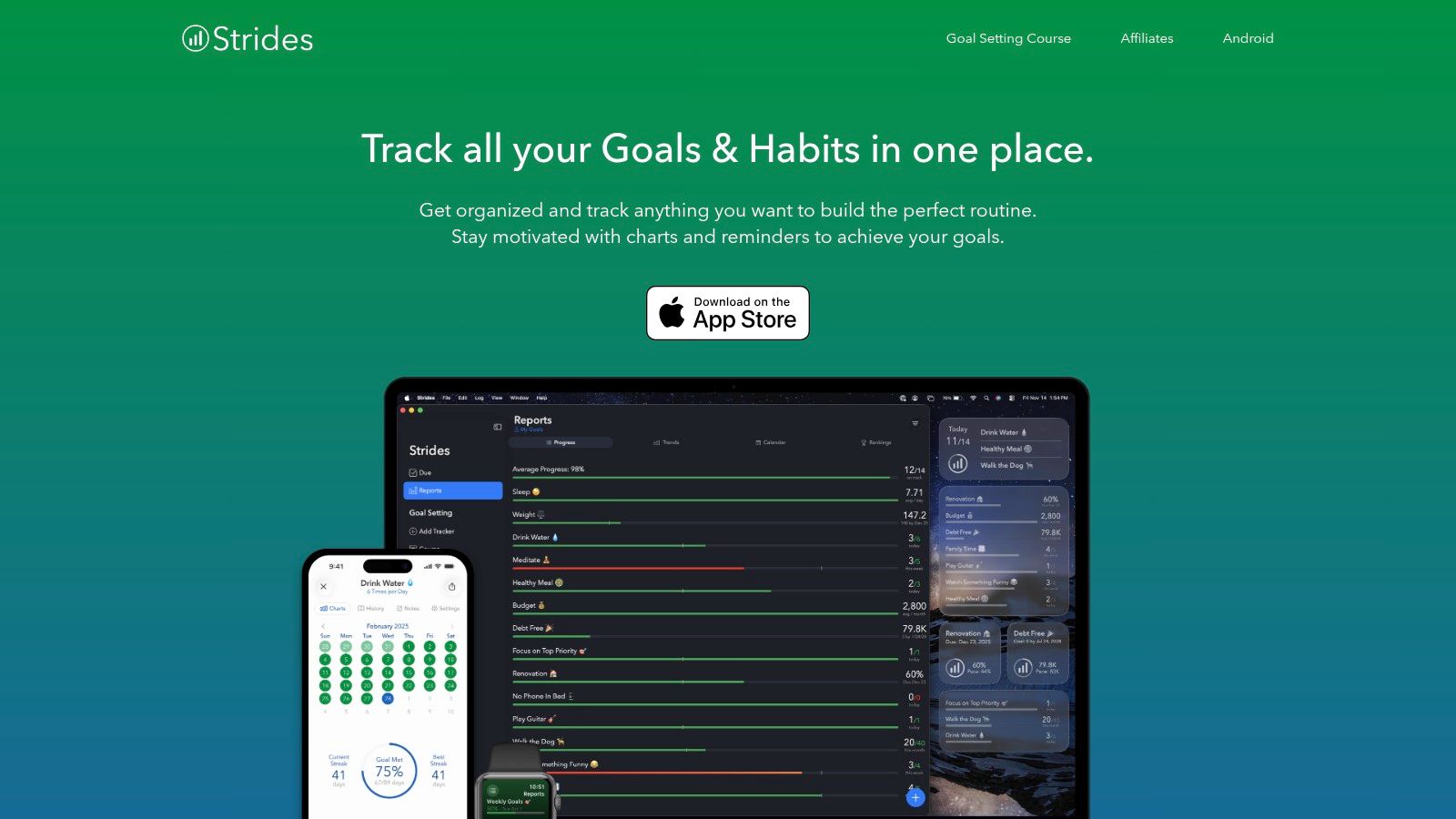
Strides stands out in the crowded market of best habit tracking apps by offering a remarkably flexible system that goes beyond simple streak-counting. It’s designed for users who want to monitor not just habits, but specific, measurable goals. With four distinct tracker types, you can track a daily habit like "Drink Water" (Habit), a goal to "Save $500 by December" (Target), an effort to "Reduce Screen Time to 2 hours/day" (Average), or a multi-step project like "Complete a Coding Course" (Milestone).
 ### Why It's a Top Resource
The power of Strides lies in its goal-oriented flexibility and insightful data visualization. The app provides detailed charts, calendars, and progress reports that help you see your momentum at a glance, keeping you motivated. Its "Today" view acts as a focused dashboard, showing only what you need to accomplish on any given day without overwhelming you with long-term plans.
A great way to start is by using one of the 150+ built-in templates to set up common goals quickly. For those with complex routines, Strides can also complement tools focused on recurring tasks. You can learn more about how it fits into a broader productivity system by exploring its role alongside the best recurring task app. The free version is limited, so expect to upgrade to Strides Plus for unlimited trackers and data sync.
FeatureDescriptionFour Tracker TypesTrack Habits, Target goals, Averages, and Project Milestones.Reporting & ChartsVisual progress reports, streak calendars, and success rate charts.TemplatesOver 150 pre-built templates for common goals and habits.IntegrationSyncs with Apple Health, Apple Watch, and across iOS/macOS via iCloud.- Pros: Highly flexible tracking for different types of goals, excellent data visualization, great for project-based milestones.
- Cons: Key features like unlimited trackers and sync require a subscription, exclusive to the Apple ecosystem (no Android or web app).
Website: https://www.stridesapp.com
- Loop Habit Tracker
Best For: Android users who prioritize privacy, open-source software, and powerful, ad-free analytics.
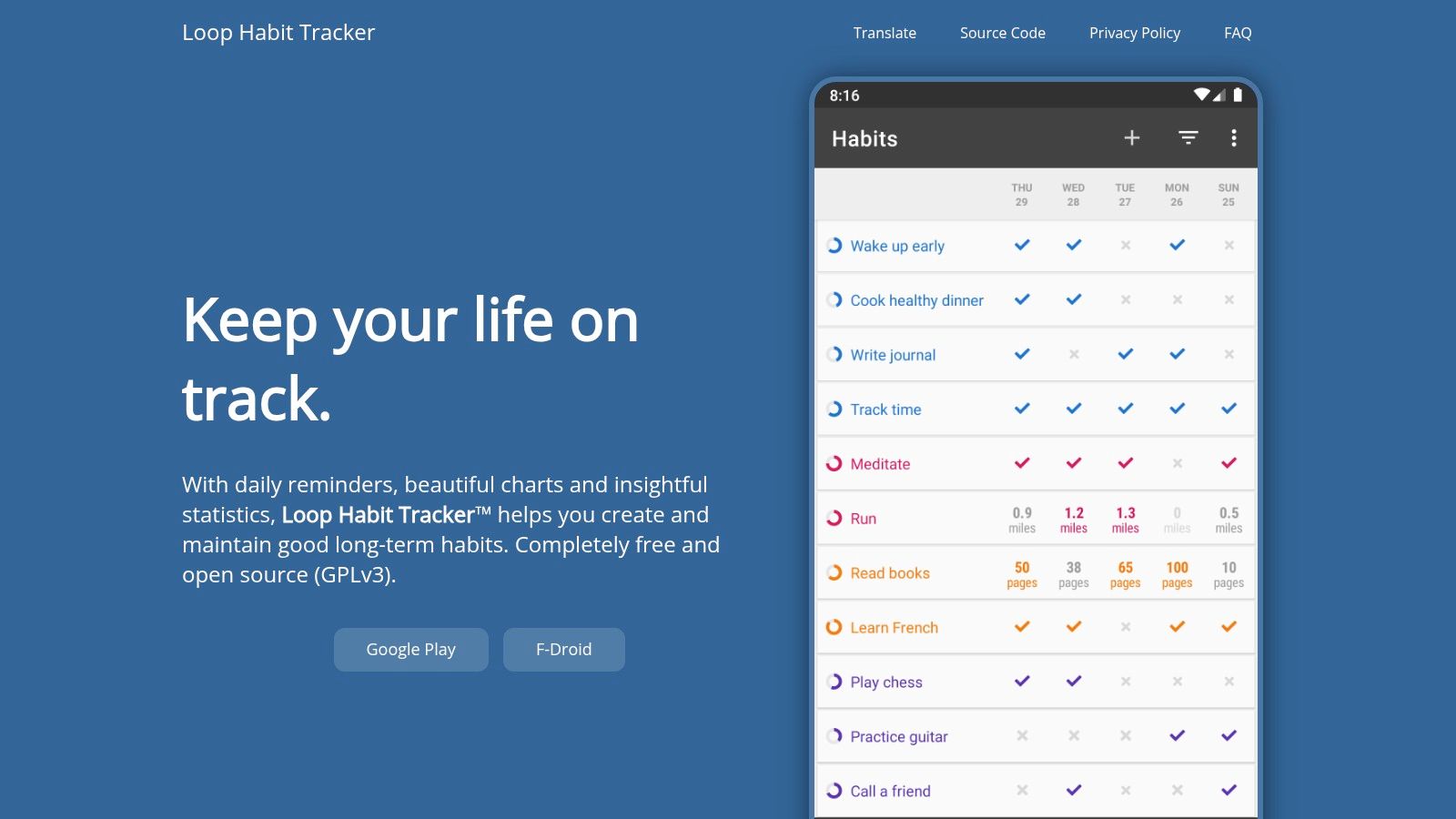
Loop Habit Tracker is a standout choice for Android users looking for one of the best habit tracking apps that is completely free, open-source, and respects user privacy. It operates entirely offline, requires no account, and stores all data locally on your device, ensuring your personal information remains yours alone. Its minimalist interface is designed for simplicity and efficiency, focusing on a powerful formula to calculate the strength of your habits over time, moving beyond simple streak counts.
 ### Why It's a Top Resource
What sets Loop apart is its commitment to being a no-nonsense, data-driven tool without any ads or premium features locked behind a paywall. The app provides detailed graphs and statistics for each habit, including frequency, history, and a unique habit strength score. This helps you understand your progress with more nuance than a simple "did it or didn't" checkmark.
For practical use, its home screen widgets are excellent for quick check-ins without opening the app. Since it doesn't have built-in cloud sync, a useful tip is to use its export/import feature to manually back up your data to a cloud service like Google Drive or Dropbox, ensuring you don't lose your progress if you switch devices.
FeatureDescriptionData PrivacyNo account required; all data is stored locally. The app is open-source (GPLv3).AnalyticsProvides detailed charts, calendars, and a habit strength score for deep insights.InterfaceClean, minimalist, and completely ad-free for a focused experience.FunctionalitySupports flexible schedules, reminders, and interactive home screen widgets.- Pros: Completely free with no ads, strong focus on privacy, insightful habit strength analytics.
- Cons: Android only, lacks automatic cloud sync which requires manual backups.
Website: https://loophabits.org
- Coach.me
Best For: Individuals who want free habit tracking combined with the option for professional human coaching and accountability.
Coach.me offers a unique hybrid approach by merging a robust, free habit tracking app with an integrated marketplace for professional coaches. This makes it one of the best habit tracking apps for users who start with self-direction but might want human support later. The platform provides unlimited tracking and leverages a strong community element where users can give each other "props" for checking in, creating a built-in social accountability system. It’s available across iOS, Android, and the web, ensuring you can track progress anywhere.
 ### Why It's a Top Resource
What sets Coach.me apart is its clear and accessible upgrade path from a simple digital tool to personalized human guidance. While the tracking features are solid, the real value lies in its coaching directory. If you find yourself struggling with a specific goal, you can hire a vetted coach for 1:1 chat or phone consultations directly through the platform. This model is ideal for tackling complex habits like quitting smoking or starting a business, where expert advice can make all the difference.
A practical tip is to start with the free tracking and engage with the community for motivation. If you hit a plateau, browse the coach marketplace and review their specialties and user ratings. This allows you to scale your support system based on your actual needs without committing to a costly program upfront.
FeatureDescriptionCommunity SupportUsers can give and receive "props" (encouragement) for their check-ins.Coaching MarketplaceAn integrated directory to hire professional coaches for personalized guidance.Unlimited TrackingTrack as many habits as you want for free, with streak counts and notes.Cross-PlatformFully accessible on iOS, Android, and a web app for universal access.- Pros: Excellent free tracking with powerful social accountability, seamless transition to paid professional coaching, available on all major platforms.
- Cons: The user interface heavily promotes the paid coaching services, which may not appeal to all users; coaching costs vary and are an additional expense.
Website: https://www.coach.me
- Everyday
Best For: Visual learners who want a simple, cross-platform view of their habit streaks.
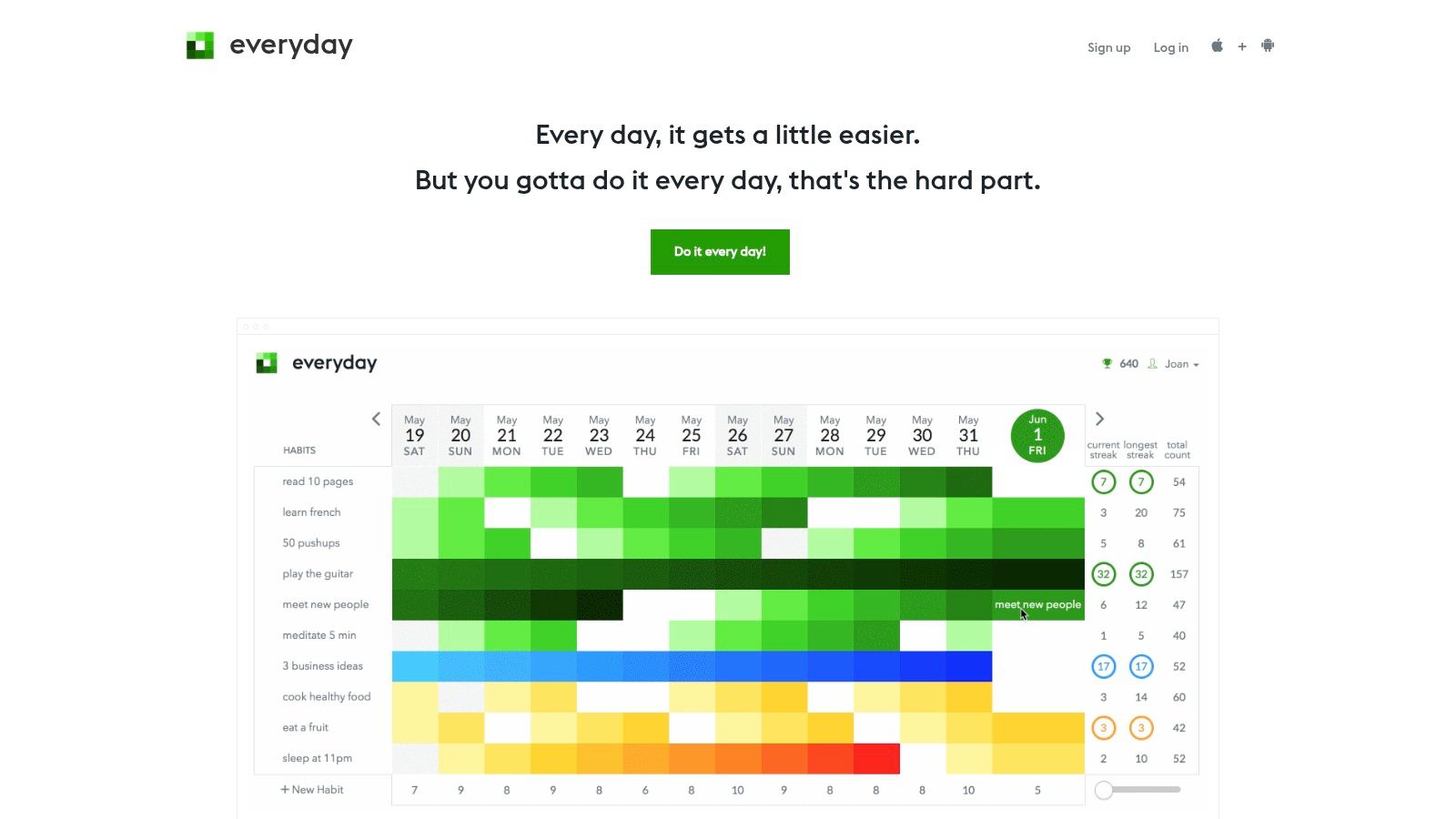
Everyday strips habit tracking down to its visual core, presenting your habits on a simple, satisfying grid or "habit board." Its strength lies in its minimalist approach and broad accessibility, with dedicated apps for web, iOS, Android, and desktop. The core concept is straightforward: you check off your habits each day, and the board fills up with color, creating a visual chain that you won't want to break. This makes it one of the best habit tracking apps for those motivated by maintaining an unbroken streak.
 ### Why It's a Top Resource
Everyday excels in simplicity and cross-device synchronization. The visual feedback of the growing board is a powerful motivator, turning consistency into a game of not breaking the chain. Its multi-platform nature means you can check in your habits from your phone on the go, your work computer, or your personal laptop at home, with data syncing seamlessly across them all.
While the free version is quite capable for a few habits, the premium plan unlocks unlimited habits and more detailed statistics. A practical tip is to use the board to visualize balance; for example, grouping fitness habits together and creative habits together to quickly see if one area of your life is being neglected.
FeatureDescriptionVisual Habit BoardA grid-based view that fills with color as you complete habits, visualizing your streaks.Cross-Platform SyncNative apps available for web, iOS, Android, macOS, and Windows.Simple Check-insA quick and easy interface for marking habits as done for the day.Basic AnalyticsTracks current and best streaks, completion rates, and counts.- Pros: Highly intuitive and visually motivating, excellent cross-platform support with a full web app, very easy to get started.
- Cons: Analytics are less comprehensive than other dedicated apps, requires a premium subscription for unlimited habits.
Website: https://everyday.app
- Fabulous
Best For: Individuals who need a guided, coaching-style approach to building routines and changing behavior.
Fabulous is less of a simple tracker and more of a science-backed behavioral change coach in your pocket. It guides you through creating morning, afternoon, and evening rituals, starting with small, manageable habits and gradually building them up. Instead of just letting you add goals, Fabulous provides structured "journeys" and challenges designed by behavioral scientists at Duke University to help you achieve specific outcomes like better sleep, increased focus, or improved fitness.
 ### Why It's a Top Resource
What sets Fabulous apart is its prescriptive, journey-based system. It excels at habit-stacking by integrating new habits into existing routines, making it one of the best daily routine apps available. The app uses a holistic approach, incorporating motivational content, guided meditations, and coaching letters to address the psychological aspects of habit formation. This makes it ideal for users who feel overwhelmed and need a clear, step-by-step plan to follow rather than a blank slate.
A practical tip for using Fabulous is to trust its process. Start with the initial "An Unexpected Journey" and resist the urge to add too many habits at once. The app is intentionally designed to be slow and steady, which is key to its effectiveness in creating lasting change.
FeatureDescriptionGuided JourneysStructured programs to build routines for specific goals (e.g., focus, sleep).Coaching ContentA library of audio coaching, meditations, and motivational letters.Ritual BuilderHelps you design and follow morning, afternoon, and evening routines.Habit StackingGuides you to link new habits to existing ones for better consistency.- Pros: Highly guided for users who want structure, beautiful interface, science-backed approach.
- Cons: More prescriptive and heavier than simple trackers, subscription model has caused confusion for some users.
Website: https://www.thefabulous.co
Top 12 Habit-Tracking Apps Comparison
ProductCore features ✨UX & Quality ★Price & Value 💰Target audience 👥Unique selling points ✨Recurrr 🏆True recurring email sends, calendar outbox, NLP recurrence input★★★★☆ — simple, intuitive💰 Free trial → $9/mo (up to 3 send‑from addresses; 30 recipients)👥 Individuals, freelancers, small teams✨ Privacy‑first (AES‑256), flexible pause/skip/reschedule, quick 5‑min setupApple App StoreCurated app pages, ratings, changelogs, Family Sharing★★★★ — curated, high trust💰 Free to browse; app prices/subscriptions vary👥 iOS device users, Apple ecosystem✨ Editorial picks, tight Apple integrations (Watch/Health)Google Play StoreApp pages, reviews, subscriptions, Health Connect support★★★☆ — broad catalog, variable quality💰 Free to browse; app prices/subscriptions vary👥 Android users✨ Large selection, easy updates & account restoreHabitifyCross‑platform sync, reminders, analytics, automations★★★★ — clean UI, reliable sync💰 Freemium → Premium subscription👥 Cross‑device habit builders✨ Advanced reminders (stacking, location), automation hooksHabiticaRPG gamification (leveling, parties, rewards)★★★★ — motivating for gamers💰 Free core; optional subscriptions/items👥 Gamified/productivity enthusiasts✨ Strong social & community mechanics; open sourceStreaksUp to 24 tasks, deep Apple Health/Watch integration★★★★★ — fast, elegant Apple UX💰 Paid one‑time purchase👥 Apple users who value speed & design✨ Native across Apple platforms; best watch supportWay of LifeFast red/green logging, charts, notes★★★★ — very lightweight💰 Freemium → Pro upgrade👥 Users wanting ultra‑fast daily check‑ins✨ Clear visuals for trend spottingStrides4 tracker types, templates, reports, iCloud sync★★★★ — feature‑rich for goals💰 Freemium → Strides Plus / IAP👥 Goal‑oriented trackers & planners✨ Flexible tracker types (Milestone/Target/Average)Loop Habit TrackerLocal data, streaks, habit strength, widgets★★★★ — privacy‑focused, robust stats💰 Free & open‑source👥 Android users who value privacy✨ No account required; fully offline & F‑Droid availabilityCoach.meUnlimited tracking + coach marketplace★★★★ — supportive community💰 Free tracker; coaching paid per coach👥 Users wanting human coaching/accountability✨ Easy upgrade path to 1:1 coachingEverydayVisual habit board, cross‑platform sync, reminders★★★★ — minimalist & approachable💰 Freemium → paid plan for extras👥 Users wanting simple visual streaks across devices✨ Clean habit board UI with web + appsFabulousGuided programs, habit‑stacking, coaching library★★★★ — highly guided & structured💰 Subscription (guided programs + coach add‑ons)👥 Users wanting structured behavior change✨ Programmatic coaching, strong habit‑stack guidanceChoosing Your System: From Tracking to True Automation
We've explored a comprehensive landscape of the best habit tracking apps available today, from the gamified world of Habitica to the minimalist elegance of Streaks. Each application offers a unique approach to the age-old challenge of building good habits and breaking bad ones. The journey from intention to consistent action is deeply personal, and the right digital companion can make all the difference.
Reflecting on the tools we've analyzed, several key themes emerge. Simplicity often wins for initial adoption, as seen with apps like Loop Habit Tracker and Way of Life. Gamification, a core component of Habitica, proves to be a powerful motivator for those who thrive on rewards and narrative progress. For the data-driven individual, Strides provides unparalleled flexibility in tracking methods, allowing you to monitor not just binary completion but also numerical targets and averages over time.
The most critical takeaway is that the "best" app is not a universal title but a subjective one, defined entirely by your individual needs, personality, and the complexity of the habits you wish to build.
How to Select Your Ideal Habit Tracker
Choosing the right tool from this extensive list can feel overwhelming. To simplify your decision, consider these pivotal factors that align the app's strengths with your personal workflow and goals.
- For the Automation-Focused Professional: If your goal extends beyond simple check-ins to automating recurring workflows, reminders, and communication, a tool like Recurrr is purpose-built for you. It bridges the gap between personal habit tracking and professional task automation.
- For the Apple Ecosystem Devotee: If you live and breathe on your iPhone, Apple Watch, and Mac, Streaks offers an unmatched, seamlessly integrated experience. Its clean design and deep ties into Apple Health make it a powerful, native-feeling choice.
- For the Gamification Enthusiast: If you need an extra layer of motivation and find joy in quests, rewards, and community challenges, Habitica is your clear winner. It transforms the mundane task of habit formation into an engaging role-playing game.
- For the Data and Analytics Power User: If you love charts, graphs, and detailed progress reports, Strides offers the most robust tracking and analytics features. Its ability to handle various tracking types makes it ideal for complex, multi-faceted goals.
- For the Minimalist Seeking Simplicity: If you want a straightforward, no-frills, and effective tracker, Loop Habit Tracker (on Android) and Way of Life are excellent choices. They focus on the core mechanics of habit formation without distracting features.
Beyond the App: Implementing Your System for Success
Remember, the app is merely a vehicle; you are the driver. Selecting one of the best habit tracking apps is only the first step. True success lies in how you implement it into your daily life. Start small by tracking just one or two foundational habits. Don't overwhelm yourself. The goal is to build momentum and create a sustainable system, not to burn out after a week of trying to overhaul your entire life.
Use the features at your disposal strategically. Set reminders that align with the context of your habit, for instance, a reminder to meditate right after your morning alarm goes off. Review your progress regularly, not as a judgment of your failures, but as data to inform your strategy. If you consistently miss a habit, ask why. Is the goal too ambitious? Is the trigger ineffective? Your tracking data is a feedback loop for refining your approach.
Ultimately, the journey of habit formation is a marathon, not a sprint. The digital tools we've discussed are powerful allies, designed to provide structure, motivation, and insight. By choosing an app that resonates with your personal style and committing to a thoughtful implementation process, you can move beyond simple tracking and begin to architect a more intentional, productive, and fulfilling life, one consistent action at a time.
If your routines involve more than just a personal checklist and require sending automated reminders or managing recurring tasks with others, it's time to upgrade your system. Recurrr is designed for professionals and teams who need to put their recurring workflows on autopilot, ensuring nothing ever falls through the cracks. Explore how to transform your habits into automated systems by visiting Recurrr today.