

The mental load of remembering repetitive tasks is relentless. Weekly reports, monthly bill payments, daily team check-ins, watering the plants-these small but crucial duties constantly occupy valuable headspace. The real key to reclaiming that mental energy isn’t just remembering to do them, but automating the entire system of remembering. A dedicated recurring task app is the most effective tool to combat this “decision fatigue” and eliminate the need for manual follow-ups, ensuring nothing slips through the cracks.
This article provides an in-depth, hands-on comparison of the 12 best recurring task app choices available today. We cut through the marketing jargon to focus on practical, real-world applications. You will discover how each app handles complex recurrence schedules, its hidden limitations, and which specific user it’s truly built for-from a freelancer managing client retainers to a small team coordinating operational routines.
Our goal is to help you find the perfect fit for your specific needs, whether you require a simple, automated reminder system or a comprehensive project management suite. We’ve analyzed each platform’s core strengths and weaknesses, including screenshots and direct links to help you make a confident decision. This guide covers a wide spectrum of tools, from specialized automators like Recurrr and classic to-do list managers like Todoist, to powerful work hubs like Asana and Notion. We will explore each option’s unique approach to automation, notifications, and integrations, ensuring you select the right software to streamline your routines and free up your focus for more important work.
- Recurrr
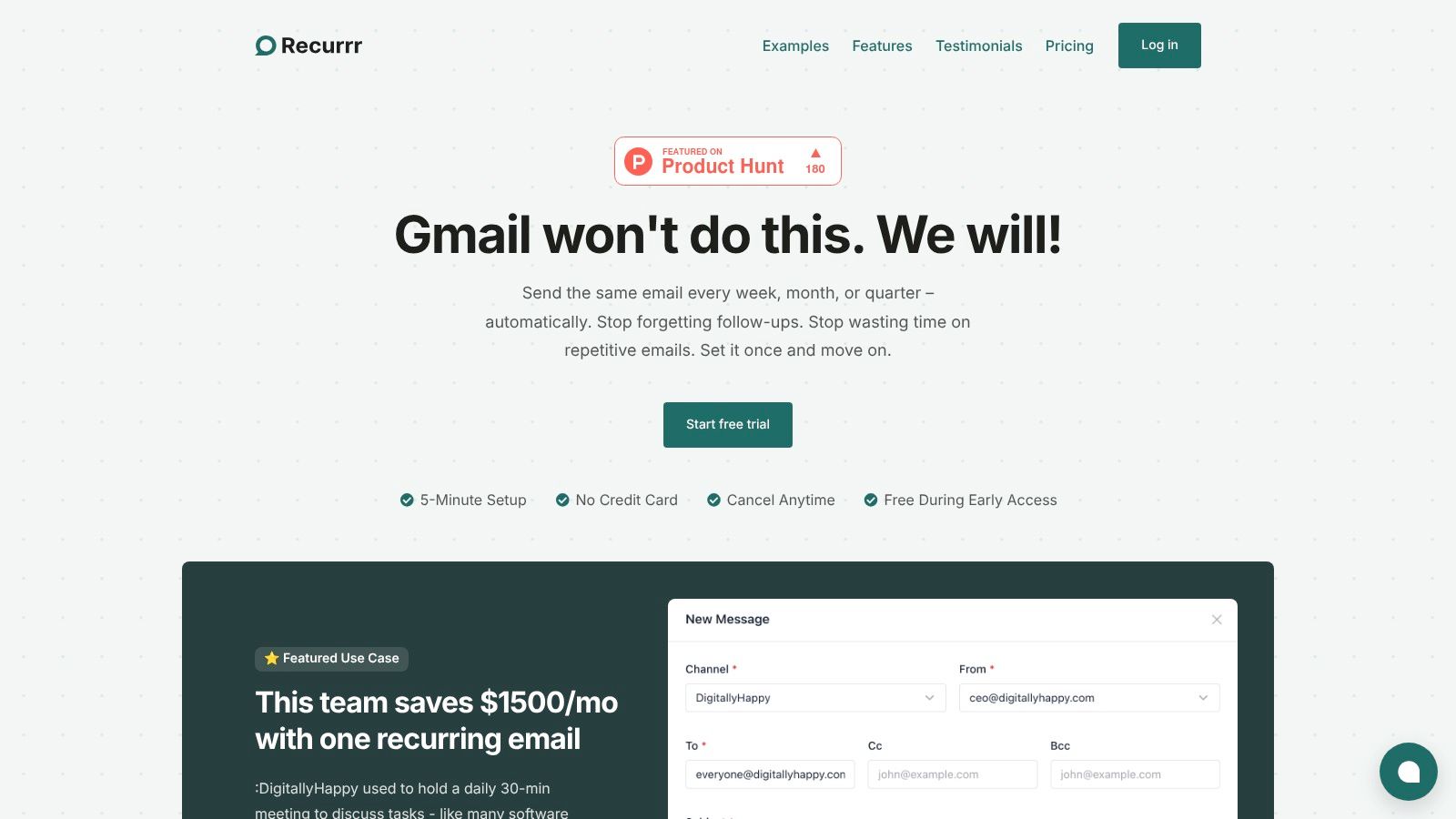
Recurrr earns its place as our top recommendation by ingeniously reframing the concept of a recurring task. Instead of just reminding you to do something, it automates the action itself, specifically focusing on recurring communications. This makes it a uniquely powerful and efficient tool for anyone whose routine tasks involve sending emails, follow-ups, or check-ins. It’s an exceptional choice for professionals, freelancers, and small teams looking to eliminate manual, repetitive communication overhead.
The platform excels with its ‘set it and forget it’ philosophy. You compose an email once, and Recurrr handles the rest, sending it automatically on your specified schedule. Its standout feature is the Natural Language Processing (NLP) input for scheduling, which translates commands like “every last Friday of the month” or “every 3 weeks on Monday and Wednesday” into a reliable, automated routine. This simplicity, combined with a clean calendar-style outbox, makes managing complex schedules remarkably straightforward.
 ### Key Differentiators & Practical Use Cases
What truly sets Recurrr apart is its privacy-first architecture. The platform operates without needing access to your inbox or contacts, a critical security advantage over many automation tools. All data is protected with AES-256 encryption, ensuring your communications remain secure.
Real-world applications include:
- Small Teams: Automate daily or weekly status update requests, replacing time-consuming standup meetings. A published case study highlights a team saving approximately $1,500 per month by making this simple switch.
- Freelancers & Consultants: Send automated payment reminders, project check-in emails, or requests for client testimonials without manual effort.
- Property Managers: Schedule monthly rent reminders to go out to tenants automatically.
- Households: Manage shared responsibilities by automating reminders for bills, chores, or appointments.
Setup and Pricing
Getting started with Recurrr is exceptionally fast, taking less than five minutes. It’s entirely browser-based, so no installation is required. The pricing structure is refreshingly simple: after a free trial (no credit card needed), it costs a flat $9 per month. This single plan includes all features, allowing you to send from up to three email addresses to a maximum of 30 recipients per routine (10 To, 10 Cc, 10 Bcc). While not built for enterprise-scale email blasts, its limits are perfectly suited for its intended use as a lightweight, personal, and small-team automation engine, solidifying its position as a best recurring task app.
- Website: https://recurrr.com
- Todoist
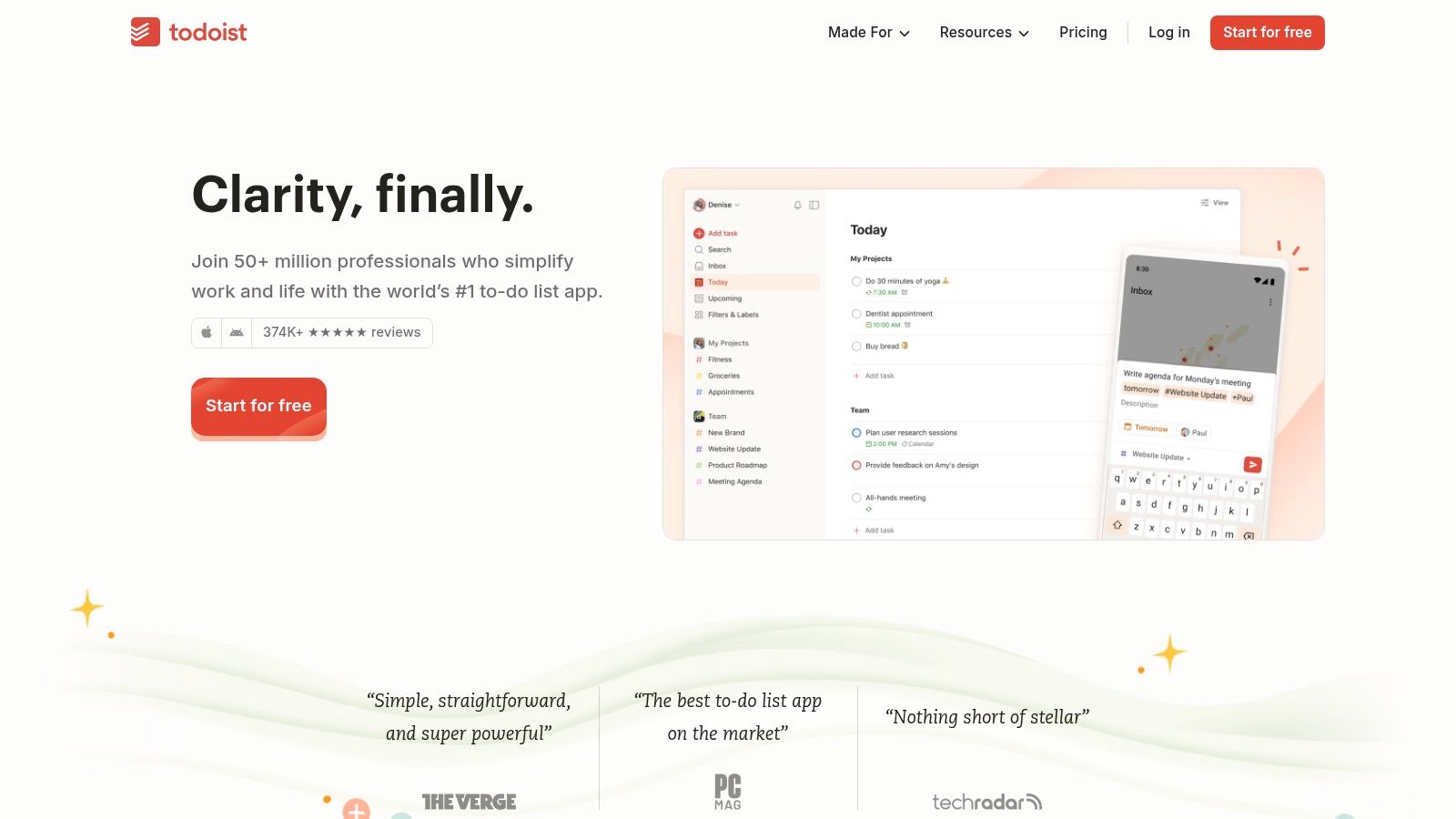
Todoist has earned its place as a top-tier task manager due to its longevity and laser focus on powerful, yet simple, task creation. Its standout feature is the sophisticated natural-language processing for setting due dates. This makes it an exceptional recurring task app for users who need complex, specific schedules without navigating complicated menus.
You can simply type “Send client invoices every last business day starting June 1” or “Water plants every 3 days,” and Todoist parses it perfectly. This intuitive input, combined with a clean user interface and cross-platform availability (web, desktop, mobile), makes managing daily routines feel effortless. The platform is highly dependable, ensuring your repeating tasks trigger exactly when they are supposed to, a critical feature for managing professional and personal responsibilities.
 ### Key Features & User Experience
Todoist’s interface is clean and minimalist, allowing you to focus on your tasks without distraction. It supports multiple project views like lists, boards (Kanban-style), and calendars, catering to different workflow preferences. Its Quick Add feature is a major benefit, enabling you to capture tasks from anywhere on your device instantly. The platform also offers robust filtering and labeling, so you can create custom views like “all Priority 1 tasks due this week.”
Best For: Individuals and small teams who value speed, simplicity, and powerful date-parsing for managing recurring obligations.
FeatureDetailsRecurrenceNatural language parser (e.g., “every other Friday,” “every first of the month”). Very flexible.Team FeaturesProject sharing, task delegation, and comments. Good for light collaboration.IntegrationsOver 90, including Google Calendar, Slack, and Zapier, to connect your workflow.Pricing****Free Tier: Generous for personal use. Pro ($4/mo): Adds reminders, unlimited history, and AI Assistant.While its free plan is excellent, features like custom reminders and advanced filters are behind the Pro plan paywall. For users who find themselves struggling with a massive task list, it’s crucial to prioritize effectively. You can discover strategies for managing your workload and find more information on handling overwhelming tasks with Todoist on Recurrr.com.
- TickTick
TickTick stands out as a productivity powerhouse, combining task management with a full-featured calendar and other built-in tools. It offers exceptional value, packing premium features into an affordable package. This makes it an ideal recurring task app for users who want an all-in-one solution without juggling multiple subscriptions. The app allows for highly flexible scheduling, such as “every 2 weeks on Tuesday and Friday” or “on the 15th of every other month.”
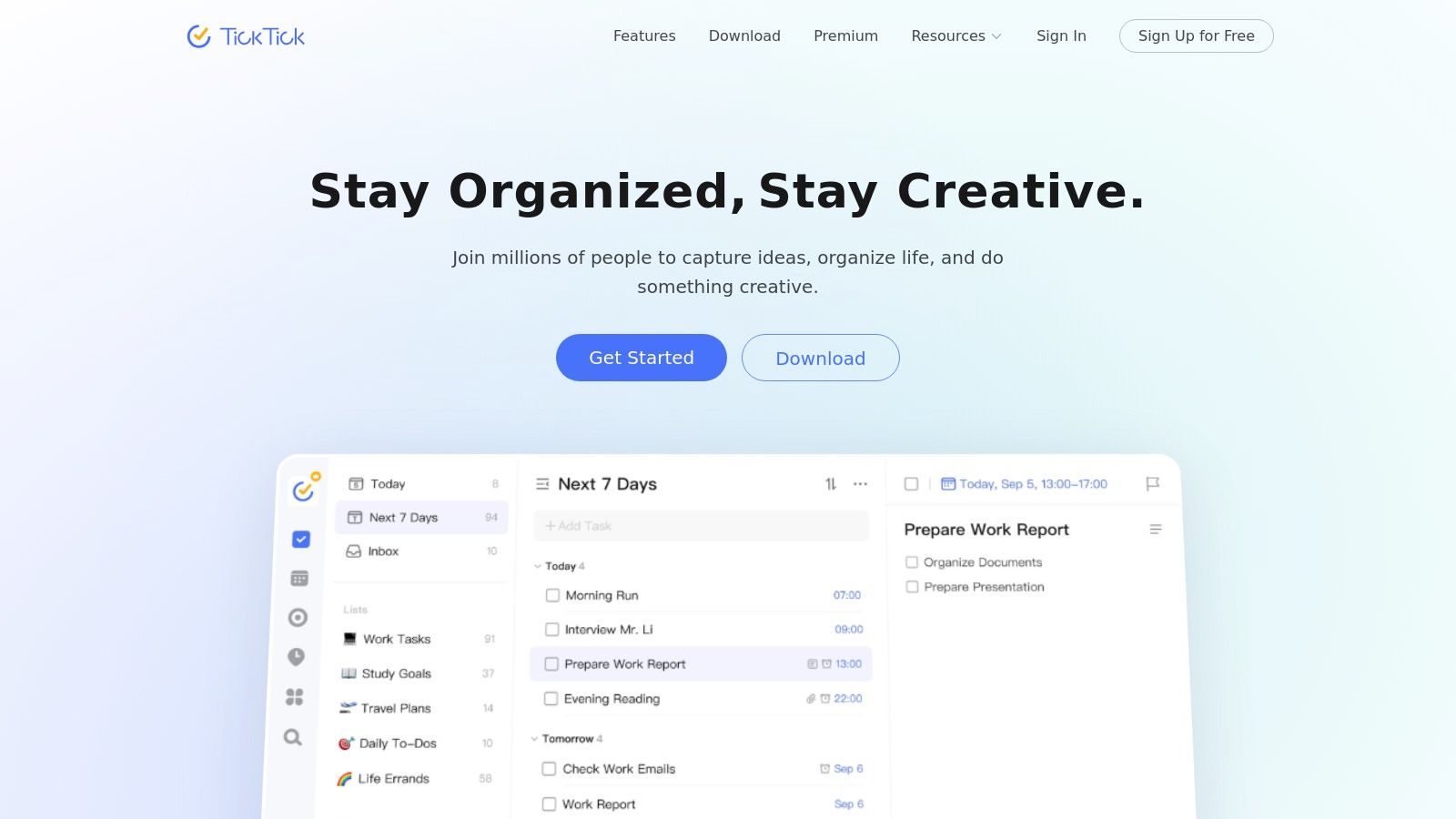
Its strength lies in integrating these repeating tasks directly into a visual calendar, providing a clear overview of your commitments. TickTick also includes unique built-in productivity tools like a Pomodoro timer and a habit tracker, helping you not only schedule your work but also focus while completing it. This integrated approach is perfect for users looking to consolidate their productivity stack into a single, cohesive platform.
 ### Key Features & User Experience
TickTick’s interface is both feature-rich and intuitive, successfully balancing a wide array of tools with a clean design. The calendar view is a major highlight, allowing users to drag and drop tasks to reschedule them easily. The app provides detailed statistics on task completion, helping you visualize your productivity trends. Its native habit tracker is another significant advantage, allowing you to build and monitor daily routines separately from your to-do list.
Best For: Individuals and professionals seeking a cost-effective, all-in-one productivity tool that combines tasks, calendar, and habit tracking.
FeatureDetailsRecurrenceFlexible custom options (e.g., “every X days,” “weekly on specific days,” “monthly on the last weekday”).Team FeaturesList sharing, task assignment, and activity logs. Suitable for small teams and families.IntegrationsSupports calendar subscriptions (Google Calendar, Outlook) and offers integrations via Zapier and IFTTT.Pricing****Free Tier: Limited to 9 lists and 99 tasks per list. Premium ($2.40/mo): Unlocks full calendar views, custom filters, and more.While TickTick is a powerful tool, some users report occasional inconsistencies with calendar synchronization for recurring tasks. The behavior of repeating subtasks can also be a bit quirky at times. You can explore more about this platform on TickTick.com.
- Microsoft To Do
Microsoft To Do is the spiritual successor to Wunderlist, offering a clean, simple, and completely free task management experience. Its greatest strength lies in its seamless integration with the Microsoft 365 ecosystem, making it the best recurring task app for individuals and teams heavily invested in Outlook and other Microsoft services. Flagged emails in Outlook instantly appear as tasks, and its cross-device sync is highly reliable.
The platform provides solid, straightforward options for recurring tasks, such as daily, weekly, monthly, or yearly repeats, along with custom schedules. While it lacks the advanced natural language input of competitors, its dependable reminders and “My Day” feature, a daily planner that encourages focus, make it a practical choice for managing essential personal and professional routines without any cost.
 ### Key Features & User Experience
Microsoft To Do presents a minimalist and user-friendly interface that helps you organize your day without a steep learning curve. The “My Day” smart list is a standout feature, suggesting tasks for you to focus on each morning. The app also supports list sharing, task assignments, and subtasks, providing the core functionalities needed for light personal or team project management.
Best For: Individuals and professionals deeply embedded in the Microsoft ecosystem who need a simple, reliable, and free solution for recurring tasks.
FeatureDetailsRecurrenceStandard options (daily, weekly, custom) and specific day-of-the-week selections. Simple and effective.Team FeaturesShared lists with task assignments and comments. Suitable for basic collaboration.IntegrationsDeep, native integration with Outlook Tasks, Planner, and the wider Microsoft 365 suite.Pricing****Free: Completely free with a Microsoft account, offering all features without a premium tier.While its simplicity is a major advantage for many, power users may find its automation and filtering capabilities limited compared to more specialized tools. The lack of advanced features like complex custom views or robust integrations outside the Microsoft environment means it’s best suited for those who don’t require intricate workflow management.
- Google Tasks
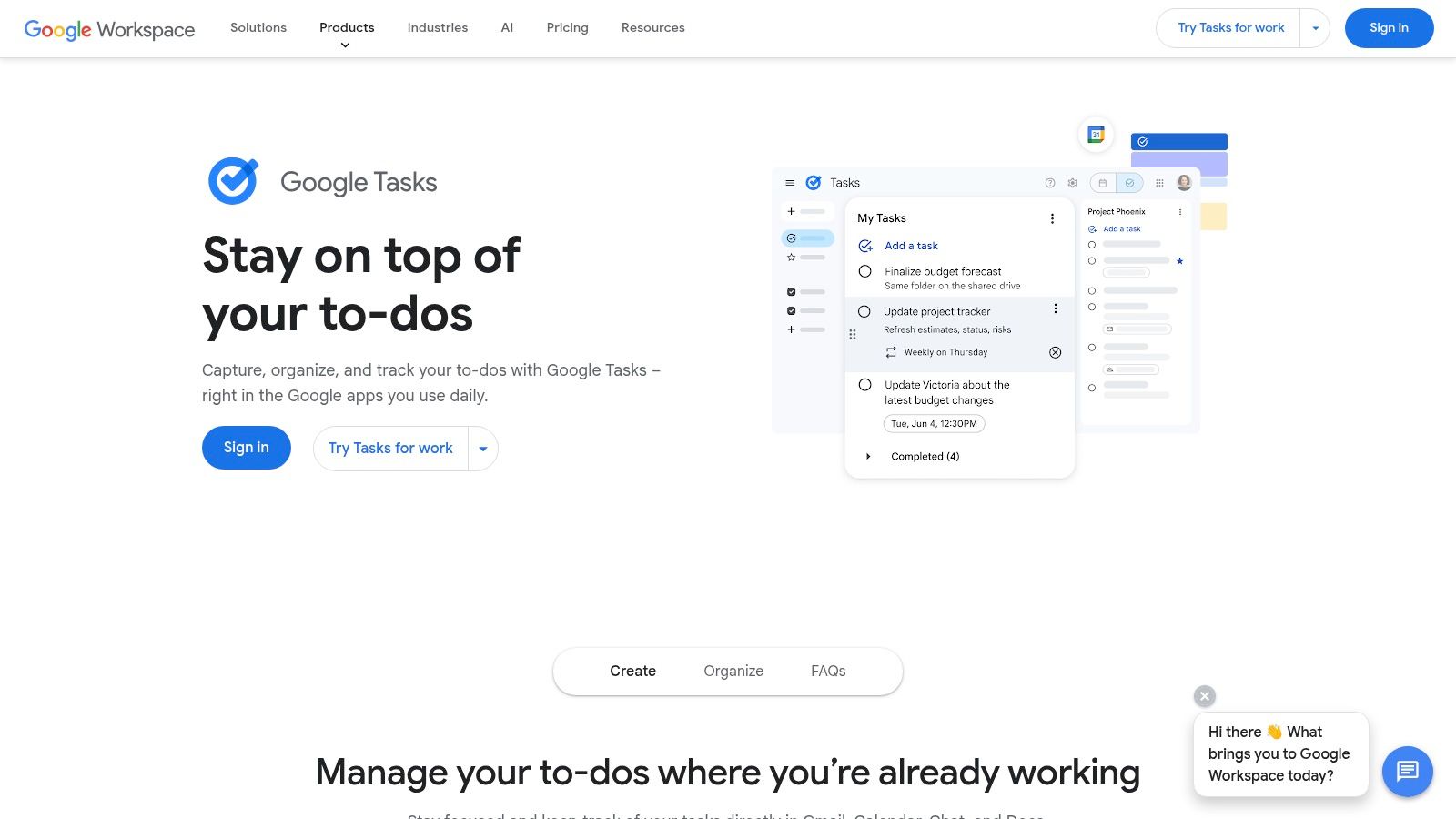
For users deeply embedded in the Google Workspace ecosystem, Google Tasks is the most seamless and convenient option. Its strength lies not in an extensive feature set, but in its native integration across Gmail, Calendar, Docs, and Chat. This makes it an excellent recurring task app for those who want to manage reminders and to-dos without leaving their primary productivity suite.
Setting up repeating tasks is straightforward, covering daily, weekly, monthly, and annual schedules. These tasks appear directly within your Google Calendar, providing a unified view of your commitments. The simplicity of creating a task from an email in Gmail or adding a reminder from the Workspace side panel makes it incredibly efficient for capturing routine duties on the fly, ensuring nothing falls through the cracks.
 ### Key Features & User Experience
Google Tasks presents a no-frills, minimalist interface that prioritizes function over form. It’s accessible via its dedicated web and mobile apps or, more commonly, through the side panel in other Google apps. The experience is designed for quick entry and management, allowing you to add tasks, set due dates, and create subtasks with minimal clicks. While it lacks advanced features like complex filtering or Kanban boards, its direct link to your digital life in Google is its core advantage.
Best For: Individuals and teams heavily reliant on Google Workspace who need a simple, integrated, and free solution for basic recurring tasks.
FeatureDetailsRecurrenceBasic options: daily, weekly, monthly, annually, or on specific days of the week. Simple and reliable.Team FeaturesNo native task sharing. Collaboration is handled through shared spaces in Google Chat where tasks can be assigned.IntegrationsDeeply integrated with Gmail, Calendar, and the broader Google Workspace. Limited external integrations.Pricing****Free: Completely free with a standard Google account.While Google Tasks is excellent for personal reminders, its collaboration features are limited. If you’re using Google Tasks and need to collaborate, discover how to share Google Tasks through third-party tools to keep your team aligned. For more advanced needs like automating client communications, you can learn how to automate sending emails to complement your workflow.
- Trello
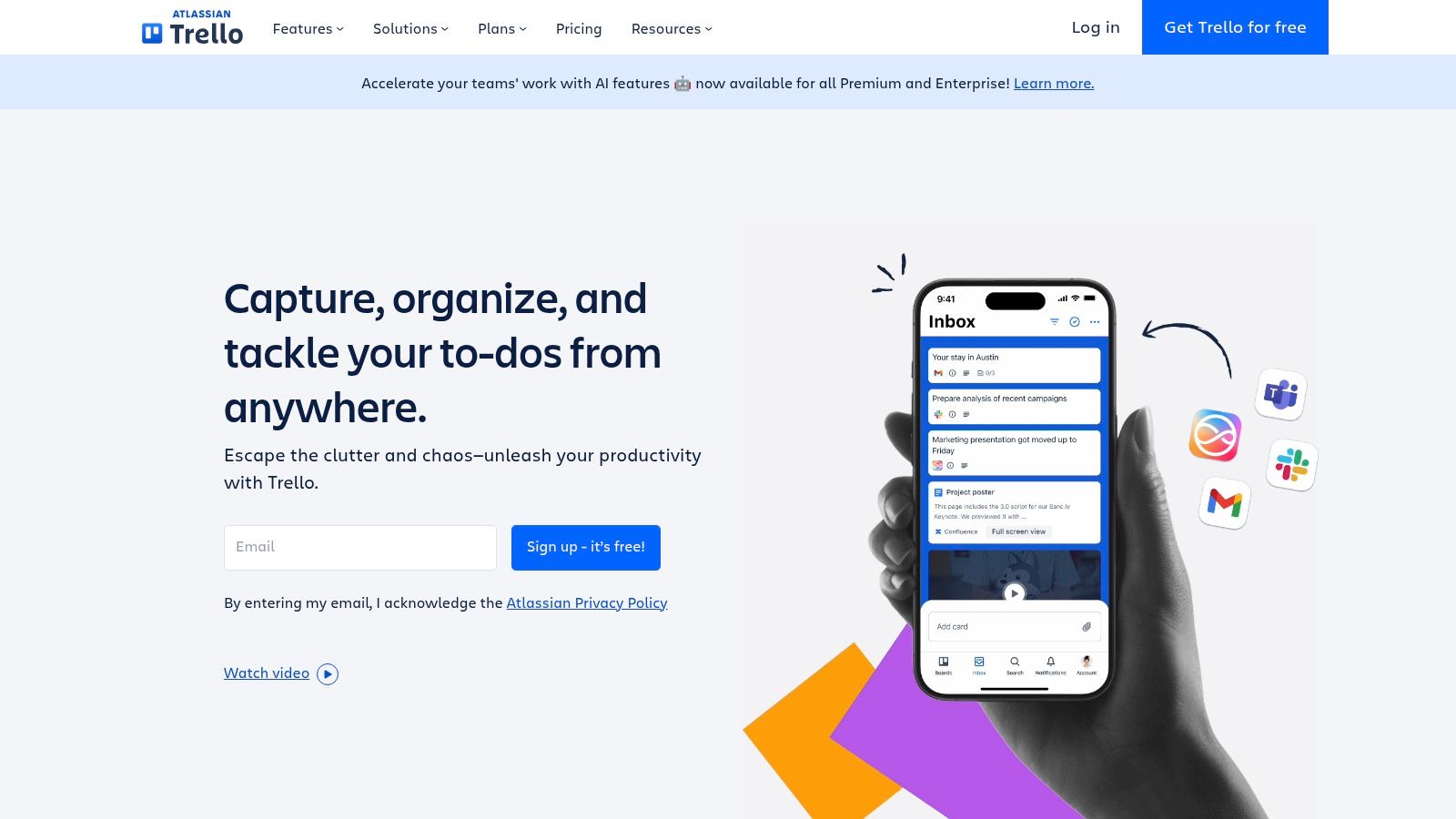
Trello is best known as a visual Kanban board tool, but it transforms into a powerful recurring task app through its Power-Ups and automation features. Its strength lies in visually managing repeating workflows, making it ideal for teams and individuals who think in terms of process stages rather than simple checklists. Instead of just ticking off a task, you see recurring cards move through your workflow.
The core of its recurring functionality comes from the Card Repeater Power-Up and the more advanced Butler automation. You can set a card to automatically reappear on a specific list at daily, weekly, monthly, or yearly intervals. For more complex needs, Butler can be configured to create cards based on triggers or schedules, add checklists, assign members, and set due dates, fully automating routine processes without manual intervention.
 ### Key Features & User Experience
Trello’s user experience is famously intuitive and visually driven. Drag-and-drop cards on a board make workflow management feel tangible and straightforward, which helps with team adoption. While basic recurrence is easy with the Card Repeater Power-Up, unlocking Trello’s full potential requires learning Butler automation. This feature allows you to build rule-based workflows, like “every Monday at 8 AM, create a card named ‘Weekly Team Stand-up Prep’ in the ‘To Do’ list and assign it to me.”
Best For: Visual planners and teams who need to manage recurring processes within a Kanban framework and want to automate entire workflows.
FeatureDetailsRecurrence****Card Repeater Power-Up for simple daily/weekly/monthly recurrence. Butler automation for advanced, rule-based scheduling.Team FeaturesShared boards, task assignments, comments with attachments, and activity logs. Excellent for collaborative visibility.IntegrationsExtensive via Power-Ups, including Slack, Google Drive, and Jira. Zapier and IFTTT support expand automation options.Pricing****Free Tier: Includes unlimited cards and up to 10 boards. Standard ($5/mo): Adds advanced checklists and custom fields.The free plan’s Butler automation is limited, so teams relying heavily on automated recurring tasks will need a paid plan. While powerful, Butler can have a slight learning curve, and some users report occasional quirks with complex automation rules. For more straightforward, checklist-style recurrence without the need for visual boards, a dedicated task manager might be a better fit.
- Asana
Asana is a comprehensive work management platform that excels at handling complex projects and team-based workflows. It earns its spot on this list for its robust, native recurring task capabilities, which are deeply integrated into its automation and reporting features. This makes it an ideal recurring task app for businesses that need to build, manage, and track repeatable processes at scale, from client onboarding to monthly financial reporting.
The platform allows you to set tasks to repeat based on a fixed schedule or from their completion date, which is perfect for workflows where the next step can only begin after the previous one is done. For instance, you can set a task like “Prepare weekly performance report” to repeat every Friday or have it recur seven days after the last one was completed. Asana’s true power comes from its Rules engine, which can automatically create and assign recurring tasks based on triggers, reducing manual setup and ensuring processes run smoothly.
 ### Key Features & User Experience
Asana’s user interface is visually driven, offering multiple project views like List, Board, Timeline, and Calendar to suit different team needs. This flexibility allows managers to get a high-level overview while team members can focus on their individual task lists. The Automation Rules are a key differentiator, enabling you to build complex, multi-step workflows that trigger recurring tasks, update statuses, or route assignments without human intervention.
Best For: Teams and organizations that need a powerful, centralized platform to manage recurring workflows with advanced automation and reporting.
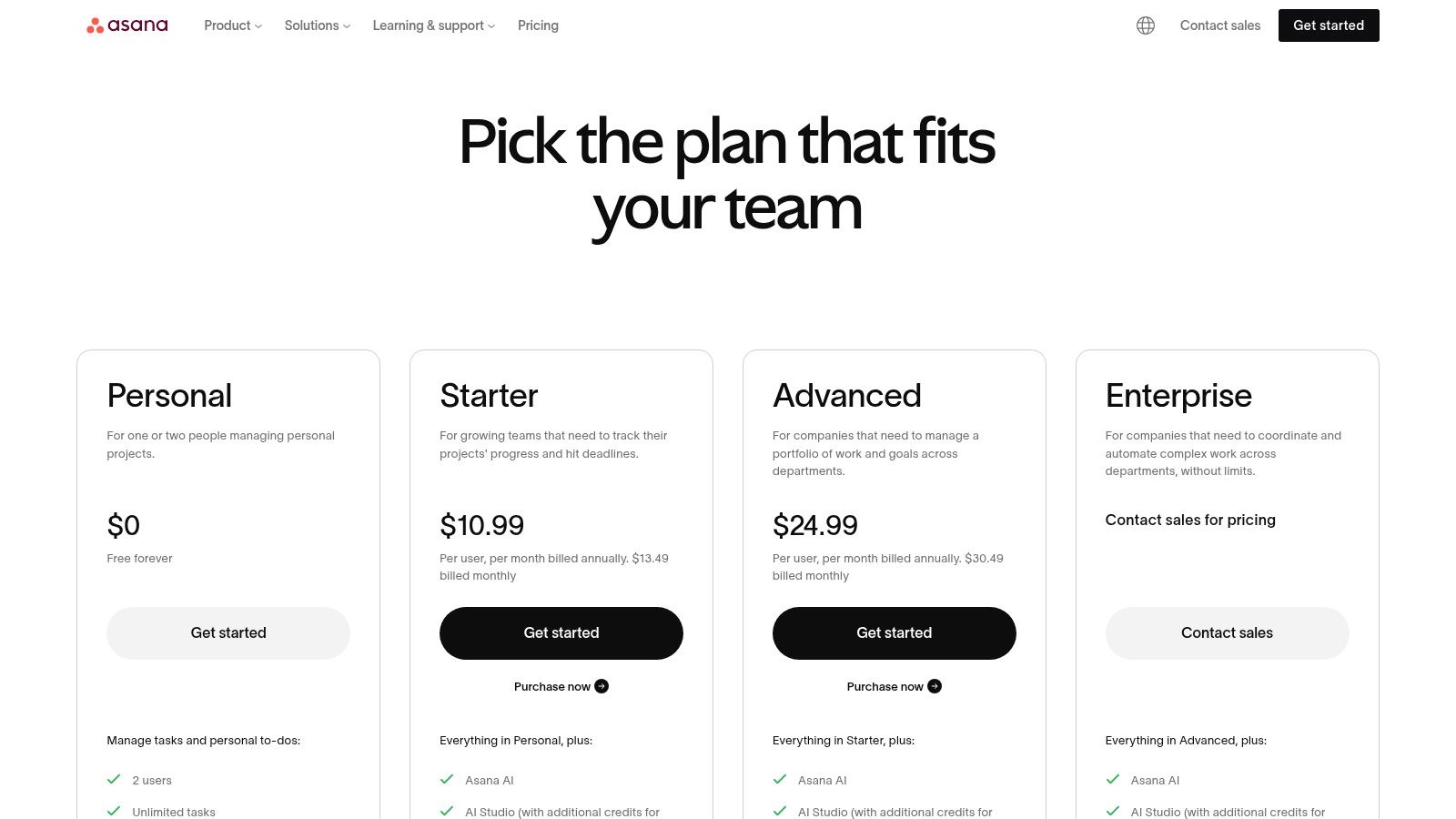
FeatureDetailsRecurrencePeriodic, from completion date, and custom schedules. Automation rules can trigger recurring tasks.Team FeaturesAdvanced team management, task dependencies, portfolios, workload management, and reporting.IntegrationsOver 200 integrations including Slack, Microsoft Teams, Adobe Creative Cloud, and Zapier.Pricing****Personal: Free for up to 10 members. Starter ($10.99/user/mo): Adds timelines, rules, and dashboards.A common limitation is that Asana only generates the next instance of a recurring task after the current one is completed, which can limit long-term visibility. For teams using Asana and needing to send scheduled reminders, you can find strategies for automating routine communications and discover how to schedule recurring messages in Slack.
- Notion
Notion is not just a task manager; it’s an all-in-one workspace where tasks exist as items within powerful databases. Its approach to recurring tasks is unique, leveraging repeating database templates to automatically generate new tasks, documents, or project pages on a set schedule. This makes it an outstanding recurring task app for users who need to build deeply customized, interconnected systems that go beyond a simple checklist.
Instead of a simple “repeat every Tuesday” checkbox, you create a template for a task or a full project brief and set it to replicate daily, weekly, monthly, or on a custom schedule. This is perfect for complex workflows like generating weekly meeting agendas, monthly reporting templates, or daily journaling prompts automatically. Notion’s power lies in its flexibility, allowing recurring tasks to be part of a much larger knowledge management and project ecosystem.
 ### Key Features & User Experience
Notion’s interface is a blank canvas, which can be both empowering and intimidating. You build your own task managers, calendars, and project dashboards using blocks, databases, and pages. The true strength for recurring tasks comes from database automations and its rich property types (like relations, formulas, and rollups), which allow you to create sophisticated, self-organizing systems. The learning curve is steeper than a dedicated to-do app, but the payoff is unparalleled control.
Best For: Power users, teams, and individuals who want to build a completely custom workspace where recurring tasks are integrated with projects, notes, and documentation.
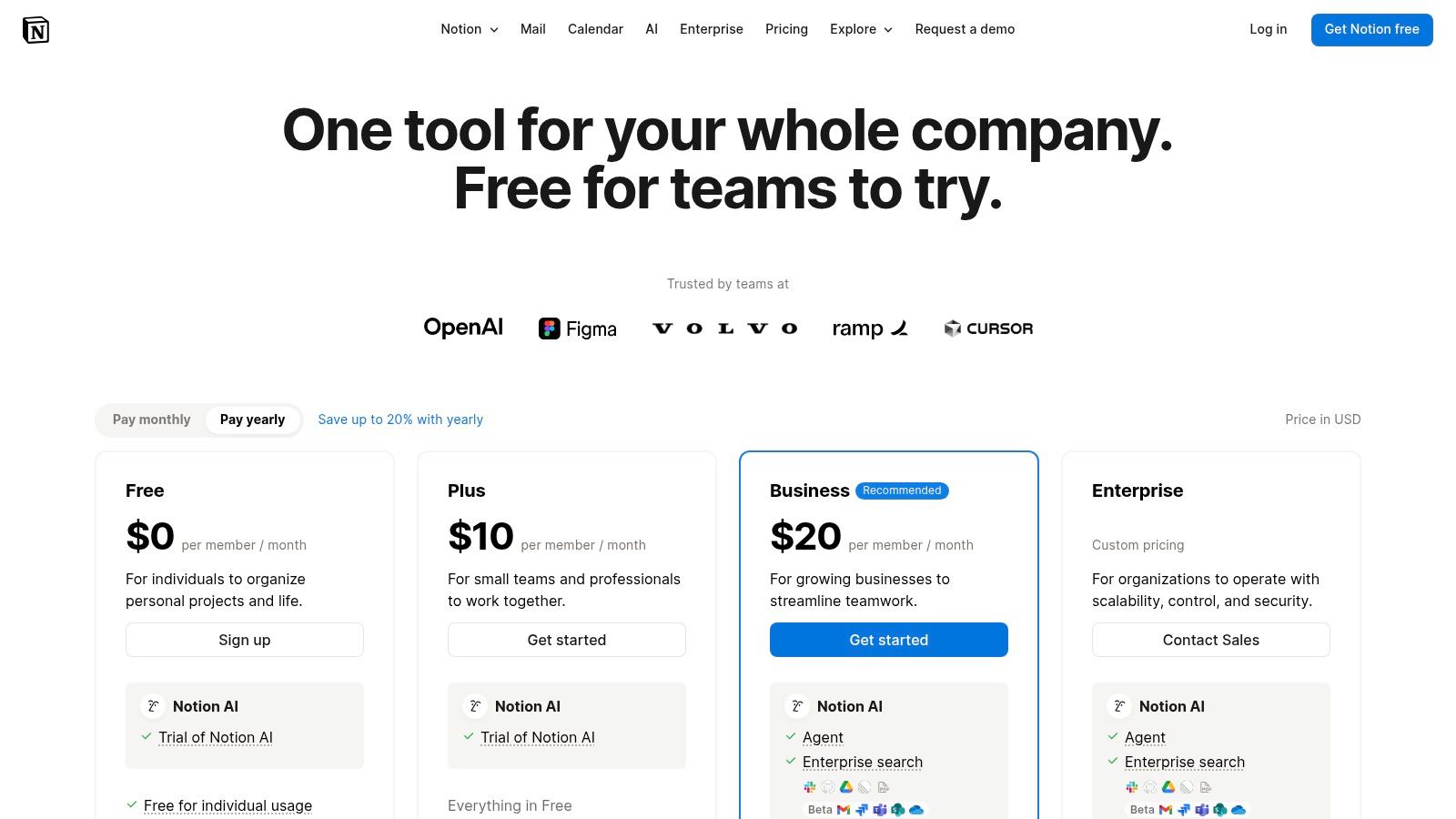
FeatureDetailsRecurrenceRepeating database templates that auto-create entries on a daily, weekly, monthly, or yearly cadence.Team FeaturesReal-time collaboration, page comments, permissions, and shared teamspaces.IntegrationsNative integrations with Slack, Figma, GitHub, and more, plus a robust API for custom connections.Pricing****Free Tier: Excellent for individuals. Plus ($8/user/mo): Adds more file uploads and version history.The main drawback is that setting up these recurring systems requires more initial effort than traditional task apps. However, for those willing to invest the time, Notion provides a framework for automating complex, recurring workflows that other apps simply cannot handle. You can find more information about its plans on the Notion pricing page.
- Things (Cultured Code)
Things is a premium, Apple-exclusive task manager celebrated for its elegant design and seamless user experience. It excels as a recurring task app by focusing on clarity and simplicity, helping users organize their commitments without feeling overwhelmed. Its recurring tasks are reliable and easy to set up, such as “Clean the office every second Tuesday,” making it perfect for managing personal and professional routines within the Apple ecosystem.
The app’s strength lies in its thoughtful design, which encourages daily planning through its “Today” and “Upcoming” views. This ensures you never miss a repeating task, whether it’s a weekly report or a monthly bill payment. Because it’s built natively for Apple devices, Things offers deep integrations with system features like Calendars, Reminders, and Siri for a truly integrated workflow.
 ### Key Features & User Experience
The user interface in Things is award-winning for a reason: it’s clean, intuitive, and fluid. The app organizes tasks into Areas (broad life categories like “Work”) and Projects (specific goals with a defined end). This structure, combined with powerful tagging, allows for flexible organization. The daily review process feels natural, prompting you to plan your day each morning by pulling in due tasks and calendar events.
Best For: Apple users who prioritize a beautiful, streamlined user experience and prefer a one-time purchase model over subscriptions.
FeatureDetailsRecurrenceFlexible options like “every,” “after,” “on the,” and specific day patterns. Simple and dependable.Team FeaturesNone. Things is designed strictly for individual use and does not support collaboration.IntegrationsDeep native integration with Apple Calendars, Reminders, Siri Shortcuts, and email-to-Things.PricingOne-time purchase per platform: Mac ($49.99), iPad ($19.99), and iPhone/Watch ($9.99).Its biggest limitation is its exclusivity to the Apple ecosystem, leaving Windows and Android users out. Furthermore, the lack of a subscription means you pay a higher upfront cost, with separate purchases required for each device type (Mac, iPad, iPhone).
- OmniFocus
OmniFocus is a powerhouse task manager built for those who follow the “Getting Things Done” (GTD) methodology and require deep control over their workflows. It is a premier recurring task app for Apple users who need to manage complex, multi-step projects with precision. The platform’s strength lies in its meticulous approach to scheduling, offering defer dates, sequential projects, and detailed review cycles that go far beyond simple repetition.
You can set a task to repeat, for example, “on the first weekday of the month” and also defer its appearance until two days before it’s due, keeping your daily list clean and focused. This combination of powerful recurrence rules, project structure, and the dedicated Review perspective ensures that no long-term commitment or routine task falls through the cracks. While its feature set can feel intimidating to new users, its reliability for managing intricate personal and professional systems is unmatched within the Apple ecosystem.
 ### Key Features & User Experience
OmniFocus provides an interface that is dense with functionality but highly organizable through custom “Perspectives.” These are saved views that let you filter and group tasks based on any criteria, such as focus, defer date, or specific tags. This allows you to build a dashboard perfectly tailored to your needs. The platform’s deep integration with Apple Calendars, Mail, and Shortcuts enables powerful automation for capturing and processing tasks.
Best For: Individuals and professionals deeply embedded in the Apple ecosystem who need a robust, GTD-aligned system for managing complex recurring projects.
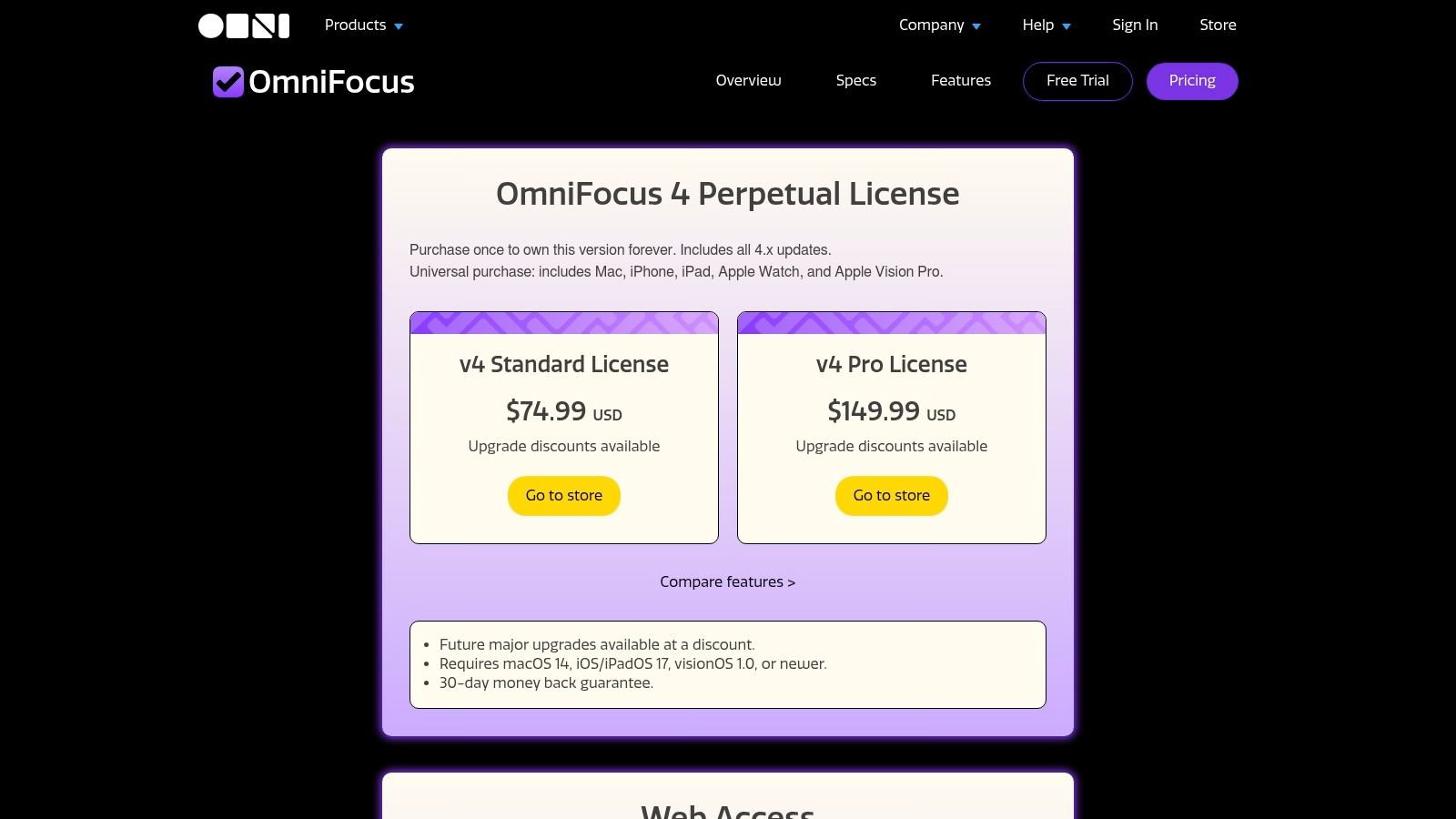
FeatureDetailsRecurrenceAdvanced options like “Repeat Every,” “Defer Another,” and “Due Again” for granular control.Team FeaturesPrimarily single-user focused; no built-in team collaboration features.IntegrationsDeep integration with native Apple apps (Mail, Calendar, Shortcuts) and Zapier.Pricing****Perpetual License: From $49.99 per platform. Subscription ($9.99/mo): Includes Web access and all apps.OmniFocus’s commitment to the Apple platform is both a strength and a limitation. While its subscription plan now includes web access, its core experience is best on macOS and iOS. Its higher price point and steep learning curve make it less suitable for users seeking a simple, cross-platform solution for basic reminders. For a look at more streamlined options, you can explore the top choices at Recurrr.com.
- Any.do
Any.do is a popular and well-designed task manager that blends personal to-dos, calendar events, and team projects into a single, cohesive experience. Its strength lies in its simplicity and accessible design, making it a great entry point for individuals or families looking to organize their lives. While its core recurring task functionality is reserved for premium users, the platform stands out with unique features like WhatsApp reminders, which can be a game-changer for staying on top of routines.
The platform offers a clean, visual approach to task management, integrating seamlessly with your calendar to provide a clear overview of your day. This makes it a solid recurring task app for those who want a holistic view of their commitments. The AI-powered “Any.do Moment” helps you plan your day by reviewing tasks and deciding what to tackle, which is particularly useful for establishing and maintaining daily habits.
 ### Key Features & User Experience
Any.do’s interface is intuitive and user-friendly, with a straightforward onboarding process that gets you organized quickly. The main view combines your tasks and calendar events, which helps in planning your schedule without switching between apps. A key differentiator is its WhatsApp integration, allowing you to receive task reminders directly within the popular messaging app. The family plan is also a notable feature, providing a dedicated space for shared lists, tasks, and projects.
Best For: Individuals and families seeking an all-in-one planner with a simple interface and unique reminder options like WhatsApp.
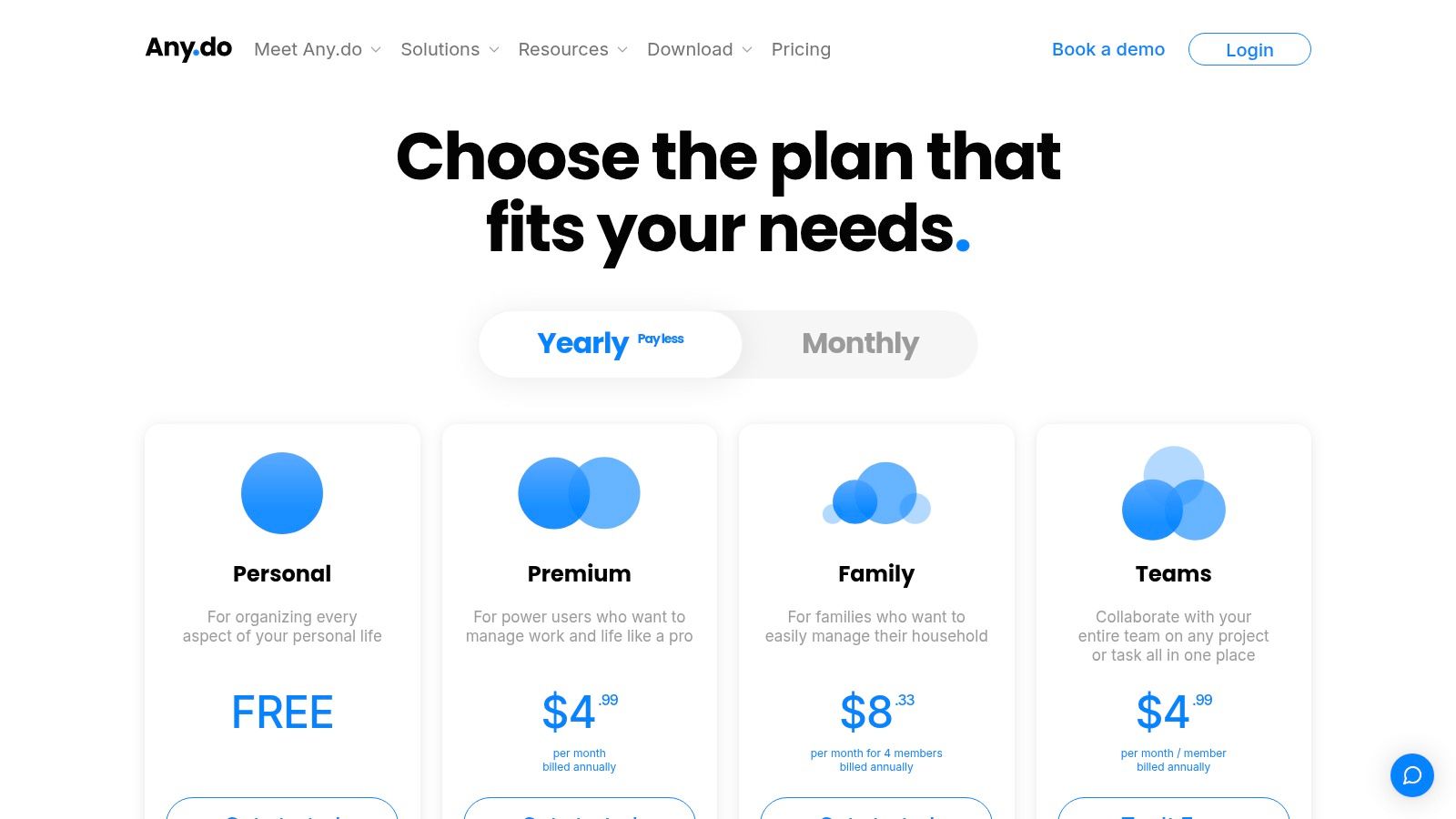
FeatureDetailsRecurrenceStandard options (daily, weekly, monthly, yearly) and custom repeats are available on paid plans.Team FeaturesFamily and team workspaces for shared projects, task assignments, and collaborative lists.IntegrationsNative calendar sync, WhatsApp, Zapier, and over 5,000 other app connections.Pricing****Free: Limited personal use. Premium ($3/mo): Adds recurring tasks, themes, and WhatsApp reminders.The main limitation is that essential features for a recurring task app, including the recurrence rules themselves, are locked behind the Premium subscription. While its automation capabilities are not as advanced as some project management tools, its ease of use makes it a strong contender for personal and household organization. Learn more about their plans at the Any.do pricing page.
- Remember The Milk
As one of the original digital to-do lists, Remember The Milk (RTM) has maintained its relevance by offering a straightforward, no-fuss approach to task management. Its strength lies in its simplicity and reliability, making it a solid recurring task app for users who prioritize function over form. RTM excels at capturing tasks from anywhere via email, Siri, Alexa, and other integrations, ensuring nothing gets forgotten.
The platform’s recurring task system is robust, allowing you to set up complex schedules like “every 2 weeks starting Tuesday” or “on the last day of every month.” Combined with its powerful Smart Lists feature, you can create dynamic, filtered views of your upcoming tasks, such as “all high-priority tasks due this week.” Its cross-platform availability ensures your lists are always in sync, whether you’re at your desk or on the go.
 ### Key Features & User Experience
Remember The Milk presents a utilitarian interface that is easy to navigate, focusing on getting tasks in and organized quickly. The Smart Lists feature is a standout, using a simple query language to build custom views that automatically update. While the UI may feel a bit dated compared to newer apps, its speed and dependability are major assets for managing daily routines without distraction.
Best For: Individuals looking for a dependable, cross-platform task manager with powerful capture methods and filtering.
FeatureDetailsRecurrenceFlexible repeating options (e.g., “every 3rd Tuesday,” “annually on April 15”).Team FeaturesShare lists and assign tasks to others. Basic collaboration suitable for families or small teams.IntegrationsConnects with Gmail, Google Calendar, Evernote, Twitter, Siri, Alexa, and more.Pricing****Free Tier: Core features for basic use. Pro ($49.99/year): Adds reminders, subtasks, and unlimited storage.The free version is quite capable, but essential features like reminders and unlimited integrations require a Pro subscription. For those who need a simple yet powerful system for recurring checklists without the complexity of a full project management tool, Remember The Milk remains an excellent choice.
Top 12 Recurring Task Apps — Feature Comparison
ProductCore featuresUX ★Price & value 💰For whom 👥Unique selling points ✨**Recurrr 🏆**Automated recurring emails; NLP recurrence; calendar-style outbox; pause/skip/reschedule★★★★☆💰 $9/mo after free trial; 3 send-from, 30-recipient limit👥 Busy pros, freelancers, households, small teams✨ Email-first automation 24/7, AES-256 privacy, 5‑min setup, set‑and‑forgetTodoistNatural-language recurrence; list/board/calendar; integrations & filters★★★★☆💰 Free + Premium/team tiers👥 Individuals & small teams✨ Best recurrence grammar, mature ecosystemTickTickRecurring tasks, calendar, Pomodoro timer, widgets★★★★☆💰 Low-cost annual Premium👥 Mobile users seeking value✨ Built-in Pomodoro, polished mobile widgetsMicrosoft To DoRecurring due dates; My Day planner; Outlook/M365 sync★★★☆☆💰 Free with Microsoft account👥 Microsoft 365 users, personal use✨ Seamless Outlook/Exchange integrationGoogle TasksRepeat schedules; Calendar & Workspace side-panel access★★★☆☆💰 Free (Workspace integrated)👥 Google Workspace users✨ Deep Gmail/Calendar embeddingTrelloCard Repeater Power‑Up; Butler automations; Kanban boards★★★★☆💰 Free/paid tiers; automations scale with plan👥 Visual planners & teams✨ Butler-driven scheduled card creationAsanaNative recurring tasks; rules & automation; project reporting★★★★☆💰 Free base; paid for advanced/team features👥 Teams, PMs needing reporting✨ Enterprise automations & reportingNotionRepeating database templates; relations; database automations★★★☆☆💰 Free + paid for team/advanced👥 Power users building custom systems✨ Highly customizable database-driven recurrencesThings (Cultured Code)Reliable recurring scheduling; Today/Upcoming; Apple native★★★★★💰 One-time purchase per Apple platform👥 Apple users preferring polished UX✨ Best-in-class Apple UX, no subscriptionOmniFocusAdvanced recurring rules, defer dates, perspectives & review★★★★☆💰 Higher cost; subscription or perpetual license👥 GTD practitioners & power users (Apple)✨ Deep recurrence controls & review workflowsAny.doRecurring tasks, calendar integration, AI, family/team workspaces★★★☆☆💰 Free + Premium (some features gated)👥 Families & casual teams✨ WhatsApp reminders, simple onboardingRemember The MilkRecurring tasks, smart lists, cross-platform capture★★★☆☆💰 Affordable annual Pro👥 Users wanting dependable reminders✨ Email/Siri capture, long-standing reliabilityAutomate the Small Stuff to Win Back Your Focus
Finding the best recurring task app isn’t about chasing the longest feature list or the trendiest new interface. It’s about finding the tool that seamlessly integrates into your unique workflow, reliably handles your routines, and ultimately gives you back your most valuable resource: your time and mental energy. The goal is to offload the cognitive burden of remembering repetitive duties so you can focus on the work that truly matters.
Throughout this guide, we’ve explored a dozen powerful contenders, each with distinct strengths. From the focused simplicity of Things and Microsoft To Do to the all-in-one project management powerhouses like Asana and Notion, the perfect system for your needs exists. The key is to honestly assess your own requirements before committing to a platform.
How to Choose Your Ideal Recurring Task App
Before you make your final decision, reflect on these critical questions. Your answers will point you directly to the right tool on our list.
- What is my primary goal? Am I trying to build personal habits (like with TickTick or Todoist), manage complex team projects with dependencies (Asana), or automate client communication and administrative reminders (Recurrr)?
- How complex are my recurrence needs? Do I just need simple daily or weekly reminders (Google Tasks), or do I require advanced custom schedules like “the last Friday of every other month” (OmniFocus)?
- What ecosystem am I already in? If your life runs on Apple, Things is a natural fit. If your team is embedded in Microsoft 365, To Do offers unparalleled integration. Aligning with your existing tech stack drastically reduces friction.
- Do I need to collaborate? For solo users, personal-focused apps are perfect. But if you need to assign tasks, track progress, and comment with a team, platforms like Trello or Asana are non-negotiable.
Implementing Your New System for Success
Once you’ve chosen an app, the next step is implementation. Don’t try to automate everything at once. Start small by identifying three to five of your most tedious, repetitive tasks, whether it’s sending a weekly report email, paying a monthly invoice, or following up on a client proposal. Set them up in your new tool and let the system run for a week.
This initial small-scale test allows you to learn the app’s nuances without feeling overwhelmed. As you build confidence, you can progressively add more routines. For a deeper dive into the principles behind automating your routine, learning how to automate repetitive tasks can significantly boost your efficiency. This strategic approach ensures the habit of automation sticks, creating a compounding effect on your productivity over time.
The true power of a great recurring task app is its ability to become invisible. It should work so reliably in the background that you stop thinking about the tasks it manages. It’s not just about checking boxes; it’s about engineering a system that frees your mind from the mundane and allows you to reclaim your focus for creative, strategic, and high-impact work. Stop managing your routines and start automating your life.
Ready to automate the repetitive emails and reminders that drain your time? Recurrr was built specifically for the ‘set it and forget it’ communication tasks that other apps don’t handle well. Try Recurrr for free and discover how effortless it is to save hours each week by putting your client follow-ups, invoice reminders, and report requests on autopilot.