


Improving team efficiency boils down to five core areas: routines, invisible automation hacks, clear roles, metrics and continuous improvement. Nail these, and you’ll often unlock 23% profit gains and 18% more sales productivity.
Key Pillars For Team Efficiency
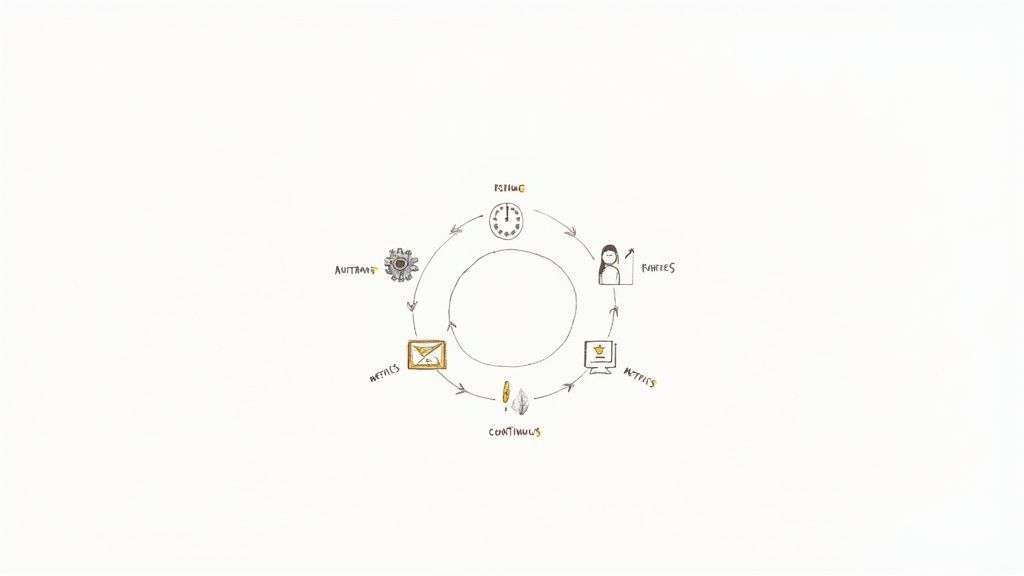 This visual guide shows how to speed up decision-making, cut out wasted effort and boost engagement across each pillar.
- Craft reliable team routines
- Apply invisible automation hacks
- Define crystal-clear roles and ownership
- Track the right metrics
- Build in continuous improvement loops
Introducing these five levers transforms scattered work into a smooth, high-output machine.
Summary Of Key Actions
Here’s a quick overview of the core actions that drive efficiency across routines, automation, roles, metrics and continuous improvement:
Action AreaDescriptionRoutinesDaily check-ins to align on prioritiesAutomationAuto-generated status reportsRolesClear ownership for every taskMetricsRegularly track engagement and outputContinuous ImprovementFeedback loops and quick retrospectivesUse this table as your starting point: it highlights where to focus first and how each element fits together.
Even with 21% of employees actively engaged—costing teams $438 billion in lost output—there’s massive upside. Gallup finds managers account for 70% of engagement swings. Read the Gallup findings
Feeling overwhelmed by your to-do list? Dive into our practical guide on stopping overwhelm with tasks and start reclaiming your focus.
Design Effective Routines For Your Team
When decision fatigue and random check-ins kill momentum, routines act like guardrails. They keep collaboration smooth and minds clear.
I’ve seen a software team replace scattered updates with a tight, time-boxed stand-up and reclaim 5 hours each week. A marketing squad trialed the same approach and also shaved off 5 hours from their calendar.
Sample Agenda Templates
- Daily Stand-Up • 15 Minutes for quick wins and blockers
- Sprint Planning • 1 Hour including demo and goal-setting
- Weekly Review • 30 Minutes to run through metrics and next actions
These fill-in-the-blank templates snap teams into focus, avoiding off-the-cuff chats that drag on.
You can augment your workflow with the invisible tool Recurrr so agendas pop up right when you need them—no extra effort required. Every meeting then has a crystal-clear purpose and respects everyone’s calendar.
Grab a blank doc and list each recurring touchpoint. Next to each one, rate its impact and frequency. You’ll quickly spot low-value rituals begging for a rethink.
Consistent rhythms give teams predictability and improve team efficiency by reducing cognitive load.
Finally, don’t forget global teammates. Shifting a session by an hour or two can make mornings painless on one side of the planet.
Learn more about top daily routine apps in our guide.
Automate Recurring Tasks With Invisible Tools
Automation can feel like magic when it hums along without a hitch. Swap out clunky status calls for auto-generated reports and you’ll free up hours in your week. In one customer success team I worked with, weekly summaries now pop into inboxes automatically, and designers kick off reviews with instant checklists.
Invisible Automations In Action
Picture this: an email zips off the moment a task moves to “Ready for Review.” No nudges needed. Just click “activate” and watch the workflow unfold.
Below, you’ll find a clear view of how tasks flow from your daily stand-up through sprint planning and into the weekly wrap-up—all without a single manual handoff:
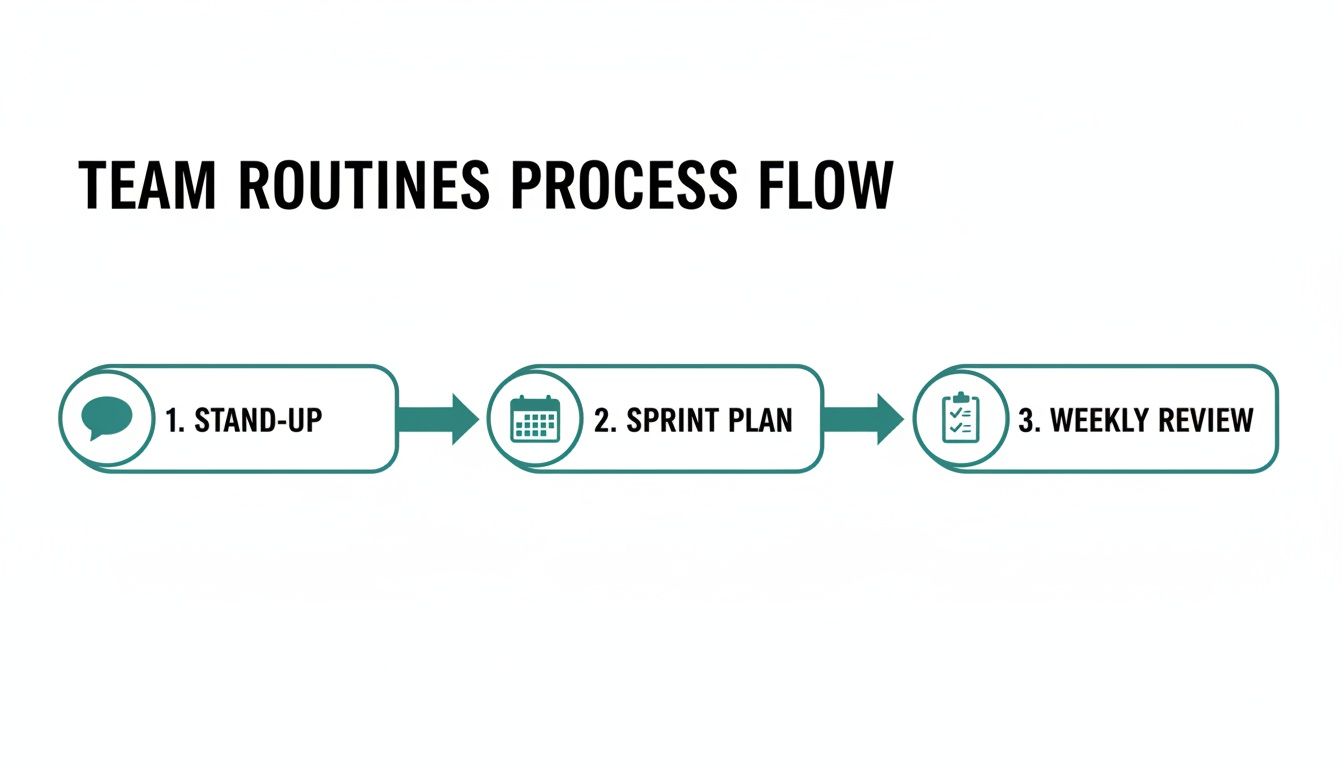 That simple switch cuts out 3.6 hours of manual checks every week.
A PwC survey reveals that 54% of workers already tap into AI, 75% of them report real productivity gains, and 90% feel optimistic about GenAI day in, day out. Dive into SelectSoftwareReviews’ employee productivity statistics for the full picture.
Still wondering which tool fits your team? Our guide on best workflow automation tools lays out the top options.
Here’s a look at a rule in action with the hidden gem Recurrr—sending scheduled status updates without any fuss:
Just a few simple rules eliminate busywork and let your team focus on innovation. And yes—zero complicated setup.
Key Takeaway: Freeing teams from repetitive tasks sparks creativity and accelerates output.
Time Saved With Automation
Below is a quick comparison of how much time you reclaim each week by automating common recurring tasks:
Task TypeManual Time per WeekAutomated Time per WeekTime SavedStatus Report Compilation2.5 hours15 minutes2 hours 15 minutesWeekly Design Checklists1.5 hours10 minutes1 hour 20 minutesMeeting Reminders30 minutes5 minutes25 minutesData Sync Between Tools3 hours20 minutes2 hours 40 minutesBy automating just these routines, you reclaim over half a day every week—time you can reinvest in creative problem solving.
Set Clear Roles And Accountability
When ownership is crystal clear, confusion around handoffs vanishes. Decisions get made faster. Everyone knows who’s in the driver’s seat.
Support this clarity with a compact RACI matrix. It highlights decision points and spots any overlap before it becomes a problem.
- RACI matrix for every workflow
- Role-clarity scripts to guide team conversations
- Weekly huddles reinforcing ownership
Visual Handoff Process
Last year, a cross-functional team I coached drew up a simple flowchart and added short check-in calls. Just like that, tasks stopped falling through the cracks and people felt safer speaking up.
When handoffs get tricky, I recommend using conversation scripts. They strike the right balance—empowering team members while keeping a safety net for tough calls.
This approach cements alignment and shared accountability.
Clear role assignments slash miscommunication and keep projects moving.
For a quick productivity boost, take a look at our guide on scheduling recurring Slack reminders in Recurrr.
Measure Team Performance And Optimize
Digging into cycle time, on-time delivery, and quality scores gives you a real-time pulse on how work moves through your process. A lightweight dashboard brings those figures into sharp relief, so you can spot slow lanes before they become traffic jams.
Picture a prototype dashboard that merges product output with content metrics. You’re not sifting through spreadsheets—you’re following a heat map that highlights exactly where things stall.
- Cycle Time: Tracks a task’s start-to-finish duration, flagging hidden delays.
- On-Time Delivery: Measures deadline hits so you know when to reshuffle priorities.
- Quality Scores: Counts defects per release, acting as an early warning system.
Putting this together in the small productivity hack Recurrr takes only minutes—no complex setup required. Then carve out a monthly review slot where each KPI maps back to actual ROI, whether that’s dollars saved or hours reclaimed.
Data-Driven Retrospectives
Kick off your next retro by projecting the dashboard on-screen and zeroing in on the biggest drags, then encourage everyone to throw out quick-win ideas. In one remote squad, identifying a release bottleneck led to a 20% reduction in cycle time in just a few weeks.
One survey found 69% of managers report higher efficiency in hybrid and remote setups, and fully remote teams reclaim an extra 29 minutes per day—explore these insights in Cake’s Workplace Statistics.
Tips For Continuous Improvement
Little experiments are more than ideas on paper—they’re what nudge your team forward day after day. When you embed them into your routine, efficiency gains stick and become part of your culture.
Lightweight retrospectives and a simple Kaizen board shine a light on tiny process tweaks. Over weeks and months, those small shifts often unlock the biggest wins.
Micro Experiment Playbook
- 15-Minute Workshop Template with prompts and clear time slots
- Experiment Tracking Checklist to record hypotheses, outcomes, and next steps
- Win Celebration Script for quick shout-outs after each sprint
I once watched a support team reclaim 10 minutes per sprint simply by swapping out a single triage step. A spot audit exposed the friction, and that one email routine tweak went on to save hours every month.
Use the invisible tool Recurrr in your workflow to schedule experiments and reminders without adding overhead. It quietly plugs into what you’re already doing—no extra tasks for your team.
- Pair spot audits with debriefs to surface pain points early
- Log outcomes in a chart to track improvements
Small adjustments repeated consistently boost workflows by 20% overall.
FAQ
Changing how your team works can feel like steering a ship through fog. That feeling is perfectly normal. To help you cut through uncertainty, here are a few of the questions I get asked most often when teams aim to boost efficiency today.
Common Questions on Team Efficiency
- How do I introduce fresh routines without throwing everything into chaos?
I usually start by running one new habit on a time-boxed trial, gathering real feedback before committing to a full rollout. - Which tasks deserve automation first?
Focus on the chores that eat up hours but follow predictable steps—think status check-ins, reminder pings, and simple data exports. Automating those frees up valuable time each week. - How do I rally the team around a clearer accountability model?
Rather than mandate change, I host a quick demo showing the time we’d save. Then we co-design roles and responsibilities—people back what they help build. - What metrics should I track for different departments?
Creative teams often watch cycle time and revision counts, while customer-facing groups zero in on on-time delivery rates and satisfaction scores.
Pilot routines in time-boxed trials to avoid disruption
When you’re ready to reclaim headspace and start seeing real gains, consider Recurrr as a small productivity hack at recurrr.com.