
Sending a recurring email isn't complicated once you have the right setup. The basic idea is simple: pick your tool (whether that's a special add-on or a dedicated app), write your message, and then tell it how often to send. This automates everything from weekly team check-ins to monthly client invoices, saving you a surprising amount of time.
Why Recurring Emails Are a Strategic Advantage
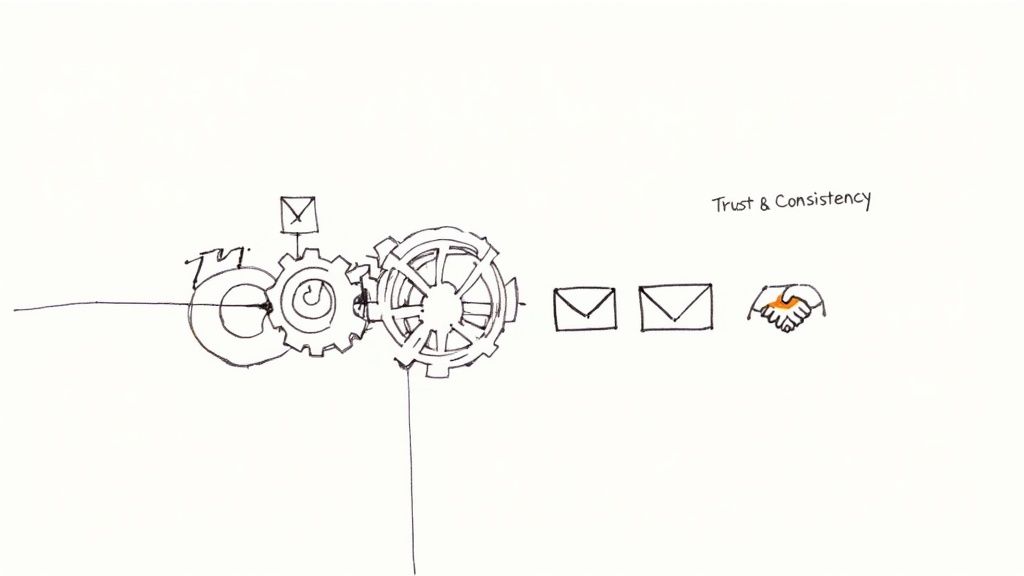 Figuring out how to send recurring emails is more than just a cool productivity trick. It's a way to build a real rhythm into your communications. When your regular messages go out like clockwork, you create a reliable touchpoint that builds trust and keeps your project, brand, or service from being forgotten.
This isn't about cluttering up someone's inbox. It's about showing up with value, right on schedule.
The Power of Consistent Communication
Think about how this plays out in the real world. A project manager can send out weekly progress reports automatically, keeping every stakeholder in the loop without lifting a finger each Friday. An accountant could schedule monthly reminders for clients to send over their documents, cutting out all that last-minute chasing.
This kind of consistency creates powerful habits for everyone involved. Your audience starts to expect—and even rely on—your messages, which is a massive step toward a stronger relationship.
Here's what that consistency really gets you:
- You become more reliable. When people get important information from you on a predictable schedule, they see you as a dependable source.
- Engagement naturally improves. Regular, valuable touchpoints keep your audience plugged in and more likely to respond when you need them to.
- You get time back. Automating routine emails frees up a ton of mental space, letting you focus on the work that actually requires your brainpower. We dive deeper into this in our guide on the top 10 reasons to send recurring emails.
The goal here isn't just about saving time. It's about creating a communication cadence that makes you an indispensable part of your recipient's workflow.
Driving Growth and Retention
For any business, this kind of automation is a quiet engine for growth. Imagine a new lead signs up for your newsletter. A recurring welcome series can nurture them over a few weeks, introducing your brand and guiding them toward making a purchase—all on autopilot.
The data backs this up in a big way. Setting up automated recurring emails can make your engagement metrics explode. We're talking a 52% higher open rate, 332% higher click rates, and an incredible 2,361% better conversion rate compared to standard, one-off campaigns.
In fact, some studies show that these kinds of automated messages are responsible for 37% of all sales generated through email. It’s a small change in process that delivers massive results.
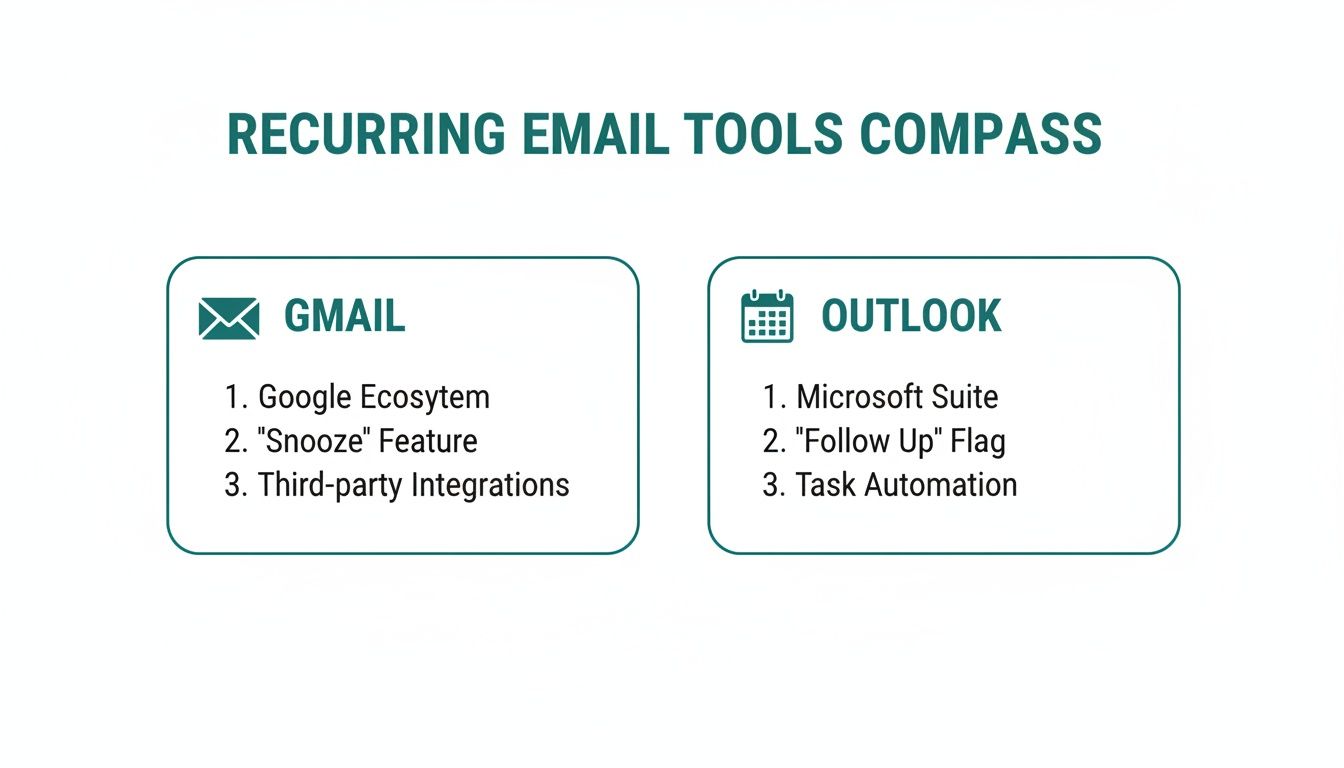
Look, you don't need some fancy, overpriced platform to get started with automating your emails. The tools you're already using every single day, like Gmail and Outlook, have some surprisingly powerful options hiding just beneath the surface. This is the perfect place to start for things like sending out monthly invoice reminders or a weekly team check-in without spending an extra dime.
While Gmail doesn't have a "send recurring email" button built-in, a whole ecosystem of browser extensions has popped up to fill that gap. Tools like Boomerang or GMass plug directly into your inbox, adding a "Send Later" or "Recurring" button right where you compose your messages. With just a few clicks, you can set an email to go out daily, weekly, monthly, or on whatever custom schedule you need.
If you want to go deeper on this, our complete guide on how to send recurring emails using Gmail walks you through the entire setup.
The Outlook Template & Calendar Trick
Outlook users actually have a bit of an advantage here. The platform offers a clever, native way to create a semi-automated workflow by combining email templates with recurring calendar events. It's a surprisingly flexible method that's perfect for internal communications or managing client touchpoints.
Here's the basic rundown:
- Craft Your Email Template: First, write the email you want to send on repeat. Save it as an Outlook Template (.oft file). This locks in the subject, body, and even any attachments you've added.
- Create a Recurring Appointment: Jump over to your Outlook Calendar and set up a new appointment. Make it recurring—say, for the first Monday of every month.
- Attach Your Template: Here's the magic. Instead of just setting a simple reminder, you can attach the email template you just saved directly to this recurring calendar event.
Now, when the calendar reminder pops up, all you do is open the attached template, pop in the recipients, and hit send. It's a slick workaround that keeps you in the driver's seat while taking care of 90% of the repetitive work.
This is what you'll be looking at in Outlook, where your email and calendar work together.
It's that tight integration between the email and calendar that makes this whole native scheduling method possible in the first place.
So, Which Native Method is for You?
The right choice really boils down to your personal workflow. If you live and breathe Gmail and want a true "set-it-and-forget-it" solution for your external messages, grabbing an extension is your best move.
On the other hand, if you're an Outlook power user who likes having one last manual check before an email flies out the door, the template-and-calendar technique gives you that perfect blend of automation and control.
Both approaches get you to the same place: they free up the time and mental space you’d otherwise waste on sending the same messages over and over. Give these simple methods a shot—you might be surprised how much time you can get back.
Scaling Up with Dedicated Email Automation Tools
Let's be honest, the built-in features in Gmail and Outlook are great for simple, internal reminders. But if you're serious about your email communication, you'll hit a wall with them pretty quickly.
When you need to manage a real audience, see what's actually working, and build out thoughtful communication flows, it's time to bring in the pros. We're talking about dedicated email automation platforms like Mailchimp, Constant Contact, and HubSpot. These tools shift your thinking from just sending a recurring email to building an entire automated strategy that pretty much runs itself.
Unleashing the Power of Triggers and Sequences
This is where things get really interesting. The biggest leap forward with these platforms is the move to trigger-based automations. Instead of just blasting an email on a fixed date (like the first of every month), you set up emails that fire off in response to something a user does.
The classic example? A welcome series.
When someone new signs up for your newsletter, that single action can kick off a whole pre-written sequence of emails, dripped out over a few days.
- Email 1 (Instantly): A warm "welcome aboard!" and confirmation.
- Email 2 (2 Days Later): Share some of your best content or a quick, helpful tip.
- Email 3 (5 Days Later): Maybe a special offer or a friendly nudge to follow you on social media.
This kind of "drip" campaign automatically nurtures that new relationship. Every single new subscriber gets the same consistent, high-value experience without you lifting a finger. It's an incredibly powerful way to make a great first impression at scale.
The big shift here is moving from a static, calendar-based approach to a dynamic one driven by user behavior. The email goes out when it's most relevant to the person receiving it, not just when the calendar says so.
Gaining Deeper Insights with Analytics
Another massive win for dedicated platforms is the access to real, tangible data. Gmail and Outlook basically leave you guessing. Automation tools, on the other hand, paint a clear picture of what’s connecting with your audience and what's falling flat.
You can finally track the metrics that matter:
- Open Rate: What percentage of people actually opened your email?
- Click-Through Rate (CTR): Of those who opened it, how many clicked a link inside?
- Conversion Rate: What percentage took the final action you wanted, like making a purchase?
This data is pure gold. For instance, a high open rate but a rock-bottom CTR tells you your subject line was killer, but the message inside didn't deliver. These insights let you A/B test different elements—like headlines or calls-to-action—and constantly fine-tune your campaigns for better and better results.
This infographic breaks down the difference between your basic email client and a full-fledged automation platform.
 As the visual shows, your standard inbox is perfect for one-on-one chats. But for scalable, data-driven campaigns, you need something engineered for the job.
Choosing Your Recurring Email Method
Deciding between a simple setup and a powerful automation platform can be tough. This table breaks down the key differences to help you figure out which path is right for you.
FeatureGmail/Outlook (with extensions)Dedicated Automation Tools (Mailchimp, HubSpot, etc.)Best ForIndividual users, small teams, internal reminders, simple schedules.Businesses of all sizes, marketers, complex user journeys, sales funnels.Setup & Learning CurveVery easy; often requires a simple browser extension.More involved setup; can have a steeper learning curve but offers more power.Automation TriggersLimited to fixed schedules (e.g., every Monday, first of the month).Advanced triggers based on user actions (e.g., signs up, clicks a link).Audience ManagementManual list management; prone to errors.Sophisticated contact management, segmentation, and tagging.Analytics & ReportingNone or very basic tracking with some extensions.Detailed reports on opens, clicks, conversions, A/B testing, and more.CostOften free or low-cost for basic extensions.Subscription-based, with costs scaling based on audience size/features.ScalabilityPoor. Not designed for large lists or complex sequences.Excellent. Built to handle massive audiences and intricate campaigns.Ultimately, your choice depends on your goals. If you just need a personal reminder, a simple extension will do. But if you're building a business or growing an audience, investing in a dedicated tool will pay for itself many times over.
For a deeper look, check out this great comparison of the https://recurrr.com/articles/top-11-tools-to-send-recurring-emails-in-2024/.
As your needs grow, you'll also want to start thinking about security. A closer look at secure email marketing automation tools will become crucial. Picking a platform that can grow with you—and keep your data safe—ensures your automated communications remain a reliable asset for years to come.
Designing a Recurring Email Strategy That Works
 Getting the automation set up is just the first step. The real challenge—and where most people go wrong—is creating a strategy that makes people actually want to open your emails.
Without a solid plan, your perfectly scheduled messages just become more noise in an already crowded inbox. Ignorable. Delete-able.
The core of any good strategy comes down to one thing: value. Every single automated email has to answer the recipient's unspoken question: "What's in it for me?"
Finding Your Perfect Sending Cadence
It’s tempting to stay in front of people constantly, but overwhelming your audience is one of the fastest ways to get ignored or, worse, get an unsubscribe. Send too often, and you create inbox fatigue. Send too rarely, and you’re completely forgettable.
Finding that sweet spot is everything.
Research from folks who live and breathe this stuff shows that sending recurring emails 2-4 times monthly is often the sweet spot for engagement. Some have even seen weekly sends hit open rates as high as 48.31%. The real pros adjust their frequency based on how people interact, which can drop unsubscribe rates to a tiny 0.07% for highly engaged lists. You can find more email frequency stats from Moosend here.
My advice? Start conservatively. Try a bi-weekly schedule and just watch your numbers. If your open and click rates are looking good, you can test a weekly send. If they start to dip, that's your cue to pull back.
Building a Simple Content Calendar
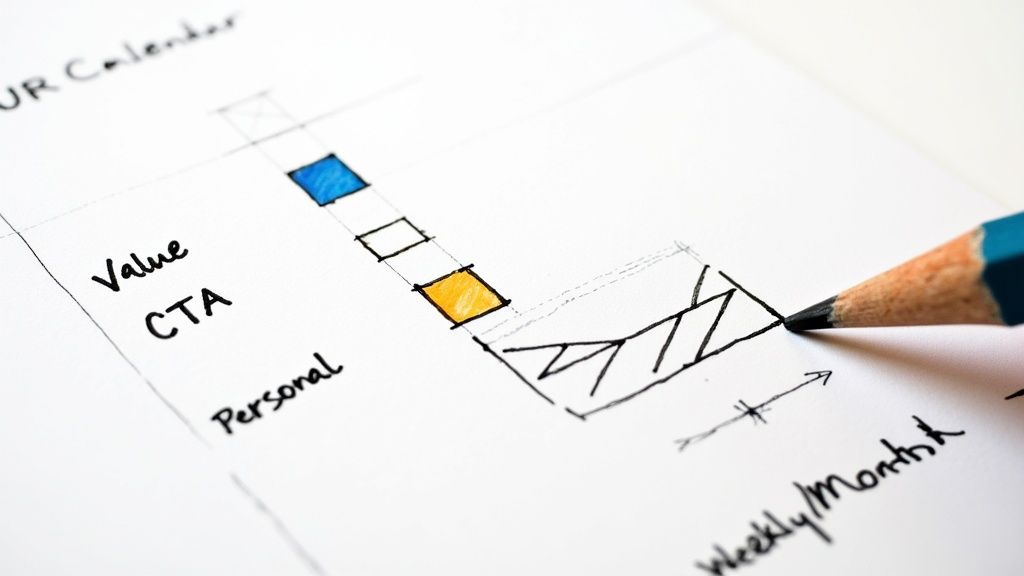
A content calendar doesn't have to be some massive, color-coded spreadsheet. Seriously. It's just a simple plan to make sure every automated email delivers something useful. This keeps you from scrambling for ideas at the last minute and helps you build a real narrative over time.
Think about a monthly check-in with a client. Instead of a generic "touching base" email, your calendar could break it down like this:
- Week 1: A personal check-in with a link to a helpful article you found, relevant to their industry.
- Week 2: A quick, high-level summary of the progress you've made on their project.
- Week 3: A "small win" email, highlighting a positive metric or a milestone you hit.
- Week 4: An ask for feedback or a simple prompt to schedule your next call.
See the difference? You've just turned a generic task into a series of valuable, relationship-building touchpoints.
Your goal isn’t just to automate a message; it’s to automate a relationship. A content calendar provides the blueprint for doing just that, ensuring every scheduled send builds on the last one.
Creating Evergreen Content That Lasts
Here's the secret to making this whole thing sustainable: evergreen content. This is the stuff that stays relevant for months, even years. It allows you to build a library of high-quality assets you can plug into your automated sequences without them feeling dated.
Think of it as your "set it and forget it" content arsenal.
Good examples of evergreen content for recurring emails include things like:
- Case Studies: A deep dive into how you solved a common problem for another client.
- Tutorials or How-To Guides: Breaking down a complex process into simple, actionable steps.
- Resource Lists: A curated list of the best tools or articles for a specific topic.
- Answers to FAQs: Taking a common question you get and answering it in detail.
Create just a handful of these powerful, timeless pieces, and you've got enough content to populate your recurring email campaigns for an entire quarter. It saves you an incredible amount of time and ensures your automated messages are always genuinely valuable. It's about working smarter, not harder.
How to Measure and Optimize Your Campaigns
 Hitting "start" on a recurring email campaign is just the beginning, not the end. The real magic happens when you start paying attention to how your emails are performing and using that data to make them better.
If you just set it and forget it, you're flying blind. You're just hoping something good happens. But with a little attention, you can turn a decent campaign into a powerhouse.
Decoding Your Key Metrics
Most email tools throw a bunch of numbers at you. It can be overwhelming. Instead of getting lost in the data, just focus on the metrics that actually tell you what's going on.
- Open Rate: This one's simple. It’s the percentage of people who actually opened your email. If this number is low, your subject line is almost always the culprit. It just wasn't interesting enough to click.
- Click-Through Rate (CTR): This tells you how many of those openers clicked a link in your email. CTR is a direct reflection of how good your message and call-to-action (CTA) are.
- Conversion Rate: This is the big one. It tracks how many people did the thing you wanted them to do, like sign up for a demo or buy a product. This metric tells you if your campaign is actually working.
Think about how these numbers work together. A high open rate but a low CTR is a classic sign of a killer subject line that writes a check the email body can't cash. The promise was great, but the content fell flat.
The data doesn’t just report on the past; it gives you a clear roadmap for what to change next. Every metric is a clue pointing you toward a more effective email.
The Art of A/B Testing
So, you've spotted a weakness. What now? The best way to fix it is to run an A/B test. You just create two versions of your email, change one little thing, and send each version to a small slice of your audience to see which one wins.
The trick is to only test one thing at a time. If you change the subject line and the CTA button, you won't know which change made the difference.
Start by testing the things that have the biggest impact:
- Subject Lines: Try something direct and to the point versus something more intriguing or question-based.
- Calls-to-Action (CTA): Test the button text. Does "Learn More" work better than "Get Started Now"? What about button color?
- Send Times: Is your audience more active on a Tuesday morning or a Thursday afternoon? Testing is the only way to know for sure.
This cycle of testing, learning, and refining is what separates the pros from the amateurs. Even a tiny lift in your open or click rates can add up to huge results over the life of a campaign.
Proving the Value of Your Efforts
At the end of the day, you want to know all this effort is paying off. And when you get it right, it really pays off. To see the full picture, you have to get comfortable with mastering marketing automation ROI.
The numbers don't lie. Smart email marketing can generate a staggering ROI of $36-42 for every dollar spent. Some automated emails, like back-in-stock alerts, see open rates of 59.19% and convert at 5.34%. This stuff drives real revenue.
If you're hung up on how often to send follow-ups, we've got you covered with our guide on how soon you should re-send emails to non-openers.
Got Questions About Recurring Emails?
Once you start sending recurring emails, you'll find a few practical questions almost always pop up. Nailing these little details is what separates a clunky, robotic sequence from a smooth, effective communication strategy. Let's dig into some of the most common hurdles you're likely to face.
What’s the Best Cadence for Sending Recurring Emails?
There’s no magic number here, and anyone who tells you otherwise is just guessing. The right frequency depends entirely on your audience and the kind of value you’re delivering. A weekly project update for your internal team? Perfect. A weekly sales pitch to a cold lead? That's a one-way ticket to their unsubscribe list.
For most situations, a good starting point is somewhere between 2-4 emails per month. If you’re sending out a high-value newsletter that people actually look forward to, a weekly send can work beautifully.
The real key is to watch your metrics like a hawk. If you see open rates start to dip or unsubscribes begin to climb, that's a crystal-clear signal to pump the brakes. Always let your engagement data be your guide.
Can I Personalize My Recurring Emails?
Yes, and you absolutely should. Personalization is the secret sauce that stops your automated messages from feeling, well, automated. It’s the difference between an email that feels like a conversation and one that feels like a generic broadcast.
Most email tools, from simple browser extensions to more robust platforms, support what are called merge tags or personalization tokens. These are little snippets of code that let you dynamically pull in information like a recipient's first name, their company, or even the date of their last purchase.
For instance, a simple:
Hi {{FirstName}},
Is infinitely more powerful and engaging than a bland "Hello."
Want to take it a step further? Segment your audience. You can set up different recurring messages for brand-new customers versus your long-time loyal clients, making every single communication feel relevant and personally crafted.
Personalization isn't just some nice-to-have feature; it's fundamental to making any recurring email campaign work. It shows you see your recipient as a person, not just another email address on a list.
How Do I Keep My Recurring Emails Out of the Spam Folder?
Landing in the spam folder is the kiss of death for any email campaign, automated or not. The goal is to build and maintain a solid sender reputation, and that boils down to a few core habits.
First off, always get explicit permission to email your contacts. That means no purchased lists and no shady sign-up tactics. Every single person on your list should have knowingly opted in. On top of that, every message must include a clear and simple unsubscribe link—it's not just good practice, it's required by laws like CAN-SPAM and GDPR.
Finally, consistency is your best friend. Sending from the same email address on a predictable schedule helps email providers like Gmail and Outlook recognize your messages as legitimate. But above all else, focus on creating content your audience genuinely wants to read. High engagement is the strongest signal you can send that you're one of the good guys, not a spammer.
Ready to stop sending the same emails over and over? Recurrr makes it dead simple to automate your routines, from client reminders to team check-ins, so you can focus on what actually matters. Start saving time today.