

Being a freelancer means you're not just the expert, you're the CEO, accountant, and project manager all in one. Juggling client communication, deadlines, and deliverables across scattered emails and spreadsheets quickly leads to burnout and missed opportunities. The right project management tool isn't just a nice-to-have; it's the central nervous system of a successful freelance business.
It brings clarity to chaos, professionalizes your client interactions, and frees up your mental energy to focus on what you do best: creative, high-value work. This comprehensive guide cuts through the noise to analyze the 12 best project management tools for freelancers, focusing on practical use cases, honest limitations, and how to pick the one that truly fits your unique workflow.
We'll dive deep into each platform, moving beyond generic feature lists to provide real-world insights. For each tool, you'll find:
- Core feature analysis: What it does best and for whom.
- Pros and Cons: An honest assessment of its strengths and weaknesses.
- Best-for scenarios: Guidance on whether it's ideal for solo work or collaborating with clients.
- Quick setup tips: Actionable advice to get you started fast.
We'll explore everything from all-in-one platforms like Asana and ClickUp to specialized apps that excel at handling the crucial, repeatable tasks that keep your business running smoothly. Each entry includes detailed screenshots and direct links, giving you everything needed to make an informed decision and find the perfect system to manage your freelance operations efficiently.
- Recurrr
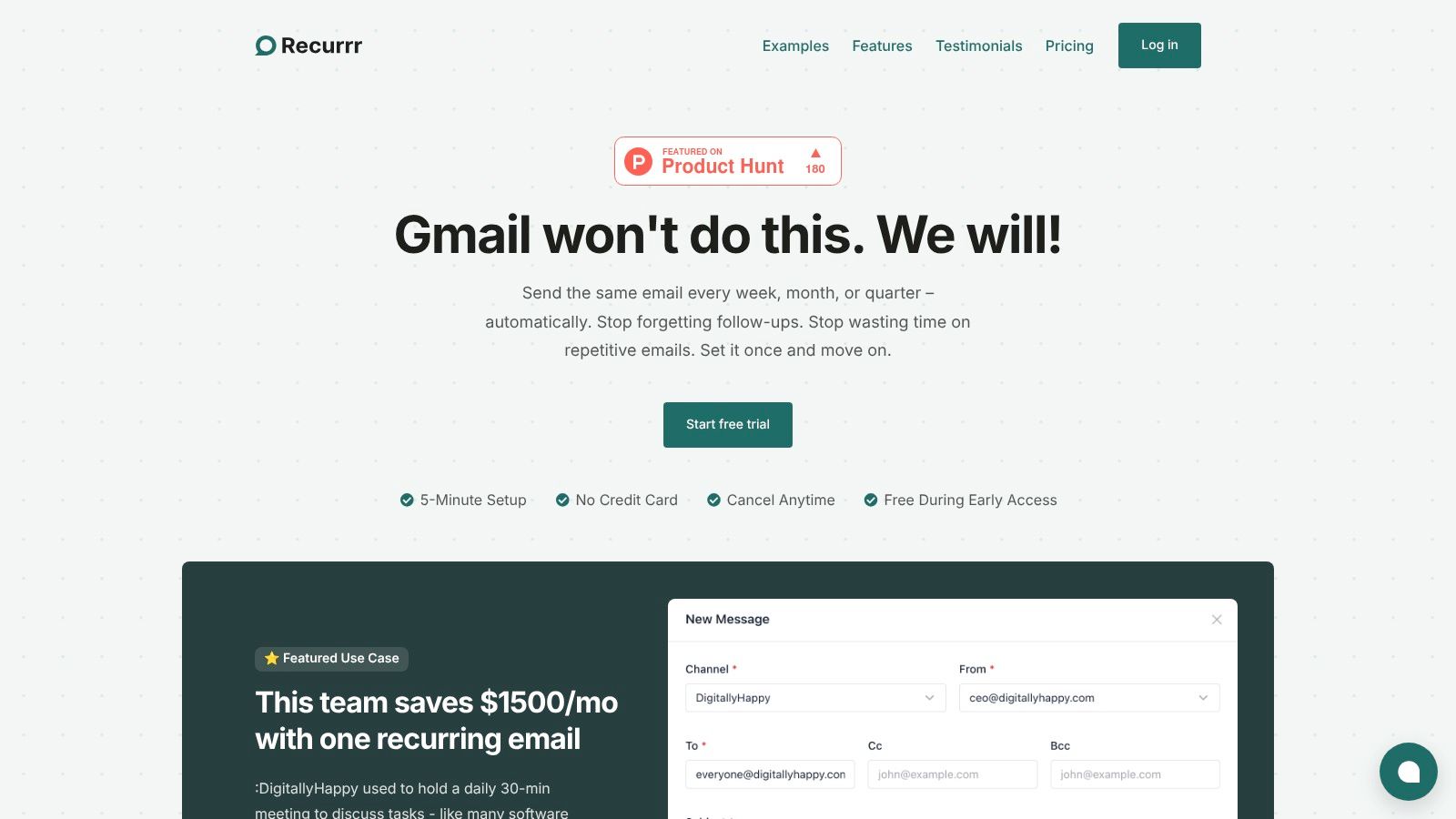
Recurrr carves out a unique and powerful niche within the landscape of project management tools for freelancers by focusing on one of the biggest drains on productivity: repetitive communication. Instead of trying to be an all-in-one project hub, it excels at automating recurring emails, client follow-ups, and routine administrative tasks. This specialized focus allows freelancers to "set and forget" essential but time-consuming communications, freeing up valuable headspace to focus on billable work. For freelancers constantly juggling tasks, learning how to manage multiple projects without burning out is paramount, and a tool like Recurrr directly addresses the administrative fatigue that leads to overload.
 ### Core Features & Strengths
What truly sets Recurrr apart is its elegant simplicity and robust security. The platform's Natural Language Processing (NLP) input is a standout feature, allowing you to type schedules like "every other Tuesday at 9 am" or "the last weekday of every month," which the system instantly understands. This intuitive approach, combined with a clean, calendar-style outbox, makes setup exceptionally fast.
Its privacy-first model is a significant advantage for freelancers handling sensitive client information. Recurrr uses AES-256 encryption and, critically, never requests access to your inbox or contacts, operating independently of your email provider. This ensures your data remains secure and confidential.
Practical Use Cases for Freelancers
- Client Management: Automate weekly progress reports, send monthly invoices, or schedule follow-up emails six months after a project ends to generate repeat business.
- Routine Check-ins: Replace daily stand-up meetings with an automated "What are your top 3 priorities today?" email to a small team or collaborator.
- Personal Productivity: Schedule reminders to update your portfolio, track expenses, or even send birthday notes to key clients, strengthening professional relationships.
Pricing and Access
Recurrr offers a straightforward and highly accessible pricing model: a no-credit-card-required free trial, followed by a simple $9 per month plan that includes all features. It’s entirely web-based, requiring no installation.
"I never followed up with my past clients – now I do every 6 months, it's easy!"
– Andrei Iordache, User Testimonial
Pros & Cons
ProsConsSaves Significant Time: Automates repetitive emails, with case studies showing major cost savings.Not for Bulk Mailing: Limited to 30 recipients per schedule (10 To / 10 Cc / 10 Bcc).Exceptional Ease of Use: 5-minute setup, NLP input, and an intuitive interface.Focused Scope: It's not a full-suite PM tool for task tracking or Gantt charts.Privacy-Focused & Secure: No access to your inbox or contacts; uses strong encryption.Limited Sender Addresses: Capped at sending from up to 3 different email addresses per account.Affordable & Simple Pricing: A single, low-cost monthly plan for all features.Website: https://recurrr.com
- monday.com – Work Management
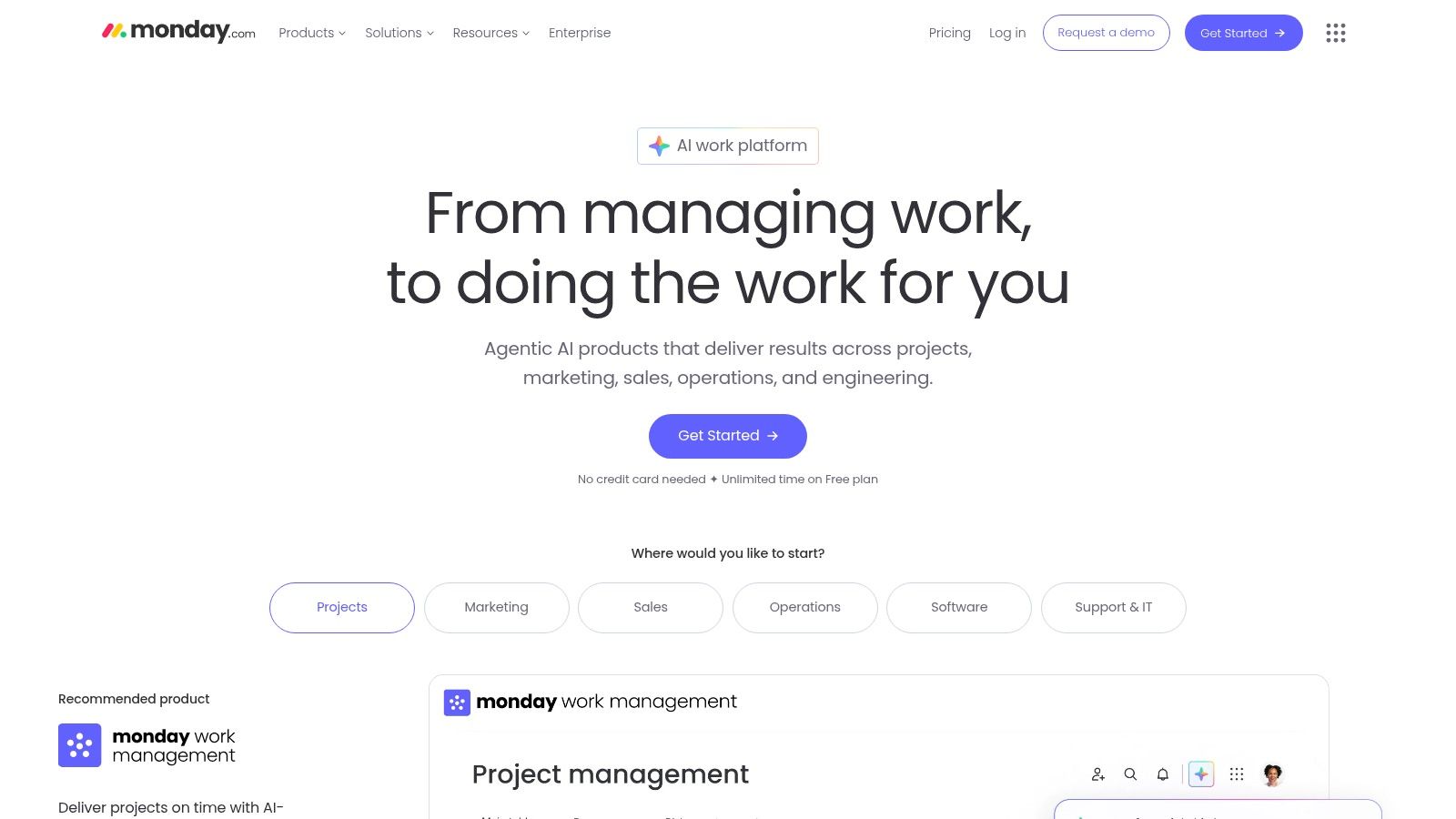
monday.com has evolved from a simple project tracker into a comprehensive "Work OS" (Operating System), making it a powerhouse among project management tools for freelancers. Its strength lies in its extreme visual flexibility. You can manage anything from a content calendar to a client onboarding pipeline using its colorful, table-like boards, which can be instantly switched to Kanban, timeline (Gantt), or calendar views.
For freelancers, this means you can build a system that perfectly mirrors your unique workflow without being forced into a rigid structure. The platform’s robust automation builder is another key benefit, allowing you to set up "if this, then that" rules to handle repetitive tasks like status updates or task assignments automatically, saving you valuable administrative time.
 ### Core Features & Use Case
- Best For: Solo freelancers managing multiple complex projects or small agency owners collaborating with clients and contractors.
- Key Features: Customizable visual boards (grid, Kanban, Gantt), powerful automations, integrated forms, and extensive dashboard widgets for reporting.
- Pricing: Offers a generous Free Forever plan for up to 2 users. Paid plans like Standard (starting at $12/seat/month) unlock client access, timeline views, and more automations but require a 3-seat minimum, which can be a drawback for true solopreneurs.
Pros and Cons
ProsConsHighly Visual & Customizable: Adapt boards to any freelance workflow.Cost Adds Up: Paid tiers have a 3-seat minimum purchase.Powerful Automations: Reduces manual, repetitive administrative work.Feature Gating: Key features are locked behind higher-tier plans.Generous Free Plan: Excellent for solo freelancers starting out.Can Be Overwhelming: The sheer number of features has a learning curve.Quick Setup Tip: Start with a template from their library, like "Freelancer Project Tracker," to learn the core mechanics. Then, customize columns to fit your specific needs, adding fields for hourly rates, client contact info, or invoice status.
Recurrr Note: While monday.com's automations can handle some recurring tasks (e.g., "create a task every Monday"), Recurrr offers a more dedicated, streamlined interface for managing and tracking a high volume of client-specific repeating checklists and workflows without the complexity of building multi-step automations.
Website: https://monday.com
- Trello (Atlassian)
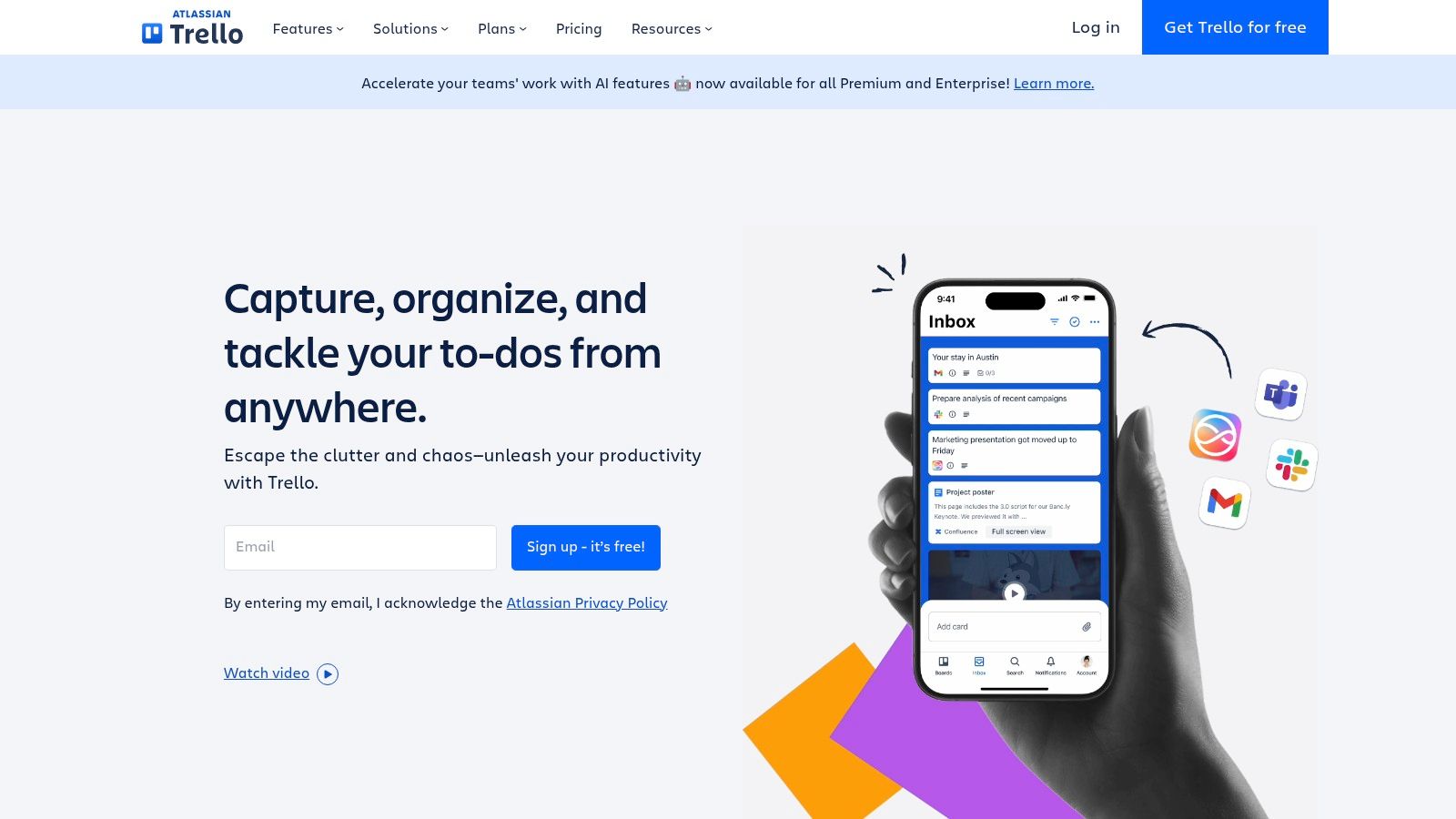
Trello is the quintessential Kanban-style project management tool, renowned for its simplicity and immediate visual clarity. Its core "boards, lists, and cards" system is incredibly intuitive, allowing freelancers to quickly map out workflows, track project stages, and manage individual tasks with a simple drag-and-drop interface. This straightforward approach makes it one of the best project management tools for freelancers who need to get organized fast without a steep learning curve.
While its initial simplicity is its main draw, Trello's power can be expanded significantly through "Power-Ups," which add integrations and features like custom fields or calendar syncing. For freelancers who need just a bit more functionality, this à la carte approach allows the tool to grow with your needs, from managing a simple content pipeline to coordinating tasks with a client.
 ### Core Features & Use Case
- Best For: Solo freelancers managing straightforward projects or those needing a simple, visual way to share progress with clients.
- Key Features: Drag-and-drop Kanban boards, Butler automation for no-code rule-setting, extensive Power-Up integrations, and guest collaborator access.
- Pricing: The Free plan is very capable for individuals, offering unlimited cards and up to 10 boards. The Standard plan (starting at $5/user/month) adds advanced checklists and custom fields, while the Premium plan ($10/user/month) unlocks advanced views like Calendar, Timeline, and Table.
Pros and Cons
ProsConsExtremely Easy to Learn: Get started and organize projects in minutes.Advanced Features are Gated: Timeline and other views require Premium.Great for Visual Workflows: Perfect for tracking stages (e.g., To Do, In Progress, Done).Can Become Cluttered: Without discipline, boards can become overwhelming.Generous Free Tier: The free plan offers substantial value for solopreneurs.Less Suited for Complex Data: Not ideal for deep financial or resource tracking.Quick Setup Tip: Create separate lists for "Backlog," "This Week," "In Progress," "Client Review," and "Done." Use labels to categorize tasks by client or project type (e.g., "Client A," "Writing," "Design") for at-a-glance organization.
Recurrr Note: Trello's Butler can create recurring cards on a schedule, but it lacks a centralized dashboard for managing all repeating client tasks. Recurrr provides a dedicated system to create, assign, and track high-volume recurring checklists, offering more control and visibility than Butler's rule-based system.
Website: https://trello.com
- Asana
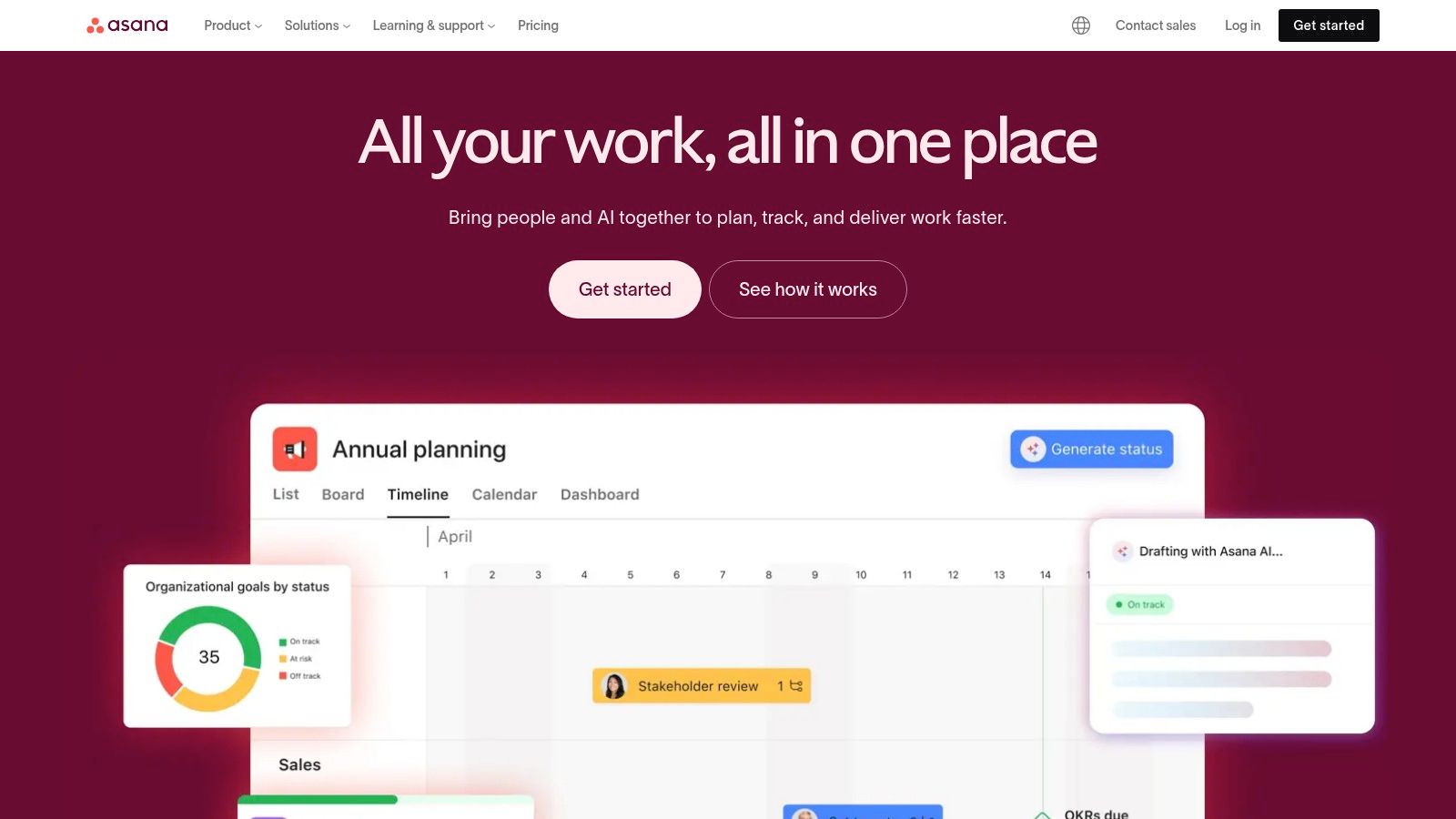
Asana excels at bringing structure to complex projects, making it one of the most reliable project management tools for freelancers who manage long-term client engagements with clear phases and dependencies. Its strength lies in its task-oriented design, offering multiple ways to visualize work, including traditional lists, Kanban boards, calendars, and a powerful Timeline (Gantt chart) view. This is ideal for mapping out project milestones and ensuring you hit every deadline.
For freelancers, Asana provides a scalable framework that can grow from a personal task list into a collaborative client portal. Its workflow builder and custom fields allow you to create repeatable processes for everything from content production to web design phases, ensuring consistency and quality across all your projects.
 ### Core Features & Use Case
- Best For: Freelancers who need structured, process-driven project management, especially for projects with clear start/end dates and dependencies.
- Key Features: Multiple project views (List, Board, Timeline, Calendar), powerful workflow automation, custom fields, integrated forms for client intake, and Portfolios for high-level project overviews.
- Pricing: A robust Free plan supports up to 15 users with unlimited tasks and projects. The Premium plan (starting at $10.99/user/month) unlocks the Timeline view, Workflow Builder, and advanced reporting.
Pros and Cons
ProsConsScales From Personal to Client Projects: Excellent for growing your business.Advanced Features are Gated: Portfolios and goals are on higher tiers.Excellent Reporting & Workflow Builder: Automates and standardizes your work.Per-Seat Pricing: Can become costly as you add client collaborators.Clean, Task-Focused Interface: Easy to navigate and assign work.Timeline View is a Paid Feature: A key Gantt chart feature is not free.Quick Setup Tip: Use the "Forms" feature to create a standardized client intake or project request brief. Submissions automatically populate a project as new tasks, saving you the manual effort of transferring client requirements into your system.
Recurrr Note: Asana’s native recurring tasks are great for simple reminders like "Send weekly report." However, for client-specific recurring checklists that require detailed tracking and history (e.g., a monthly SEO audit), Recurrr offers a more focused solution without needing to build complex rules in the Workflow Builder.
Website: https://asana.com
- ClickUp
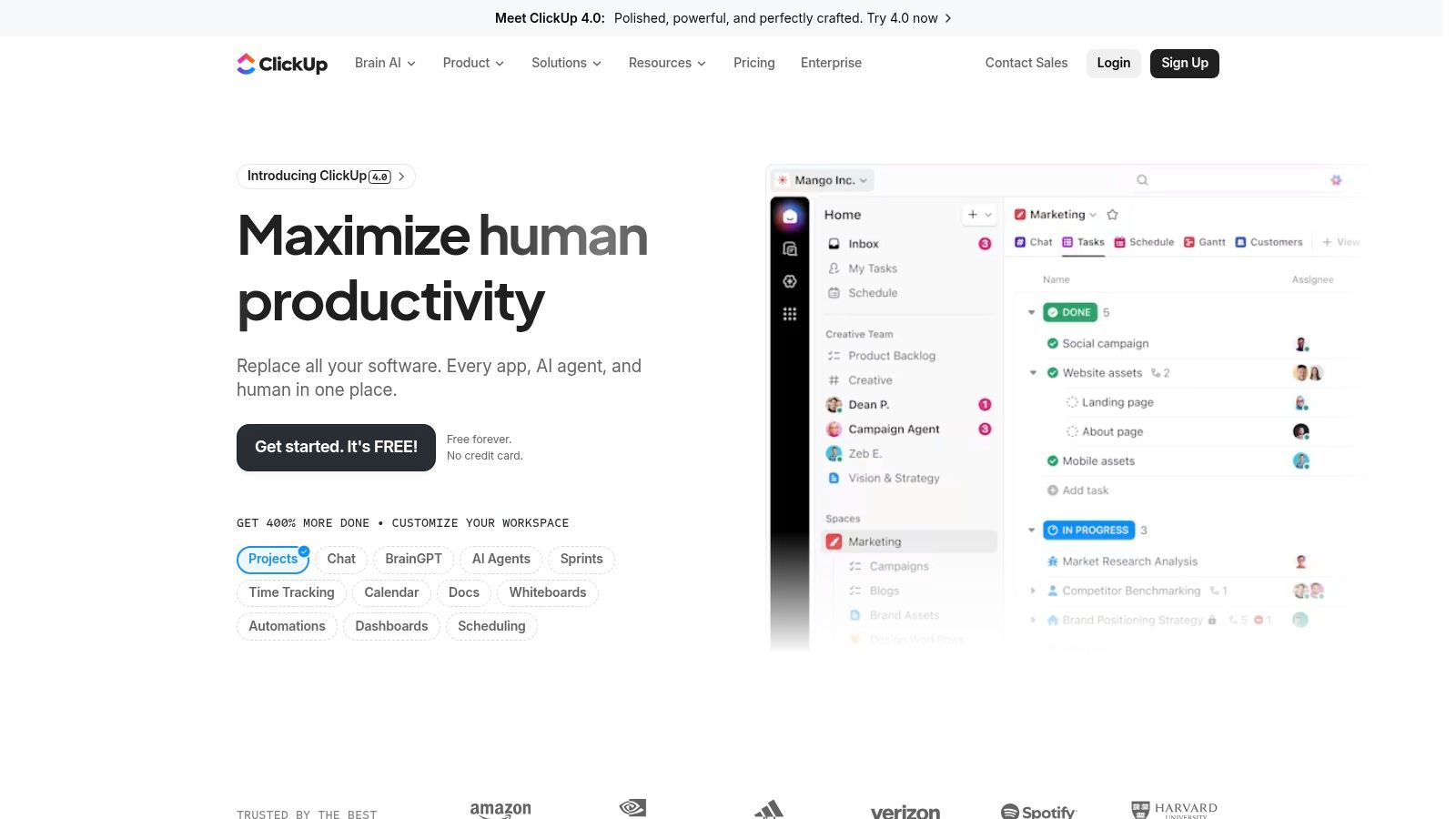
ClickUp positions itself as the "one app to replace them all," and for many freelancers, it lives up to that promise. It bundles tasks, documents, goals, whiteboards, and time tracking into a single, cohesive platform. This all-in-one approach is its main draw, allowing you to consolidate tools and manage every aspect of your freelance business, from project timelines to client notes, without switching apps.
For freelancers drowning in subscriptions, ClickUp offers a powerful, cost-effective alternative. Its hierarchical structure (Spaces > Folders > Lists > Tasks) provides a granular way to organize complex projects, while its multiple views let you visualize work in a way that suits your brain, whether that’s a simple list, a Kanban board, or a Gantt chart.
 ### Core Features & Use Case
- Best For: Freelancers who want a single, powerful tool to manage their entire business and are willing to invest time in setup.
- Key Features: Customizable task views (List, Board, Calendar, Gantt), integrated Docs and Whiteboards, native time tracking, goals/OKRs, and powerful automations.
- Pricing: Its Free Forever plan is incredibly generous with unlimited tasks and members. The Unlimited plan (starting at $10/user/month) unlocks unlimited storage and advanced reporting, offering immense value.
Pros and Cons
ProsConsAll-in-One Platform: Consolidates many tools into one subscription.Can Be Overwhelming: The vast feature set has a steep learning curve.Highly Affordable: Rich feature set at a very competitive price.Interface Can Feel Cluttered: Finding specific features can be difficult at first.Generous Free Plan: One of the best free tiers available for freelancers.Performance: The app can sometimes feel slow when heavily customized.Quick Setup Tip: Don't try to use every feature at once. Start with a simple List or Board view for one client project. Use the "Everything View" with filters to create a master "To-Do Today" list that pulls tasks from all your projects into one place.
Recurrr Note: While ClickUp’s automations are robust, setting up multi-step recurring workflows can be complex. You can learn more about workflow automation tools to see how they compare. Recurrr is built specifically for managing simple, client-facing recurring checklists, offering a faster and more focused alternative for tasks like weekly reports or monthly content updates.
Website: https://clickup.com
- Notion – The All-in-One Workspace
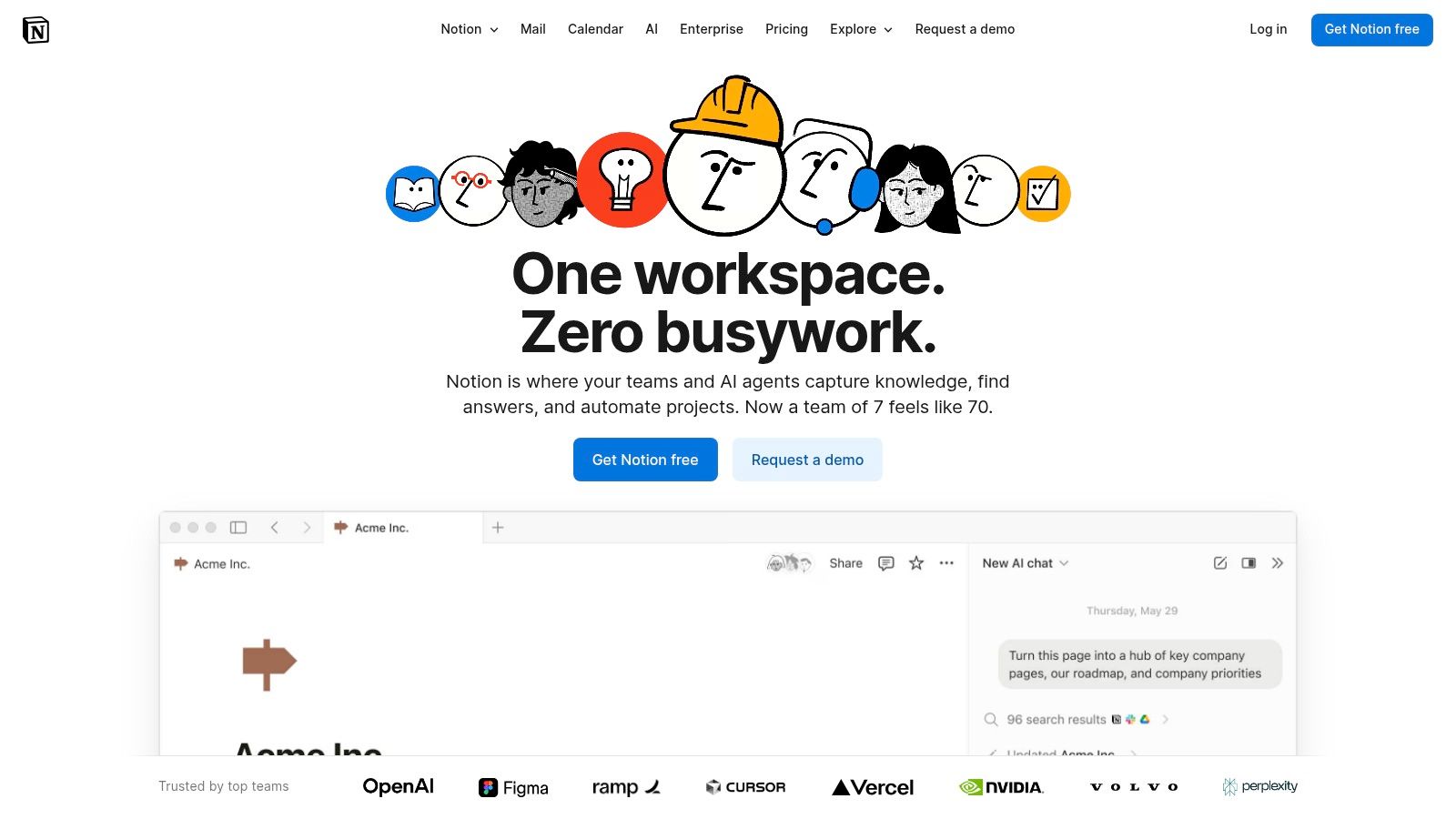
Notion positions itself as an "all-in-one workspace," blending documents, databases, and tasks into a single, highly malleable environment. Its power comes from its flexibility; freelancers can build a completely custom project management system from scratch, integrating a client CRM, task lists, content calendars, and knowledge bases that are all interconnected. This makes it one of the most adaptable project management tools for freelancers who want total control over their operational hub.
Unlike structured tools, Notion starts as a blank canvas. You use building blocks like pages, tables (databases), and various views (Kanban, calendar, timeline) to construct your ideal workflow. The recent addition of Notion AI further enhances this by helping to summarize meeting notes, draft proposals, or organize tasks, streamlining administrative overhead. For a deeper dive into its capabilities, see our review of the best personal productivity apps.
 ### Core Features & Use Case
- Best For: Detail-oriented freelancers who want to build a bespoke system that combines project management with a personal wiki, CRM, and note-taking.
- Key Features: Relational databases, customizable templates and client portals, Notion AI for workflow automation, and interconnected docs and tasks.
- Pricing: A very capable Free plan is available for individuals. Paid plans start with Plus at $10/user/month, which offers a larger file upload limit and more version history.
Pros and Cons
ProsConsInfinitely Customizable: Build the exact system you need.Steep Learning Curve: Requires significant setup time and effort.Consolidates Multiple Tools: Replaces notes, tasks, and wikis.Can Be Slow: Performance can lag with very large, complex databases.Strong Community Support: Abundant templates and tutorials.Not a "Pick Up and Go" PM Tool: Lacks the structure of dedicated apps.Quick Setup Tip: Don't start from a blank page. Find a free "Freelance OS" or "Client Portal" template from the Notion Template Gallery or a creator community. This provides a pre-built structure that you can then customize to your liking.
Recurrr Note: While Notion databases can be configured with recurring task templates, setting them up is a manual, multi-step process. Recurrr is built specifically for this purpose, offering a much faster, dedicated solution for managing high-volume, client-specific repeating checklists without the need for complex database configurations.
Website: https://www.notion.so
- Basecamp – All-in-One Simplicity
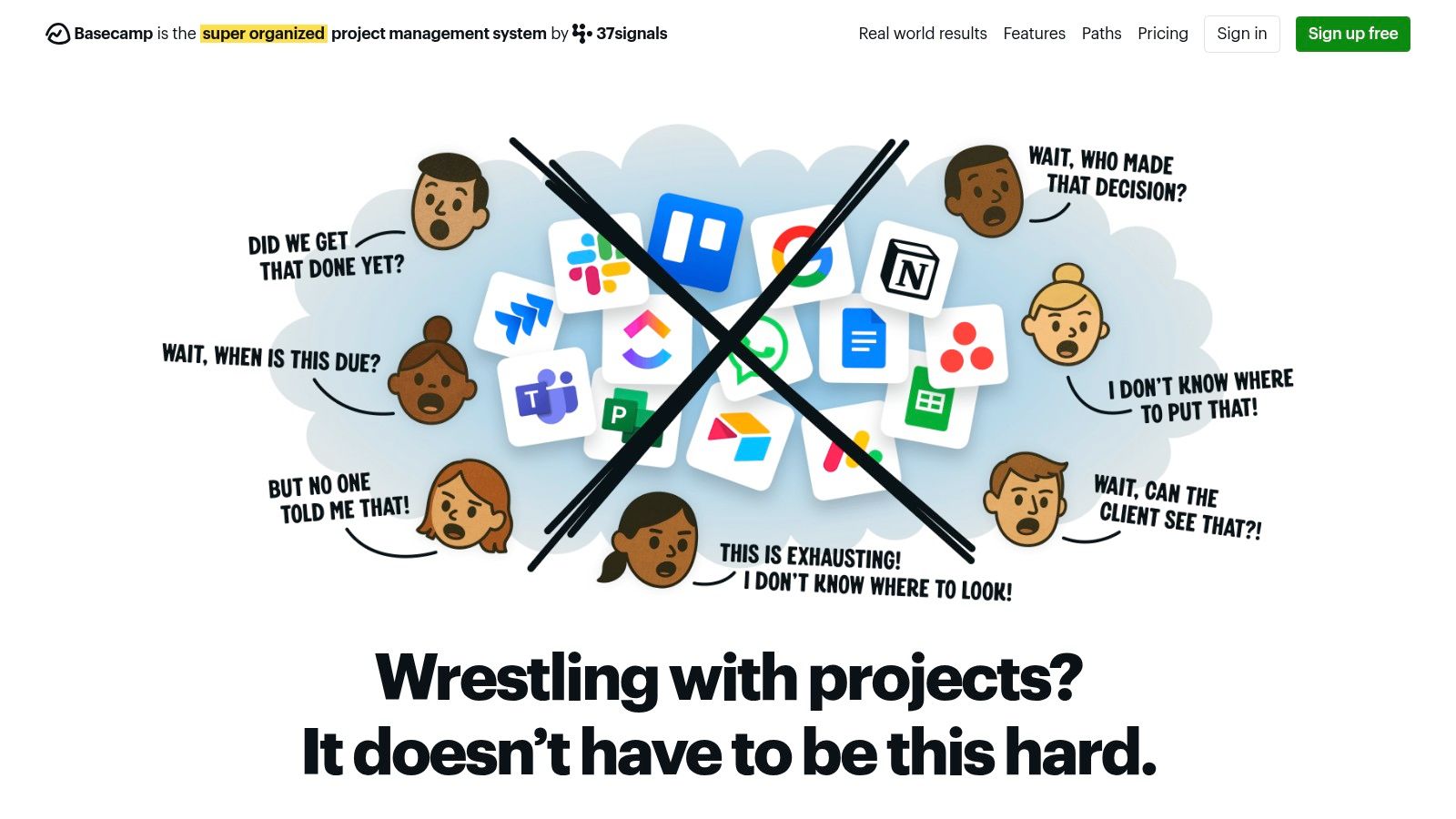
Basecamp is one of the original project management tools for freelancers, known for its opinionated, all-in-one approach that prioritizes simplicity and clarity. Instead of endless customization, it provides a fixed set of six core tools for every project: a message board, to-do lists, a schedule, a "Campfire" chat, and a space for docs and files. This structured environment is ideal for freelancers who want to spend less time configuring software and more time doing billable work.
For freelancers collaborating with clients, Basecamp’s standout feature is its free and unlimited client access. You can add clients directly to projects, giving them a clear, siloed view of progress and communication without extra per-seat costs. This transparency builds trust and reduces the back-and-forth of email updates, making it a powerful client management hub.
 ### Core Features & Use Case
- Best For: Freelancers who prioritize simple client collaboration and prefer a straightforward, structured tool over a highly customizable one.
- Key Features: Integrated to-dos, Campfire chat, message boards, schedules, file storage, and unlimited free client access.
- Pricing: Offers a free plan for personal projects (limited to 1 project and 20 users). The paid Pro Unlimited plan is a flat $349/month for unlimited users and projects, which is cost-effective for growing agencies but expensive for individuals.
Pros and Cons
ProsConsSimple, Flat Pricing: Predictable cost that doesn't penalize growth.Pro Plan is Expensive: The jump from free to paid is significant.Unlimited Client Access: Add clients and contractors at no extra charge.Limited Customization: Less flexible than tools like Trello or monday.com.All-in-One Toolkit: Keeps all communication and tasks in one place.Limited Free Plan: Only allows for one active project.Quick Setup Tip: Use the Message Board for major announcements and approvals to keep your client communication organized and documented. Reserve the Campfire chat for quick, informal questions to avoid cluttering official threads.
Recurrr Note: Basecamp's to-do lists support basic recurring tasks. However, for managing detailed, multi-step recurring client workflows like monthly reporting or weekly content creation, Recurrr provides a more specialized and powerful interface for creating and assigning dynamic checklists without project clutter.
Website: https://basecamp.com
- Wrike
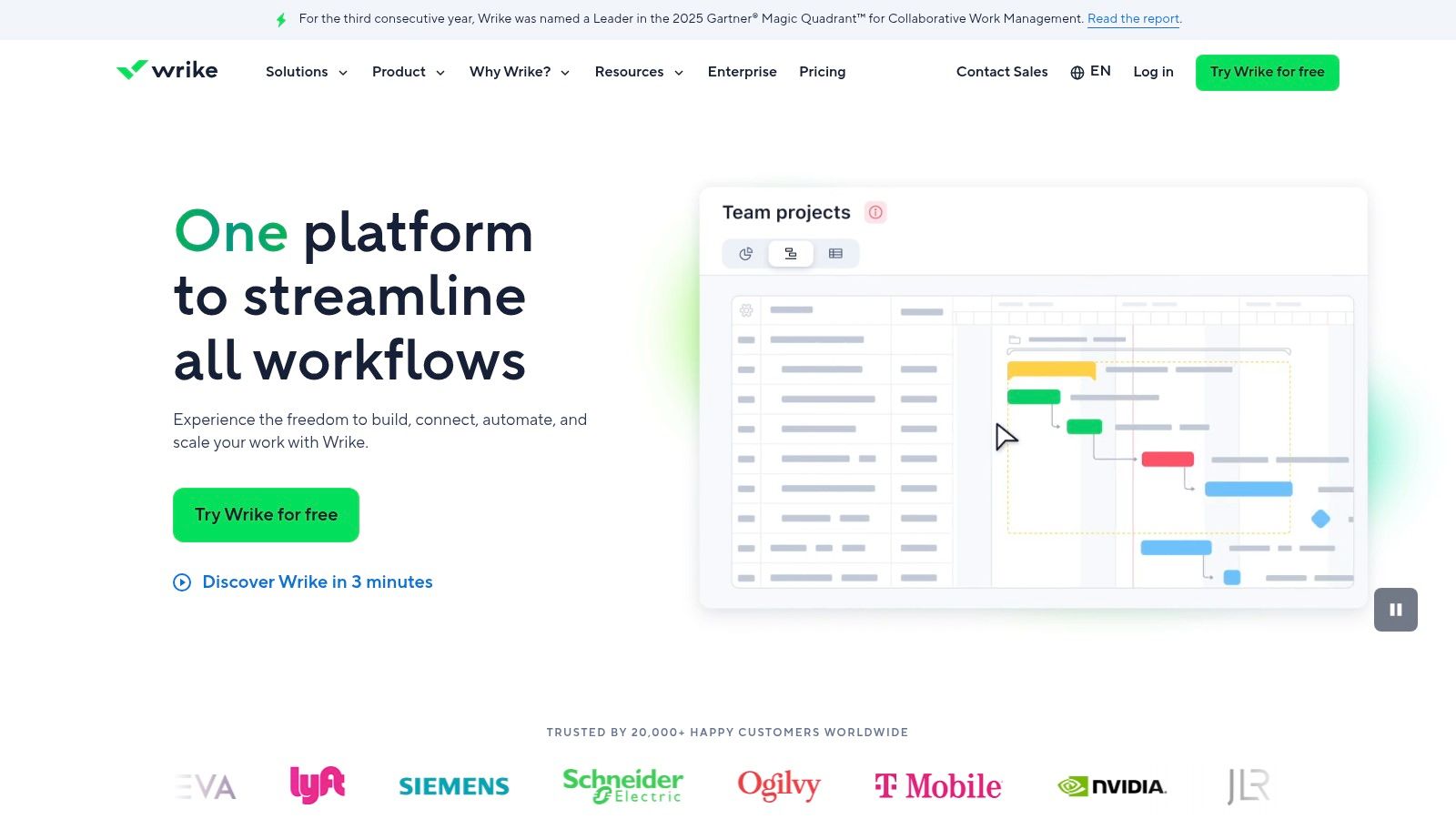
Wrike is a robust work management platform that excels in environments requiring structured intake, detailed planning, and formal approvals. While many project management tools for freelancers focus on task boards, Wrike provides enterprise-grade features like dynamic request forms, advanced proofing for creative assets, and detailed resource planning, making it ideal for freelancers who collaborate closely with larger corporate teams or agencies.
Its strength lies in creating standardized, repeatable processes. For a freelance designer, this means a client can submit a creative brief through a custom form that automatically creates a new project with all necessary tasks and assigns it for approval. This level of process automation and control is what sets Wrike apart for freelancers managing high-stakes, client-facing work.
 ### Core Features & Use Case
- Best For: Freelancers working within larger client organizations or those who require strong creative approval and structured project intake workflows.
- Key Features: Customizable request forms, visual proofing and approvals, Gantt charts, resource and capacity planning, and pre-built "Blueprints" (templates).
- Pricing: Offers a Free plan for basic task management. The Business plan (starting at $24.80/user/month) is needed to access key features like request forms, proofing, and time tracking, which can be a significant investment for a solo freelancer.
Pros and Cons
ProsConsStrong for Client Approvals: Visual proofing streamlines feedback.Higher Price Point: Business tier is costly for solo operators.Structured Intake: Request forms standardize new project requests.Overkill for Simple Projects: Feature density can be overwhelming.Scales Well: Easily integrates into a larger client's Wrike workspace.Learning Curve: Less intuitive than more minimalist freelance tools.Quick Setup Tip: Utilize the "Blueprints" feature to create a template for your most common project type. Build out a custom request form linked to that blueprint to automate your client intake process from the very beginning.
Recurrr Note: Wrike’s automations can create recurring tasks, but the setup can be complex. For freelancers who simply need to manage a high volume of recurring client checklists, like monthly marketing reports or weekly social media updates, Recurrr offers a more focused and user-friendly solution without the enterprise-level overhead.
Website: https://www.wrike.com
- Paymo – Financial & Project Management
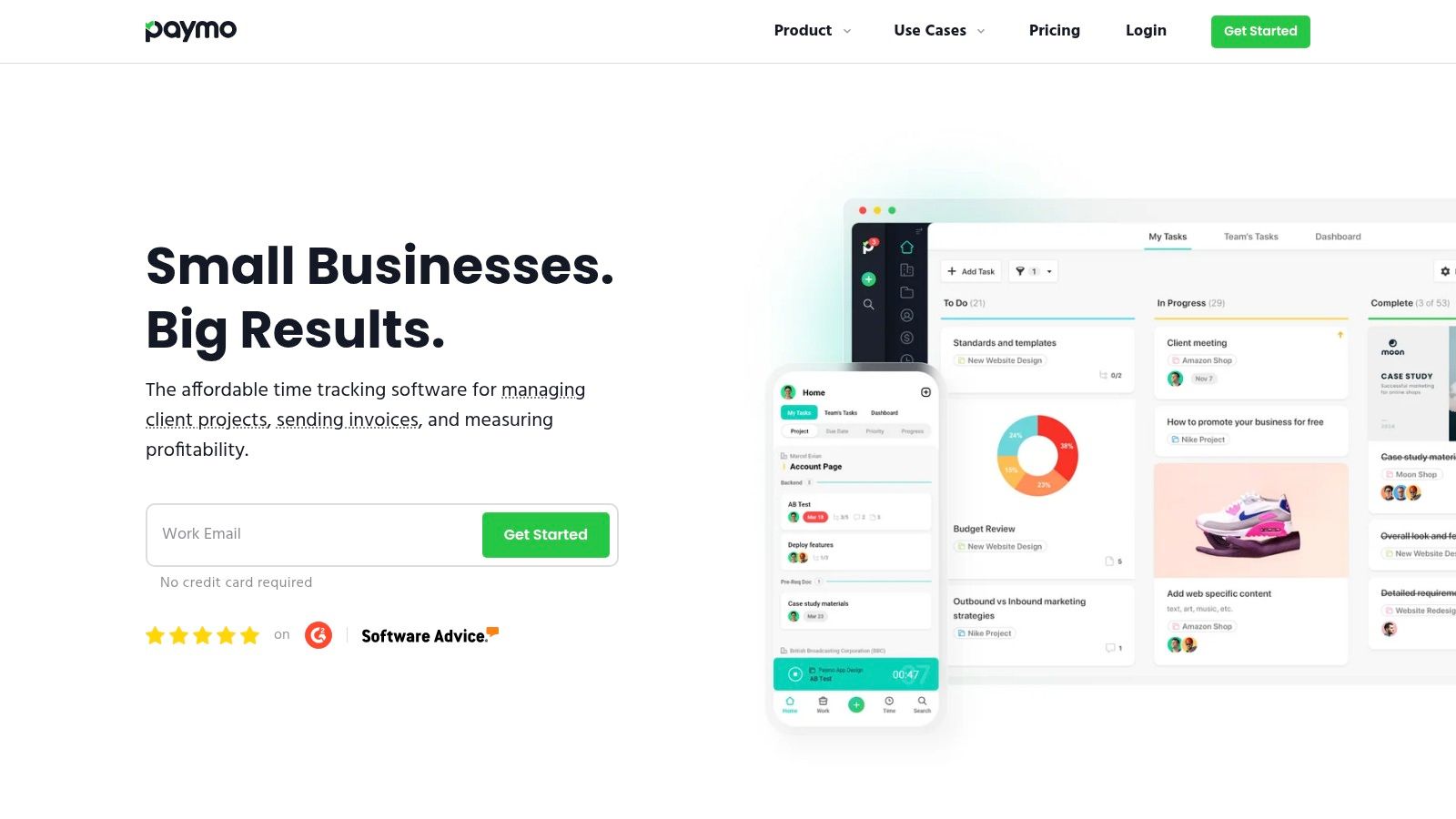
Paymo is designed specifically for service-based professionals, making it one of the most practical project management tools for freelancers who need to connect their work directly to their revenue. It excels by integrating project tasks, time tracking, and financial management into a single, cohesive platform. This allows you to manage the entire client lifecycle, from creating an initial estimate to tracking billable hours and issuing a final invoice, all without juggling multiple apps.
For freelancers, this end-to-end approach is its biggest advantage. You can instantly see how much time you've spent on a task and how that translates to project profitability. The platform provides a clear, data-driven view of your business's financial health, helping you price projects more accurately and ensure you're getting paid for every minute of your work.
 ### Core Features & Use Case
- Best For: Solo freelancers and small creative agencies who need an all-in-one solution for project management, time tracking, and invoicing.
- Key Features: Integrated time tracking, expense and estimate creation, invoicing, Kanban and Gantt chart views, and robust project profitability reporting.
- Pricing: Offers a Free plan for personal use with client and invoice limitations. The Starter plan (around $5.90/user/month) is ideal for freelancers, while the Small Office plan (around $10.90/user/month) adds more advanced features.
Pros and Cons
ProsConsAll-in-One Workflow: Seamlessly connects tasks to invoicing.Feature Gating: Advanced features are locked behind higher tiers.Strong Financial Focus: Built-in profitability and expense tracking.User Limits on Lower Plans: Free and Starter plans are user-limited.Affordable Pricing: Cost-effective plans tailored for freelancers.Interface Can Feel Dense: The UI is functional but less modern than some rivals.Quick Setup Tip: When creating a new project, use the "Project Templates" feature. Set up a template for your most common project type (e.g., "Blog Post Package") with pre-defined tasks and estimated hours. This will dramatically speed up your new client onboarding process.
Recurrr Note: Paymo allows you to set tasks to repeat on a schedule, which is great for recurring project work. However, for managing detailed, multi-step client checklists like monthly SEO reports or social media updates, Recurrr provides a more focused and client-friendly interface dedicated solely to executing and tracking repeating workflows.
Website: https://www.paymoapp.com
- Bonsai (Hello Bonsai)
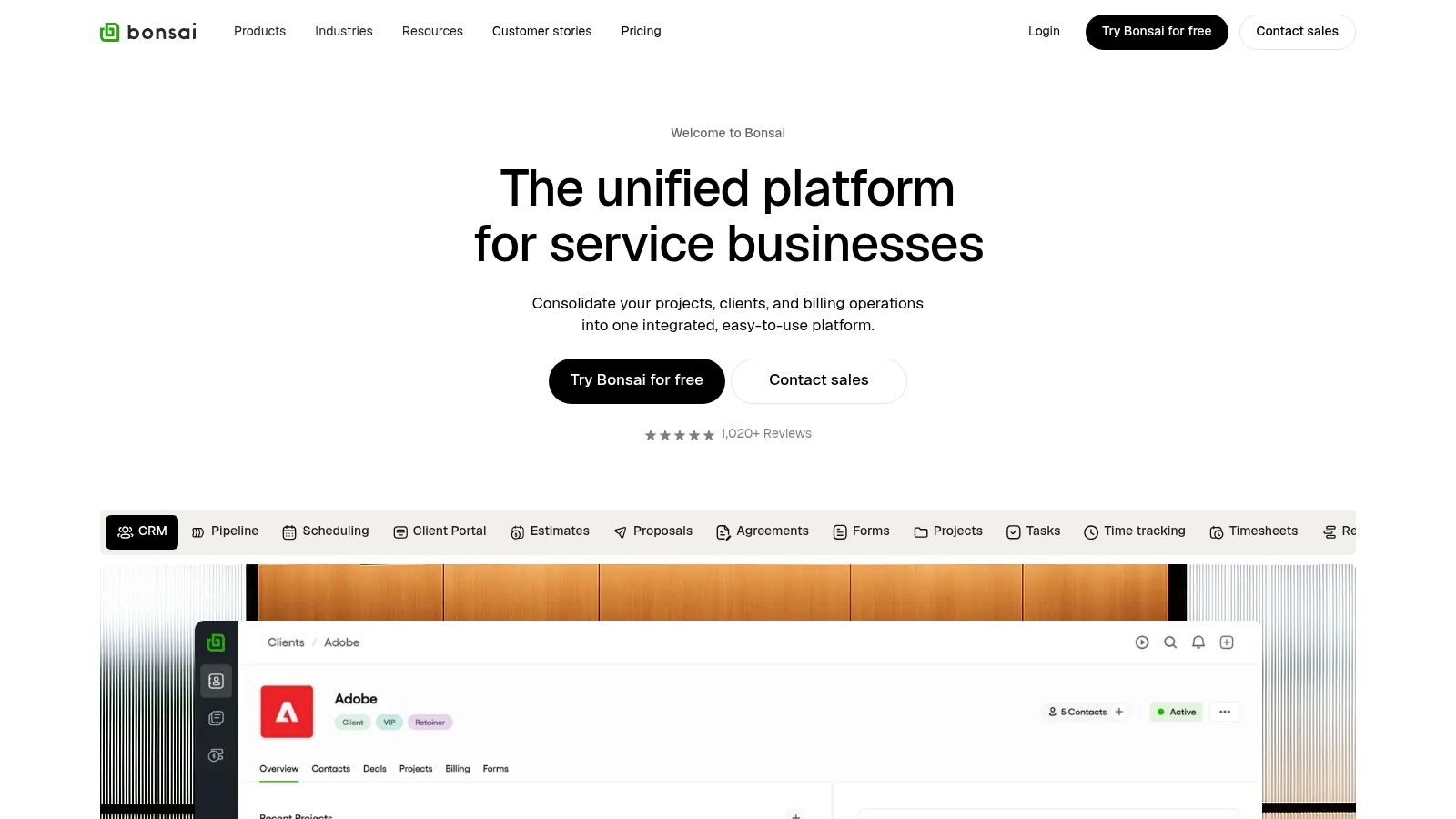
Bonsai is less a dedicated project management tool and more a complete business operations suite built specifically for freelancers. Its unique value proposition is integrating project and task management directly with the entire client lifecycle, from proposals and contracts to invoicing and expense tracking. This all-in-one approach is designed to reduce tool sprawl and streamline the administrative side of freelancing.
For freelancers tired of juggling separate apps for contracts, invoicing, and task lists, Bonsai brings everything under one roof. You can create a project, send a legally-vetted contract from a template, track your time against tasks, and then generate an invoice from that tracked time, all within the same system. This seamless integration makes it one of the most efficient project management tools for freelancers who manage their business from end to end.
 ### Core Features & Use Case
- Best For: Freelancers who want a single platform to manage their entire business, including proposals, contracts, invoicing, and basic project management.
- Key Features: Integrated proposals and contracts, time tracking, invoicing and payments, expense and income tracking, client portals, and task management with simple list or Kanban views.
- Pricing: Plans start with a free trial. The Starter plan is $21/month (billed annually) and covers the core suite. The Professional plan ($32/month) adds features like a custom branded client portal and workflow automations.
Pros and Cons
ProsConsAll-in-One System: Combines PM with legal, billing, and accounting.Lighter on PM Features: Lacks advanced Gantt, dependency, or workload views.Reduces Tool Sprawl: Saves money and time by unifying your stack.Cost Structure: Best value requires an annual commitment.Freelancer-Focused: Templates and features are built for solopreneurs.Feature Gating: Key automations are locked behind the more expensive plan.Quick Setup Tip: When creating a new project, use Bonsai's workflow to start with the proposal or contract. Once the client signs, the project is automatically created, connecting your tasks directly to the legally binding agreement and future invoices.
Recurrr Note: Bonsai has basic recurring invoices and tasks. However, for managing complex, multi-step recurring client checklists (like monthly SEO reports or social media content cycles), Recurrr provides a more specialized and robust workflow management system without the overhead of Bonsai's full business suite.
Website: https://www.hellobonsai.com
- Toggl Plan (part of Toggl)
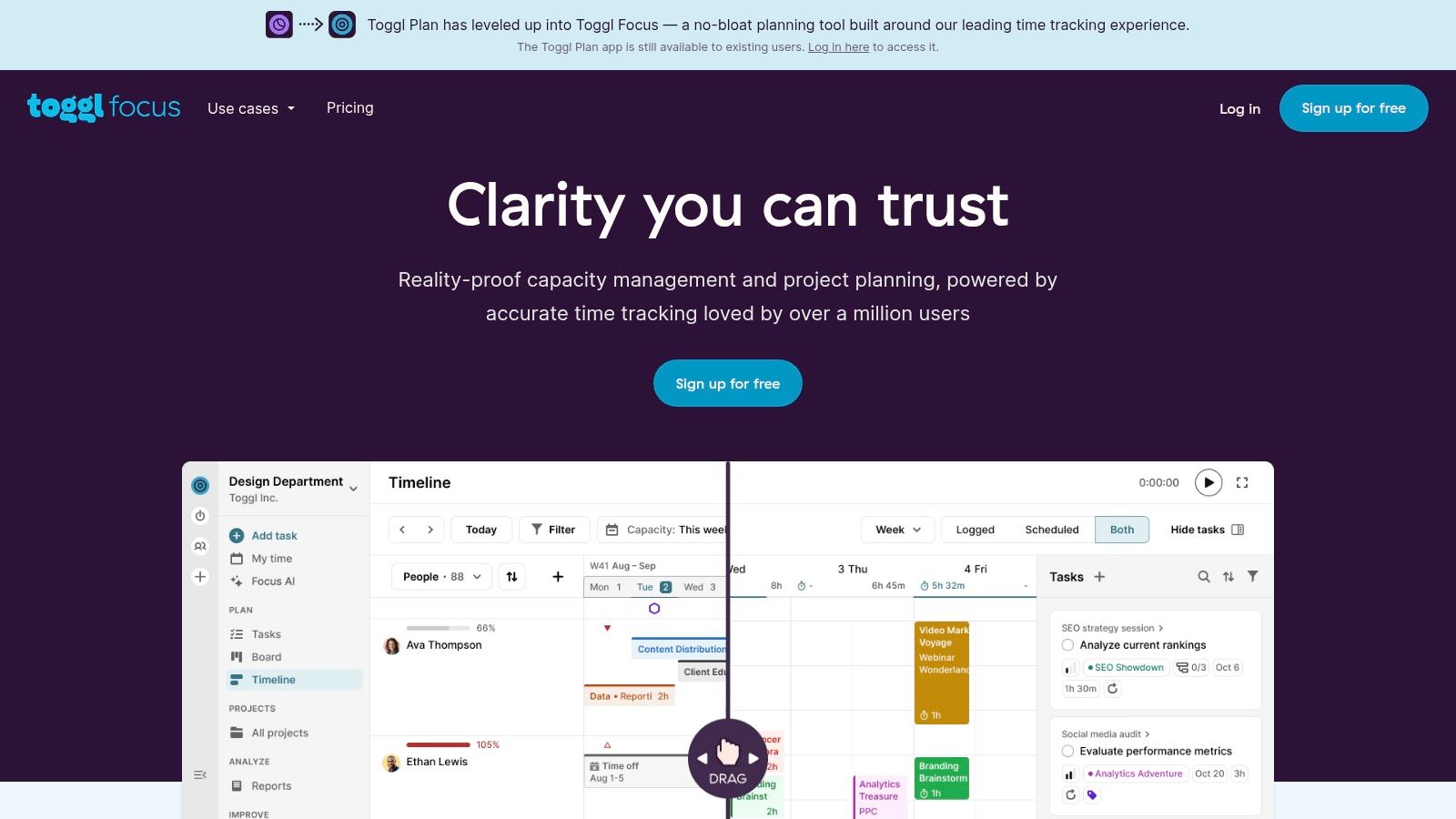
Toggl Plan is a beautifully simple, visual planning tool designed for freelancers and teams who prioritize clarity over complexity. Its core strength is its drag-and-drop timeline view, which provides an instant, high-level overview of project schedules, team capacity, and key milestones. Unlike all-in-one platforms that can be overwhelming, Toggl Plan focuses on doing one thing exceptionally well: mapping out who is doing what, and when.
For freelancers, this makes it an ideal tool for capacity planning and avoiding overbooking. You can visually schedule your projects across weeks or months, set realistic deadlines, and see potential conflicts at a glance. Its native integration with the popular Toggl Track for time tracking creates a seamless ecosystem for planning your work and then billing for it accurately, making it a powerful, lightweight choice among project management tools for freelancers.
 ### Core Features & Use Case
- Best For: Freelancers who primarily need visual workload planning, timeline management, and seamless integration with time tracking.
- Key Features: Drag-and-drop timelines, Kanban-style Plan Boards, task estimates, recurring tasks, milestone tracking, and a powerful integration with Toggl Track.
- Pricing: Offers a Free plan for solo users with unlimited projects. The Team plan (starting at $9/user/month) adds team timelines, client guest access, and more advanced features.
Pros and Cons
ProsConsSimple Visual Planning: Incredibly easy to use for scheduling.Lean Feature Set: Lacks budgeting, invoicing, or advanced reporting.Excellent Toggl Track Integration: Perfect for planning and billing.Limited Free Plan: Key collaboration features are in the paid tier.Clean, Uncluttered Interface: Focuses on planning without distraction.Not an All-in-One Solution: Best used with other business tools.Quick Setup Tip: Sync your Google Calendar to pull in appointments and personal events. This gives you a complete, unified view of your availability directly on the Toggl Plan timeline, ensuring you don't schedule client work on top of personal commitments.
Recurrr Note: While Toggl Plan has a basic recurring task feature (e.g., "create task every month"), it's primarily for scheduling. Recurrr is built specifically for executing recurring checklists and processes, offering dynamic due dates, client assignments, and detailed tracking that goes far beyond simple timeline placement.
Website: https://toggl.com/plan
- Harvest – Time Tracking & Invoicing
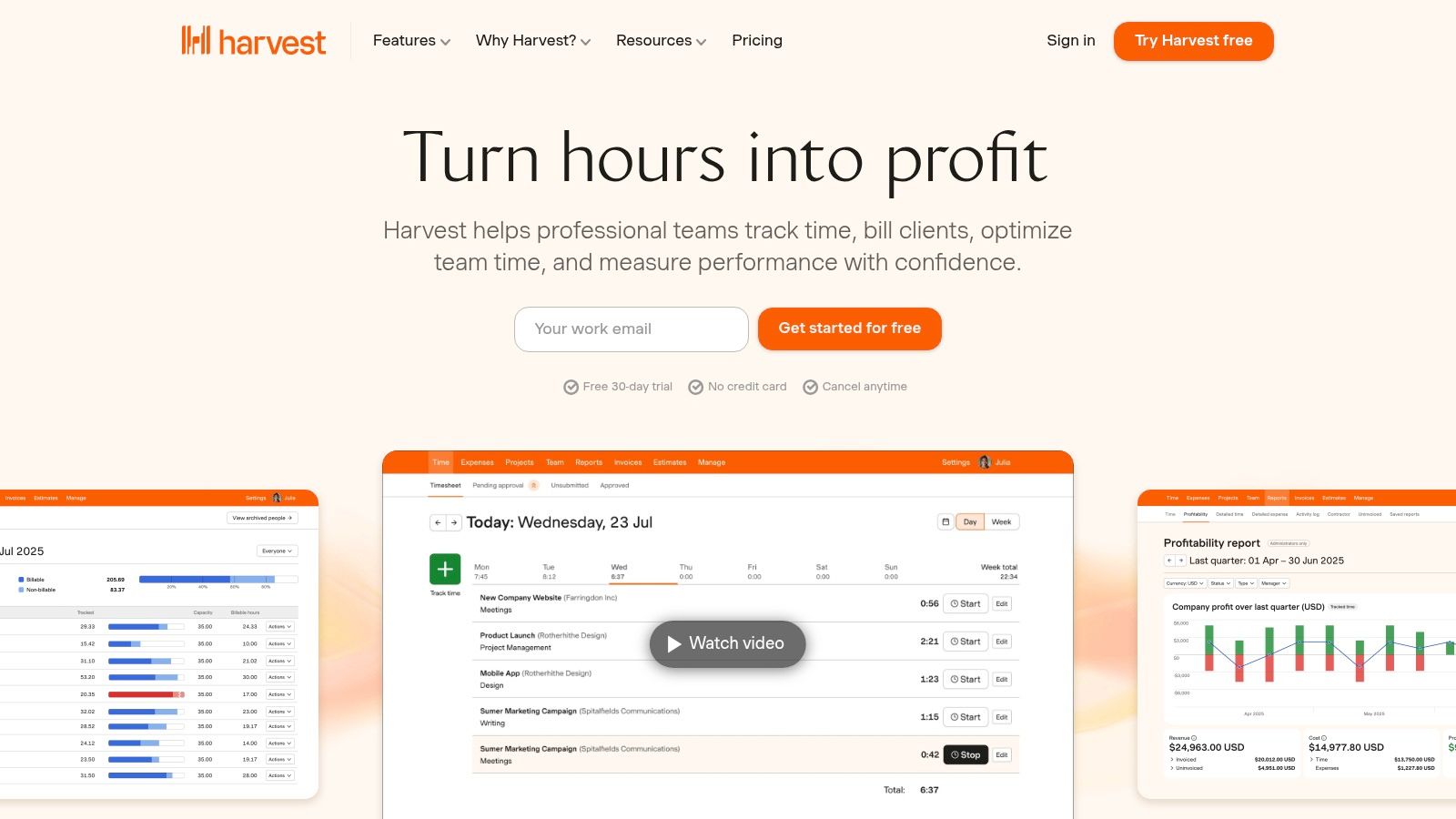
Harvest isn't a traditional project management tool, but it earns its place on this list by mastering a critical component of freelance work: tracking time and getting paid. It's an exceptionally clean and reliable time-tracking platform that helps you monitor project budgets, create professional invoices directly from your billable hours, and understand where your most valuable time is being spent. For freelancers who bill hourly, it’s an indispensable utility.
The platform excels at simplicity. You can track time via its web interface, desktop app, or mobile app, ensuring you capture every billable minute. Its power comes from integrating this time data directly into invoicing and reporting. You can see project progress against budgets in real-time and generate invoices with just a few clicks, which can then be paid online via Stripe or PayPal integrations.
 ### Core Features & Use Case
- Best For: Freelancers who primarily bill by the hour and need a robust, simple system for time tracking, budget monitoring, and invoicing.
- Key Features: Easy-to-use time tracking (apps for web, desktop, mobile), project budget tracking, professional invoicing, and integrations with accounting software like QuickBooks and Xero.
- Pricing: Offers a solid Free plan for 1 user and up to 2 projects. The Pro plan (starting at $12/seat/month) unlocks unlimited projects and clients, making it essential for any active freelancer.
Pros and Cons
ProsConsExcellent for Hourly Billing: Makes time tracking and invoicing seamless.Not a Full PM Tool: Lacks task management, dependencies, or Kanban boards.Simple and Intuitive: Very easy to learn and use daily.Limited Free Plan: Only two active projects can be restrictive.Robust Integrations: Connects with popular tools like Asana and Trello.Profitability on Pro Plan: Key reporting features require the paid tier.Quick Setup Tip: Connect Harvest to your primary task management tool using its native integrations or a service like Zapier. This allows you to track time directly on tasks in platforms like Asana or Trello without switching apps, creating a more unified workflow.
Recurrr Note: While Harvest tracks time spent on tasks, Recurrr focuses on managing the recurring tasks themselves. You can use Recurrr to manage a repeating client checklist (e.g., "Monthly Social Media Report") and then use Harvest to track the actual time spent completing that checklist, giving you a complete picture of both your workflow and its profitability. This is a powerful way to automate your tasks from a management perspective.
Website: https://www.getharvest.com
12 Freelancer Project Management Tools — Feature Comparison
ProductCore featuresUX / Quality (★)Value & Price (💰)Target (👥)Standout (✨)**Recurrr 🏆**Recurring email automation, calendar-style outbox, NLP recurrence★★★★☆ (intuitive, 5‑min setup)💰 Free trial → $9/mo (all features)👥 Individuals, freelancers, small teams, households✨ Privacy-first (AES‑256), pause/skip, gentle consistency insightsmonday.comVisual boards, automations, timelines, integrations★★★★☆ (highly visual & customizable)💰 Free tier; seat-based paid plans👥 Freelancers → small agencies, client collaboration✨ Broad ecosystem, templates & timeline viewsTrello (Atlassian)Card boards, lists, Butler automations, Power‑Ups★★★★ (fast to learn)💰 Free + Premium for advanced views👥 Solo freelancers, small projects, clients✨ Simple drag‑drop boards, extensible with Power‑UpsAsanaList/Board/Timeline, forms, automation, reporting★★★★☆ (strong reporting & Gantt)💰 Free + per‑seat paid tiers👥 Freelancers to growing client teams✨ Robust timeline/Gantt & portfolio reportingClickUpTasks, docs, goals, time tracking, automations★★★★ (feature‑rich, steeper learning)💰 Generous freemium; affordable paid tiers👥 Freelancers wanting all‑in‑one hub✨ Consolidates many tools (docs, chat, time)NotionRelational DBs, templates, docs, Notion AI★★★★ (highly customizable)💰 Free personal; paid team plans👥 Solopreneurs, knowledge‑centric freelancers✨ Flexible project OS & knowledge base with AIBasecampMessage boards, to‑dos, schedules, client access★★★★ (opinionated, low clutter)💰 Free tier limited; optional flat pricing👥 Freelancers preferring simplicity, clients✨ Flat pricing option, free client accountsWrikeGantt, proofs, request forms, resource planning★★★★ (robust for structured teams)💰 Business/enterprise pricing (higher)👥 Freelancers collaborating with larger orgs✨ Proofing/approvals, budgeting & intake blueprintsPaymoTasks, time tracking, invoicing, profitability★★★★ (end‑to‑end PM → billing)💰 Affordable solo & small team plans👥 Solo pros & small studios needing invoicing✨ Built‑in invoicing & profitability reportsBonsai (Hello Bonsai)Projects + proposals, contracts, invoicing, CRM★★★★ (freelancer‑focused ops)💰 Subscription; best value annual👥 Freelancers managing client lifecycle✨ Contracts, e‑signatures & billing in one placeToggl PlanVisual timelines, recurring tasks, calendar sync★★★★ (very easy planning)💰 Simple paid tiers; Toggl integration👥 Freelancers needing capacity planning✨ Timeline + Toggl Track integration for capacityHarvestTime tracking, invoicing, basic reporting★★★★ (clean, reliable timekeeping)💰 Free limited; paid per user for full features👥 Hourly freelancers and small teams✨ Focused time tracking + invoicing integrationsChoosing Your Command Center: From Tool to Workflow
You have now explored a dozen of the best project management tools for freelancers, from the all-in-one powerhouses like ClickUp and monday.com to the elegant simplicity of Trello and the financial focus of Bonsai. Navigating this landscape can feel overwhelming, but the goal is not to find a single, flawless tool. Instead, the objective is to build a system that aligns with your unique freelance business needs, client-facing processes, and personal work habits.
The perfect tool for a freelance designer managing visual approvals with clients will be vastly different from the one a developer needs for sprint planning or a writer needs for content calendars. The key takeaway is this: the platform itself is secondary to the workflow you build upon it. A tool is only as effective as the process it supports. Before committing, take a step back and map out your current workflow, identifying the exact points of friction you need to solve. Is it client communication, task tracking, time management, or invoicing? Your answer will immediately narrow down your options.
Your Action Plan for Selecting the Right Tool
Making a choice requires more than just reading reviews. It demands hands-on testing in a real-world context. Use the free trials and freemium plans offered by nearly every tool on this list to your advantage. Don't just click around the interface; immerse yourself in it.
Here’s a practical, four-step process to guide your decision:
- Identify Your Core Need: Are you a solo operator who primarily needs to organize your own tasks (like in Notion or Trello)? Or do you frequently collaborate with clients and subcontractors, requiring advanced permissions and client portals (like in Basecamp or Wrike)?
- Run a Pilot Project: Choose one small, active client project. Set it up from start to finish in your top two or three tool choices. Create the tasks, set deadlines, upload files, and invite a trusted colleague or even the client (if appropriate) to experience the platform.
- Evaluate the "Feel": Pay close attention to the user experience. Does the interface feel intuitive or clunky? How quickly can you find what you need? A tool that causes daily frustration will be abandoned, no matter how powerful its features are. Your system should reduce cognitive load, not add to it.
- Assess Integration and Automation: Consider how the tool fits into your existing tech stack. More importantly, think about automation. While many platforms have built-in automations, don't overlook the small, repetitive tasks that consume your non-billable hours. This is where a dedicated tool like Recurrr can complement your main project hub by handling recurring reminders, follow-ups, and client communications automatically. When evaluating project management tools, consider those that offer robust task management capabilities to ensure all your deliverables are tracked efficiently.
Ultimately, selecting from the best project management tools for freelancers is a strategic business decision. It's an investment in your own efficiency, professionalism, and sanity. The right system empowers you to move from being a reactive task-doer to a proactive business owner, giving you the clarity and control needed to scale your freelance career with confidence. Choose deliberately, implement thoughtfully, and reclaim your time to focus on what you do best.
Tired of manually sending the same follow-up emails, invoices, and reminders every week? While your main PM tool handles the big picture, Recurrr automates the small, recurring tasks that drain your focus. Set up your essential communications once and let them run on autopilot by visiting Recurrr to start for free.