

Project status updates are more than a routine task; they are the lifeblood of successful project management. They ensure everyone, from key stakeholders to individual team members, stays aligned, informed, and confident in the project's direction. A poorly crafted update leads to confusion, micromanagement, and missed deadlines. In contrast, a great one builds trust, preempts problems, and maintains crucial momentum. The challenge? No one has the time to craft the perfect email from scratch every single week.
This guide is designed to solve that problem. We will break down seven distinct, actionable project status update email template examples built for specific scenarios. You'll find everything from high-level executive summaries and client-facing reports to detailed team check-ins and risk-focused alerts. To ensure your project status updates effectively reach and inform their audience, it's crucial to understand the art of writing professional emails that actually get read.
For each template, we'll go beyond just providing the text. We will analyze precisely what makes it effective, offer copy-and-paste-ready versions for immediate use, and share strategic insights you can apply. We'll also explore how a small productivity hack can put this critical communication on autopilot. By automating these recurring emails, you can save valuable hours, guarantee consistency, and ensure you never miss a beat in keeping your team and stakeholders perfectly in sync. Let’s dive into the templates that will transform your project communication from a chore into a strategic asset.
- Executive Summary Status Update Template
The Executive Summary Status Update is a high-level project status update email template designed for maximum impact with minimal reading time. It’s tailored for senior leadership, key stakeholders, and clients who don't need to be involved in the day-to-day details but must be kept informed about the project's overall health, progress, and critical needs. Think of it as the "30-second elevator pitch" of your project's current state.
This template's primary goal is to distill complex information into a clear, scannable format. It prioritizes brevity and clarity, often using a color-coded status (e.g., Green for On-Track, Yellow for At-Risk, Red for Off-Track) to provide an immediate understanding of the project's health. By focusing only on major milestones, upcoming deliverables, and urgent blockers, it respects the executive's time while ensuring they have the essential information to make strategic decisions.
Strategic Breakdown & Analysis
This template is a cornerstone of effective project communication, popularized by frameworks from the Project Management Institute (PMI) and widely integrated into platforms like Asana and Jira. Its power lies in its disciplined structure.
- Project Health: A single, clear indicator (e.g., On-Track) provides an instant assessment.
- Key Accomplishments: A brief, bulleted list of 2-3 major wins since the last update. This builds confidence and shows momentum.
- Upcoming Milestones: Focuses attention on what's next, managing expectations for the coming week or sprint.
- Blockers & Risks: This is the most critical section. It isolates problems that require executive intervention, making the "ask" direct and actionable.
Key Insight: The true value of this template is not just reporting information but directing attention. By creating a specific section like "Executive Action Needed," you transform a passive update into an active tool for problem-solving, ensuring leaders see exactly where their help is required.
Actionable Tips for Implementation
- Define Your Statuses: Before you start, create clear definitions for what "On-Track," "At-Risk," and "Off-Track" mean. For example, "At-Risk" might mean a potential delay of 1-2 weeks or a 5-10% budget overrun. This consistency prevents ambiguity.
- Automate for Consistency: This is where a small productivity hack like Recurrr shines. Use it to schedule and send your executive summary at the same time every week (e.g., Monday at 9 AM). This builds a routine, and stakeholders will come to expect and look for your update. Understanding the best times to send emails for a response can further increase the visibility and impact of these automated reports.
- Keep It Under 150 Words: Force yourself to be concise. If more detail is necessary, link to a full project plan or attach a more detailed report, but keep the email body itself short and to the point.
- Celebrate Small Wins: Including a brief "Wins This Week" section is excellent for team morale and demonstrates consistent progress, which is especially important in long-term projects.
- Detailed Team Status Update Template
The Detailed Team Status Update is a comprehensive project status update email template designed for internal teams, project managers, and hands-on collaborators. It moves beyond high-level summaries to provide a granular view of individual contributions, task progress, and immediate operational challenges. This template is the lifeblood for teams practicing agile methodologies, remote-first companies, and any group that relies on transparent, day-to-day coordination.
Its primary goal is to foster accountability and clear communication within the team. Unlike an executive summary, this update is meant for those directly involved in the project's execution. It breaks down progress by individual or task, highlights what's currently in motion, and provides a clear forum for team members to raise flags about blockers. This ensures everyone is on the same page and that potential issues are identified and resolved quickly at the ground level.
Strategic Breakdown & Analysis
This template’s structure is rooted in methodologies popularized by project management giants like Atlassian (Jira) and asynchronous work pioneers like GitLab and Basecamp. Its effectiveness comes from creating a systematic, predictable flow of detailed information.
- Completed Tasks: A clear list of what has been accomplished since the last update. This provides a tangible sense of progress and helps track velocity.
- In-Progress Work: Outlines what each team member is actively working on. This prevents duplicate effort and clarifies individual responsibilities.
- Upcoming Priorities: Sets the agenda for the next cycle (e.g., this week or the next sprint), ensuring the team remains focused on the most critical tasks.
- Blockers & Challenges: This is a crucial section for team-level problem-solving. It empowers individuals to voice obstacles they are facing, whether it's a lack of information, a technical issue, or a dependency on another team member.
Key Insight: The power of this template lies in its bottom-up approach to communication. Instead of a manager just reporting status, it gives every team member a structured way to report their own progress and challenges. This creates a culture of ownership and proactive problem-solving, preventing small issues from escalating.
Actionable Tips for Implementation
- Establish a Strict Cadence: Consistency is key. Use a small productivity hack like Recurrr to schedule and send the update request at the same time every week, such as Friday at 3 PM for a weekly wrap-up. Building this routine ensures participation and makes status reporting a predictable habit. Understanding the basics of email automation can make this process seamless.
- Focus on Outcomes, Not Hours: Encourage team members to report on what they achieved (e.g., "Deployed user authentication feature") rather than just hours logged ("Worked 8 hours on the login page"). This shifts the focus from being busy to being productive.
- Make Blockers Action-Oriented: Train your team to frame blockers as a specific need. Instead of "I'm stuck on the API," they should write, "Blocked: Need API documentation from the backend team to proceed." This makes it instantly clear who needs to do what.
- Include a "Wins & Learnings" Section: Add a small, optional section for team members to share something positive or a new learning. This boosts morale, encourages knowledge sharing, and keeps the update from feeling like a dry, administrative task.
- Traffic Light (RAG) Status Template
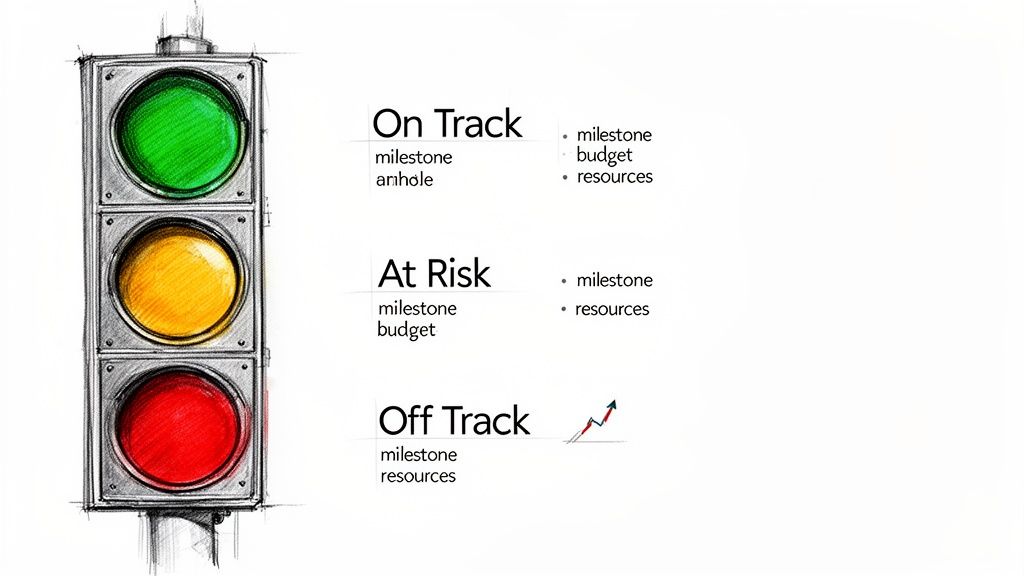
The Traffic Light or RAG (Red-Amber-Green) Status Template is a highly visual and intuitive project status update email template designed for immediate comprehension. It's perfect for program managers, PMOs, and teams overseeing multiple projects simultaneously. By using a simple color-coded system, it provides a "dashboard view" of project health without requiring stakeholders to read through lengthy text.
This template's strength lies in its simplicity and universal understanding. Green means things are on track, Amber signals caution or a potential issue, and Red indicates a significant problem requiring immediate attention. This at-a-glance format is extremely effective for portfolio-level reporting where executives need to quickly identify which projects are in trouble and need their focus.
 ### Strategic Breakdown & Analysis
Popularized by the UK Government's PRINCE2 methodology and widely used in corporate governance, the RAG system is a powerful tool for exception-based management. Its structure is designed to draw attention only where it's needed, saving time for everyone involved.
- Color Status: A single icon or word (Green/Amber/Red) provides an instant health check for key areas like Budget, Schedule, and Scope.
- Brief Justification: A concise, one-sentence explanation is included only for Amber or Red statuses. This prevents unnecessary detail for projects that are running smoothly.
- Key Metrics: Often includes essential data points (e.g., Budget Spent: $55k/$100k) to provide quantitative context to the color status.
- Trend Indicator: Adding a simple arrow (↑ for improving, ↓ for worsening, → for stable) next to a status adds a crucial layer of dynamic information.
Key Insight: The RAG template is most powerful when it shifts the communication focus from "what happened" to "what needs attention." By conditioning stakeholders to look for Amber and Red, you train them to ignore the Green and immediately zero in on the exceptions, making your reporting incredibly efficient.
Actionable Tips for Implementation
- Establish Clear RAG Criteria: Before implementing, define objective triggers for each color. For example, "Amber" for schedule could mean any task is 1-5 days behind, while "Red" is triggered when a critical milestone is more than a week late. This removes subjectivity.
- Automate the Cadence: The RAG report is a perfect candidate for automation. Use a small productivity hack like Recurrr to send this update at a consistent time, such as every Friday afternoon. This builds a reliable reporting rhythm that stakeholders can depend on.
- Link to a Deeper Dive: The email itself should be minimal. For stakeholders who need more information, always include a link to a more detailed project dashboard, risk log, or full status report.
- Use for Portfolio Views: This template excels when reporting on multiple projects in a single email. Create a simple table with project names in one column and their RAG statuses in the next for a clean, scannable portfolio overview.
- Client-Facing Progress Report Template
The Client-Facing Progress Report is a professional project status update email template crafted specifically for external clients and customers. It’s designed to foster trust and transparency by balancing a polished, professional tone with clear, direct information about project progress. Unlike internal updates, this format prioritizes client-centric language, focusing on accomplishments, budget alignment, and any required client actions.
This template's primary purpose is to maintain a healthy client relationship by managing expectations and demonstrating value consistently. It avoids technical jargon and internal team metrics, instead translating progress into terms the client understands and cares about, such as ROI, milestone completion, and next steps for their review. It is invaluable for agencies, freelancers, and service-based businesses that rely on clear, recurring communication to build long-term partnerships.
 ### Strategic Breakdown & Analysis
This template is a cornerstone of client management, heavily influenced by best practices from CRM leaders like HubSpot and professional services firms like Deloitte. Its power lies in its structured approach to client communication, which builds confidence and preemptively answers questions.
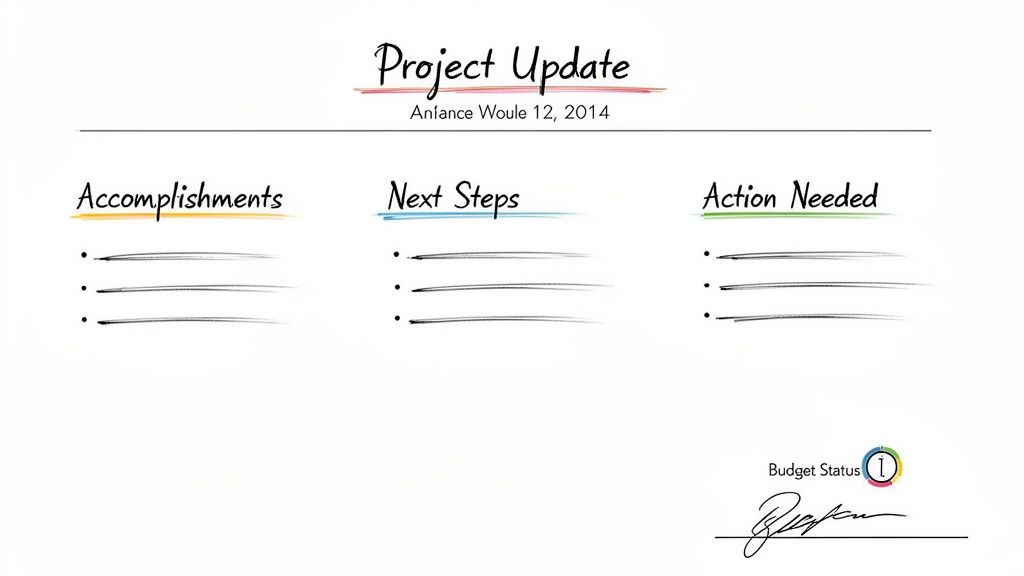
- Summary of Progress: A brief, positive overview confirming the project is moving forward as planned.
- Accomplishments This Period: A bulleted list of tangible achievements. This is where you prove your value by connecting work completed to client goals (e.g., "Launched the new landing page, which is now live").
- Next Steps: Clearly outlines the work planned for the upcoming period, giving the client a forward-looking view and managing expectations.
- Action Needed from Client: This dedicated section is crucial. It isolates specific items where you need the client's input, feedback, or approval, preventing them from becoming bottlenecks.
Key Insight: The true value of this template is its ability to transform a routine update into a relationship-building tool. By consistently delivering a clear, professional, and value-focused report, you’re not just managing a project; you’re managing the client experience, which is critical for retention and referrals.
Actionable Tips for Implementation
- Speak the Client's Language: Strip out all internal acronyms, technical jargon, and team-specific slang. Frame accomplishments in terms of benefits to the client, not tasks completed by your team.
- Automate to Build Rhythm: This is where a small productivity hack like Recurrr excels. Use it to schedule and send your client updates at a predictable time, such as every other Friday at 3 PM. This creates a professional rhythm, and clients will appreciate the reliability.
- Always Include a Win: No matter how challenging the week, find at least one positive accomplishment to highlight. This maintains momentum and reinforces the client's decision to work with you.
- Create a Clear "Ask": The "Action Needed" section should be unambiguous. Instead of "Let us know your thoughts," use a direct call-to-action like, "Please provide feedback on the attached wireframes by Wednesday, October 26th, to keep the timeline on track."
- Burndown/Sprint Progress Visualization Template
The Burndown/Sprint Progress Visualization is an agile-focused project status update email template that shifts the focus from narrative descriptions to quantitative data. It is specifically designed for development teams, product managers, and anyone using iterative, time-boxed project cycles like Scrum. Instead of relying solely on text, this template uses visual aids like burndown charts and key sprint metrics to communicate progress, making it instantly understandable.
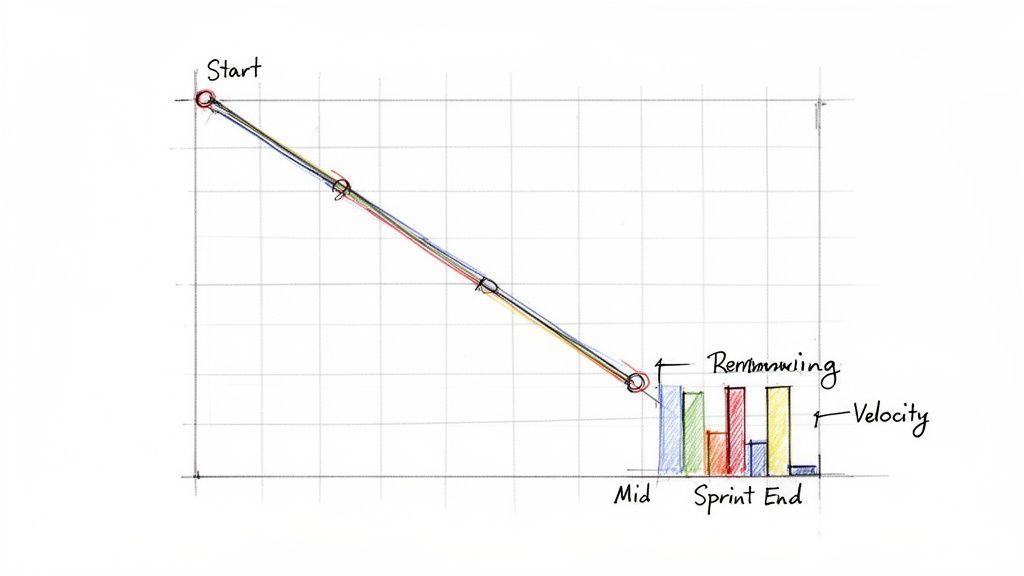 This template’s core purpose is to provide an objective, data-driven view of work completion against time. It clearly shows whether a team is on track to complete their committed work within the sprint. This visual approach is powerful for communicating complex progress to both technical and non-technical stakeholders, as it bypasses jargon and presents a clear picture of momentum and velocity.
Strategic Breakdown & Analysis
Popularized by agile frameworks and integrated into tools like Jira and Azure DevOps, this template’s strength lies in its transparency and focus on empirical evidence. It moves the conversation from "what we feel" to "what the data shows."
- Visual Burndown Chart: This is the centerpiece. A chart showing the ideal work remaining (a straight line) versus the actual work remaining (the team’s line) provides an immediate health check.
- Key Sprint Metrics: Including metrics like Velocity (work completed in the last sprint), Committed vs. Completed Points, and Scope Changes adds critical context to the visual chart.
- Brief Narrative: A short paragraph explains any anomalies. Why did the burndown line spike up? Why was velocity lower than average? This qualitative insight complements the quantitative data.
- Forecast & Next Steps: It concludes with a clear forecast (e.g., "On track to complete all stories by Friday") and a look ahead to the next sprint planning or retrospective.
Key Insight: This template transforms status reporting into a diagnostic tool. By consistently tracking and sharing burndown charts and velocity, teams can identify patterns, predict future capacity more accurately, and foster a culture of continuous improvement. The visual nature makes it difficult to hide problems, promoting early intervention.
Actionable Tips for Implementation
- Explain the Chart: The first few times you send this, include a brief explanation of how to read a burndown chart. This ensures all stakeholders, regardless of their agile fluency, can understand the update.
- Automate the Cadence: Agile sprints run on a fixed schedule. Use a scheduling tool like Recurrr to automate sending the sprint progress update at the same time every cycle, such as every Friday afternoon. This builds a reliable reporting rhythm that aligns perfectly with the end of a work week.
- Contextualize Scope Changes: Always include a bulleted list of any work added or removed during the sprint. This immediately explains any unusual movements in the burndown line and maintains transparency about changing priorities.
- Pair with Other Tools: While this email template is for communication, the data comes from dedicated software. Integrating it with the right project management tools for freelancers or teams is crucial for generating accurate charts and metrics automatically.
- Risk & Issues Focused Status Template
The Risk & Issues Focused Status Template flips the traditional project status update email template on its head. Instead of leading with accomplishments, it prioritizes potential problems, making it an essential tool for high-stakes projects where proactive problem management is more critical than celebrating minor wins. It is designed for project managers, compliance officers, and teams operating in highly regulated or uncertain environments, such as medical device development, financial services, or large-scale construction.
This template's primary purpose is to force a discussion around what could go wrong, ensuring that risks, issues, and mitigation strategies are front and center. It provides stakeholders with a clear, unvarnished view of the project's vulnerabilities, enabling them to allocate resources and make informed decisions to prevent or lessen the impact of potential setbacks. This is the template you use when managing risk is the main event, not a footnote.
Strategic Breakdown & Analysis
This problem-centric approach is heavily influenced by formal risk management frameworks like the PMI's PMBOK, PRINCE2, and enterprise risk management (ERM) standards used in aerospace and healthcare. Its effectiveness comes from its structured, forward-looking discipline.
- Prioritized Risks: The report leads with the most critical threats, often scored using a matrix (e.g., likelihood × impact). This immediately draws attention to the biggest dangers.
- Clear Ownership: Each risk or issue is assigned a specific owner and a target date for mitigation. This creates accountability and ensures that problems aren't just identified but actively managed.
- Mitigation Strategy: It details the specific actions being taken to address each risk, moving the conversation from "we have a problem" to "here is our plan to solve it."
- Emerging Threats: A dedicated section for "New Risks Identified" keeps the report dynamic and prevents the team from becoming complacent with a static list of old problems.
Key Insight: The power of this template lies in its ability to change the project culture from reactive firefighting to proactive risk management. By making risk the primary topic of conversation, you normalize a state of vigilance and empower the team to surface potential issues without fear of blame.
Actionable Tips for Implementation
- Establish a Risk Matrix: Before sending your first update, define a clear risk scoring system (e.g., a 1-5 scale for impact and likelihood). This ensures consistent and objective prioritization across all project communications.
- Automate the Cadence: For high-risk projects, a frequent, reliable cadence is key. Use a scheduling tool like Recurrr to send this update weekly. This creates a non-negotiable routine for risk review, ensuring owners update their mitigation plans before the automated report goes out.
- Assign Explicit Ownership: Never list a risk without an owner's name and a target completion date for the mitigation plan. This simple step transforms a passive list into an active accountability tracker.
- Balance with Proactive Management: To avoid creating a sense of panic, always pair a risk with its mitigation plan. Frame the update not as a list of disasters but as evidence of the team's diligent oversight and control over the project's destiny.
- Wellness & Habit Focused Status Template
The Wellness & Habit Focused Status Template adapts professional project management principles for personal and team development. It's a unique status update format designed to monitor progress on habits, wellness goals, and repeating routines, making it perfect for accountability in non-traditional "projects" like learning a new skill, team wellness initiatives, or even household management. Its core purpose is to provide structure and motivation for consistent, incremental progress.
This template transforms abstract goals into tangible checkpoints. Instead of a complex project plan, it focuses on consistency, celebrating small wins, and creating a non-judgmental feedback loop. It's ideal for remote teams running wellness challenges, students tracking study habits, or anyone using a system of repeating tasks to build better routines. The update is less about deliverables and more about adherence and reflection.
Strategic Breakdown & Analysis
This template’s effectiveness comes from its blend of accountability and psychological reinforcement, popularized by frameworks in James Clear’s "Atomic Habits" and BJ Fogg's "Tiny Habits." It shifts the focus from a single, daunting outcome to the small, repeatable actions that lead to it.
- Goal Focus: Clearly states the overarching habit or wellness goal (e.g., Meditate 10 minutes daily).
- Weekly Scorecard: A simple metric of success (e.g., 5 out of 7 days completed). This provides a quick, quantifiable snapshot of adherence.
- Wins & Challenges: This section highlights what went well and what made consistency difficult. This is crucial for identifying patterns and adjusting the approach.
- Next Week’s Tweak: Instead of major milestones, this focuses on a small adjustment for the upcoming week (e.g., "Try meditating right after my morning coffee").
Key Insight: This template’s power lies in its emphasis on process over perfection. By including a "Challenges" or "Missed Without Judgment" section, it normalizes setbacks and encourages users to analyze why a habit was missed rather than giving up. This builds resilience and makes the entire process more sustainable.
Actionable Tips for Implementation
- Start Micro: Begin with just one or two small habits. Trying to overhaul everything at once is a recipe for failure. The goal is to build momentum.
- Automate Your Check-In: Use a simple automation tool like Recurrr to schedule and send this status update to yourself or an accountability partner. A gentle, automated reminder every Sunday evening to reflect on the week is more effective than relying on willpower alone.
- Celebrate the Streak: Acknowledge and celebrate consistency. Mentioning a "3-week streak" provides a powerful dose of positive reinforcement that motivates you to continue.
- Link to a Deeper "Why": Briefly connect your habit to a larger goal or value. For instance, "Tracking study hours to stay on track for my certification exam in June." This provides crucial context and motivation. For more ideas on effective tools, you can find a helpful list of the best free habit tracking apps to supplement your routine.
Project Status Email Templates — 7-Point Comparison
Template🔄 Implementation complexity⚡ Resource requirements⭐ Expected outcomesIdeal use cases📊 Key advantages💡 Quick tipExecutive Summary Status Update TemplateLow — single-page, templatedLow — milestone/status datapoints⭐⭐⭐⭐ — fast stakeholder alignmentExecutive briefings; recurring stakeholder updates; property managersRapid scan; reduces email clutter; easy automationKeep summary ≤150 words; flag "Executive Attention Needed"Detailed Team Status Update TemplateMedium — per-person sections, structured fieldsMedium — time from team members; task metrics⭐⭐⭐⭐ — transparency & accountabilityTeam coordination; freelancer check-ins; small teamsDetailed visibility; identifies bottlenecks; fosters accountabilityLimit to ~10 minutes to complete; standardize fieldsTraffic Light (RAG) Status TemplateLow — simple color-coding and criteriaLow — key metrics and thresholds⭐⭐⭐ — instant health signal, limited contextPortfolio monitoring; multi-project dashboards; operationsInstant visual comprehension; dashboard-friendly; easy to automateAlways include exceptions and clear color definitionsClient-Facing Progress Report TemplateMedium — branded, polished writingMedium — polished content, budget/metrics, visuals⭐⭐⭐⭐ — builds client confidence; reduces queriesFreelancers; agencies; client communicationsProfessional presentation; proactive transparency; reusable templatesUse plain language; include a clear "Action Needed" sectionBurndown/Sprint Progress Visualization TemplateMedium–High — charting + daily updatesHigh — disciplined task tracking; tooling (e.g., Jira)⭐⭐⭐⭐ — data-driven sprint predictabilityAgile dev teams; sprint reviews; product managersPredicts completion; highlights scope creep; trend analysisTrack velocity over 3–4 sprints before conclusionsRisk & Issues Focused Status TemplateHigh — scoring, owners, mitigation plansHigh — risk register, owner updates, assessments⭐⭐⭐⭐ — proactive mitigation; governance supportHigh-stakes projects; compliance; safety-critical workFocuses leadership on critical risks; enforces accountabilityUse likelihood×impact matrix; update register each periodWellness & Habit Focused Status TemplateLow–Medium — habit metrics & streaksLow — self-reported data; optional integrations⭐⭐⭐ — improved consistency and motivation over timePersonal/team wellness; study habits; household routinesEncourages consistency; positive reinforcement; flexible useStart small (1–2 habits); celebrate streaks; use gentle remindersFrom Template to Habit: Putting Your Status Updates on Autopilot
Throughout this guide, we’ve explored a comprehensive toolkit of project status update email templates, each designed for a specific audience and purpose. From the high-level executive summary to the granular sprint progress report, the right template serves as a powerful starting point for clear, effective communication. We’ve dissected why the Traffic Light (RAG) system offers immediate clarity, how a client-facing report builds trust, and why focusing on risks and issues can proactively save a project from derailing.
The core lesson is that a project status update email template is more than just a pre-written message; it's a strategic framework. It forces you to organize your thoughts, prioritize information, and present a coherent narrative that respects your audience's time and attention. By choosing the right format, you control the story, manage expectations, and maintain project momentum.
Key Takeaways: From Theory to Practice
Let's distill the most crucial lessons from the examples we've covered:
- Audience dictates format. Never use a one-size-fits-all approach. Executives need a 30-second summary, your internal team requires detailed action items, and clients want to see progress and value. Always start by asking, "Who am I writing this for?"
- Clarity trumps complexity. Jargon, overly dense paragraphs, and buried key metrics only create confusion. The most effective updates use simple language, clear headings, bullet points, and visual cues (like RAG statuses) to make information digestible at a glance.
- Proactive communication builds trust. The best status updates don’t just report what has happened; they anticipate what’s next. Highlighting potential risks, outlining mitigation plans, and clearly defining next steps shows you are in control and thinking ahead. This transforms your update from a simple report into a valuable strategic tool.
Your Action Plan: Building a System for Consistency
Having the perfect template is step one. Turning it into an unbreakable habit is where true project management mastery begins. The real value isn't in sending one great update; it's in sending consistently good updates, week after week, without fail. This is where manual effort often becomes the bottleneck. Remembering to draft, customize, and send these emails takes up valuable mental bandwidth that could be spent on more critical tasks.
This is why the final, and perhaps most impactful, step is automation. By systemizing your communication cadence, you eliminate the risk of human error and forgetfulness. You build a reputation for being reliable, transparent, and professional. Stakeholders stop wondering about project health because they know a clear, concise update is already on its way, like clockwork.
The goal is to move from reactive reporting to a proactive, automated communication rhythm. Find a template that works for you, refine it to fit your project’s unique needs, and then leverage technology to make its delivery effortless. This is where a small productivity hack can be a game-changer. Instead of relying on a complex project management suite for this simple task, a dedicated tool can integrate seamlessly into your workflow.
By automating your chosen project status update email template, you are not just saving time. You are building a powerful system that reinforces accountability, fosters trust, and keeps every single stakeholder aligned and informed. This simple, strategic habit is one of the highest-leverage activities a project manager, freelancer, or team lead can implement for immediate and lasting impact.
Ready to stop chasing deadlines and start automating your communication? Recurrr is the simple, "invisible tool" that helps you schedule and send your recurring status updates on autopilot. Set up your favorite Recurrr template in minutes and let our platform handle the rest, so you can focus on the work that truly matters.