

At its core, recurring task management is just a simple way to automate the repetitive stuff you have to do, freeing up your time and mental energy for things that actually matter. It's about setting up systems for tasks that pop up regularly—think weekly reports, monthly invoicing, or even just taking out the trash—so you don't have to think about them every single time. It turns a chaotic to-do list into a smooth, predictable workflow.
The Real Cost of Repetitive Work
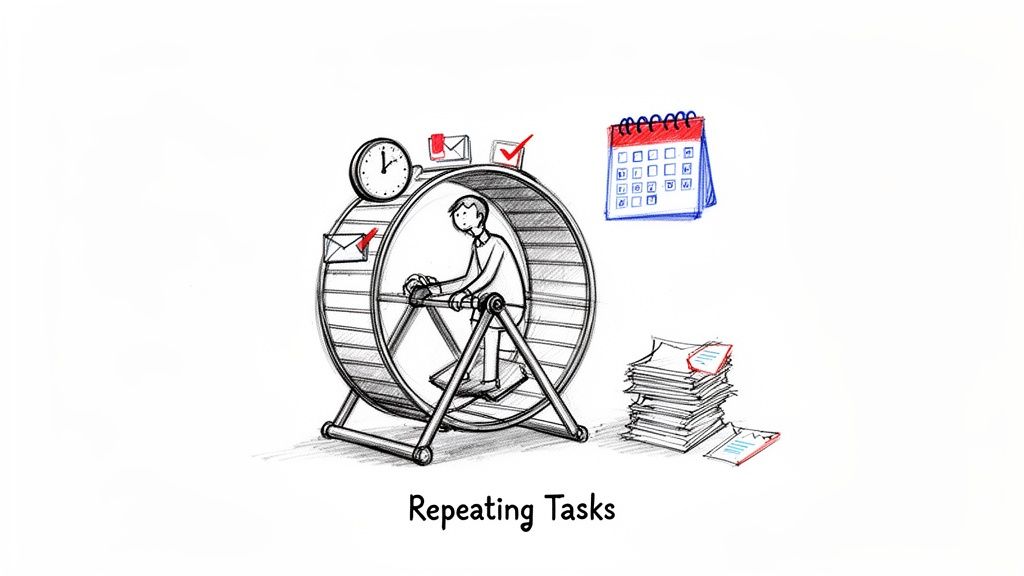 Ever feel like you’re stuck on a hamster wheel? You start the week with big plans and clear goals, but before you know it, you're drowning in tiny, administrative chores that weren't on the agenda. That's the grind of repetitive work in a nutshell.
This cycle is often what productivity nerds call "work about work"—all the little, repeating activities needed just to coordinate your actual work. These are the tasks that don't really push projects forward but are essential to keep the lights on.
- Sending the exact same follow-up email every single week.
- Nudging team members about a recurring deadline they already know about.
- Manually copy-pasting numbers into a status report each morning.
- Chasing down timesheets or invoices at the end of every month.
On their own, each task seems harmless, taking just a few minutes. But add them up day after day, week after week, and they become a massive drain on your most precious resources: time, focus, and brainpower.
The Compounding Effect of Small Tasks
Think of these little recurring duties like a slow leak in a tire. A single pinprick doesn't feel like a disaster, but over time, it completely deflates your momentum and leaves you stuck on the side of the road. The constant need to remember, start, and check up on these small items creates a huge mental burden.
This mental clutter is where the real cost hides. It yanks your attention away from deep, meaningful work and forces you into a reactive mode. All that context-switching shatters your focus, making it nearly impossible to solve tough problems or come up with creative ideas. When your brain is always juggling reminders, you're not just losing minutes; you're losing your ability to do high-value work. It’s no wonder this often leads to feeling completely overwhelmed by tasks, even when you feel busy all day.
And this isn't just a feeling—it has a real financial impact. The average worker around the globe spends about 4 hours and 38 minutes per week on tasks they've already done before. Over a year, that's nearly 219 hours of lost productivity for just one person. That number gets scary when you scale it across an entire team or company.
Recurring task management isn't some complex new system you have to learn. It's a dead-simple strategy to plug the leak, put the predictable stuff on autopilot, and get your focus back for the work that truly moves the needle.
One of the biggest wins from taming your repetitive tasks is a massive boost in what you can accomplish and a sharp drop in wasted effort. If you're looking for more strategies for improving operational efficiency, automating routines is a great place to start. You essentially build a productivity engine that runs quietly in the background, freeing you up to make real progress.
Core Principles of Smart Automation
Building a system for your recurring tasks is about more than just setting reminders—it’s a complete mindset shift. You're creating a process that hums along in the background, quietly taking care of the predictable stuff so you can pour your energy into the unpredictable. This isn't about boxing yourself into a rigid schedule; it's about smart, subtle automation that actually works.
To build a system that you'll actually stick with, you need to get the core principles right. It's like baking a cake: you need the right ingredients (the task), a clear recipe (the workflow), and the perfect oven temperature (the schedule). When all those things come together, the result is consistent and, frankly, effortless.
The Set It and Forget It Mentality
The whole point of automation is to free up your brainpower. The "Set It and Forget It" principle is the heart of this entire idea. It means you define a task just once—with all its details, deadlines, and who it needs to go to—and then you trust the system to nail it every single time after that.
Instead of waking up with that nagging feeling that you need to send the weekly progress report, the system just handles it. You don't have to actively remember the task anymore; you only need to step in if something needs to change. This simple shift turns your to-do list from an active source of stress into a passive, reliable assistant running on autopilot.
When you offload the memory of these tasks to a tool, you reclaim a surprising amount of mental space. Our working memory is finite, and trying to juggle a dozen repetitive to-dos is a perfect way to get distracted and drop the ball. A true set-it-and-forget-it system becomes an external hard drive for your brain, remembering everything so you don't have to.
Flexible Scheduling for Real Life
Let's be honest, life is messy. A rigid automation system that shatters the moment your schedule gets thrown off is a system that's doomed from the start. That’s why flexible scheduling isn't just a nice-to-have; it's a non-negotiable principle for making this work. Your system has to bend without breaking.
So, what does that look like in the real world?
- Pausing Routines: Going on vacation? You should be able to hit pause on all your work routines with one click and have them kick back in the day you return.
- Skipping Occurrences: Feeling under the weather or get pulled into a last-minute meeting? You need to be able to skip a single task without having to delete and rebuild the entire recurring schedule.
- Easy Rescheduling: The weekly team sync just got moved from Tuesday to Wednesday. Adjusting your automated agenda reminder should take two seconds, not feel like you're dismantling and reassembling an engine.
A system that can’t adapt to real-world chaos just adds another layer of administrative work. The best automation gracefully handles interruptions, ensuring you stay on track without feeling trapped by your own schedule.
Gentle Nudges Instead of Loud Alarms
Finally, great automation relies on "Gentle Nudges." So many productivity tools are built around loud, urgent alarms that just add to our background anxiety. For recurring tasks, that approach makes no sense. These tasks should feel routine, not like a five-alarm fire.
A gentle nudge is a subtle, low-stress prompt that guides you to what's next without demanding your immediate attention. Think of the difference between a blaring alarm clock and a quiet calendar pop-up. The goal is to give you a helpful reminder that respects your focus, not to jolt you out of it. This philosophy is a huge part of what makes workflow automation sustainable over the long haul.
These three ideas—Set It and Forget It, Flexible Scheduling, and Gentle Nudges—are the foundation of a recurring task system that genuinely reduces your workload instead of just adding to it. Build your routines with this mindset, and you'll create a powerful, silent partner in productivity.
How to Build Your First Automated Workflow
Alright, ready to go from thinking about it to actually doing it? Building your first automated workflow has less to do with being a tech whiz and more to do with smart planning. The whole point is to create a system that runs so well in the background, you eventually forget it’s even there.
We can boil this down to a simple, three-step recipe anyone can follow: Identify, Define, and Automate. This turns what seems like a big, scary task into something totally manageable. You’ll start by finding the best tasks to automate, give them super clear instructions, and then just set them on a schedule. It’s a repeatable process for winning back your time.
Step 1: Identify the Right Tasks
First things first: you have to pick the right tasks to automate. Not everything is a good candidate. You're hunting for work that's predictable, based on rules, and happens over and over again. Think of all those little admin jobs that chip away at your focus but don't really move the needle.
So, what makes a task a perfect target for automation?
- It’s Highly Repetitive: You do it the exact same way every single day, week, or month. A classic example is sending out a weekly progress report.
- It’s Time-Consuming but Low-Value: It eats up your mental bandwidth but doesn’t require any creative thinking or complex problem-solving. A good one here is nagging team members about their timesheets.
- It’s Easily Forgotten: It's one of those small but important things that can easily slip your mind, like watering the office plants.
On the flip side, some things are best left to a human. Steer clear of automating anything that needs complex decisions, a bit of empathy, or a personal touch. You wouldn't automate a performance review or a delicate client negotiation, right? The idea is to offload the robotic work so you have more energy for the human work.
If you're looking for more ideas, check out our detailed guide on how to automate tasks to get your gears turning.
Step 2: Define the Workflow Clearly
Once you’ve got your task, you need to map out its workflow with absolute clarity. Seriously, pretend you're writing instructions for a robot—there's zero room for guessing. A vague task will just create more headaches than it solves.
For every task, you need to nail down the specifics:
- What is the exact action? "Send an email" is way too broad. "Send an email to the marketing team with the subject 'Weekly Analytics Report'" is crystal clear.
- What information is needed? Does the automated message need to pull in specific data, links, or attachments?
- Who is involved? Is this a reminder just for you, a nudge for a coworker, or a heads-up for the whole team?
A well-defined workflow is the difference between an automation that actually helps and one that just creates chaos. Take five minutes to jot down the exact steps before you build the routine; it will save you hours of cleanup later.
This simple diagram shows you what that process looks like: you set the task's rules, schedule how often it runs, and then it sends the nudge.
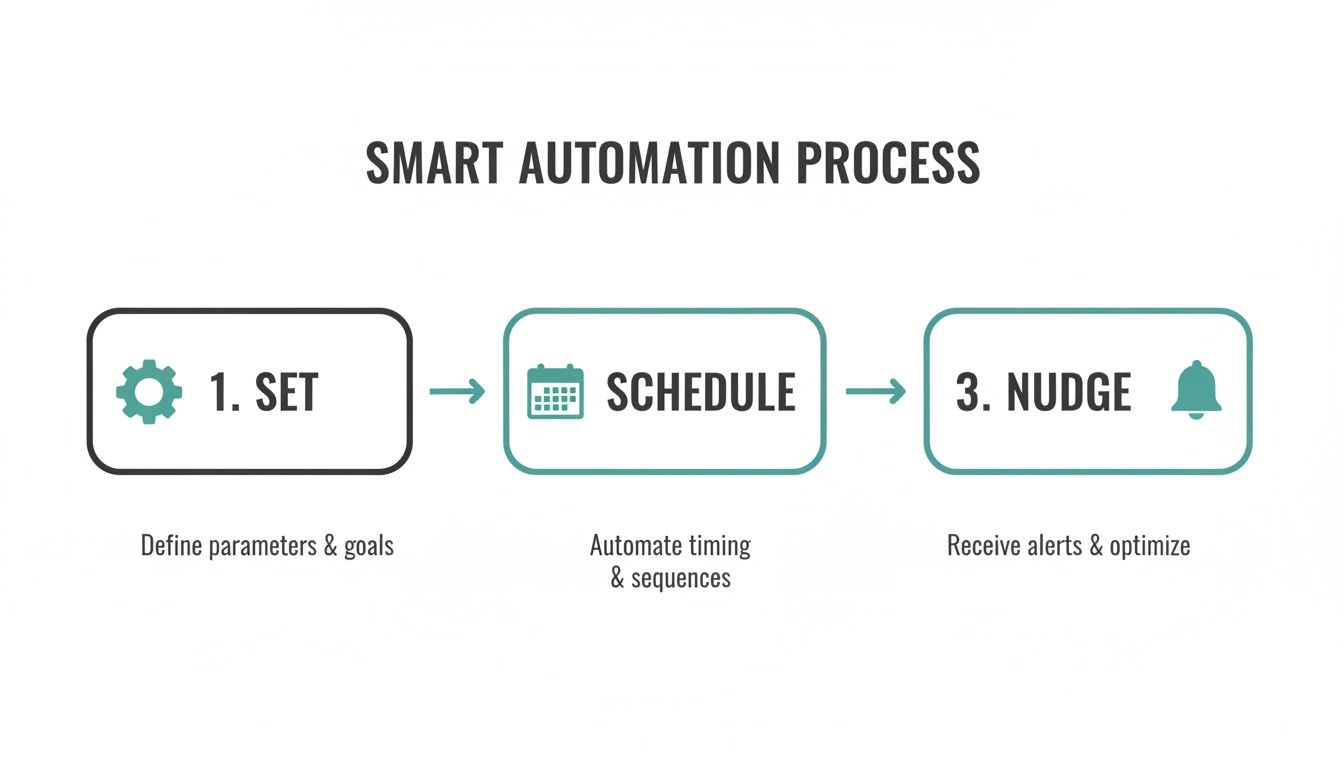 This flow—Set, Schedule, Nudge—is the engine behind any solid automation. It ensures everything happens consistently and reliably, without you having to lift a finger.
Step 3: Automate and Schedule
The last step is the easiest part. You just plug your clearly defined task into an automation tool and set the schedule. This is where you tell the system what triggers the action and how often it should happen.
You'll configure things like:
- Frequency: Does this run daily, every Tuesday and Thursday, or maybe on the first of every month?
- Time: When should it happen? A morning check-in might run at 9 AM, while an end-of-day report could be set for 5 PM.
- Recipients: Who needs to get this notification or email?
Recurring Task Automation Templates
To help you hit the ground running, we've put together a few practical templates. Feel free to use these as a starting point for building your own automated workflows for common personal, professional, and household tasks.
ScenarioTask TriggerAction to AutomateFrequencyFreelancerEnd of work weekSend an email with a progress summary and a link to their timesheet to the client.Every Friday at 4 PM****Small TeamDay before weekly meetingSend a Slack message to the #team channel reminding everyone to add agenda items.Every Monday at 3 PM****HouseholdFirst day of the monthSend a reminder to all family members that rent and utility bills are due.1st of every monthProperty ManagerFive days before rent is dueSend a personalized email to tenants reminding them of the upcoming payment date.25th of every monthOnce you set a few of these up, you'll start seeing opportunities for automation everywhere. It's all about taking those small, repeatable chores off your plate so you can focus on what really matters.
Choosing the Right Automation Tools
Diving into the world of productivity software can feel like a trip to a massive, noisy supermarket. Every app on every shelf promises to organize your life, but there's a critical difference that often gets lost in the marketing hype: most are built for big, one-off projects, not the simple, repeatable stuff.
This is a huge mismatch. It's the reason your fancy project management tool often feels cluttered and clumsy when you just want to manage a simple weekly check-in.
Think of it this way: you wouldn't use a giant freight truck to make a quick trip to the corner store, right? It's the wrong tool for the job. In the same way, those heavyweight project management platforms are designed for launching new products or planning huge events—things with complex phases, dependencies, and stakeholders. Using one to manage a daily reminder is total overkill.
Big Projects vs. Small Routines
The secret is realizing that project work and routine work are two completely different beasts. A project is temporary and unique. A routine is permanent and predictable. Trying to jam your recurring tasks into a project-based system is like forcing a square peg into a round hole. It just creates friction.
- Project Management Tools (The Freight Truck): These are built to tame complexity. They're all about Gantt charts, resource planning, and multi-stage workflows. Perfect for that big product launch.
- Recurring Task Tools (The Scooter): These are designed for one thing: simple, consistent execution. They're meant to hum along quietly in the background, handling the small, predictable tasks that keep everything moving. Ideal for weekly reports, monthly billing, or daily stand-ups.
When you use the wrong tool, you end up spending more time managing the tool than you save by automating the task in the first place.
Finding an Invisible Tool
This is where a dedicated tool like Recurrr fits in. It’s not trying to be another all-in-one monster that takes over your entire workflow. Not at all.
Think of it as a "hidden gem" or an "invisible tool" that works alongside your other platforms. It’s a small productivity hack built to do one thing exceptionally well: handle the tiny, repetitive actions that bigger, more complex platforms just weren't designed for.
Its job isn't to run your life. Its job is to automate the annoying little nudges, reminders, and follow-ups that constantly drain your mental energy. It fills a specific gap, letting your main project tools stay clean and focused on what they do best.
A great recurring task management tool shouldn't demand your constant attention. It should feel like a silent partner, working tirelessly behind the scenes to ensure the small-but-essential things get done, freeing you up to focus on high-impact work.
Key Features to Look For
As you look at your options, you need to prioritize simplicity and reliability over a long list of shiny features you’ll probably never touch. The demand for tools that get this right is exploding; the global task management software market is expected to hit $4.535 billion by 2026.
When you're picking a tool, focus on these non-negotiables:
- Extreme Simplicity: The interface has to be dead simple. You should be able to set up a new routine in seconds, not sit through a 20-minute tutorial.
- Reliable Delivery: You have to be able to trust it. Your reminders and messages need to go out on time, every single time, without you ever having to check on them.
- Flexible Controls: Life happens. You need the ability to easily pause, skip, or reschedule a single occurrence without messing up the entire recurring sequence.
The goal is to find a tool that melts into your workflow, reducing friction instead of adding another layer of complexity. You can learn more about finding the best recurring task app that nails this philosophy in our dedicated guide. By choosing a lightweight, specialized solution, you build a system that actually saves you time.
Recurring Task Management in Action
 Theory is one thing, but seeing how this stuff works in the real world is where it really clicks. Smart automation isn't about some massive, complicated system. It’s about solving those small, nagging problems so effectively that the solution feels practically invisible.
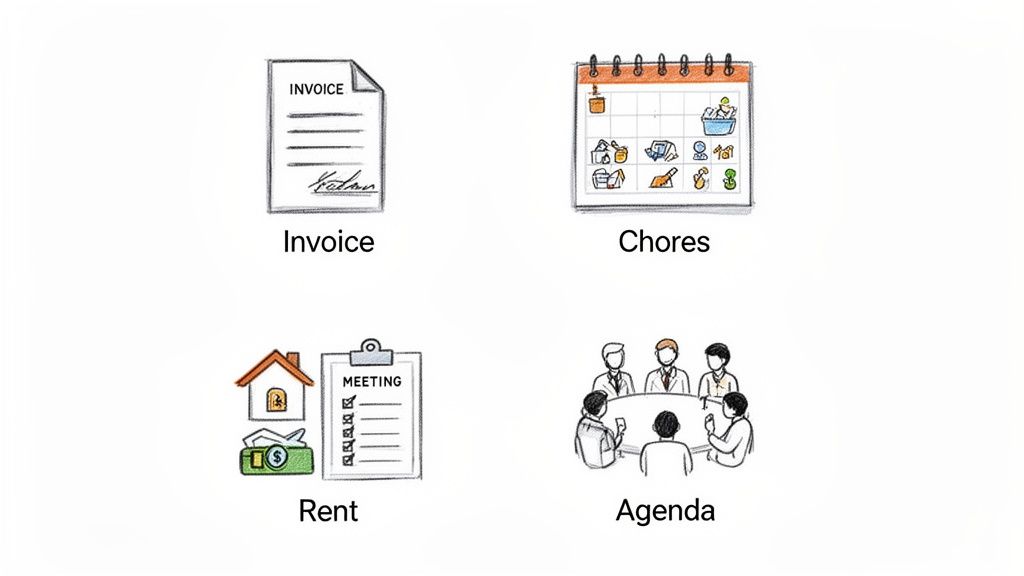
To make this crystal clear, let's walk through four totally different scenarios. We'll look at how freelancers, families, property managers, and small teams can set up simple, repeatable workflows to clear out the mental clutter and just get things done, consistently.
For the Freelancer Who Wants to Get Paid Faster
If you're a freelancer, you're not just a designer or a writer—you're also the bookkeeper and, yes, the collections agent. Chasing down invoices is awkward and eats up time you should be spending on actual client work. It’s a necessary evil for keeping cash flow healthy.
A simple automated workflow can handle this whole dance for you.
- The Setup: For each client, you create two separate recurring tasks. The first is a weekly progress report, and the second is a friendly invoice reminder.
- Workflow 1 (Weekly Report): An email is automatically scheduled to go out every Friday at 4 PM. It’s a quick, standard update with a link to a shared doc where the client can see detailed progress.
- Workflow 2 (Invoice Reminder): A second automated email goes out three days before an invoice is due. It’s a polite, professional nudge that takes all the friction out of following up.
Automated Message Example:
"Hi [Client Name],Just a friendly reminder that invoice #1234 is due in 3 days. You can view and pay it here: [Link to Invoice].
Let me know if you have any questions!"
The benefits are immediate. You instantly reclaim hours every month, your communication is consistent, and you get paid faster. Best of all, it removes the emotional weight of asking for money, which keeps the client relationship positive and focused on the work.
For the Family Juggling Household Chores
Running a household is just one long list of recurring tasks. Pay the bills, take out the trash, feed the dog. When you're sharing these jobs, it’s ridiculously easy for things to get missed, leading to late fees or an overflowing recycling bin.
This is a perfect spot for a shared automation system. An electronic chore chart is a great example of how this can work in a modern family.
- The Setup: The family creates a shared list of all the recurring household jobs. Each task gets assigned to someone and is scheduled to repeat at the right time.
- Example Tasks:
- "Pay the electricity bill" – scheduled for the 25th of every month.
- "Take out the trash and recycling" – scheduled for every Tuesday night.
- "Water the indoor plants" – scheduled for every Saturday morning.
When a task is due, the system sends a simple reminder straight to the responsible person's phone. This completely eliminates the need for one person to be the "household manager," nagging everyone else. It builds accountability and helps the home run smoothly with way less friction.
For the Property Manager Drowning in Emails
Property managers are communication hubs, juggling tenants, maintenance requests, and lease renewals across multiple properties. Trying to manually send rent reminders and schedule inspections is a logistical nightmare just waiting for something to slip through the cracks.
This is where recurring task management brings some serious order to the chaos.
- The Setup: The manager creates automated email templates for all the common tenant communications. Each template is then scheduled based on key dates for each tenant.
- Workflow 1 (Rent Reminder): An automated email goes out to each tenant five days before rent is due. If payment isn't logged, another one goes out on the due date.
- Workflow 2 (Maintenance Checks): A quarterly reminder is automatically sent to schedule routine checks for HVAC systems, smoke detectors, and pest control.
This system guarantees no tenant is ever missed and all communication is timely and professional. It slashes the administrative burden, cuts down on late payments, and creates a clear, documented paper trail for every single property.
For the Small Team Running Better Meetings
We've all been there. The "work about work" often hits its peak with recurring meetings. The weekly team sync can become a huge time-waster if nobody prepares an agenda, action items are forgotten, and the meeting starts with, "So… what are we talking about today?"
A super lightweight automated workflow can keep these meetings sharp and productive.
- The Setup: A recurring message is scheduled to post in the team's Slack or Microsoft Teams channel the day before the weekly meeting.
- Automated Message Example:
- Trigger: Every Monday at 3 PM.
- Action: Post a message to the #team-meeting channel: "Hey team! Our weekly sync is tomorrow at 10 AM. Please add your agenda items to the shared doc here: [Link to Doc]."
This simple nudge does three things perfectly. It reminds everyone the meeting is happening, prompts them to actually prepare, and keeps the agenda in one central spot. The result? Shorter, more focused meetings where everyone shows up ready to contribute.
Fine-Tuning Your Automated System
Setting up your recurring tasks is a fantastic start, but the real magic happens when you treat it like a living, breathing system. Automation isn't a one-and-done project. It's something that should grow and change right along with your life and priorities. The goal isn't perfect, robotic execution—it’s about hitting a state of sustained consistency that just makes your daily life easier.
Your automated system is there to serve you, not the other way around. That means you've got to pop the hood and make small adjustments from time to time. A routine that felt essential last quarter might be totally irrelevant today. The trick is to build a setup that's resilient and can flex with life's inevitable curveballs.
Reviewing and Adjusting Your Routines
To keep your system firing on all cylinders, you need a simple review process. This isn't about getting buried in spreadsheets or complex data. It's just about asking a few honest questions to see what’s clicking and what’s not.
Think of it like tending a garden. Some plants need more water, others less sun, and sometimes you have to pull a few weeds to make room for new growth. Your automated tasks are exactly the same. Give them a regular look-over to make sure they’re still helping you out.
Here are a few tell-tale signs that a routine needs a tweak:
- You consistently skip or snooze it: If you find yourself constantly hitting "snooze" on a reminder, that's a blinking red light. The frequency, timing, or the task itself is off.
- The task feels like a burden: Good automation should feel light and helpful. If a task is adding to your stress levels, it's time to question why it even exists.
- Your goals have shifted: You started a new job, wrapped up a huge project, or kicked a personal habit. Your system needs to reflect who you are now, not who you were last year.
Knowing When to Retire a Task
Just as important as adding new routines is knowing when to gracefully let old ones go. An outdated task isn't just sitting there doing nothing—it's creating noise. It clutters your system and adds a tiny bit of mental drag every single time it pops up. Getting rid of it is one of the most powerful ways to simplify.
The best systems aren't the ones with the most automations; they're the ones with the right automations. Pruning is just as crucial as planting.
Ask yourself: does this task still serve its original purpose? If the answer is no, archive it or delete it without a second thought. This isn't a failure. It’s a sign that your system is successfully adapting to your needs, which is exactly what you want. This continuous fine-tuning is what turns a simple list of recurring tasks into a powerful, long-term productivity engine.
Frequently Asked Questions
When you start digging into recurring tasks, a few common questions always seem to pop up. Let's tackle them head-on so you can build a system that actually works for you, without the confusion.
Is This the Same as Habit Tracking?
Not quite, though I see why people mix them up. They’re cousins, but they have different jobs.
Habit tracking is all about personal growth—building good behaviors, hitting a streak, and becoming a better version of yourself. The focus is on you and your consistency.
Recurring task management, on the other hand, is purely functional. It’s about automating any repetitive action, whether it's a weekly work report or taking out the trash, to free up your brainpower and time. The goal here is efficiency, not necessarily self-improvement.
Can I Use My Project Management Tool for This?
You could, but it's often like using a sledgehammer to crack a nut. Big project management tools like Asana or Trello are built for complex projects with multiple stages, dependencies, and stakeholders. They're powerful, but they come with a lot of baggage.
Trying to cram simple, repeating tasks into these systems often just adds clutter and noise to your workflow. A dedicated, lightweight tool is usually a much better fit. It’s designed to handle these small routines quietly in the background, without complicating your main project boards. Think of it as a small, specialized productivity hack that complements your existing setup.
What if I Miss a Scheduled Task?
Life happens. A good recurring task system is built for real people, not robots, so it has to be flexible.
A rigid system that breaks your "streak" and makes you feel guilty for missing a day is just frustrating. A practical tool, however, lets you easily skip a task, pause a routine while you're on vacation, or reschedule without any drama.
The real goal is long-term consistency and making things easier, not maintaining a perfect record of daily execution. Your system should adapt to your life, not the other way around.
Ready to automate the small stuff and get your focus back? Recurrr is the simple, "invisible tool" that handles your repeating tasks so you can concentrate on what really matters. Start automating your routines today at https://recurrr.com.