

For years, Zapier has been the default answer for pretty much any automation challenge. But when you just need to send the same email over and over, is it the right tool for the job? Honestly, it often feels like using a sledgehammer to crack a nut.
The best simpler alternative to Zapier for recurring emails is usually a tool built for that one specific purpose. Something that saves you time, money, and the headache of dealing with unnecessary complexity.
Why Zapier Can Be Overkill for Recurring Emails
Don't get me wrong, Zapier is a fantastic piece of kit. It connects thousands of apps and lets you build incredibly complex workflows. It’s the glue that holds many business operations together. But all that power becomes a bit of a burden when your goal is simple: send an email on a schedule.
The setup process seems easy at first glance. You create a trigger using Zapier’s "Schedule" app, then you add an action to send an email. But that two-step process is just the start of where things get complicated.
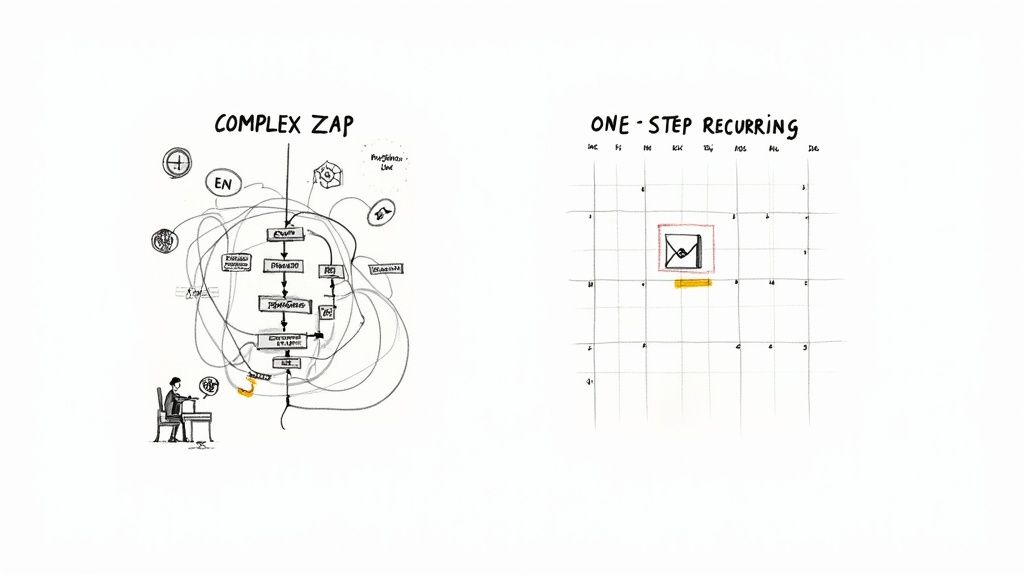 ### The Hidden Costs of Complexity
The real problem with using a do-it-all tool for a single job is the mental energy and the pricing. This is where a lot of people hit what I call "automation fatigue"—that sinking feeling when setting up the automation takes more effort than just doing the task manually.
If you're new to this, it helps to understand what is email automation and how it works on a basic level. The whole point is to make your life easier, not add another layer of things to manage.
Here’s a quick look at how the two approaches stack up for a simple recurring email:
Comparison PointZapierA Specialized Tool (like Recurrr)Setup ProcessMulti-step: Set a schedule trigger, add an email action, map all the fields.Single-step: Just write the email, pick a schedule, and you're done.Cognitive LoadHigh: You need to get your head around triggers, actions, and task usage.Low: It’s intuitive. The focus is entirely on the email and its schedule.Cost ModelTask-based: Every single email that goes out eats up one of your "tasks."Often flat-rate: Send unlimited recurring emails for one simple price.MaintenanceRequires you to check your Zap history and troubleshoot when things go wrong.A true "set it and forget it" design that needs almost no supervision.### When a Small Productivity Hack Is Smarter
This isn't about ditching Zapier entirely. It's brilliant for those complex workflows that connect multiple platforms. But for a high-frequency, low-effort task—like a daily reminder or a weekly report—its pricing model can really sting. Each scheduled email counts as a task, and those can burn through your monthly plan surprisingly fast.
A purpose-built tool becomes an "invisible" part of your workflow. It works in the background and solves one specific problem with maximum efficiency. It's a small productivity hack you use in addition to your other tools.
That feeling of being swamped by complex systems is a huge productivity killer. If you’re constantly juggling too much, you might find some useful ideas in our guide on how to stop being overwhelmed by tasks. Sometimes, the smartest move is to adopt simpler, more focused tools to get your clarity back.
Finding the Right Tool for the Job
When you look at automation software, you quickly see two camps. On one side, you've got the giants like Zapier, built to connect thousands of apps and handle incredibly complex workflows. On the other, there's a new wave of tools that are laser-focused on doing just one thing, but doing it perfectly.
Thinking of these as direct competitors completely misses the point. They’re just different philosophies. A smart automation strategy isn’t about picking one over the other. It’s about building a flexible tech stack where every tool is the best fit for its specific job.
The Power of a Mixed-Tool Strategy
Think of your workflow tools like a carpenter's toolbox. Zapier is your high-powered, versatile multi-tool. It can drill, saw, and sand—fantastic for big projects that bring together a lot of different parts. You’d use it to connect your CRM to your accounting software to automatically generate an invoice the moment a deal is marked "won." That’s a complex, multi-app workflow where Zapier's power is exactly what you need.
But what if you just need to hang a picture? Grabbing that complex multi-tool is overkill. You don't need all its bells and whistles; you just need a simple hammer. In automation, this is where "small productivity hacks" come in.
A dedicated tool is like a perfectly weighted hammer. It’s not meant to build the whole house, but for its specific task, it’s faster, easier, and more efficient than any other option. It’s an invisible tool that just works.
This is exactly where a simpler alternative to Zapier for recurring emails finds its sweet spot. You don't need a multi-step workflow engine just to send a weekly report or a daily client check-in. You need a dedicated, reliable tool designed for that one, single, repetitive action.
Introducing Recurrr: A Hidden Gem for Email Automation
This is where a tool like Recurrr really shines. It's not trying to replace your project management app or your entire automation setup. Recurrr is a perfect example of a focused productivity hack—a "hidden gem" you can use in addition to your other tools to solve one common problem with total clarity.
Its entire reason for existing is to master the task of sending recurring emails. By stripping away everything else, it gives you a direct, simple path to automating your scheduled messages. You don't build "Zaps" with triggers and actions; you just write your email, set a schedule, and let it run. Simple as that.
For this specific task, this approach has some huge advantages:
- Reduced Cognitive Load: You don't have to map out triggers, actions, or how different apps connect. The entire process lives in one straightforward screen.
- Faster Setup: What might take you 10-15 minutes to configure and test in a big platform can be done in under two minutes with a purpose-built tool.
- Cost-Effectiveness: You aren't paying for thousands of integrations you'll never use or burning through task credits on high-frequency emails. The price actually matches the value you're getting.
For anyone exploring their options, our guide on the top 11 tools to send recurring emails in 2024 offers a wider look at the field. The key takeaway is that specialized tools like Recurrr aren't here to challenge the giants. They're here to complement them by offering a smarter, more efficient solution for a very specific—and very common—business need.
Zapier vs Recurrr for Recurring Email Automation
When it comes to automation, the biggest question is always: do you need a Swiss Army knife or a scalpel? That’s the real difference between a tool like Zapier and Recurrr. This isn't about which one is "better" in a general sense. It's about which is the right tool for the very specific job of sending emails on a schedule.
To get past the marketing fluff, let's look at what it actually feels like to set up a simple recurring email in both. We’ll compare the setup process, the mental energy it takes, and what it costs you in the long run. This is where you’ll see the huge difference in philosophy between the two platforms if you're hunting for a simpler alternative to Zapier for recurring emails.
This little decision tree sums it up perfectly.
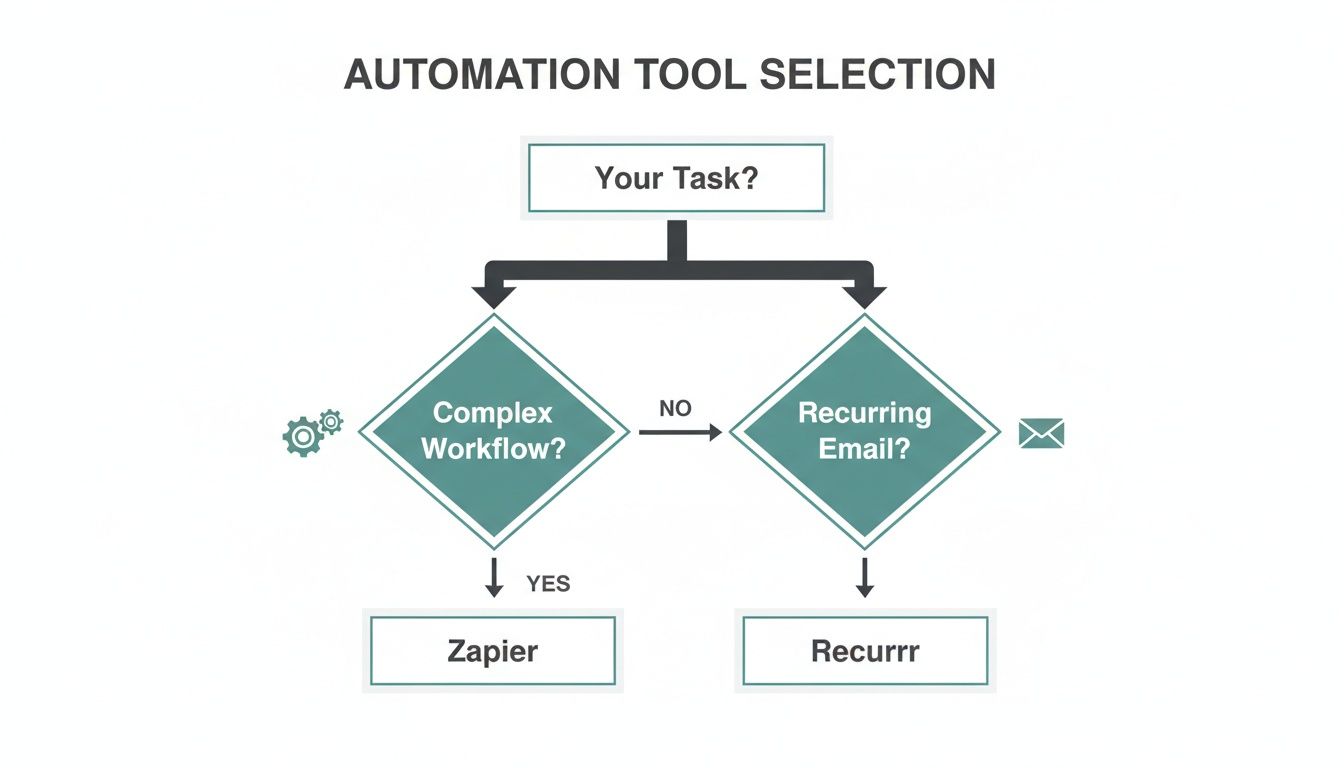 The picture tells the story: if you’re building complex workflows that connect multiple apps, Zapier is your powerhouse. But if you just need to send the same email again and again, a dedicated tool like Recurrr is built for exactly that.
The Setup Process: A Tale of Two Workflows
Let's use a real-world example. You need to send a weekly project update to your team every Friday at 9 AM. It's a simple, repeatable task—the perfect test case to see how these two platforms handle things.
Setting Up in Zapier
To get this done in Zapier, you have to build a multi-step workflow, what they call a "Zap." It’s a bit like assembling a small machine from different parts.
- The Trigger: First, you hunt for the "Schedule by Zapier" app. Inside, you set it to run "Every Week" and then pinpoint the day (Friday) and time (9:00 AM).
- The Action: Next up, you add an action. You’ll choose your email provider (like Gmail or Outlook) and then select the "Send Email" command.
- Mapping the Fields: Here's where the detail work comes in. You have to manually connect the dots—typing recipient addresses into the "To" field, crafting the subject, and writing the body of the email. Then you run a test to make sure all the parts are working together.
It makes sense if you’re used to thinking in terms of triggers and actions, but it’s a process that spans multiple screens. Each piece has to be configured just right for the whole thing to work.
Setting Up in Recurrr
Recurrr, on the other hand, was built to do only this. So, the whole process is treated as one simple, cohesive task.
- Compose and Schedule: You start on a single screen. You write your email—subject and body—just like you would in your normal email app.
- Set the Schedule: Right there, in the same view, you set the schedule. You’d pick "Weekly," click "Friday," and type in 9:00 AM.
- Add Recipients: You pop in the team's email addresses, hit save, and you’re done. That's it.
Everything happens in one place, which means you don't have to think about "triggers" or "actions" at all. For a closer look at this simplicity, our guide on how to automate sending emails shows just how straightforward it can be.
The following table breaks down the practical differences in getting that simple weekly email out the door.
Task Breakdown for Recurring Emails: Zapier vs Recurrr
Comparison PointZapierRecurrrInitial Setup Steps****3+ steps: Trigger App (Schedule), Action App (Email), Field Mapping.1 step: Compose, schedule, and add recipients on a single screen.Mental ModelAbstract: connect a separate "trigger" to an "action."Concrete: schedule this specific email to send on repeat.InterfaceNavigates through multiple configuration screens.All settings are managed in one unified, simple view.Time to CreateSeveral minutes, especially for first-time users.Less than 60 seconds.Editing a ScheduleEdit the "trigger" step of the multi-part Zap.Edit the schedule directly on the email's single settings page.Changing Email ContentEdit the "action" step of the multi-part Zap.Edit the email body directly, just like a regular draft.As you can see, one path is about building a system, while the other is about setting a reminder. The difference in complexity is night and day.
Cognitive Load and Maintenance
The initial setup is just the beginning. The real cost often comes from the mental energy required to manage these automations over time.
With Zapier, the cognitive load is just higher. You’re the engineer of a small machine, and if it breaks, you're also the mechanic. If an email doesn't send, you have to dig into the Zap's run history, figure out if the trigger failed or if the action had a problem, and troubleshoot from there. It's incredibly powerful, but it assumes a certain level of technical comfort.
Where Zapier requires a scheduled trigger, a formatter, and an email action step, Recurrr consolidates this into a single, intuitive screen. This isn't just a user interface difference; it's a fundamental reduction in complexity and mental overhead.
Recurrr is designed to be an "invisible tool." You set it once and then completely forget about it. Because its only job is to send that email, there’s very little that can go wrong. Need to tweak the message or change the day? You just edit the one recurring email you created, not a complex workflow.
The Cost of a Simple Task
Finally, let's talk money. This is where the difference becomes crystal clear. Zapier’s pricing is built around "tasks." Every single time your Zap runs successfully and sends that email, it eats up one task from your monthly plan.
For one weekly email, that’s no big deal. But what if you're sending daily check-in reminders? Or multiple reports a week? Those tasks add up fast, and you could find yourself needing a more expensive plan just to handle a few simple, repeating emails.
Recurrr, on the other hand, typically uses a flat-rate model for a certain number of recurring emails. The pricing is predictable. You aren't punished for frequency, which makes it a much smarter and more cost-effective choice if all you need is a reliable, automated email scheduler.
Of course, here is the rewritten section with a more natural, human-written tone.
When a Dedicated Email Tool Just Makes Sense
Talking about features is one thing, but where a simpler alternative to Zapier for recurring emails really clicks is when you see it in the real world. The whole point isn't just to check a box on "automation." It's about getting a repetitive task completely off your mind so you can focus on stuff that actually matters. A dedicated tool does this perfectly—it makes communication a background process that just happens.
Let's walk through a few scenarios where ditching manual reminders or a clunky Zapier setup for a tool like Recurrr is a total game-changer. These are all about the "set it and forget it" magic that comes from using the right tool for the job.
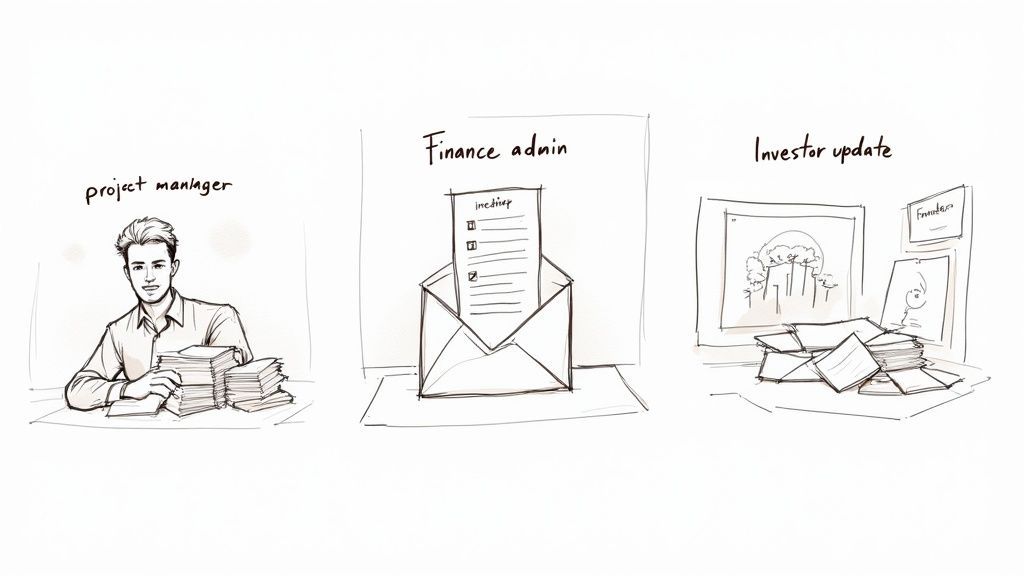 ### The Project Manager and the Daily Stand-Up Nag
First up, Alex. Alex is a project manager for a remote dev team. Every single morning, it was Alex's job to send out a 9 AM reminder—both on Slack and email—to get everyone to post their daily updates.
Before: It was a quick 5-minute task. No big deal, right? But it was an annoying little interruption right at the start of the day. If mornings got crazy, Alex might forget until 9:15, and the whole team's sync would start late. The alternative was a multi-step Zap, but it felt like overkill to maintain a complicated workflow just for one simple reminder.
After: Alex set up one recurring email in Recurrr. The subject line is "Daily Stand-Up Reminder for [Date]," and it’s scheduled to send at 9 AM every weekday. That’s it. Now, the reminder goes out like clockwork, and Alex doesn't even think about it.
This isn't really about saving five minutes. It's about removing one tiny, nagging decision from the start of the day. That mental space is priceless, letting Alex focus on actual strategy instead of playing reminder-in-chief.
What was once a recurring annoyance is now a completely invisible system. The team gets their prompt on time, every time, and Alex gets a piece of their morning back.
The Finance Admin Who Hated Chasing Invoices
Next, let's look at Maria. She's a freelance finance admin for a handful of small businesses. Her least favorite part of the month? Chasing down overdue invoices. It involved cross-referencing a spreadsheet and manually sending follow-up emails on the 1st and 15th.
Before: Doing this by hand was an invitation for mistakes. It was easy to miss a client or send the wrong email template. Maria considered a Zapier workflow, but connecting a scheduler to her email, then adding filters to check payment status… it was surprisingly complicated for what felt like a simple job. The task usage on Zapier could also get pricey for her small operation.
After: Maria now uses a dedicated tool. She has a recurring email for each client that goes out automatically on the due date. This simple automation ensures no one gets missed, and the tone is always professional and consistent. For jobs like this, where you're sending to the same groups repeatedly, understanding email distribution lists is a huge help. This one small change has completely streamlined her workflow.
This little hack gives Maria three huge wins:
- Time back: She saves a few hours of mind-numbing admin work every month.
- Fewer mistakes: The system doesn't forget. Period.
- Better cash flow: Consistent reminders mean clients pay faster.
The Founder and the Weekly Investor Update
Finally, there’s Ben, a startup founder. He promised his investors a weekly update every Friday afternoon with key metrics, progress, and roadblocks.
Before: This was a high-stakes task that always seemed to get shoved to the last minute on a chaotic Friday. Ben would be scrambling to pull numbers and write the update, sometimes sending it late into the evening. The recurring stress of that deadline was just one more thing on his plate.
After: Ben drafted a recurring email template in Recurrr scheduled for 4 PM every Friday. It has all the standard sections, with placeholders like [Insert Weekly Revenue] and [Insert Key Wins].
His workflow is completely different now. The email is already sitting there, waiting for him. He just drops in a few times during the week to fill in the latest data. The Friday scramble is gone, replaced by a calm, structured process. The tool acts like an invisible assistant, making sure this crucial communication goes out reliably, which keeps investors happy and Ben a little less burnt out.
Let's actually see what it takes to get your first recurring email up and running. Talk is cheap, after all, and the real difference between a do-it-all platform and a focused tool is something you have to experience. If you’re looking for a simpler alternative to Zapier for recurring emails, the setup is where you’ll see the light. Forget mapping out triggers, actions, and multi-step workflows.
The video above shows you everything, but honestly, the whole process is so direct you can boil it down to a few bullet points. The goal is to get a repetitive task off your plate in less time than it takes to make a coffee.
A Four-Step Guide to Automation
The entire setup feels just like writing a normal email, and that’s on purpose. It’s designed to be instantly familiar, so you don't need to be a tech wizard who’s comfortable with complex automation logic. It just works.
Here's a look at the beautifully simple screen for creating a new recurring email.
See? Everything you need—the recipients, the schedule, the message—it's all right there on one clean, intuitive page.
Let's break it down into four quick steps.
- Compose Your Email Template: Just start writing your email like you would in Gmail or Outlook. Add your subject, craft your message, and you've got a master template ready to go.
- Define Your Recurring Schedule: This is where the magic happens. Right on the same screen, you pick your schedule. Daily, weekly, monthly, or something custom. The interface is visual and makes perfect sense—no need to figure out cron jobs or weird syntax.
- Add Your Recipients: Type in the email addresses of who should get the message. It could be a client, your team, or even just yourself as a reminder. Just pop them in the "To" field.
- Launch Your Automated Email: Give your message and schedule one last look, then hit "Save." That’s it. Seriously. Your recurring email is now live and will run on autopilot until you tell it to stop.
For a deeper look into all the scheduling options and a few best practices, check out our complete guide on how to send recurring emails.
Migrating Your Tasks from Zapier
Switching your recurring emails from Zapier over to a dedicated tool is surprisingly painless. You’re not trying to rebuild a complex machine; you're just copying and pasting some text into a much simpler home.
The core difference is philosophy. Zapier requires you to build a system of triggers and actions to send an email. A dedicated tool assumes you just want to send an email and gets straight to the point.
Here are a few tips to make the move seamless:
- Copy Your Content: Open your Zap and grab the subject line and body of your email. Paste it directly into the composer of the new tool.
- Recreate the Schedule: Check your Zap's "Schedule by Zapier" trigger. If it’s set for every Monday at 9 AM, you just select "Weekly," click "Monday," and set the time to 9 AM in the new tool.
- Run a Final Test: Before you pull the plug on your old Zap, let the new recurring email send once. Just to be sure everything is working perfectly. Once you see it land in the inbox, you can confidently turn off the Zap and save those task credits.
A Few Common Questions About Recurring Email Tools
Switching tools always kicks up a few questions. It's smart to figure out how a new approach actually fits into your world before you jump in. Let's tackle the most common things people ask about using a dedicated, simpler tool instead of something like Zapier for their recurring emails. I'll give you the straight-up answers.
Is a Dedicated Tool Really "Powerful" Enough?
This is the big one, and it all comes down to how you define "powerful."
If power means stringing together dozens of different apps with complex, multi-step workflows that run on conditional logic, then a beast like Zapier is always going to win. It's built for exactly that kind of heavy lifting.
But if power means doing one specific, high-value task flawlessly, over and over, with practically zero effort? Then a dedicated tool is far more powerful. Its strength is its focus. A tool like Recurrr is designed to be a "hidden gem" in your software stack. It’s not trying to be your all-in-one productivity suite—it's a small productivity hack that has completely mastered the single job of sending scheduled emails.
The trade-off is simple: you swap the endless (and sometimes overwhelming) possibilities of an all-in-one platform for the focused, "set it and forget it" reliability of a purpose-built solution.
For the vast majority of recurring email needs—think reminders, reports, and follow-ups—this focused power is exactly what you need.
When Should I Still Use Zapier for Emails?
Look, a dedicated recurring email tool isn't a "Zapier killer." There are absolutely times when Zapier is still the best tool for the job, even when email is involved. Think of it as a complement, not a replacement. You should stick with Zapier for any email task that’s just one piece of a larger, more complicated workflow.
Here are a few dead giveaways that Zapier is the right call:
- You Need Conditional Logic: If an email should only send when something specific happens in another app (like a customer tag gets updated in your CRM), Zapier's filtering is a must.
- The Trigger Isn't a Schedule: If the email is kicked off by an external event—a new form submission, a new purchase in your store—that's a classic Zapier use case.
- The Data Needs a Makeover: When you have to pull data from a few different places, reformat it, and then pop the result into your email, Zapier's Formatter tool is your best friend.
A good rule of thumb: if the email is the end result of a chain reaction across different apps, use Zapier. If the email is the event itself, just on a repeating schedule, a simpler tool is the way to go.
How Does a Tool Like This Fit Into My Current Workflow?
This might be the most important question for keeping your tech stack sane. The beauty of a small, specialized tool like Recurrr is that it doesn't really disrupt your workflow at all—it just makes it better by becoming an "invisible tool." It's designed to work alongside everything else you use.
Because it solves one problem so cleanly, it doesn't create new headaches. You don't need to hook it up to your project manager or CRM because its job is totally self-contained. It just quietly takes a boring, repetitive task off your plate.
This is how you avoid "tool fatigue," where every new piece of software just adds another layer of complexity. Instead of making your stack more complicated, a focused utility actually simplifies it by handling a nagging task in the background. It helps you use your other tools more effectively by freeing up your time and mental space.
Ready to see how an "invisible tool" can make a visible difference in your productivity? Start automating your recurring emails in under 60 seconds with Recurrr and discover the power of keeping it simple. Get started for free at https://recurrr.com.