


A good timezone meeting scheduler does more than just convert hours; it’s the glue that holds a global team together and prevents those expensive, frustrating mix-ups. The best tools handle timezone conversions automatically, making sure a 10 AM invite sent from New York shows up as 3 PM for your colleague in London. No more manual math, no more confusion.
The Real Cost of Scheduling Across Timezones
We’ve all felt that sinking feeling. You schedule a crucial meeting for 10 AM, hit send, and then realize your colleague on the other side of the world just got an invite for 10 PM their time. It’s more than just embarrassing—it’s a symptom of a much bigger problem that constantly trips up global teams.
Trying to coordinate between cities like San Francisco, London, and Tokyo throws the challenge into sharp relief. Standard calendars just aren't built for this level of complexity, and the fallout is predictable. Productivity tanks as everyone wastes time rescheduling, and a genuine sense of frustration starts to build with every missed connection.
 ### It’s Not Just Simple Math
The problem runs a lot deeper than just adding or subtracting a few hours. I’ve seen countless scheduling attempts fall apart because of small, overlooked details that completely derail the effort.
These are the usual suspects:
- Shifting Daylight Saving Times: This is a huge one. Not every country observes daylight saving time, and the ones that do switch on different dates. It turns scheduling into a moving target twice a year.
- Cultural Work Hours: A typical 9-to-5 day in one country might be totally different from another's standard workday. The very idea of "business hours" becomes a slippery concept.
- Communication Delays: An email you send at the end of your day could land in someone's inbox in the middle of the night. Figuring out the best time to send an email to get a response is just as critical as picking the right meeting slot.
These little things pile up, creating a system where wires are almost guaranteed to get crossed. The goal shouldn't be to just find a time that works on paper, but to build a system that's both respectful and sustainable for everyone involved.
The real challenge isn't the math; it's creating a system that respects everyone's time and context. A successful approach acknowledges that a convenient time for one person might be a significant disruption for another.
Ultimately, sloppy scheduling just leads to burnout. When your team members are constantly being asked to hop on calls at the crack of dawn or late into the evening, their engagement and morale are going to take a hit. The cost isn't just measured in lost hours—it's the slow erosion of your team’s cohesion and effectiveness.
Building Your Timezone Meeting Scheduler Toolkit
Picking the right timezone meeting scheduler isn't about finding one magical app that does it all. Honestly, that tool doesn't exist. It’s really about putting together a small toolkit that can handle whatever scheduling mess you find yourself in.
A flexible system combines a few different types of tools, each picked for what it does best. That way, you’re ready for anything, from a quick two-person sync-up to a massive team-wide webinar. It’s about moving beyond a one-size-fits-all approach and building a setup that actually fits the way you, your team, and your clients work.
Differentiating Your Scheduling Tools
First things first, you need to understand the main kinds of scheduling tools out there and where they really shine. An automated scheduler is a lifesaver for booking calls with people outside your company, but a simple time converter might be all you need for a quick internal huddle. Mixing and matching gives you the most power.
Here are the heavy hitters you'll likely encounter:
- Automated Schedulers: Think Calendly. These tools are brilliant because they hook into your calendar, show your real-time availability, and let other people book a slot directly. Perfect for sales calls, client meetings, or interviews—they completely kill the endless back-and-forth emails.
- Visual Time Converters: Tools like World Time Buddy are your visual aids. They lay out multiple timezones side-by-side on a timeline, making it dead simple to spot those "golden hours" where everyone is actually awake and working. I use this for a quick gut check before I even think about sending an invite.
- Built-in Calendar Features: Don't sleep on the tools you already have. Google Calendar and its counterparts have pretty solid timezone support baked right in. You can display multiple timezones on your main view and set a specific one for each event you create. It’s often powerful enough on its own.
And if you want to get a little more advanced, you can see how automation is changing the game. This rundown of the best AI appointment booking tools shows how intelligent systems are starting to handle even more complex scheduling jobs.
Before you choose, it helps to see how these tool types stack up.
Timezone Scheduling Tool Comparison
Here’s a quick breakdown of the different kinds of timezone schedulers to help you figure out which one—or which combination—is the right fit for your needs.
Tool CategoryPrimary FunctionBest ForPotential DrawbackAutomated SchedulersLets others book time on your calendar based on your availability.External appointments, sales calls, interviews, client bookings.Can feel impersonal; less control over your own schedule.Visual Time ConvertersDisplays multiple timezones visually to find overlapping hours.Manually finding a good meeting time for a distributed team.Doesn't book anything; it's purely for reference.Integrated Calendar FeaturesNative timezone support within your primary calendar app.Day-to-day internal scheduling and managing your personal calendar.Can be clunky when coordinating with people on different platforms.Workflow AutomatorsTriggers actions or reminders related to scheduling.Nudging key stakeholders to schedule important, non-recurring meetings.Not a scheduler itself; supports the scheduling process.Ultimately, the best toolkit is the one that feels natural to you and solves your specific problems without adding unnecessary complexity.
A Small Productivity Hack for Critical Nudges
Sometimes the hardest part of scheduling across timezones isn't finding a time; it's remembering to schedule the meeting in the first place. This is where a little productivity hack—an "invisible tool"—can be a hidden gem in your toolkit.
Take a tool like Recurrr. It's not a classic timezone scheduler. Instead, it’s an automated reminder system that kicks off the scheduling conversation so it never falls through the cracks. It’s a simple utility that works alongside your main tools.
For example, a CTO in London needs a quarterly strategy session with her CEO in New York. Their calendars are chaotic, so a fixed, recurring event isn't practical—it would constantly be moved.
A small, automated nudge can be more powerful than a blocked-out calendar slot. It prompts action without adding to the noise of a packed schedule.
Instead, the CTO uses Recurrr to send a recurring email. Every quarter, a prompt automatically lands in both their inboxes: "Time to schedule our Q3 strategy call." That simple action ensures the critical meeting happens without cluttering their calendars with tentative invites. It's a perfect example of how the best workflow automation tools can support your core systems instead of trying to replace them. This little trick helps them schedule their meeting across timezones by making sure it never gets forgotten.
Mastering Cross-Timezone Communication
Having the perfect timezone meeting scheduler is only half the battle. The real secret to success lies in the communication wrapped around it. Without clear protocols, even the smartest tools can lead to confusion and missed meetings. It's all about creating a human-centric approach that makes scheduling feel effortless and respectful for everyone.
The global shift to remote work has completely changed how teams connect. Nearly one-third of all meetings now span multiple time zones, a significant 35% increase since 2021. This means that clear, unambiguous communication isn't just a nice-to-have; it's a core operational requirement.
To get a better sense of which tool might fit your specific needs, here's a quick decision tree I put together.
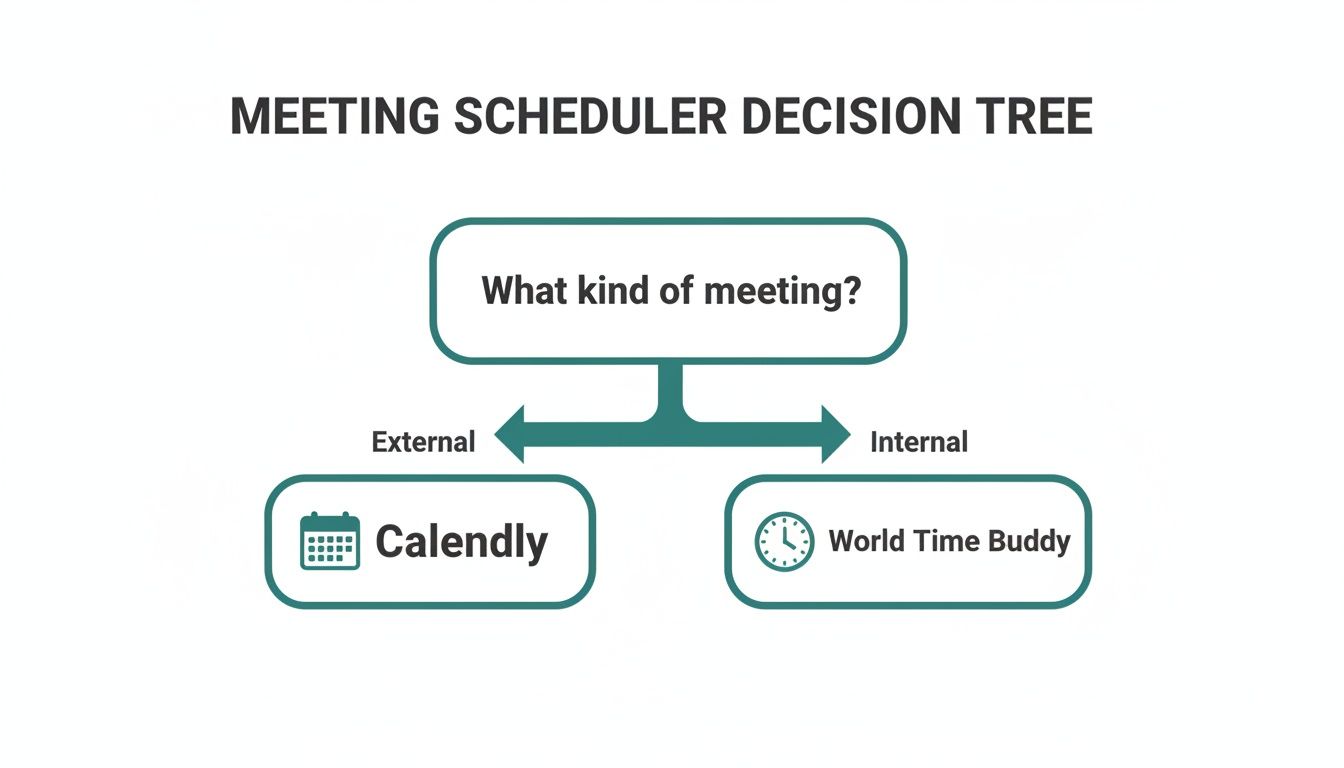 This just simplifies the choice by separating tools designed for booking external appointments from those that are better for quick internal checks. It helps you align your toolkit with your communication style.
Establish a Single Source of Truth
One of the easiest ways to kill confusion is to establish a single "source of truth" time zone for all team-wide announcements and deadlines. My go-to for this is Coordinated Universal Time (UTC).
Why UTC? Because it never changes for daylight saving. It's a stable, unambiguous reference point that works globally. Announcing a product launch for "14:00 UTC" eliminates any guesswork for team members from Tokyo to San Francisco. Simple.
Write Crystal-Clear Invites
The language you use in your calendar invites matters more than you think. Vague descriptions create unnecessary mental work for your colleagues and increase the odds of someone showing up an hour late.
Instead, make your invites painfully clear:
- List Multiple Time Zones: Always list the meeting time in at least two or three key time zones. For example: "Project Sync at 10:00 PST / 13:00 EST / 18:00 BST."
- Use Specific Identifiers: Be precise. Use "PDT" (Pacific Daylight Time) instead of just "PT" during the summer months. That small detail can prevent a lot of mix-ups.
- Provide a Time Zone Converter Link: For larger groups, including a link to a tool like World Time Buddy in the invite description is a thoughtful, low-effort touch that people appreciate.
A respectful scheduling culture is built on empathy. The goal is to minimize the cognitive load on your teammates, making it as easy as possible for them to show up at the right time, ready to contribute.
This mindset is a big part of managing remote teams effectively.
Rotate Inconvenient Times Fairly
Finally, fairness is crucial. If your team has a recurring meeting, the same people shouldn't always get stuck with the brutal early morning or late-night slot. It's just not right.
Create a simple rotation schedule so the inconvenience is shared equally. This small act shows respect for everyone's work-life balance and builds a much stronger, more considerate team culture. These kinds of communication practices, much like knowing how to send better emails, are fundamental to making remote collaboration actually work.
Using a "Hidden Gem" for Important Recurring Meetings
We talk a lot about scheduling fixed meetings, but what about the important, big-picture discussions that are more flexible? Think quarterly strategy sessions, deep-dive check-ins, or mentorship calls. These are the meetings that often fall through the cracks precisely because they don't have a rigid spot on the calendar.
This is where a different approach comes in handy. It’s not about a classic timezone meeting scheduler, but a small productivity hack that makes sure these crucial conversations actually happen. Instead of booking a time directly, it creates the trigger to book that time. It's an invisible tool that works in the background.
Shifting from Scheduling to Prompting
Here’s a real-world scenario: a CTO needs a quarterly deep-dive with her CEO. Their schedules are constantly changing with last-minute travel and urgent calls. Putting a fixed recurring meeting in their calendars is useless; it would just get rescheduled, adding more noise to their inboxes.
The real problem isn't finding a 90-minute window that works for both. The problem is that without a specific nudge, the meeting gets pushed back until it’s forgotten.
This is where a simple, automated email can be a game-changer. Using a lightweight tool like Recurrr, the CTO can set up an automatic email to go out to both of them on the first day of every quarter. The email is short and sweet: "Time for our Q3 strategy sync. Let's find 90 minutes to connect next week."
This approach decouples the reminder from the calendar. It creates an unmissable prompt that kicks off the scheduling process, without adding another tentative event to an already-crammed schedule.
This small shift in thinking is incredibly powerful for leaders whose calendars are too dynamic for rigid, long-term planning. Once prompted, they can easily find a suitable slot across their respective timezones, ensuring the important conversation doesn't get dropped.
How This "Invisible Tool" Works
This method is less about managing timezones directly and more about making sure the conversation gets started in the first place. The beauty of this hack is its simplicity. You're basically creating a personal accountability system that runs on autopilot.
Here’s how you can put it into practice:
- Identify the Meeting: Pinpoint a critical but flexible recurring meeting that tends to get missed.
- Set the Trigger: Use a tool like Recurrr to schedule a recurring email to all key players. This could be a monthly, quarterly, or bi-annual prompt.
- Start the Conversation: When the email lands in everyone's inbox, it’s the official starting gun. The participants can then jump into their favorite timezone meeting scheduler to find a time that works.
This process keeps the meeting on everyone's radar without clogging up calendars. It's a productivity "hidden gem" that works alongside your main scheduling tools by solving the very human problem of just getting the ball rolling.
You can even apply this same idea to other platforms. For instance, you could schedule recurring messages in Slack for team-based nudges and reminders.
Using Timezones for Strategic Business Impact
 Getting everyone into the same virtual room is one thing, but what if you could use that schedule to give your business a real competitive edge? It's totally possible. A smart timezone meeting scheduler is more than just a safety net against mix-ups; it's a tool for driving growth by placing your most important conversations right in the middle of peak global activity.
This flips the script on scheduling. It’s no longer just an admin task—it becomes a core part of your business strategy. You start thinking about the financial pulse of the global economy and positioning your key meetings—sales calls, product demos, partnership talks—to hit when the iron is hot. When you get this right, a common scheduling headache becomes a genuine growth opportunity.
Tapping into Economic Peak Hours
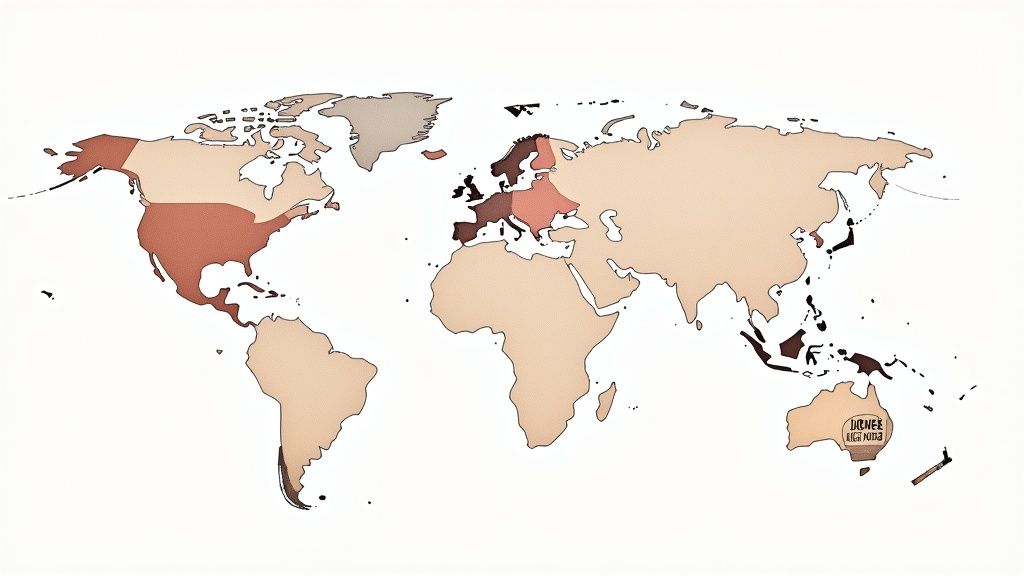
Here's a concept that can be a game-changer for any company with a global footprint: "economic peak hours." These are the short, specific windows when major economic markets in North America, Europe, and Asia are all online and buzzing at the same time. During these overlaps, digital activity, engagement, and spending go through the roof.
If you can strategically line up your most important meetings with these windows, you can seriously boost your chances of success. A product demo scheduled during a high-activity period is far more likely to have engaged, decision-making stakeholders show up. This is where a timezone meeting scheduler stops being a simple convenience and turns into a revenue-generating asset.
And this isn't just a hunch; there's real economic data behind it. Nearly half of the world's daily spending—worth about $7 billion per hour on average—happens in just three time zones. Financial activity goes wild when major markets overlap, especially at noon Eastern Time (18:00 CEST) and noon CEST (18:00 China Time). That's when North America, Europe, and Asia are all online, creating a massive surge in global transactions. You can discover more about how these global spending rhythms work and see the impact for yourself.
Putting Strategic Scheduling into Practice
So, how do you actually do this? Start by pinpointing your most critical, high-impact meetings. We're not talking about your daily internal stand-ups, but the conversations that directly move the needle on revenue and growth.
Here are a few practical steps to get started:
- Map Your Key Markets: Figure out the primary regions where your customers, partners, and top prospects are located.
- Identify Overlap Windows: Use a visual time converter to find those "golden hours" when your key markets are all within reasonable business hours.
- Prioritize High-Value Meetings: Lock down these premium time slots for your most important interactions, like final-stage sales pitches or major partnership negotiations.
By treating time slots like valuable real estate, you can ensure your team's energy is focused on moments with the highest potential for impact. It's a fundamental shift from "when can we meet?" to "when should we meet?"
This proactive mindset turns scheduling from a reactive chore into a strategic discipline. The most forward-thinking companies are already adjusting their global calendars to tap into these financial rhythms, proving that mastering timezones isn't just about being efficient—it's about creating a powerful strategic advantage in a connected world.
Answering Your Toughest Timezone Scheduling Questions
Even with the best tools in your arsenal, getting a global team on the same page can feel like a puzzle. Let's dig into some of the most common snags people hit when using a timezone meeting scheduler and how to smooth them out. These are real-world tips, not textbook answers.
How Do You Actually Handle Daylight Saving Time with a Global Team?
Daylight Saving Time (DST) is, without a doubt, the number one culprit behind missed meetings and scheduling chaos. The absolute best way to deal with it is to trust your tools. Modern calendars like Google Calendar or Outlook are built to handle these shifts automatically, so let them do the heavy lifting.
When you do have to schedule something manually, get specific. Don't just say "PT." Is it "PDT" (Pacific Daylight Time) or "PST" (Pacific Standard Time)? That one extra letter can prevent a world of hurt.
Here's a pro move I've seen work wonders: Make Coordinated Universal Time (UTC) the official reference for your team's big announcements and deadlines. Since UTC is the one constant in a world of changing clocks, it creates a single source of truth that cuts through all the DST confusion.
What's the Best Way to Schedule Across a Ton of Different Timezones?
Trying to nail down one perfect time for a team scattered across three, four, or even more timezones is practically impossible. A single suggested time just leads to a long, painful email chain. You have to be more strategic.
- Poll, Don't Propose: Instead of guessing, use a polling tool like Doodle. It lets everyone vote on their best times, and the ideal slot often reveals itself without any back-and-forth. It’s a democratic way to find the path of least resistance.
- Find the "Golden Hour": If you absolutely must propose a time, pull up a visual timezone converter. Your goal is to find that sweet spot—the window where most of your attendees are within their normal 9-to-5 workday.
- Rotate the Pain: For any recurring meeting, be a good teammate. Create a simple rotation so the same person isn't always taking the 6 AM call or the 10 PM wrap-up. This simple act of fairness goes a long way in keeping morale high.
Can a Timezone Meeting Scheduler Do More Than Just Book Meetings?
Absolutely. Don't let the name fool you. At their core, these tools are about time-sensitive coordination, not just calendar invites. Once you start thinking that way, you can use them for so much more.
A timezone-aware tool can be a game-changer for:
- Setting global project deadlines that are crystal clear for everyone, no matter where they are.
- Timing international marketing campaigns or product launches to hit at the perfect local hour in each region.
- Scheduling one-on-one check-ins that are actually convenient for both people.
Think of it less as a meeting booker and more as a central hub for your global operations. It’s the key to making sure everyone on your team is working from the same clock.
Ready to ensure your most important meetings never fall through the cracks? Recurrr acts as your team's invisible assistant, sending the automated nudges that kickstart crucial conversations. Stop chasing people down and let a simple, recurring email do the work for you. See how it works at https://recurrr.com.