

Let's be honest, workflow automation sounds like something reserved for giant tech companies with server rooms the size of a football field. But it's not.
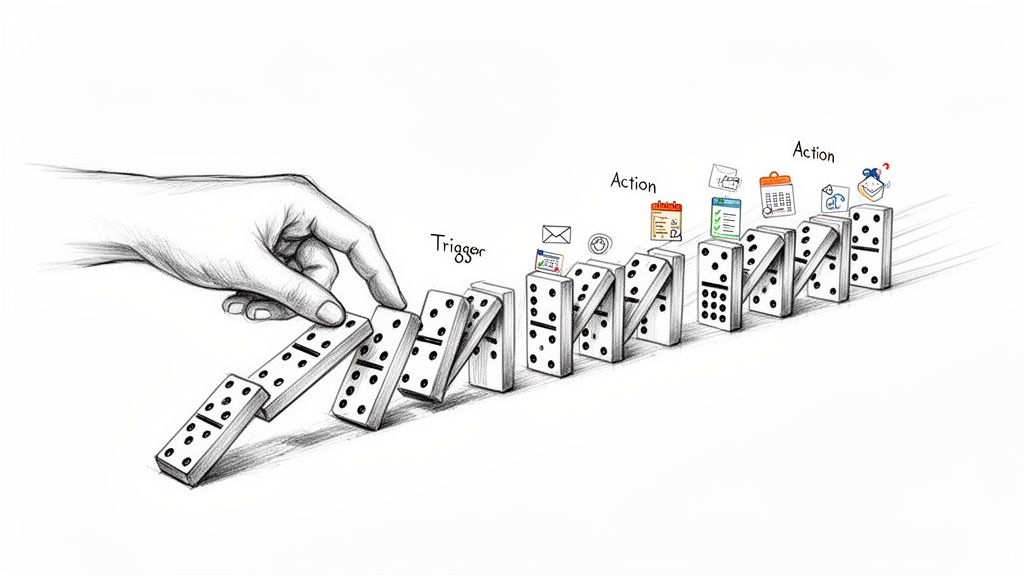
At its core, workflow automation is just using software to do your boring, repetitive tasks for you. Think of it like setting up a line of dominoes. You give the first one a little push, and the rest topple over in a perfect sequence without you lifting another finger. That's it. It’s a digital assistant that handles the grunt work so you can focus on what actually matters.
What Is Workflow Automation Explained Simply
Imagine you run an online store. Every single time a customer buys something, you have to:
- Manually send them a "Thank You" email.
- Open your sales spreadsheet and add a new row.
- Copy their email and paste it into your newsletter list.
It's predictable. It's tedious. And it's a huge time sink.
Workflow automation is what connects all those different apps and makes them work together on autopilot. Instead of you doing those three steps by hand, you build a simple rule: "When a new purchase happens, then send this email, update that spreadsheet, and add them to this list."
 This isn’t some high-tech luxury. It’s a practical productivity lever for anyone feeling overwhelmed by their to-do list, from freelancers and students to small teams and property managers.
The Core Components of Automation
Every automated workflow, whether it's two simple steps or a hundred complex ones, boils down to three basic parts. Once you get these, you'll start seeing opportunities to automate everywhere.
Let’s break down these building blocks.
The Core Components of Workflow Automation at a Glance
ComponentDescriptionSimple Example (Online Purchase)TriggerThe specific event that kicks off the workflow. It's the "start" button.A customer completes a purchase on your website.**Action(s)**The task or series of tasks the software performs once triggered.Send a confirmation email. Update a Google Sheet.LogicThe set of rules that guide the workflow, usually "if/then" statements.If the order total is over $100, then add a "VIP" tag.Understanding this simple Trigger > Action framework is the key to unlocking automation.
At its heart, workflow automation is really just about automating repetitive tasks to free up our brainpower for bigger, more creative problems. It turns a manual checklist into a self-running system.
By stringing together these simple sequences, you create a personal or professional assistant that never sleeps, never forgets a step, and works 24/7 to keep things moving. It’s your ticket to stepping away from the mundane and putting your energy where it can make a real difference.
How Does Workflow Automation Actually Work?
At its heart, workflow automation is surprisingly simple. Think of it like teaching your software a basic command: "If This Happens, Then Do That." This is the fundamental logic that drives almost every automated process you can imagine. It’s a clean, rule-based instruction that software can follow perfectly every single time, no human intervention needed. You might hear this concept called IFTTT logic.
Every single automated workflow kicks off with a specific event, which we call a trigger. This is the "If This Happens" part of our sentence. A trigger is basically the starting gun that sets the whole sequence in motion. It’s the signal that tells the system, "Alright, it's go time!"
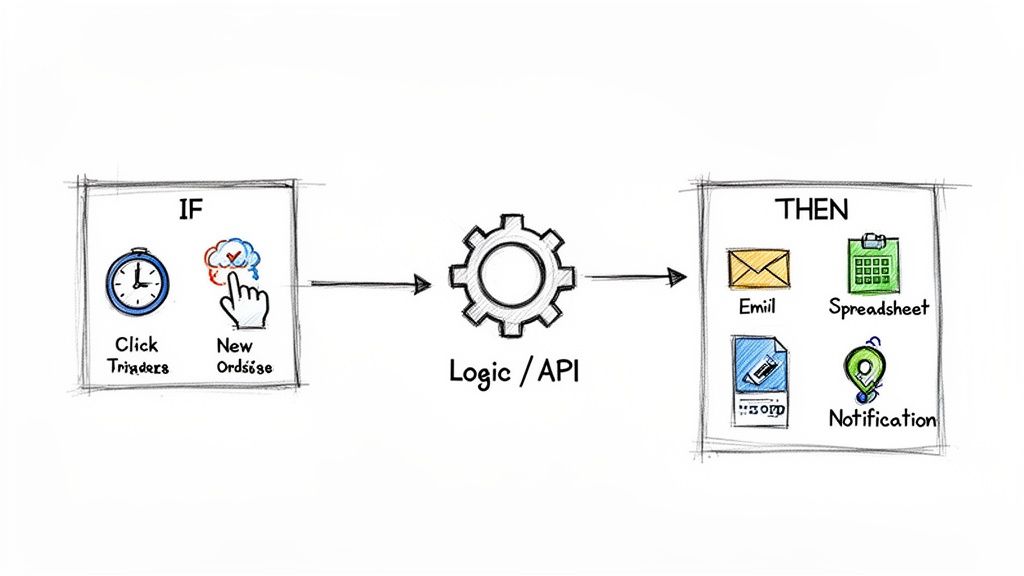 Once that trigger fires, it launches one or more pre-planned actions. These are the "Then Do That" part of the command. Actions are simply the jobs you want your software to handle for you, freeing you up from the manual grind.
Common Triggers and Actions
Let's ground this in a few real-world examples. Triggers and actions can be incredibly varied, covering just about any digital task you can think of.
- Time-Based Trigger: A specific date or time arrives.
- Example Action: Every Friday at 9:00 AM, send a weekly "team updates" reminder email.
- User-Action Trigger: Someone takes a specific action, like submitting a form on your website.
- Example Action: A new client fills out your contact form, which automatically creates a new lead in your customer relationship management (CRM) software.
The real magic here isn't just about one app doing one thing. Workflow automation is the glue that connects different tools, letting them talk to each other and pass information back and forth without a hitch.
The Role of APIs: The Digital Translators
So, how does your email app know what to do when something happens in your project management tool? The secret sauce is something called an API (Application Programming Interface).
Think of an API as a multilingual translator or a universal power adapter. It provides a standard, agreed-upon way for different software programs to communicate and share data, even if they were built by completely different companies on opposite sides of the world.
When a trigger happens in one app, the workflow automation platform uses that app's API to grab the information. Then, it turns around and uses the API of another app to perform the action you wanted. It’s this API-to-API conversation that turns your collection of standalone digital tools into a coordinated, efficient team.
This powerful connectivity is why the global workflow automation market is projected to hit a staggering $78.26 billion by 2035. Cloud-based tools are really driving this explosion, making powerful automation accessible to everyone. You can dig into more of these workflow automation market trends from Business Wire if you're curious.
Real-World Examples of Workflow Automation
Alright, the theory behind triggers and actions is great, but let's be honest—it really starts to click when you see it working in the real world. Forget the abstract stuff for a minute. Let's look at some everyday situations where a little bit of automation can save a ton of time, cut down on mistakes, and just bring a sense of order to the chaos.
These examples show how a simple "if this happens, then do that" rule can make a huge difference. You'll probably start seeing dozens of places in your own life where you could use a digital assistant to handle the grunt work.
 ### For the Freelance Graphic Designer
Think about a freelance designer juggling multiple projects. So much of their non-billable time gets eaten up by admin tasks—onboarding new clients, chasing late payments, you name it. This is the perfect spot for a lightweight automated workflow.
- The Trigger: A potential client fills out the "New Project Inquiry" form on their website.
- The Automated Actions:
- Right away, an email shoots out to the client with a friendly "Welcome!" and a link to the designer's calendar to book a discovery call.
- Simultaneously, a new card pops up in their project management tool (like Trello) under the "New Leads" column, already filled in with the client's details from the form.
- A task is created for the designer, reminding them to follow up in two days if the client hasn't booked that meeting yet.
This simple setup means no lead ever falls through the cracks. The designer looks incredibly professional from the get-go, and all that manual back-and-forth for scheduling is just… gone.
For the Small Property Manager
Now picture a property manager handling a dozen tenants. Every month, it's the same routine: sending reminder emails, tracking who's paid, and sending awkward follow-ups. Automation turns this repetitive, and often uncomfortable, task into something consistent and totally stress-free.
If this sounds familiar, you can get more specific tips on how to send recurring emails to really nail your communication.
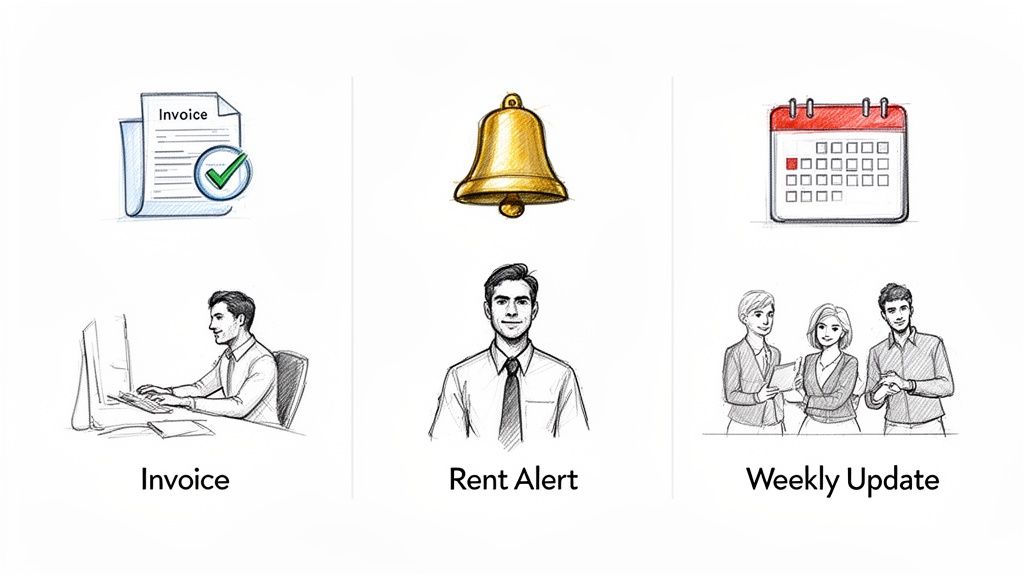
An automated workflow turns a manual checklist into a self-running system. It ensures crucial but repetitive tasks, like sending rent reminders or weekly updates, happen on time, every time, without relying on human memory.
This little workflow doesn't just save the property manager hours each month; it also makes late payments less likely by sending out polite, professional reminders like clockwork.
For the Remote Small Team
Here's another classic: a small marketing team that needs to pull together a status report every single Friday. Before, the team lead would spend an hour nagging people on Slack and email, then painstakingly copy-pasting everything into a Google Doc.
- The Trigger: A time-based trigger goes off every Thursday at 4:00 PM.
- The Automated Actions:
- An automatic message is posted in the team's Slack channel, tagging everyone and asking them to drop their weekly highlights into a specific document.
- On Friday morning, a gentle reminder notification is sent only to those who haven't added their updates yet.
This workflow builds accountability and makes communication seamless. What used to be an hour of administrative headache becomes a smooth, self-managing process.
Manual Tasks vs. Automated Workflows: A Simple Comparison
Seeing these examples side-by-side really drives the point home. It's about taking the tasks you do over and over again and letting a system handle them for you.
Here’s a quick breakdown of the before-and-after:
User PersonaManual Repetitive TaskAutomated Workflow SolutionFreelancerManually emailing every new lead, creating project cards, and setting follow-up reminders.A web form trigger sends a welcome email, creates a project card in Trello, and schedules a follow-up task.Property ManagerSending individual rent reminders on the 1st of the month and follow-ups for late payments.A recurring email is scheduled to go out to all tenants five days before rent is due, with automated follow-ups for unpaid invoices.StudentForgetting to review class notes regularly before a big exam.A recurring email sends a link to a specific week's notes every Sunday evening, prompting a quick review session.This table just scratches the surface. Once you get the hang of it, you'll find countless ways to offload the repetitive work and free up your brain for more important things.
The Real Payoff: What Automation Actually Gives You
Sure, the most obvious win with workflow automation is getting some time back. But its real value goes way beyond just shaving a few minutes off your day. We're talking about a fundamental shift in how you work, freeing up your most precious resources—your time, focus, and energy—for the stuff that truly moves the needle.
At its core, automation is a productivity steroid. When software handles the tedious, repetitive junk like data entry or sending reminder emails, you get to stop chopping your day into tiny, unproductive pieces. This lets you and your team sink your teeth into the high-impact work that actually requires a human brain.
Nail It Every Single Time with Better Accuracy
Look, humans are amazing, but we're not machines. We forget things, make typos, and get distracted by squirrels outside the window. Software, on the other hand, is ruthlessly efficient. It follows instructions to the letter, every single time, without fail. Automating a process means it runs exactly the same way on schedule, wiping out the risk of human error.
This kind of consistency is a total game-changer. It means invoices always go out on time. Client onboarding checklists are never missed. Weekly reports just… appear, without you lifting a finger. The result is a more professional and reliable operation, whether you're a one-person shop or a small team. For more ideas on building solid processes, check out our guide on how to improve team efficiency.
By taking over the predictable "busywork," workflow automation frees up your mental RAM. You no longer have to juggle dozens of recurring to-dos in your head, which is a massive relief for stress and decision fatigue.
Reclaim Your Focus and Lighten the Mental Load
Trying to constantly remember all the small, recurring tasks you have to do is exhausting. It creates a huge mental burden, or "cognitive load," that drains your focus and makes it tough to concentrate on big, complex problems. Automation acts like an external hard drive for your brain, remembering and executing all those routines for you.
This isn't just a nice idea; it's a massive competitive advantage that companies are already cashing in on. Over 33% of organizations have already automated at least one major business function, and 75% of executives are calling it a key to staying competitive. Some early adopters are even slashing costs by up to 30% with these smarter processes, according to workflow automation market insights on Startus Insights.
Ultimately, the biggest benefit of figuring out what is workflow automation is the freedom to offload the mundane. When you do that, you don't just get hours back—you get the mental clarity you need to innovate, solve real problems, and drive actual growth. It’s about building systems that work for you, so you can stop managing tasks and start leading projects.
Finding Your Lightweight Automation Ally
Let's be honest: you probably don't need a massive, enterprise-level system to get a handle on your workflows. While those big platforms are incredible for orchestrating complex business processes, sometimes you just need a simple, invisible tool to handle the small stuff.
This is where a lightweight automation ally comes in. Think of it less like a full-blown project management suite and more like a small productivity hack—an invisible assistant that just works, quietly, in the background.
Its job isn't to run your entire company. Instead, its magic lies in automating the simple, yet critical, recurring tasks that are the bedrock of your daily life and team routines.
The Power of Simplicity
The single biggest roadblock to automation is usually complexity. A lot of tools have a steep learning curve, forcing you to map out complicated processes before you ever feel a benefit. A simpler approach zeroes in on one specific, high-impact area: recurring notifications and reminders.
A tool like Recurrr, for example, is built on this "less is more" philosophy. It's designed to be a hidden gem that plugs into your existing setup, not one that tries to replace everything. Its sole mission is making it dead simple to set up recurring emails and notifications that run on autopilot.
The goal of a lightweight tool is to reduce friction, not add another complex system to your plate. It should be intuitive enough to set up an automation in minutes, whether it's for a personal habit, a team reminder, or a household chore.
Where a Lightweight Tool Shines
When you start digging around, you'll find plenty of lists of the best workflow automation tools out there. But for anyone just getting their feet wet, a focused tool is often the perfect entry point. It's perfect for tasks like:
- Sending a weekly "Hey team, submit your timesheets!" email.
- Pinging yourself to review your budget on the first of every month.
- Automating rent payment reminders for a rental property.
This kind of gentle, intuitive approach lifts the mental load of remembering repetitive tasks without boxing you into an elaborate system. If you're curious and want to see how different tools stack up, check out our guide on the best workflow automation tools for all sorts of needs.
How to Build Your First Automated Workflow
Alright, enough with the theory. Let's get our hands dirty. Building your first automated workflow is way easier than you might think, I promise. The secret is to start small. Pick a simple, low-stakes task to get a feel for it and build some confidence.
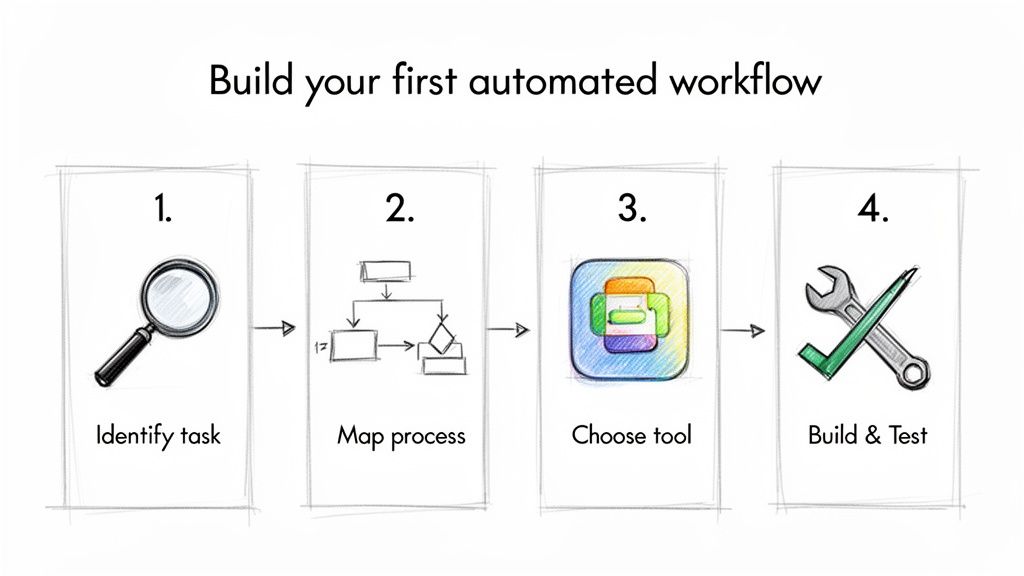
I’ll walk you through it in four straightforward steps.
 This whole field has come a long way since its early days. What started with clunky batch processing in the 1960s has blossomed into the AI-powered tools we have today. It's become a massive industry, projected to hit $23.77 billion in 2025 and shoot up to $37.45 billion by 2030.
What does that mean for you? It means these tools are more powerful and accessible than ever. If you're curious about the numbers, you can dig into the workflow automation market intelligence from Mordor Intelligence.
1. Identify a Repetitive Task
First things first, find a simple, recurring task that you’re still doing by hand. Don't try to automate your entire business on day one. That's a recipe for frustration.
- Good examples: Sending a weekly family chore reminder, emailing yourself a link to review notes every Sunday morning, or pinging a client about an upcoming invoice deadline.
- The goal: Pick something you do over and over again, the exact same way, every single time. That’s your sweet spot.
2. Map the Process
Next, you need to clearly define the trigger and the action. Think of it as a simple "if this, then that" statement. I find it helps to literally sketch it out on a piece of paper or in a notes app.
You just need to answer two questions: What kicks the process off? And what happens immediately after?
For example: When the clock hits 9 AM on Monday (that's the trigger), then send an email to my team with the subject "Weekly Kick-off Reminder" (that's the action).
3. Choose the Right Tool
Your tool needs to fit the job. You wouldn't use a sledgehammer to hang a picture frame, right? Same principle applies here.
- For complex automations that connect multiple different apps, a bigger platform is probably your best bet.
- But for simple, recurring email routines, a focused tool like Recurrr is a hidden gem. It works like an invisible assistant without a massive learning curve.
If you’re just getting your feet wet, you might find that a simpler alternative to Zapier for recurring emails is the perfect place to start.
4. Build and Test Your Workflow
Now for the fun part. Jump into the tool you chose and build the workflow. But before you "set it and forget it," you absolutely have to test it.
Run a quick test to make sure it works exactly as you planned. Send a test email to yourself or a colleague to double-check that the timing is right and the message looks good. A few seconds of testing can save you a lot of headaches later.
Got Questions About Workflow Automation?
As you start dipping your toes into automation, a few questions always seem to surface. Let's tackle the most common ones so you can get started with confidence.
Is Workflow Automation Too Technical for Me?
Absolutely not. I get why you'd ask that—some of the big, corporate systems look like they require a degree in computer science. But the good news is that most modern tools are built for the rest of us.
They use "no-code" or "low-code" interfaces. That's just a fancy way of saying you can build powerful automations with simple drag-and-drop visuals and rules written in plain English. If you can write an email, you can automate a workflow.
What Is the Difference Between Workflow Automation and AI?
This is a great question, and it's easy to get them mixed up. Here's a simple way to think about it: workflow automation is the train tracks, and AI is the smart conductor who decides where the train should go next.
- Workflow automation is all about rules. It follows a predefined script you create. If this happens, then do that. It's predictable, reliable, and does exactly what you tell it to, every single time.
- Artificial Intelligence (AI) is about learning and making judgments. An AI system can analyze a bunch of data and decide on its own what to do.
They can definitely work together. For instance, an AI might analyze a customer's email to figure out if they're happy or upset, and then trigger a specific automated workflow to handle the situation. But at their core, they're two different things.
How Do I Know Which Tasks I Should Automate First?
The best way to start is to look for the "low-hanging fruit." Don't try to automate your entire business on day one. A task is a perfect candidate for your first automation if it's:
- Repetitive. Think of the stuff you do every day, week, or month like clockwork.
- Rule-based. It follows the same exact steps every single time, with no guesswork involved.
- Time-consuming but simple. Things like sending reminder emails or copying and pasting information between two apps.
- Easy to mess up. We're all human. Automating tasks prone to typos or forgetfulness is a huge win.
My advice? Start with one small, painfully simple task. Get it working, see the time you get back, and let that success build the momentum to tackle bigger, more complex processes.
Ready to automate the small routines that eat up your day? Recurrr is the hidden gem that helps you put recurring emails and notifications on autopilot. You can finally set it, forget it, and focus on what truly matters. Start simplifying your life with Recurrr today.