

At its core, an auto reminder is a simple concept: it's an automated message, like an email, that gets sent out based on a specific date or a repeating schedule. Think of it as a personal assistant who never forgets, handling all those repetitive follow-ups for you. This ensures important messages never slip through the cracks and, more importantly, frees up your own mental energy for bigger things.
Why Auto Reminders Are a Productivity Superpower
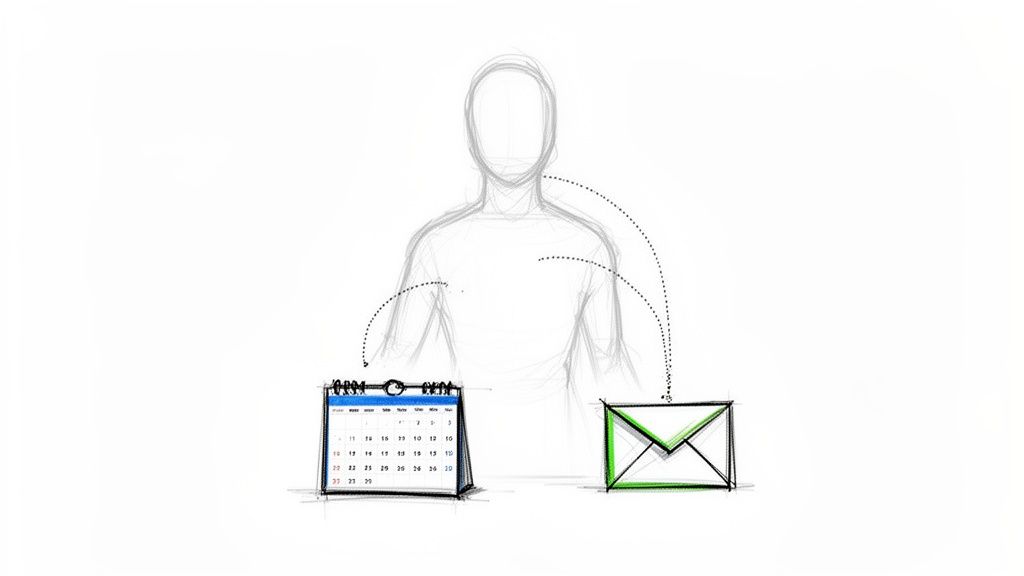
Imagine trying to keep track of every single client check-in, rent payment, and team update using just your memory and a calendar. It’s not just hard; it’s a recipe for burnout and missed opportunities. The constant nagging feeling that you might be forgetting something creates a huge "mental load," draining your focus and energy day after day.
This is where auto reminders completely change the game. They aren't just simple calendar pings that buzz your phone. Instead, they're automated actions that communicate with other people on your behalf. For example, instead of getting an alert telling you to send a weekly report, an auto reminder just sends the email for you. Done.
Lifting the Mental Load
The real magic of a good reminder system is how it reduces that cognitive burden. When you hand off the responsibility of remembering to an automated system, you instantly create more headspace for deep, focused work and strategic thinking.
Here’s a quick look at the benefits:
- Consistency: An automated system is relentless. It never forgets, gets sick, or goes on vacation. Your follow-ups happen on schedule, every single time, building reliability and trust with clients and colleagues.
- Time Savings: Studies have shown that automating simple follow-ups can save businesses hundreds of administrative hours every year. That’s time you can reinvest in growing your business, not chasing people down.
- Reduced Stress: There’s a special kind of peace of mind that comes from knowing your crucial communications are handled. The anxiety tied to a packed to-do list just melts away.
The real power of an auto reminder isn't just sending a message; it's the freedom you gain from no longer having to remember to send it. It transforms follow-ups from a constant worry into a background process that just works.
A Small Hack with a Big Impact
You don’t need a massive, complex system to make this happen. In fact, many people get the most benefit from a simple, focused tool that does one thing exceptionally well.
This is where a dedicated app like Recurrr comes in. It’s designed to be an "invisible tool"—a small productivity hack that fits right into your existing workflow without causing disruption. Think of it as a hidden gem built specifically for creating set-and-forget email reminders. By focusing on this one crucial task, it handles the repetitive-but-essential job of communication, letting your other tools and project management apps handle the bigger picture.
If you're curious about how these small automations fit into a larger strategy, you can learn more about workflow automation in our detailed guide.
The Hidden Costs of Manual Follow-Ups
Trying to manage all your follow-ups just by remembering them is a huge gamble. And the stakes are way higher than you might think.
When you forget to check in, it's not just a tiny slip-up. It's a crack in the foundation of both your professional and personal life, leading to very real losses that quietly pile up. Every single missed follow-up has a hidden price tag, whether it’s lost income, a strained relationship, or just more stress on your plate. Think of it as a silent tax you pay for not having a solid system in place.
Picture a freelance designer who spends weeks crafting the perfect proposal. They send it off, then immediately get buried in another project. That crucial one-week follow-up email? It never gets sent. The potential client assumes the designer isn't interested and hires someone else. Just like that, a simple memory lapse cost the freelancer thousands of dollars.
The Ripple Effect of Human Error
This isn't just a freelancer problem, either. A property manager manually chasing rent payments spends the first week of every month sending one-off texts and tacking on late fees. It's a constant, reactive scramble that frays tenant relationships and just makes everyone frustrated. In a family, the person trying to coordinate chores without a system ends up being the "nag," which leads to arguments over simple tasks.
These examples all point to the same truth: manual follow-ups are just plain unreliable because they depend on our limited attention spans. Human error isn't a possibility; it's a guarantee. The consequences ripple out, hitting more than just your bank account.
Forgetting isn't a character flaw; it's just part of being human. A good auto reminder system is like insurance against this reality. It protects your income, your relationships, and your sanity from the slip-ups that are bound to happen when life gets busy.
Quantifying the Cost of Forgetfulness
In some industries, the financial hit from missed communication is staggering. Take healthcare, for example, where forgotten appointments are a massive drain on resources. The market for automated patient appointment reminder software was valued at a whopping USD 200 million in 2024 and is projected to hit USD 500 million by 2033. Why the massive growth? Because automated reminders simply work. Studies show they can boost attendance by up to 40%, dramatically slashing no-show rates that otherwise hover around 20-30%. You can dig into more data on how reminders impact healthcare revenue in this in-depth market analysis.
This isn't unique to healthcare, though. The principle applies everywhere. A missed sales lead, a late payment, a forgotten team deadline—the cost of doing things manually is real. When we don't automate tasks as simple as a follow-up email, we're literally leaving money, time, and goodwill on the table.
Practical Ways to Use Auto Reminders Today
Theory is great, but the real magic of auto reminders happens when you actually put them to work. Across all sorts of different roles, a simple, automated nudge can completely change your workflows, cut down on stress, and make sure nothing ever slips through the cracks. And we're not talking about complex automations that need a developer to set up; these are practical recipes you can get running in minutes.
Think of these examples as little templates for your own life. For a busy professional, it might be a client check-in. For a property manager, a rent notice. Even at home, it could be an automated chore schedule. Each scenario shows how a focused, "hidden gem" of a tool like Recurrr delivers a huge impact by taking care of the repetitive, but totally critical, task of communication.
For Busy Professionals and Freelancers
When you're client-facing, consistency is everything. Manual follow-ups are usually the first thing to get dropped during a busy week, which can easily damage client relationships and bring projects to a grinding halt. Auto reminders are like having a perfectly reliable admin assistant.
Here are a few ways you can use them right now:
- Weekly Project Updates: Set up a recurring email that goes out every Friday afternoon with a quick status update. This keeps your clients in the loop without you ever having to remember to do it.
- Invoice Payment Nudges: Schedule a gentle reminder to go out three days before an invoice is due, and another one a day after it becomes overdue. This one simple step can dramatically cut down on late payments.
- Follow-Ups After Meetings: Create an automated email that sends 24 hours after a sales call, thanking the prospect and recapping the key points you discussed.
By using auto reminders, businesses can make their operations so much smoother, especially in areas like client onboarding. For instance, you can automate client intake workflows to ensure every new client gets their welcome info and next steps right on schedule, every single time.
This flowchart really drives home how much manual follow-ups cost you—in lost revenue, strained relationships, and just plain old stress.
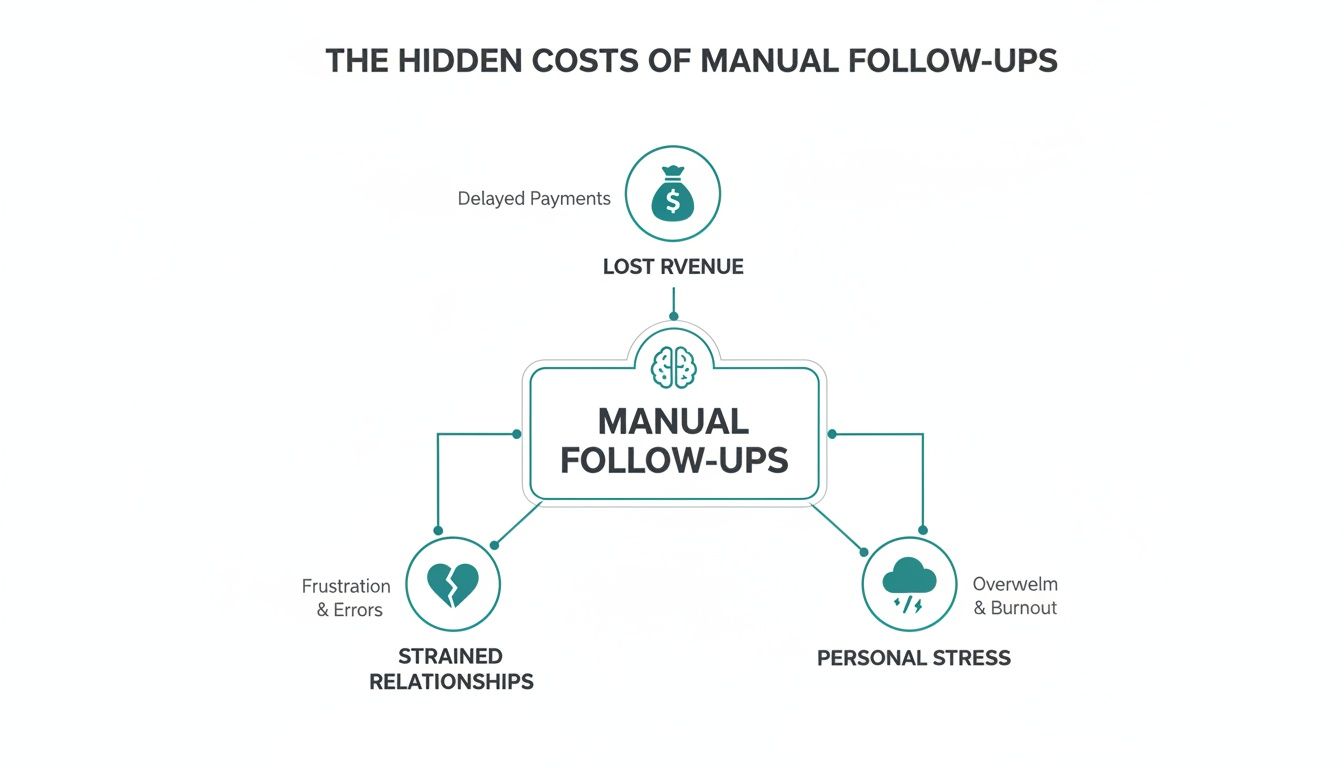
As you can see, the cost of forgetting is way more than just a simple mistake; it has real financial and emotional consequences.
For Property Managers and Accountants
For jobs that hinge on timely payments and compliance, manual reminders are a massive time-suck. Property managers are constantly chasing down rent, and accountants need to make sure clients hit their tax deadlines.
An auto reminder system transforms these professionals from reactive chasers into proactive managers. It shifts the burden of remembering from the person to the process, ensuring consistency and professionalism.
Here’s how they can put it into practice:
- Rent Collection: Schedule automated emails to tenants five days before rent is due and on the due date itself. This simple, non-confrontational nudge is often all it takes.
- Maintenance Notices: Automate reminders for scheduled property maintenance, like pest control or landscaping, making sure all tenants are informed well ahead of time.
- Tax Filing Deadlines: Accountants can set up recurring reminders for clients about upcoming quarterly or annual tax deadlines, complete with links to the necessary forms.
The global market for this kind of software is blowing up for one reason: it works. For users like accountants sending compliance nudges or property managers collecting rent, SMS is a powerful complement to email with its staggering 98% open rate. Businesses using these reminders save 10-15 hours weekly on admin, and studies show a 35% reduction in missed payments.
For Personal and Household Management
Auto reminders aren't just for the office. They're a fantastic little productivity hack for simplifying your life admin and keeping the household running smoothly—without you having to nag anyone.
- Weekly Chore Schedules: Send a recurring email to family members every Sunday with their assigned chores for the week.
- Bill Payment Alerts: Set up a personal reminder email for yourself a few days before your major bills are due. No more late fees.
- Wellness Check-ins: Automate a weekly email to yourself asking a few simple wellness questions. It's a great way to stay mindful and connected to your personal goals.
Choosing the Right Auto Reminder Tool
With so many options out there, picking the right tool for your auto reminders can feel like a chore. The real secret is to sidestep the complex, do-it-all platforms when what you really need is a simple, dependable engine for your repeating messages.
Let's be honest, not all automation tools are built the same. A freelancer sending weekly check-ins to clients has totally different needs than a property manager chasing down late rent. Before you get lost comparing feature lists, ask yourself what you actually need to do. Your answer will point you straight to the right solution.
Core Features That Truly Matter
It's easy to get distracted by flashy features you'll never touch. Instead, zoom in on the fundamentals that make a reminder system work for you, not against you.
You'll want to look for these must-haves:
- Flexible Scheduling: Can you set reminders to fire off daily, weekly, monthly, or on a custom schedule like "every 90 days"? If the answer is no, walk away. This flexibility is the whole point.
- Customizable Templates: Nobody wants to get messages that sound like they were written by a robot. A good tool lets you craft and save your own templates to keep that human touch.
- Easy Workflow Management: Things change. You need to be able to pause, tweak, or stop a reminder series without having to nuke it and start all over again.
The goal isn't to find a tool that does everything. It's to find the right-sized tool that does exactly what you need, exceptionally well. For many, that means a simple, set-and-forget system, not another complex app to manage.
The Power of a Focused Tool
Sure, you can find auto-reminder features baked into massive platforms. Some of the best accounting software for small business have them built-in, and they're great for sending invoice follow-ups. But these systems often come with a lot of extra baggage if all you want is simple, automated communication.
This is where a focused tool like Recurrr really shines. It's designed to be an "invisible tool"—a hidden gem that just works in the background, complementing the software you already use. It doesn't try to be your project manager or your CRM. It just does one thing perfectly: it sends your recurring emails on autopilot.
By choosing a purpose-built tool, you dodge the complexity and cost of a bloated system. It’s the perfect small productivity hack for anyone who just needs reliable, automated messaging without all the clutter. To see how a focused tool stacks up, check out our guide on the best workflow automation tools.
How to Set Up Your First Auto Reminder in Minutes
Alright, let's stop talking theory and start doing. Setting up your first auto reminder is way easier than it sounds, and it’s the perfect first step to winning back some of your time. I'll walk you through a super common scenario to show you just how simple it is.
For this little tutorial, we'll create a "Weekly Team Update" reminder. It's the kind of small, repetitive task that's practically begging to be automated. The whole point is to show you how a tool built for this job strips away all the complexity, letting you get an automated workflow up and running in just a few minutes.
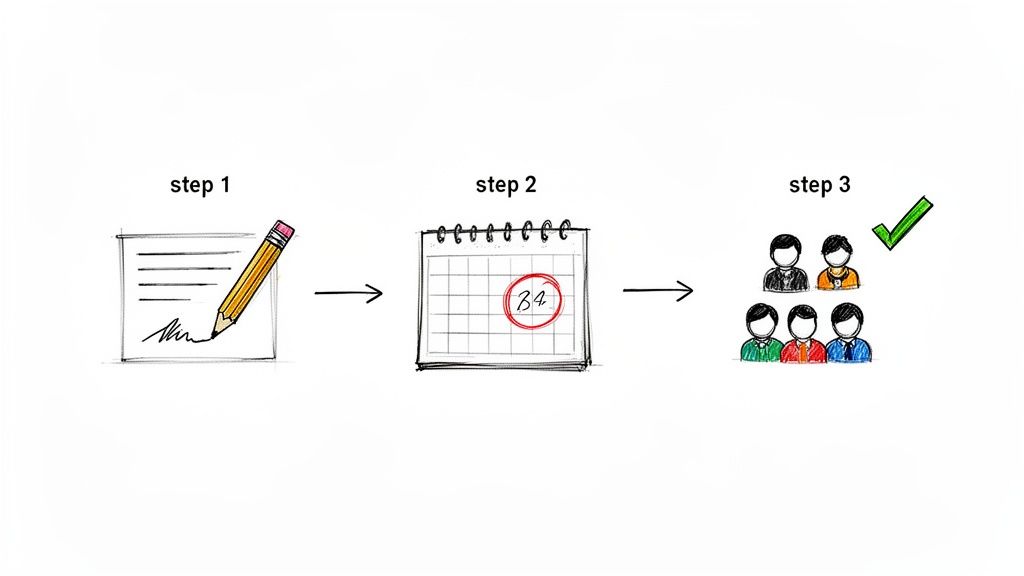
Step 1: Define Your Message
First things first, what do you want the email to say? The trick is to write it once, make it sound like you, and then let it be reused without feeling like a robot wrote it. This is your template.
For our "Weekly Team Update," the message could be something like this:
Subject: Quick Update for the Week Ahead
Hi Team,
Just a friendly nudge to please submit your key priorities for this week by the end of the day. It helps us all stay aligned and pulling in the same direction.
Thanks!
See? Simple, friendly, and it sets a clear expectation. A good tool will let you save this so you don't have to type it out ever again.
Step 2: Set the Recurrence Schedule
Next up, you tell the system when and how often to send your message. This is where the magic happens—the actual automation part. For our weekly update, the setup is a piece of cake:
- Frequency: Weekly
- Day: Every Monday
- Time: 9:00 AM
With these three little settings, that reminder is going out every single Monday morning. No more forgetting. No more "oh shoot, I meant to send that." It just happens, with a level of consistency that’s nearly impossible to match by hand.
Step 3: Add Recipients and Activate
Last step: who gets the email? You just pop in the email addresses for your team members, and once everyone's on the list, you hit "activate."
And that’s it. You're done. Your auto reminder is now live, running on autopilot while you're busy with other things.
It's this same basic principle that’s fueling the massive growth in marketing automation—a market expected to hit $20.12 billion by 2034. Marketers know that automated touchpoints can boost customer retention by 25-30%. For you, these simple recurring reminders can slash the time you spend on manual follow-ups by up to 70%, freeing you up for work that actually moves the needle. You can dive deeper into these powerful marketing automation trends and insights if you're curious.
Best Practices for Effective Reminders
Automating your reminders is a huge win. It saves time and mental energy. But here's the thing: making those reminders actually work is a whole different ball game.
Thoughtless automation is just spam with a different name. But a well-crafted, well-timed message? That builds trust, strengthens relationships, and gets you the results you're after. The goal is for every automated ping to feel like a helpful tap on the shoulder, not just more digital noise.
Start by thinking about clarity and tone. Your message needs to be short, sweet, and to the point. What needs to happen, and when does it need to happen by? Write it like you'd send it yourself—friendly, human, and direct.
Find the Right Cadence
How often you send a reminder is just as critical as what you say. Ping someone too often, and you're on the fast track to being ignored, muted, or worse, marked as spam.
It's all about finding that perfect balance. Here are a few solid rules of thumb to start with:
- For Payments: A heads-up a few days before the due date and one on the day it's due is usually the sweet spot.
- For Project Updates: A single, consistent weekly reminder is often all it takes to keep the team in sync without creating a flood of notifications.
- For Appointments: Sending a reminder 48 hours before and another 24 hours before can slash no-show rates.
The best automation feels like a helpful nudge from a real person, not a cold demand from a machine. It's there to assist, not to annoy.
Finally, don't just set it and forget it. Your automated workflows aren't carved in stone. Pop in every few months to review your auto reminders. Are they still hitting the mark? Is the timing right?
A quick check-in lets you tweak your messaging and cadence, making sure your automations keep delivering real value over the long haul.
Still Have Questions About Auto Reminders?
If you're just dipping your toes into automated reminders, a few questions probably come to mind. It's totally normal. Getting these sorted out is the key to feeling confident and ready to let automation take over your recurring messages.
Let's clear up a few of the most common ones.
Are Auto Reminders Just for Business?
Not a chance. While they're a lifesaver for business tasks like chasing invoices, auto reminders are just as powerful for your personal life. Think about it: you could automate household chore reminders, bill payment alerts, or even send yourself a weekly wellness check-in. The best tools are built for both the boardroom and the living room.
Will My Messages Sound Like a Robot Wrote Them?
Only if you want them to! The secret is to craft your templates with a human touch. Use a friendly, conversational tone, pop in the recipient's name, and write it exactly like you would if you were sending it yourself, right then and there.
A good auto reminder system isn't there to replace your personality; it's there to handle the tedious part—remembering to hit "send."
It’s easy to mix up a calendar alert and an auto reminder, but the difference is huge. A calendar alert pings you (think: 'Meeting in 10 minutes'). An auto reminder, on the other hand, is an action that communicates with someone else for you, usually over email or SMS. It doesn't just remind you that rent is due; it actually sends the invoice email to your tenant, automatically. It’s about automating communication, not just getting a personal nudge.
Ready to stop nagging and start doing? Recurrr is the invisible assistant that handles your recurring emails so you can get back to what truly matters. Start automating your first reminder in minutes at Recurrr.com.