

Automated text appointment reminders are, hands down, the fastest way to slash your no-show rate. Why? Because they reach clients directly on the one device they never put down. A simple, automated SMS blows emails and phone calls out of the water, making sure your message gets seen almost instantly.
Fewer missed appointments means less wasted time and more money in your pocket.
Why Automated Text Reminders Are Your Secret Weapon
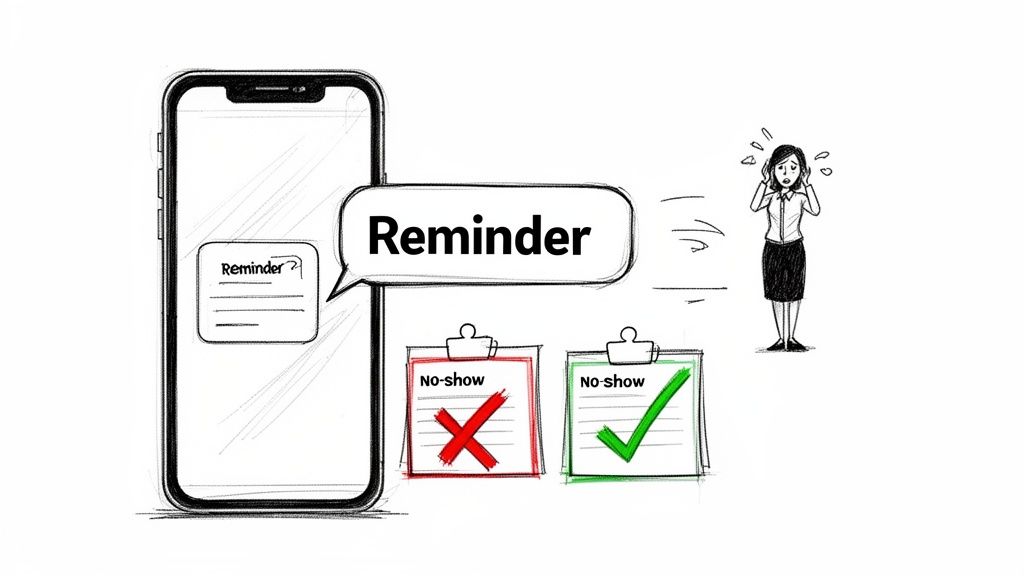
Let’s be real—no-shows are painful. They punch frustrating holes in your schedule, waste your valuable time, and hit your bottom line hard. It doesn't matter if you're a solo practitioner, a growing small business, or managing properties; every missed appointment is lost revenue and a major workflow disruption.
We've all tried the old ways. Phone calls go straight to voicemail, and emails get buried under a mountain of spam and newsletters. Text messages, however, cut right through the chaos.
This direct line of communication is exactly why automated text reminders have become such a critical tool. It’s not just about sending a message. It’s about sending the right message, on the right channel, at the right time.
The Power Of Immediate Communication
Just look at the numbers. SMS messages have a mind-boggling 98% open rate, and most are read within just a few minutes of being delivered. No other channel even comes close to that kind of immediacy. When a client gets a text, it's a gentle, personal nudge that fits right into their day without being intrusive.
This is a big reason why the market for appointment reminder software is exploding. It was projected to hit $360 million in 2024 and is on track to surge past $546.32 million by 2026. Businesses everywhere are waking up to the fact that this simple automation is a powerful revenue protector.
The core benefit, of course, is drastically cutting down on missed appointments—a concept that's being pushed even further when it comes to confirming a reservation with AI. By automating this one simple touchpoint, you get your time back while making sure your clients are informed and ready for their appointments.
Why SMS Is the Best Channel for Reminders
Here's a quick look at how SMS stacks up against other common reminder methods.
| Feature | SMS Text Reminders | Email Reminders | Phone Call Reminders |
|---|---|---|---|
| Open Rate | ~98% | ~20% | N/A (Answer rate is low) |
| Read Time | Within minutes | Hours or days | Immediate (if answered) |
| Intrusiveness | Low | Low | High |
| Actionability | High (quick reply) | Medium (requires opening) | High (if answered) |
| Cost | Low | Very Low | High (time/labor) |
As you can see, SMS hits the sweet spot of being highly visible without being overly disruptive, making it the clear winner for appointment reminders.
More Than Just A Business Tool
While the business case is a no-brainer, think of this as a personal productivity hack, too. You don't need some complex, expensive system to make this work. Sometimes, the most powerful tools are the ones that work quietly in the background.
A small productivity app like Recurrr, for example, can be your hidden gem. It’s not a full-blown scheduling platform, but rather an "invisible tool" that can trigger automations without forcing you to learn another bulky system.
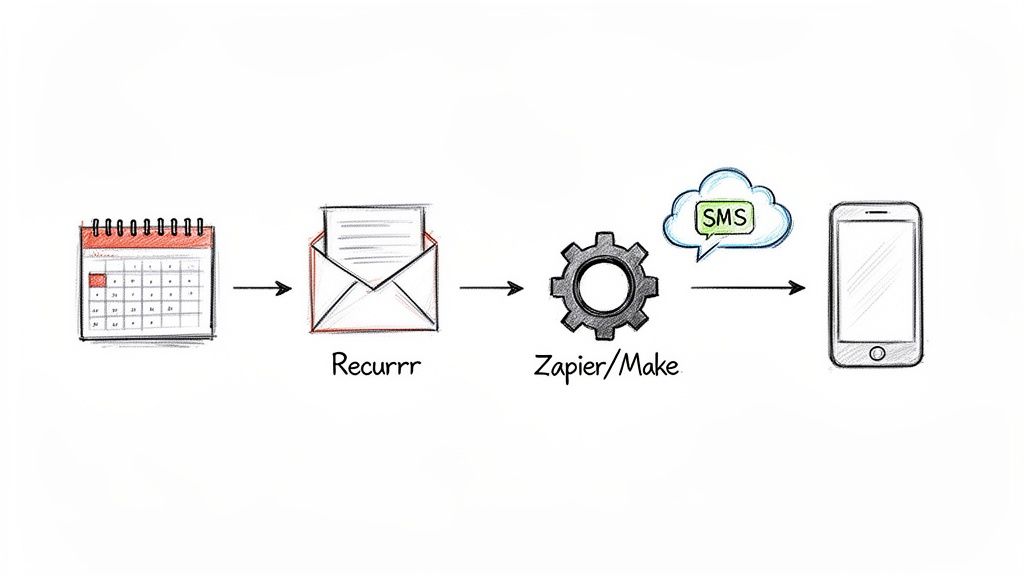
By setting up a recurring, automated email through Recurrr, you can kick off a workflow that sends text reminders exactly when you want them to go out. It’s a clever, lightweight way to build a powerful system that works for you.
While texts are usually the best bet, a multi-channel approach can be even better. If you're interested in that, check out our guide on how to set up auto email reminders to complement your SMS strategy.
Building Your Automated Reminder System
Ready to stop chasing down clients and start automating your schedule? Good. Building a system for auto text appointment reminders is a lot more straightforward than you might think. The real goal here is to create a reliable workflow that just runs in the background, freeing you up to focus on, you know, your actual work.
Your first practical step is to pick a dedicated SMS provider. Think of this as the engine that will actually send your messages.
Platforms like Twilio or SimpleTexting are popular for a reason—they are built specifically for this. Using a proper service lets you get a dedicated business number, which immediately looks more professional than a text from your personal phone. Plus, it keeps you compliant with all the messaging rules.
Connecting Your Tools and Calendars
Once you've got your SMS provider sorted, the next piece of the puzzle is connecting it to the tools you already use every day. We're talking about your calendar or your Customer Relationship Management (CRM) software. This integration is the magic that makes the whole system truly automated, triggering reminders based on scheduled events without you lifting a finger.
Plenty of scheduling platforms offer direct integrations with SMS services. But if yours doesn't, or if you want more granular control over the process, automation platforms are your best friend.
- Zapier is a beast. It connects thousands of apps. You can easily create a "Zap" that watches your Google Calendar for new appointments and then tells Twilio to send a text. Simple.
- Make.com (which used to be Integromat) gives you a more visual way to build out complex workflows. You could design a whole scenario that not only sends a reminder but also updates a spreadsheet or pings you a notification if a client cancels.
These platforms are the digital glue holding your entire system together, making sure every single appointment gets a timely reminder.
A Clever Productivity Hack for Simple Setups
What if you don't need a massive, all-in-one software suite? There’s a brilliantly simple productivity hack to get started without all the fuss. You can use an "invisible tool" like Recurrr as the initial trigger for your entire reminder sequence.
Instead of wrestling with a direct calendar integration, you just set up a recurring email in Recurrr. That email then acts as the trigger for a Zapier or Make.com automation that sends the text message. It's a small but powerful way to kickstart your auto text appointment reminders without having to overhaul your existing setup.
This approach is perfect for freelancers or small teams who just need a reliable system without the cost or complexity of enterprise-level software. It's one of those hidden gems that lets you build a custom workflow using simple, dependable tools.
No-shows are a universal headache, but the solution is surprisingly effective. With the 98% open rate of SMS, it's easily the most reliable channel for getting a message seen on time. In fact, 58% of people say texting is the best way for businesses to reach them. Implementing text reminders can slash missed appointments by 30-50%, which directly boosts your bottom line.
For a deeper dive, our article on creating automatic text reminders offers more tips and examples to help you build the perfect system for your business.
Crafting Reminder Texts That Actually Work
The line between a helpful nudge and an annoying buzz in your client's pocket is razor-thin. It all comes down to the message itself. Writing clear, friendly auto text appointment reminders is an art, but don't worry, it's one you can easily get the hang of. The whole point is to move past those cold, robotic alerts and create something your clients will actually appreciate.
A text that gets results is more than just a reminder; it's a small piece of professional communication that builds trust. It needs to be instantly recognizable, dead simple to understand, and give a clear next step. If you gloss over these details, you risk confusion or, even worse, your message gets completely ignored.
The Anatomy of a Perfect Reminder
Every single text you send should be built on a foundation of clarity. Your clients are busy people. They need all the key info in a format they can scan in two seconds flat. Think of it as a simple checklist for every reminder that goes out.
Here are the absolute must-haves:
- Your Business Name: Don't ever assume they've saved your number. Putting your name right at the start clears up any "who is this?" confusion and keeps your brand front and center.
- Appointment Details: State the date and time, loud and clear. A great little trick is to add the day of the week (like, "Tuesday, Oct 26"). It’s a tiny detail that helps prevent those classic mix-ups.
- A Personal Touch: Using the client's first name with a token like
[Client Name]makes the message feel like it was sent just for them, not blasted out by a machine. - A Clear Call-to-Action (CTA): This is the most important part. Tell them exactly what to do next.
Stick to this simple formula, and you'll make sure every message is professional, effective, and makes life easier for both you and your clients.
Templates You Can Steal and Tweak
Having a few solid templates ready to go is a massive time-saver and keeps your messaging consistent. Feel free to adjust the tone to fit your brand—whether that's super casual or a bit more formal. The goal is always to provide value.
Here are a couple of examples I've seen work wonders:
For an Initial Booking Confirmation: "Hi [Client Name], this is The Grooming Nook confirming your appointment for Tue, Oct 26 at 2:00 PM. We're looking forward to seeing you!"
For a 24-Hour Reminder with Confirmation: "Hi [Client Name], a friendly reminder about your appointment with us tomorrow at 2:00 PM. Please reply 'C' to confirm or give us a call at 555-1234 to reschedule. Thanks!"
These templates cover all the bases and give the client a simple next step. That confirmation CTA is especially powerful. It gets the client to actively engage and helps you lock in your schedule. I've seen studies—and my own experience backs this up—that a simple confirmation request can slash no-show rates.
How to Make Your Messages Sound Human
Automation is all about efficiency, but your communication should never feel cold. Popping in a personalization token like [Client Name] is a good start, but the words you choose matter just as much. Keep your tone helpful and approachable.
Instead of a sterile, "Your appointment is scheduled," try something a little warmer, like, "We're looking forward to seeing you!" It’s a subtle shift, but it can make a huge difference in how your business comes across. Your auto text appointment reminders are a direct extension of your customer service, and every text is another chance to make that client relationship a little stronger.
Perfecting Your Timing and Automation Logic
A well-written message is a great start, but timing is what really makes it work. Getting your auto text appointment reminders to a client at the perfect moment is what turns a simple notification into a powerful no-show prevention tool. The real magic happens when you nail the timing and frequency.
For some businesses, a single reminder 24 hours in advance does the trick. But for others, especially for high-value appointments or those booked way in advance, a sequence of reminders is far more effective. Finding that sweet spot really comes down to knowing your clients and your industry.
Finding Your Reminder Cadence
A solid starting point for most services is a two-step sequence. It's a gentle nudge that doesn't feel spammy, providing a balanced approach that respects your client's time while keeping your appointment top-of-mind.
- The Initial Nudge (3 days out): Think of this as a simple heads-up. It gives clients plenty of time to reschedule if a conflict has popped up, which helps you get an early read on your schedule for the week. It's low-pressure and incredibly helpful.
- The Final Reminder (24 hours out): This is the critical, action-oriented text. It’s close enough to the appointment that it's unlikely to be forgotten, and it's the perfect time to ask for that final confirmation.
The time of day you send these reminders matters, too. I've seen studies showing that texts sent around 6 PM often get higher confirmation rates, likely because people are winding down from their workday. Of course, coordinating across different regions can be a headache, which is why understanding how to use a timezone meeting scheduler can be a real game-changer.
This simple breakdown shows the core pieces of every effective reminder.
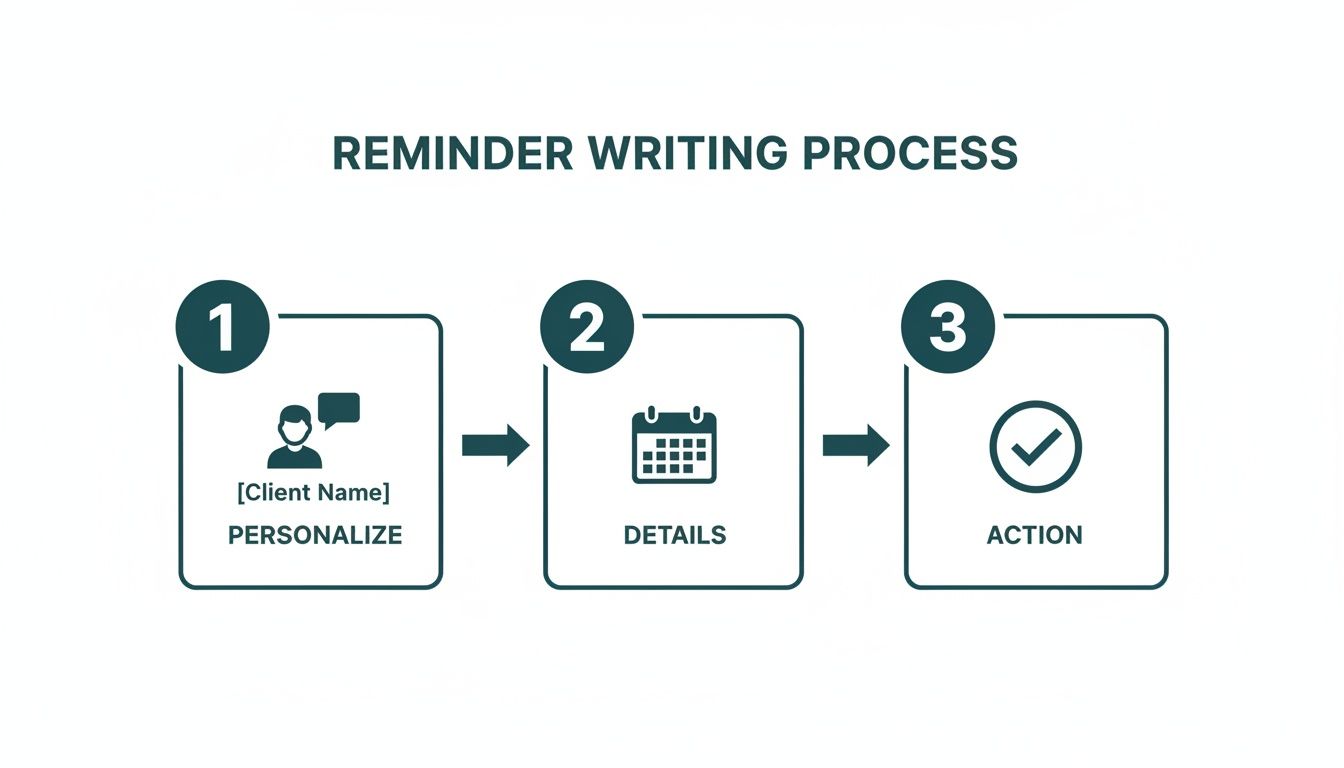
As you can see, a great reminder just needs to balance a personal touch, clear details, and a simple call to action. Get those three things right, and you'll get results.
Building Smarter Automation Logic
True automation is more than just sending messages on a schedule; it's about handling the replies intelligently. This is where your system goes from a simple notifier to a dynamic, self-managing assistant.
Imagine a client replies 'YES' or 'C' to confirm, and your CRM or calendar instantly gets updated with a "Confirmed" tag. This is completely doable with integration tools like Zapier or Make.com.
You can build simple "if-then" logic to handle almost anything. For example: IF an incoming text from a client contains the word "cancel," THEN create a task for your team to follow up personally. This ensures no request ever slips through the cracks.
Managing opt-outs is another critical piece of the puzzle. Any reputable SMS provider will automatically handle replies like 'STOP' or 'UNSUBSCRIBE' to keep you compliant with regulations.
You should also have a plan for failed messages. It’s smart to set up a notification for yourself or your team if a text doesn't go through. That way, you can follow up manually and make sure no client is ever missed because of a technical glitch.
Staying Compliant and Measuring Your Success
Flipping the switch on your auto text appointment reminders is a huge win. But don't pop the champagne just yet. Two things often get pushed to the side in the excitement: staying on the right side of the law and actually knowing if your new system is making a difference.
Getting compliance wrong isn't just a slap on the wrist; it can seriously damage the trust you've worked so hard to build with your clients.
The Golden Rule: Get Permission First
Let's cut to the chase. In the United States, the big one you need to know is the Telephone Consumer Protection Act (TCPA). The TCPA is crystal clear on one thing: you absolutely must get explicit, written consent from a client before you fire off any automated text messages their way.
This isn't as complicated as it sounds. A simple checkbox on your intake or booking forms does the trick. Something like, "I agree to receive text reminders for my appointments," is all you need. It’s a small step that protects your business and shows your clients you respect their privacy.
Measuring What Actually Matters
With your system running smoothly and compliantly, it's time to figure out if it's actually working. How do you know if you’re getting a return on your effort? You need to watch a few key metrics to get the full story and spot where you can do better.
The real goal isn't just to send texts. It's to slash your no-show rate. Every other number you track should ultimately tie back to this one core objective. Keep your eye on the prize, and you'll see a real impact on your bottom line.
To help you get started, we've put together a table of the most important metrics to keep an eye on.
Key Metrics for Your Reminder System
Focus on these performance indicators to understand and optimize your automated text reminders.
| Metric | What It Measures | Why It Matters to You |
|---|---|---|
| Delivery Rate | The percentage of messages that successfully reach your clients' phones. | A low rate can flag problems with your contact list's quality or even your SMS provider. It's the first step—if they don't get the message, nothing else matters. |
| Confirmation Rate | The percentage of clients who reply to confirm their appointment (e.g., by texting back "C"). | This is a direct signal of client engagement. A high confirmation rate is a fantastic predictor of who will actually show up. |
| No-Show Rate | The percentage of confirmed appointments that still result in a no-show. This is your ultimate success metric. | You need a "before" and "after" number here. Tracking the drop in no-shows proves the direct financial impact and ROI of your reminder system. |
By regularly checking these numbers, you move from "I think this is working" to "I know this is working, and here's by how much."
Tweak, Test, and Improve
Your first setup is just your starting line. The best reminder systems are living things, constantly being tweaked and improved based on real-world feedback. The easiest way to do this? A/B testing.
It’s simpler than it sounds. Try sending one version of a reminder to half your clients and a slightly different version to the other half. You could test things like:
- Sending a reminder at 10 AM vs. 6 PM
- Using a formal tone vs. a more casual, friendly one
- Including the staff member's name vs. just the business name
Give it a few weeks, then compare the confirmation and no-show rates for each group. This kind of data-driven approach removes all the guesswork. You’ll know exactly what works best for your specific clients, helping you refine your messaging and timing for even better results.
If you want to dive deeper, you can learn more about different types of auto reminders and how to optimize them in our detailed guide.
Common Questions About Appointment Reminders
Even with the best system in place, questions always pop up. When it comes to auto text appointment reminders, I've seen business owners and freelancers run into the same practical hurdles over and over again.
Getting these little details right is what separates a smooth, professional operation from one that feels clumsy. Let's clear the air on some of the most common concerns we hear.
How Much Do Auto Text Reminder Services Cost?
It’s way more affordable than you probably think, and certainly a lot cheaper than the cost of a single no-show. Most services you'll find use one of two pricing models:
- Pay-as-you-go: This is perfect if your appointment volume goes up and down. You just pay a few cents for each message you send, giving you total flexibility.
- Monthly Plans: If your schedule is more predictable, monthly plans are the way to go. They often start around $10-$30 per month and usually include a set number of texts and perks like a dedicated business number.
The trick is to get a rough estimate of your monthly appointment count and pick a plan that matches. This way, you’re not overpaying for stuff you don’t need.
Should I Use My Personal Number for Reminders?
I know it's tempting, but please don't. Using a dedicated business number from a service like Twilio or SimpleTexting is a much, much smarter move.
For one, it keeps your personal and work lives separate, which is just good for your sanity. It also looks way more professional to your clients. But the most critical reason is that it prevents your personal number from getting flagged as spam by phone carriers and helps you stay on the right side of messaging regulations.
If you want to dig deeper into the best practices for business texting, you can find a ton of great articles on industry blogs like the padpulse blog for more insights.
What Is the Best Way to Get Consent from Clients?
Getting clear, written permission before you send any automated texts is not optional. It's a must. This covers you legally and, just as importantly, builds trust by showing clients you respect their privacy.
The easiest way I've found to handle this is by adding a simple checkbox to your online booking or client intake form. Just add some straightforward language like, "I agree to receive text reminders for my appointments."
What about your existing clients? A simple, one-time text asking them to opt-in works great. The golden rule is to never assume you have permission. Always make it a clear choice for them.
How Do I Handle Rescheduling Requests by Text?
This really comes down to your automation setup. With a more basic system, you'll likely have to jump in and handle these replies by hand, which can eat up your time pretty quickly.
A much better approach is to guide the client right in the reminder message itself.
For instance, you could include a simple line like, "To reschedule, please call our office or visit [Your Booking Link]." More advanced systems can even spot keywords like "reschedule" and automatically fire back a text with the booking link. This is a game-changer because it not only saves you time but gives your clients a super fast and easy way to manage their appointments on their own terms.
Ready to create a simple, stress-free system for your recurring tasks and reminders? With Recurrr, you can automate your routines without the complexity of bulky software. It's the hidden gem that helps you stay on track. Start automating with Recurrr today.