

Let's be honest, juggling appointments, deadlines, and household tasks can feel like a constant battle against your own calendar. We've all been there. The simple fix? Automatic text reminders. Think of them as your secret weapon for productivity, cutting through the noise way more effectively than an email you'll ignore or a calendar pop-up you'll swipe away.
The Underrated Power of Automatic Text Reminders
In a world overflowing with notifications, the humble SMS message really stands out. It's direct, it's personal, and it gets seen. While emails can sit unread for hours and app alerts get dismissed without a second thought, a text message feels immediate. It's a tiny productivity hack that works silently in the background, freeing up your mental energy for what actually matters.
The goal isn't to add another complicated system to your life. Not at all. It's about using an "invisible tool" to automate the small but critical pings that keep your life—and business—on track. Maybe you're a freelance designer who never wants to miss a client check-in, or a team lead who needs to keep projects moving with automated nudges. To see just how powerful this can be, it's worth understanding how light-touch text message automation can even help convert leads faster.
Why Is a Simple SMS So Effective?
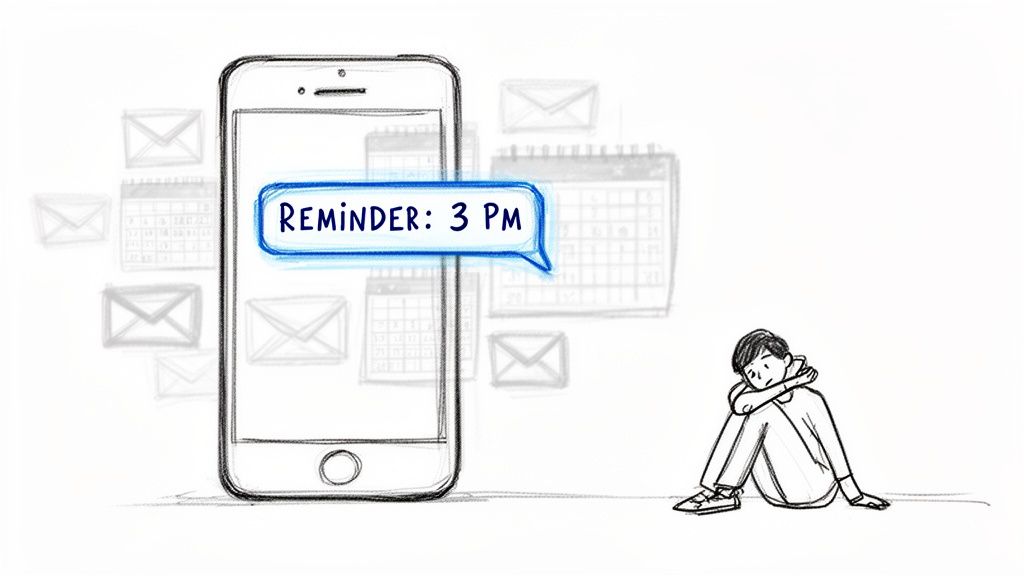
The real-world impact of a simple, automated text is huge, especially for any business that relies on appointments. Imagine slashing no-shows at your salon or clinic by nearly 40% just by sending a timely SMS. That's not a hypothetical—it's the reality of this direct communication channel.
In fact, industry reports show that businesses see a massive 38% reduction in no-shows when they start using SMS reminders. This isn't just a small-town trend; its power is proven across all sorts of different markets worldwide.
So why do texts work so well when other notifications fall flat? It really comes down to a few core advantages:
- Insanely High Open Rates: Unlike emails, which might get opened... eventually... texts are read almost instantly. Your message gets seen, period.
- Direct and To-the-Point: SMS forces you to be brief. You deliver the essential info without any fluff, which people appreciate.
- Built for Action: A well-crafted reminder naturally prompts an immediate response, like a quick "C" to confirm or a call to reschedule.
By automating these small interactions, you reclaim valuable time and reduce the mental load of remembering every little detail. It’s about creating a system that supports your goals without demanding constant attention.
Email Reminders vs Automatic Text Reminders
You might be thinking, "Can't I just use email?" You could, but you'd be missing out on the immediacy that makes text reminders so effective for time-sensitive stuff. Let's break down the difference.
| Metric | Email Reminders | Automatic Text Reminders |
|---|---|---|
| Open Rate | Around 20-30% on a good day. | A staggering 98%, often within minutes. |
| Response Time | Can be hours or even days. | Typically within 90 seconds. |
| Visibility | Easily lost in a crowded inbox or spam filter. | Sits on the phone's lock screen; hard to miss. |
| Conciseness | Often longer, with more formatting and noise. | Short, sweet, and to the point (160-character limit). |
| Best For | Detailed information, newsletters, non-urgent updates. | Urgent alerts, appointment confirmations, time-sensitive tasks. |
The numbers don't lie. For anything that requires a timely action or acknowledgment, SMS is the clear winner.
From Personal Tasks to Professional Workflows
The beauty of automatic text reminders is how incredibly versatile they are. They can fit into just about any routine you can think of.
For your personal life, they can be gentle nudges for building new habits, paying bills on time, or remembering to take the trash out. If you're looking for inspiration, you can find more ideas for putting automatic reminders to work in your daily life.
For professionals and teams, they're a game-changer for coordination and efficiency. A property manager can automate rent reminders. An accountant can make sure clients submit documents on time. A small team can coordinate recurring tasks without the constant back-and-forth.
Each scenario highlights the core benefit: reducing friction and ensuring the important things get done, on time, every single time. And this guide will show you exactly how to set that up for yourself.
Building Your Reminder Strategy From the Ground Up
Before you fire off your first automatic text reminder, a little bit of planning will save you a world of headache later. Seriously. A system that works for you, not against you, starts with a clear blueprint.
The very first thing you need to pin down is your goal.
What exact problem are you trying to solve here? Nailing this down will shape every other decision. Are you trying to slash the number of costly appointment no-shows? Or maybe you're a freelancer who just needs clients to pay their invoices on time without you having to chase them down.
It could even be something as simple as coordinating team tasks or household chores more effectively.
Your objective dictates everything—the tone of your reminders, how often they go out, and who gets them. A text to a client about a past-due invoice is going to have a completely different vibe and urgency than a friendly nudge for a team member about their weekly report.
Choosing the Right Tool for the Job
Once you've figured out your "why," it's time to find the right tool. The market is flooded with options, from massive enterprise platforms to tiny, single-purpose apps. The trick isn't finding the one with the most bells and whistles; it's finding the one that fits your specific need without adding a bunch of complexity you'll never use.
You can pretty much lump all the solutions into two buckets:
- Large-Scale Marketing Platforms: Think of tools like Twilio or SimpleTexting. These are absolute powerhouses, built for high-volume marketing campaigns, deep analytics, and complex integrations. If you're a large clinic or a retail business sending thousands of messages, this is your jam.
- Focused Productivity Tools: On the other end of the spectrum, you have what I like to call "invisible tools." These are small productivity hacks designed for one specific purpose. For an individual or a small team, an enterprise platform is total overkill—it’s like using a sledgehammer to hang a picture frame.
A lightweight tool like Recurrr shines in this space. It's a hidden gem you can use alongside your other project management or CRM tools. It's built for simple, repeating routines without the enterprise-level price tag or steep learning curve. The perfect fit if your main goal is just to automate recurring activities for yourself or a small group. You can see more about how this works for recurring task management in our detailed guide.
The best tool is the one that solves your problem with the least amount of friction. Don't pay for a dozen features you'll never use. Match the tool to the task at hand.
The Non-Negotiable Step: Compliance and Consent
Okay, this part is crucial. Before you set anything up, you have to understand the rules of the road. Firing off unsolicited texts is a surefire way to annoy people and, depending on the context, land you in some legal hot water.
The golden rule is consent.
For any kind of business use—appointment reminders, marketing messages, you name it—you absolutely must have explicit permission from someone before adding them to an automated text list. Regulations like the Telephone Consumer Protection Act (TCPA) in the U.S. are incredibly strict about this.
This is less of a legal minefield for personal reminders or internal team messages, but the principle of respect still stands. Always make sure the people on the receiving end have agreed to it and know what to expect. No one likes surprise texts.
Here's what you need to remember to stay compliant and effective:
- Get Clear Permission: Always, always get an opt-in before sending automated business texts.
- Be Transparent: Tell people what kind of messages they'll get and roughly how often.
- Provide an Easy Opt-Out: Every single message should include a simple way to unsubscribe, like replying "STOP."
By defining your goal, picking the right-sized tool, and respecting consent, you're building a solid foundation for a reminder system that people will actually find helpful, not annoying.
How to Write Reminder Messages People Actually Read
The gap between a reminder that works and one that’s swiped away is surprisingly small. It often comes down to a few well-chosen words. Nailing the perfect automatic text reminder isn't about being clever; it’s about being clear and respecting the other person's time.
Think about it. We're all drowning in notifications. To cut through the noise, your message has to be scannable in a split second. The old-school 160-character limit for a single SMS is actually a great constraint—it forces you to be brutally efficient. No fluff allowed.
Next, get right to the point. Your reminder must instantly answer a few basic questions: Who is this from? What’s this about? When and where? And what do I need to do? If they have to puzzle it out, you've already lost.
And finally, a little personalization goes a long way. Just using someone’s first name can transform a robotic alert into a helpful, human nudge. It’s a tiny detail that makes a huge difference in whether people actually pay attention.
Core Components of an Effective Reminder
No matter what you're reminding someone about, a handful of elements are non-negotiable. Get these right, and you're 90% of the way there.
- Clear Identification: Always say who you are. A message from an unknown number is a fast track to being ignored or, worse, blocked.
- The Bare Essentials: Include the exact date and time. If it's an appointment, add the location or a virtual meeting link. Don't make them hunt for it.
- Specific Purpose: Be crystal clear about why you're texting. "Your dental cleaning," "Invoice #123 due," or "Weekly team sync" leaves zero room for doubt.
- A Clear Call to Action (CTA): Tell them what to do next. "Reply C to confirm," "Click here to pay," or "Please add your updates to the doc."
The real goal here is to completely eliminate the mental load for the recipient. A great reminder lays everything out so they can understand and act on it in a single glance.
Finding the Right Tone
Tone is everything. A text about a late payment for a client needs a different vibe than a reminder for your partner to pick up milk on the way home. It sounds obvious, but it's amazing how often people get this wrong.
For anything professional, stick to a polite, direct, and firm tone. Skip the casual slang or emojis unless you're absolutely sure it fits your brand's personality. You want to sound helpful, not unprofessional.
When it comes to personal reminders or internal team messages, you can loosen up. A bit of warmth or humor can make a nudge feel like a friendly tap on the shoulder instead of a demand. The context and your relationship with the person should always guide your tone. While SMS is short, you can borrow a lot of the same principles from well-structured meeting reminder email samples and just distill them down.
SMS Reminder Templates for Every Common Scenario
Having a few go-to templates is one of the best productivity hacks out there. You write them once, plug them into an automation tool, and let them run in the background. This is where an "invisible tool" like Recurrr really shines—you set up these repeating messages and can completely forget about them.
Here’s a quick-start guide with some templates you can steal and tweak.
| Use Case | Template Example | Key Elements |
|---|---|---|
| Professional Appointment | Hi [Name], this is a reminder of your appointment with [Business Name] on [Date] at [Time]. Please reply C to confirm. Thanks! | Recipient's name, business name, clear date/time, confirmation CTA. |
| Gentle Payment Nudge | Hi [Name], just a friendly reminder that invoice #[Number] for [Amount] is due on [Date]. You can pay online here: [Link]. Thank you! | Polite opening, invoice details, due date, easy payment link. |
| Recurring Team Task | Team reminder: The weekly performance report is due by EOD Friday. Please submit your updates in the shared drive. Let's finish strong! | Group address, clear task and deadline, location, encouraging tone. |
| Household Chore | Hey! Friendly reminder that it's your turn to take out the recycling tonight. Thanks for helping keep things tidy! | Casual greeting, specific chore, positive framing. |
| Personal Habit | Your 10 AM reminder to stand up, stretch, and grab some water. Your future self will thank you! | Time-based trigger, simple action, motivational message. |
These are just a starting point. Feel free to adjust the language to fit your own voice and situation. Once you have a handful of solid templates ready to go, you’ll have an automated system that ensures your reminders are always helpful, read, and acted upon.
Setting Up Your Automated Reminder Workflow
Alright, you've got your strategy and your message templates are ready to go. Now for the fun part: making it all happen automatically. This is where we build the engine that runs your reminder system, turning your plan into a true 'set it and forget it' workflow.
At its core, any automation like this boils down to two simple things: a trigger and an action. The trigger is the event that starts the countdown—someone booking an appointment, a bill's due date appearing on the calendar, you name it. The action is the text reminder that zips out as a result.
The first big decision is how you'll manage those triggers. Are you going to hook a tool into something you already use, like your Google Calendar or CRM? Or do you need a standalone system where you build the routines from scratch? For things like appointment confirmations, integration is your best friend. But for recurring team tasks or personal habits, a dedicated tool often gives you cleaner, more direct control.
Defining Your Triggers and Frequency
Triggers can be almost anything, but they usually fall into one of two buckets: date-based or event-based. A date-based trigger is simple—it fires on a specific day, like sending a "rent is due" text on the first of the month. An event-based trigger is smarter; it's tied to something else happening, like sending a confirmation text the second a client books a time slot with you.
Once you know what will kick things off, you have to decide on the timing. This is the art and science of being helpful without being annoying. A single heads-up 24 hours before a meeting might be perfect. But for something more involved, like onboarding a new hire, you might need a whole sequence of messages.
Here are a few common setups I see all the time:
- One-Time Reminders: The classic. Sent a specific time before a single event, like 48 hours before a dentist appointment.
- Recurring Reminders: The workhorse for habits and routines. Think every Monday at 9 AM for a team check-in, or the last Friday of each month for expense reports.
- Sequential Reminders: A little more advanced. This is a series of messages that follows an initial trigger. For example, a new customer gets a welcome text, a 7-day check-in, and a 30-day feedback request, all kicked off by their sign-up.
When you actually write the reminder, just remember this simple three-part formula: keep it short, give the essential details, and tell them what to do next.
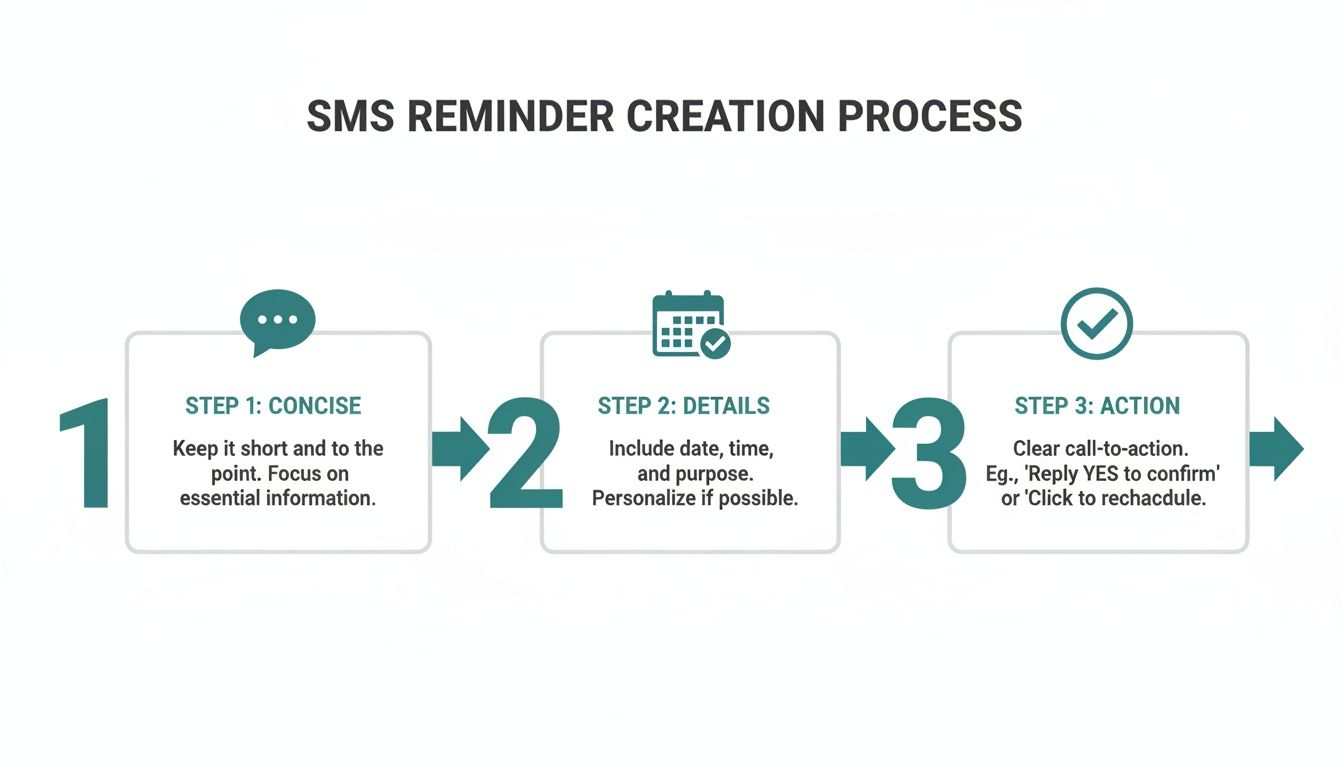
This little flow chart just hammers home the point: efficiency is everything. Each step builds on the last to create a message that people can understand and act on in seconds.
The Power of Standalone 'Invisible Tools'
Connecting your reminder system to a massive CRM or calendar is powerful, sure, but it can also be a headache. For a lot of personal and small-team scenarios, that's just overkill. This is where a focused, standalone tool becomes your secret weapon.
Instead of wrestling with complex integrations, a tool like Recurrr lets you build your routines directly. You define the task, set the schedule, and write the message, all in one spot. It's perfect for managing all the little things that don't live on a calendar.
Things like:
- Household Routines: A weekly text to the family: "Hey, it's trash night!"
- Personal Habits: A daily reminder to yourself to stretch or practice Spanish for 15 minutes.
- Team Coordination: A bi-weekly nudge for everyone to update their project boards.
This approach gives you total control without the technical overhead. If you want to go a bit deeper on how these systems work under the hood, we've got a great guide on what is workflow automation that breaks it all down. The beauty here is the simplicity—you build it once, and it just works.
A well-designed workflow doesn't just send messages; it reduces mental friction. It automates the small, repeatable communications that consume your time and energy, freeing you to focus on more important work.
Advanced Tips for a Smarter Workflow
Once you have the basics down, you can start adding some smarter layers to make your workflow even better. A truly great system doesn't just run on a loop; it can adapt to real-life chaos without needing a complete teardown.
Look for flexible controls. A good system should let you easily pause, skip, or reschedule a reminder without having to delete the whole routine. This is a lifesaver when a team member goes on vacation, a project gets delayed, or a client needs to reschedule. Without that flexibility, your "helpful" automation quickly becomes a source of frustration.
Another pro move is to create dynamic message sequences. Instead of just one reminder, you can build a multi-step cadence. For example, a client with an overdue invoice could get a gentle nudge first, then a more direct message a week later if it's still unpaid. This tiered approach gets better results while keeping your tone professional.
By nailing your triggers, picking the right tool for the job, and adding in some smart controls, you can build an automatic text reminder system that genuinely gives you time and mental energy back.
How to Measure and Optimize Your Reminder System
An automated system is only useful if it’s actually working. Firing off automatic text reminders is a great start, but the real gains come when you start tracking what happens next and making small, smart tweaks. This is how you turn a simple tool into a powerhouse process that saves you time, money, and headaches.
You don't need a complicated analytics dashboard to figure this out. The trick is to focus on a few numbers that directly tie back to your original goal. Are you seeing fewer no-shows? Are late payments dropping? That’s your north star.
Key Metrics That Truly Matter
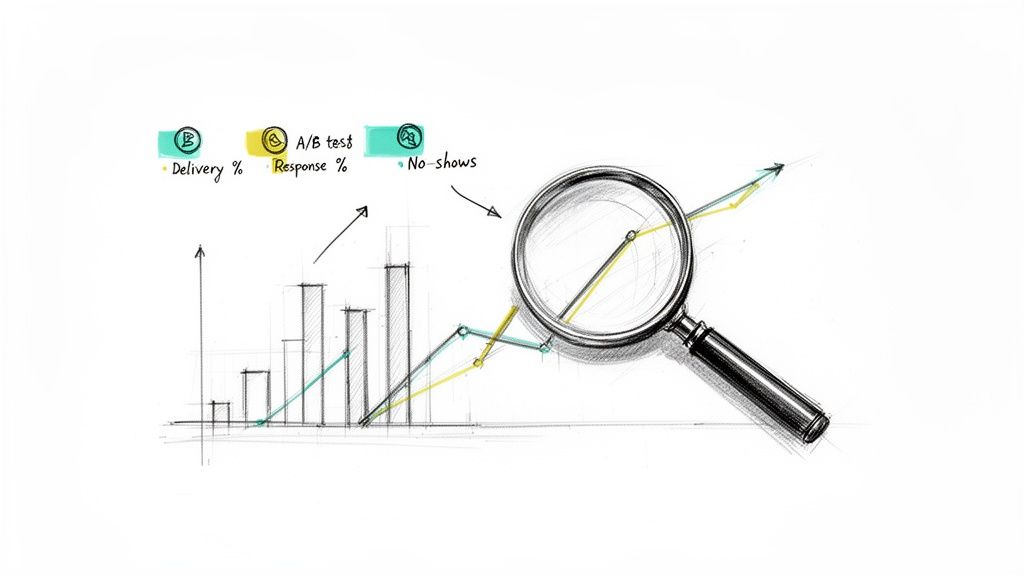
To know if your reminders are hitting the mark, you need to know what to look for. Forget the fluff and focus on the numbers that show real-world impact. These metrics tell you a story about how your messages are being received and whether they’re getting people to act.
Here are the essentials I always keep an eye on:
- Delivery Rate: What percentage of messages actually made it to someone's phone? If this number is low, you might have a problem with your contact list—think typos or old numbers.
- Response Rate: How many people are replying, especially if you ask them to (e.g., "Reply C to confirm")? This is a dead-simple way to see who's paying attention.
- Click-Through Rate (CTR): If you've included a link to pay an invoice or get directions, this tells you how many people are actually clicking it. It’s a great measure of intent.
- Goal Conversion Rate: This is the big one. It measures the direct impact on what you were trying to fix in the first place. Did your no-show rate drop? By how much? Did on-time payments go up?
Measuring success isn't just about sending texts; it's about seeing a direct, positive change in the outcome you care about most. If your no-shows drop by 25%, that’s a clear win.
Running Simple A/B Tests for Better Results
Once you know your baseline, it's time to start tinkering. A/B testing sounds technical, but it’s really not. All you do is create two slightly different versions of your reminder, send them to two different groups, and see which one does better. It's that simple.
You can test just about any part of your message to see what resonates.
What to A/B Test in Your Reminders
| Element to Test | Example A | Example B |
|---|---|---|
| Timing | Send a reminder 24 hours before an appointment. | Send a reminder 48 hours before an appointment. |
| Wording & Tone | "Your appointment is scheduled for [Date] at [Time]." | "Hi [Name], just a friendly reminder about your appointment on [Date] at [Time]!" |
| Call to Action | "Reply C to confirm." | "Please call us at [Number] if you need to reschedule." |
| Personalization | A generic reminder to the team. | A reminder that includes the team member's name. |
Run these little experiments, watch your key metrics, and then roll out the winner to everyone. This habit of continuous improvement is what keeps your system effective over the long haul.
This optimization mindset is becoming standard practice. The SMS marketing world is projected to hit $18.6 billion by 2030, and a huge part of that is driven by automated reminders that just plain work. With response rates often hitting over 45%—absolutely crushing email's average of 6%—it’s no wonder everyone is paying attention. It’s why automation adoption is expected to jump by 30-40%, with everyone from solopreneurs to massive companies using tools to dial in their routines. You can dig into more data on why SMS marketing is growing so rapidly.
Gathering and Acting on Feedback
Finally, don't forget the human element. Data tells you what's happening, but feedback from real people tells you why. Are your reminders too early? Too late? Is the wording confusing? The answers can give you insights that numbers alone never will.
You can get feedback just by asking, or even by just paying attention. If three different people call with the same question after getting a reminder, that’s your cue that the message is missing something important. Listening and adjusting your templates based on this kind of real-world input is one of the most powerful moves you can make.
Got Questions About Automatic Text Reminders? We've Got Answers.
Even with a solid plan, jumping into the world of automatic text reminders can feel like you're missing a few pieces of the puzzle. Let's tackle the most common questions we hear, so you can build your system with total confidence.
What Is the Best Tool for Sending Automatic Text Reminders?
The honest answer? It really depends on what you're trying to do. This isn't a one-size-fits-all game.
If you're a big business sending thousands of marketing texts and need to track every last click, a heavy-hitter platform like Twilio or SimpleTexting is probably your best bet. They're built for massive scale and offer deep, complex customization.
But for individuals, freelancers, or small teams who just need simple, reliable, repeating reminders? Those enterprise solutions are total overkill. You'll be paying for features you never touch and wrestling with a steep learning curve.
That’s where a "small productivity hack" comes in handy. A lightweight, focused tool like Recurrr is designed from the ground up to automate repeating messages without the bloat of a full-blown marketing suite. It's the kind of invisible tool that you can use in addition to your main project management app or calendar.
The key is to match the tool to the task. Use a big solution for big problems, but lean on a simple, invisible tool to manage your personal and team routines without the fuss.
How Much Do Automatic Text Reminder Services Cost?
The price tags on these services are all over the map, so it pays to know what you're getting into. The cost almost always reflects who the tool is built for.
- Enterprise Platforms: These guys often have a monthly subscription ($20 to $50 and up) plus a small fee for every single message you send. That's great if you're sending in bulk, but the costs can creep up fast if you're just sending a handful of reminders.
- Productivity-Focused Tools: On the other hand, services built for getting things done might bundle reminders into a broader subscription. A specialized app, for instance, might see automated notifications as a core feature to keep your routines on track, not an expensive add-on.
My advice? Always look for a free trial or a flexible pay-as-you-go plan. It lets you test drive the service to make sure it clicks with your workflow and budget before you lock into a long-term plan.
Are Automatic Text Reminders Legal to Send?
Yep, they're completely legal—but you absolutely have to play by the rules. In the United States, the big one to know is the Telephone Consumer Protection Act (TCPA).
The golden rule is consent.
You must have clear, documented permission from someone before you send them automated marketing texts. For functional messages, like appointment reminders, consent is often implied when a customer hands over their phone number. Still, the best practice is to always be upfront about how you'll use it.
And critically, you have to give people an easy way to opt out. That "Reply STOP to unsubscribe" message is non-negotiable.
Now, these strict rules don't typically apply to personal reminders you set for yourself or internal pings for your team. Even so, the principle of respect still stands—don't automate texts to anyone who hasn't agreed to get them.
Can I Automate Reminders From My Personal Phone Number?
You might find some apps that claim they can do this, but for any kind of professional use, it's a really bad idea. Trying to automate from your personal number opens a can of worms.
For starters, it can look unprofessional and chip away at client trust. Your personal number also lacks the must-have features of a real service, like proper scheduling, templates, and—most importantly—a compliant way to handle opt-outs.
You could even end up violating your mobile carrier's terms of service, which often forbid using personal lines for automated business stuff.
Dedicated services use registered, verified numbers that guarantee high deliverability and keep you on the right side of the law. For purely personal reminders with family and friends, your phone's built-in calendar or reminder app is usually the simplest and best way to go.
Ready to stop chasing deadlines and let automation handle your routines? Recurrr is the simple, powerful tool designed to put your repeating tasks on autopilot. Set up your first reminder in minutes and feel the freedom of a 'set it and forget it' workflow. Start your free trial at https://recurrr.com and reclaim your focus today.