

Think about it for a second. How much of your day is spent just trying not to forget things? Pay the electric bill. Send that weekly report. Pick up the dry cleaning. Follow up with a client.
An automatic reminder is basically a digital tap on the shoulder for all those repeating tasks. It's a simple system you set up once to send you notifications for recurring events or to-dos, so you never have to think about them again. It's your personal assistant, minus the coffee runs.
The Power of Putting Your Brain on Autopilot
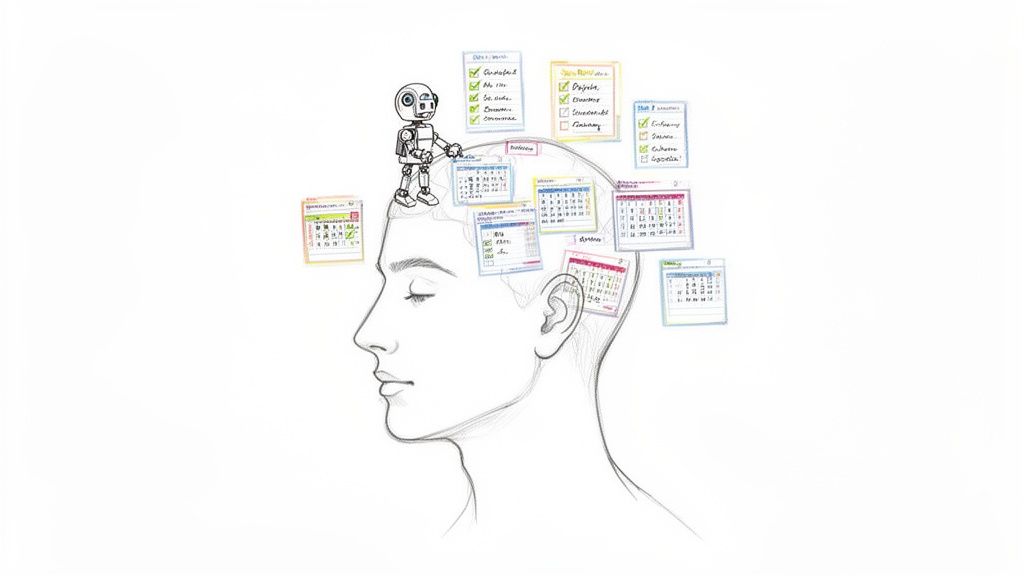
Imagine if you could hire someone to handle the most boring—but essential—part of your job: remembering. That's exactly what automatic reminders do. They become a tireless assistant for your brain, taking over the mundane mental work so you can focus on what actually matters.
Our brains are incredible at solving complex problems and coming up with creative ideas. But remembering to do the same thing every Tuesday at 10 AM? Not so much. That mental effort, often called cognitive load, is the energy we burn just trying to keep track of all our deadlines, appointments, and obligations. Automating these little pings frees up a surprising amount of brainpower.
Reclaiming Your Focus and Energy
When you set up an automatic reminder, you're essentially outsourcing the responsibility of remembering. Whether it's a ping to pay a monthly bill, an alert to submit your team's weekly stats, or a buzz to take your vitamins, the system has your back.
This isn't just about getting more stuff done. It's about reclaiming your mental clarity. Instead of your mind being cluttered with a dozen tiny logistical details, you can dedicate that energy to deep work, creative thinking, or strategic planning. The result is pretty powerful: less stress and more meaningful progress.
This small tweak is a cornerstone of a much larger strategy for working smarter. If you're curious how this fits into the bigger picture, you can dive deeper into our guide on what is workflow automation and its benefits.
Core Benefits of Automatic Reminders at a Glance
The beauty of this simple productivity hack is how it ripples across both your personal and professional life. By setting up these simple, repeatable pings, you build a reliable structure that supports your goals without needing constant babysitting. It's an invisible engine humming along in the background.
Here’s a quick snapshot of the key advantages that automatic reminders bring to the table.
| Area of Application | Primary Benefit | Example |
|---|---|---|
| Personal Productivity | Reduces Mental Clutter | No more waking up in a panic wondering if you paid the rent. |
| Team Management | Increases Consistency | Weekly reports get submitted on time, every time, without nagging. |
| Financial Management | Avoids Late Fees | Automated alerts for bill due dates prevent costly mistakes. |
| Habit Building | Lowers Stress Levels | Eliminates the anxiety of forgetting, helping build routines calmly. |
Ultimately, it all comes down to creating a system that works for you, so you don't have to. It's about building a more organized, less stressful way to operate, one automated notification at a time.
How Automatic Reminders Actually Work
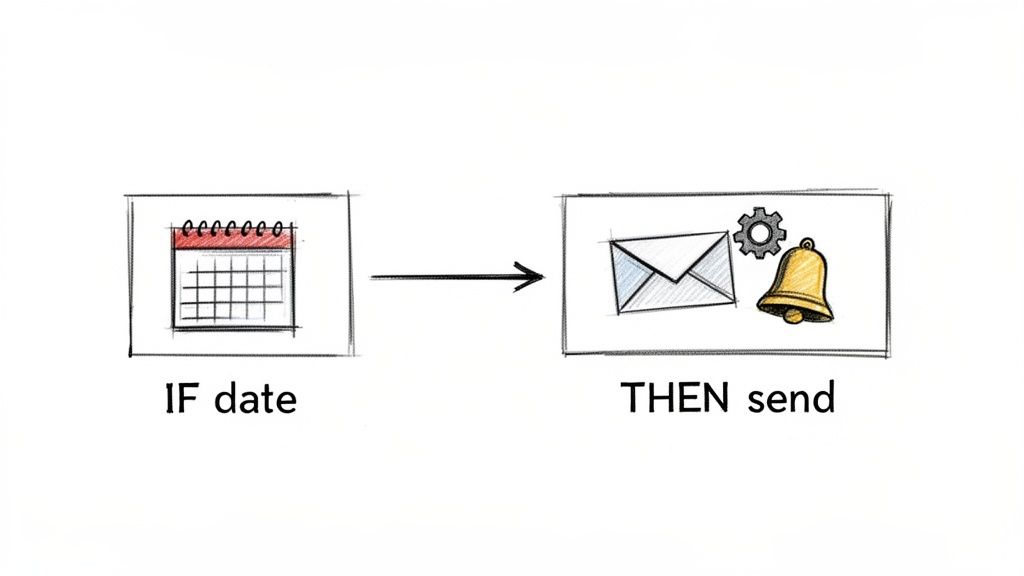
Ever wonder what happens behind the scenes when a notification pops up at the exact right moment? The magic behind automatic reminders is surprisingly simple. At its core, every reminder runs on a basic principle called the trigger-action model.
It’s just a straightforward way of saying, "If this happens, then do that."
Think of it like setting up a simple rule for a smart home device. "IF I leave the house, THEN turn off the lights." Reminder systems work the same way, constantly watching for the "if" condition. Once that condition is met, it carries out the "then" command without you lifting a finger.
This simple "if-then" logic is the engine powering everything from a basic birthday alert to complex team workflows. A freelancer might set up a rule: IF the date is the 15th of the month, THEN send an invoice reminder to a client. Simple, but incredibly effective.
Breaking Down the Core Components
No matter what software you use, every automatic reminder is built from three fundamental pieces. Once you understand these, you can set up and customize any notification you can think of.
These three parts are the building blocks that create a reliable system to do the repetitive work for you. Let's pull them apart:
- The Trigger: This is the "if" part of the equation—the specific condition that kicks things off. Triggers are usually based on time, like a specific date, a recurring day of the week, or an interval (think: every Monday at 9 AM).
- The Action: This is the "then" part. It’s what the system does once the trigger is activated. The action is the notification itself, whether that’s sending an email, pushing an alert to your phone, or creating a task in your to-do app.
- The Content: This is the actual message inside the reminder. It’s the critical info that tells you (or someone else) what to do. Good content is clear and actionable, like "Submit weekly timesheet" or "Follow up with the design team."
A well-crafted automatic reminder isn't just a notification; it's a pre-programmed decision that removes a small piece of cognitive load from your day. It’s the digital equivalent of tying a string around your finger, but far more reliable.
For instance, a student could automate their study schedule. The trigger might be "Every Sunday at 7 PM," the action would be "Send an email," and the content could be "Plan your study sessions for the upcoming week."
Getting the hang of this structure is the key to automating countless routines in your life and work. You can see more examples in our guide on how to send recurring emails.
Why Your Workflow Needs Automation Now
Let's be honest, the move toward automation isn’t some passing trend. It's a fundamental shift in how successful people and teams actually get things done. Thinking about automatic reminders as just a neat productivity hack is old news; it's now a core strategy for anyone who wants to stay on top of their game.
We're all drowning in demands on our time and attention. Trying to manually track every single repeating task is not just inefficient, it's a recipe for disaster. Automation is your safety net. It guarantees consistency and, more importantly, frees up your brainpower for work that actually matters. This is how pros manage complex projects and coordinate teams to deliver results on time, every time.
The New Standard for Getting Things Done
The proof is in the numbers. Automation is quickly becoming the default way to operate.
Just look at the explosion in marketing automation software, which runs on reminder-based systems. A platform called HighLevel, for example, grew from only 6 tracked installations in January 2020 to over 27,864 by January 2024. This isn't an outlier. Broader data shows that 96% of marketers either use or plan to use a marketing automation platform, and 75% of companies say it's directly relevant to their business.
This isn't just a marketing thing, though. It reflects a massive shift across all industries. To really get why this matters for your workflow, it helps to understand how automated workflows improve business efficiency on a larger scale.
The question is no longer if you should automate, but what you should automate first. Starting with small, recurring reminders is the easiest and most impactful way to begin.
Beyond Individual Productivity
Getting your own tasks in order is one thing, but automation's real magic happens when you bring it to a team.
Think about all those recurring tasks like weekly updates or project check-ins. When you automate them, you kill the need for constant manual follow-ups—the kind that can feel a lot like nagging. This simple change creates a more reliable and way less stressful environment.
Instead of wondering if something got done, everyone can trust the system. That reliability builds momentum and accountability without all the administrative headaches. If you're looking for the right tools to make this happen, check out our guide on the best workflow automation tools for small teams.
Ultimately, bringing automatic reminders into your workflow is a strategic move to work smarter, not harder. You're building a resilient system that supports consistent performance, cuts down on human error, and lets you and your team focus on the high-value work that actually drives progress. The evidence is clear: automation is the new baseline for getting things done.
Real-World Uses for Automatic Reminders
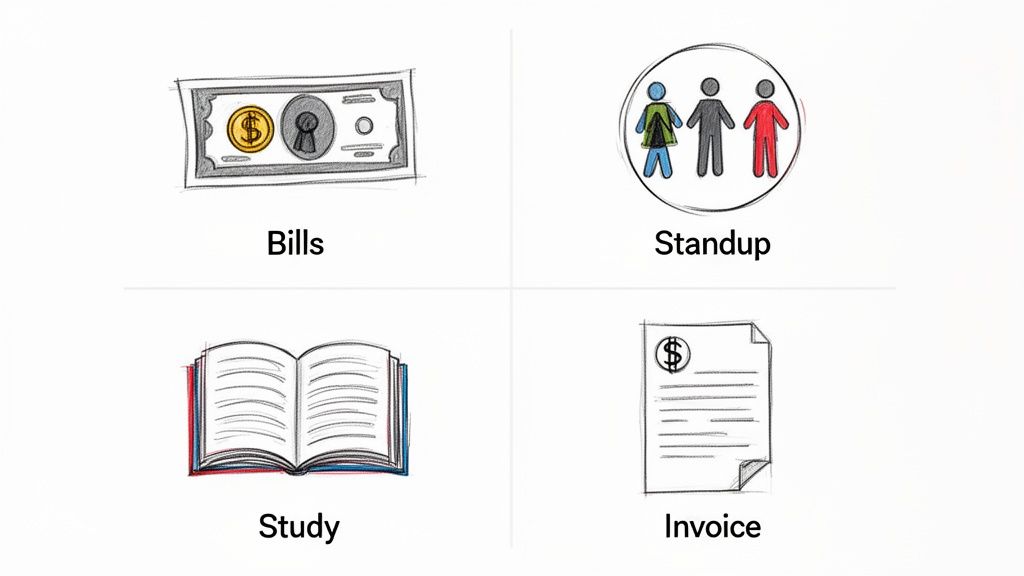
Theory is great, but the real magic of automatic reminders happens when you see them in action. These simple systems can slide into almost any part of your life or work, solving those nagging little problems with a "set it and forget it" approach.
Let's dig into a few practical, real-world examples you could set up today. My goal here is to show you just how versatile these tools are—they're way more than just calendar alerts. They can become a core part of a much smoother workflow, and I want you to see exactly where automation could make the biggest difference for you.
For Personal Productivity
We're all juggling countless small, recurring tasks in our personal lives. Trying to track them all manually is a one-way ticket to stress and dropped balls. This is where automatic reminders are a game-changer, lifting that mental load right off your shoulders.
- Household Bill Management: Set up a reminder three days before each bill is due. No more late fees or frantic scrambles to find your login info. A simple nudge that says, "Pay the internet bill by Friday" is all it takes.
- Weekly Meal Planning: Get an automated ping on Sunday afternoon to plan your meals. This one little reminder kills the daily "what's for dinner?" headache and helps you stick to your budget and health goals.
- Building a Study Habit: Consistency is everything for students. An automatic reminder every weekday at 6 PM can be the cue to review class notes. It's a simple fix for the cramming cycle and builds much better long-term retention.
For Freelancers and Solopreneurs
When you're running your own show, you're wearing every hat—including bill collector and client manager. Automatic reminders are a freelancer's best friend for staying professional and keeping cash flow steady without sinking hours into admin.
One of the biggest pain points? Chasing down unpaid invoices. An automated system can handle this for you, delicately and effectively.
An automated reminder set to go out five days after an invoice is due can say, "Just a friendly follow-up on Invoice #123. Please let me know if you have any questions." This simple, non-confrontational nudge is often all it takes to get paid.
You can also automate client check-ins. Imagine a reminder popping up every month to send a quick "how are things going?" email. It strengthens relationships and often opens the door to new projects.
For Small Team Coordination
On a team, consistency is the glue that holds everything together. Automatic reminders make sure everyone is aligned on recurring tasks, freeing up managers from having to constantly chase people down.
- Weekly Stand-up Notifications: A reminder sent 15 minutes before the daily or weekly stand-up gets everyone there on time and prepared. Think of a simple Slack message: "Weekly stand-up in 15 mins! Be ready to share your updates." For more ideas, you can check out our guide on crafting effective meeting reminder email samples.
- End-of-Day Reports: An automated email at 4:30 PM every day can prompt team members to send in their progress notes. This simple action stops reports from being forgotten and keeps projects moving transparently.
To really get the most out of this, think about implementing a few key automations that can reshape your business operations. A great starting point is exploring these 7 Automations Every African Business Should Set Up. By starting with these small, repeatable wins, you build a foundation for a far more efficient and stress-free way of working.
Putting Automatic Reminders into Practice
Alright, let's move from theory to action. Getting started with automatic reminders doesn't mean you have to sign up for some massive, complicated project management suite and overhaul your entire workflow. The best way to start is usually much simpler.
Think of it like adding a small, powerful hack to your existing routine—an invisible assistant that just works. This is exactly where a focused tool like Recurrr comes in. It’s not trying to be an all-in-one behemoth; it’s a hidden gem designed to do one thing incredibly well: automate your recurring tasks and messages without adding any extra noise.
Setting Up Your First Automatic Reminder
Let's walk through a real-world example to see just how easy this can be. Imagine you want to set up a weekly check-in for your team to share their top priorities. This is the perfect job for automation because it’s a small, repetitive task where consistency is everything.
With a tool like Recurrr, you can get this done in about a minute. You just need a clear, actionable task in mind.
The screenshot below shows just how clean the interface is for creating a new routine.
As you can see, the whole point is simplicity. You can define what needs to happen and when, without getting lost in a maze of settings.
Defining the Core Components
Once you've got a name for your reminder, you just need to plug in the three core pieces we talked about earlier: the trigger, the action, and the content. This is where your reminder springs to life.
- Define the Task: Give it a simple name, something like "Weekly Team Priorities Update."
- Set the Frequency (Trigger): This is the when. You could set it to repeat every Monday at 9:00 AM, so the prompt lands in everyone's inbox right as the week kicks off.
- Customize the Notification (Content): Write a quick, direct message. Something like, "Hey team, time for our weekly priorities check-in! Please reply with your top three goals for the week."
A great automatic reminder is one you set up once and then completely forget about. You should be able to trust it to do its job, freeing you up to focus on things that actually require your brainpower.
Finally, you just assign the reminder to the right people, and that's it. The system takes over, sending the notification every week like clockwork, no nagging required. This one small action lifts the mental burden of remembering to chase people down and makes sure a crucial team ritual actually happens. It's a perfect example of a tiny productivity tweak that pays off in a big way.
Best Practices for Smarter Reminders
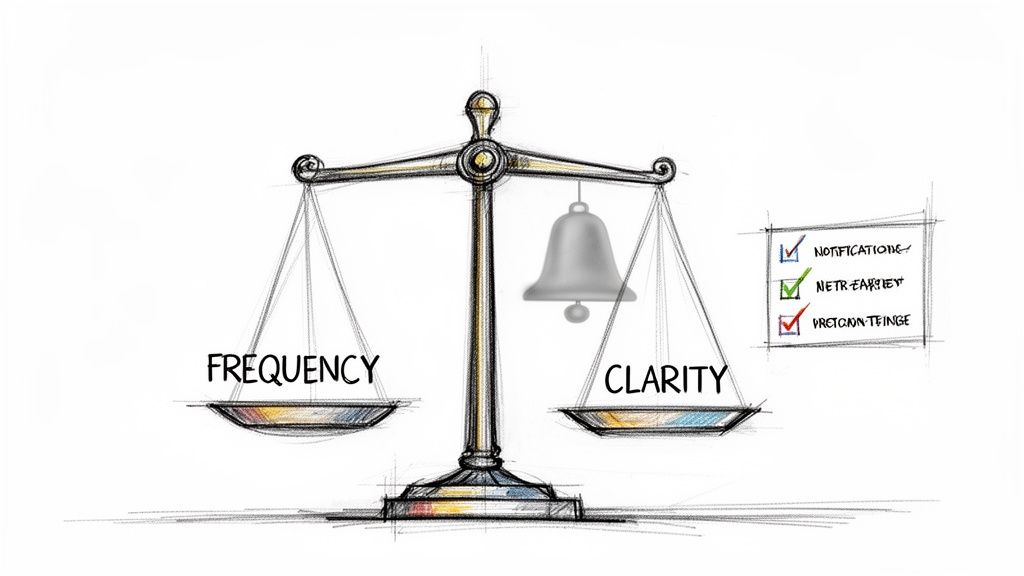
It’s one thing to set up an automatic reminder; it’s another thing entirely to create a system that actually makes your life easier. Just adding more notifications to the pile isn't the answer. The real goal is to build a smart, quiet process that helps you out without becoming another source of digital chatter.
The biggest trap here is notification fatigue. You know the feeling—so many pings and pop-ups that you start ignoring everything, even the important stuff. It's a real problem. Think about appointment scheduling: studies show that simply changing the timing of a reminder can make a massive difference. Sending a text reminder at 6 PM, for example, can boost confirmation rates by 41.4% compared to sending one at noon. This proves it's not just what you say, but when you say it.
Craft Clear and Actionable Messages
A vague reminder is a useless one. It pops up, you read it, and your brain has to stop and do the work of figuring out what it actually means. That completely defeats the purpose of automating it in the first place.
Instead of a lazy reminder like "Client Project," make it instantly understandable: "Draft weekly progress report for the Acme Corp project." See the difference? No guesswork needed. Your future self will thank you for the clarity.
- Lead with an action verb: Start with a command like "Submit," "Review," or "Pay."
- Include the essentials: Add names, links, or project numbers to make the task frictionless.
- Keep it short and sweet: Get right to the point. No fluff.
Regularly Review and Refine Your System
Life changes. Priorities shift. The automations you set up three months ago might just be noise today. Your reminder system shouldn't be set in stone.
A healthy reminder system is not static; it's a living workflow that you periodically prune and adjust. This regular maintenance ensures your automations continue to serve you effectively, rather than cluttering your focus with outdated tasks.
Block off a few minutes once a month to look over your reminders. Ask yourself: Is this still necessary? Is the timing right? Could the message be clearer? These small tweaks are what keep your automatic reminders a sharp tool for focus, not just another contributor to the chaos. This is how you turn a simple feature into a genuine productivity engine.
Common Questions About Automatic Reminders
Once you start using automatic reminders, a few questions tend to pop up. It's totally normal. Getting the answers sorted out is the difference between building a system that actually helps and one that just adds to the digital noise. Let's dig into the big ones.
Can I Use Automatic Reminders for Team Collaboration?
You bet. They're fantastic for lightweight team coordination. Think of it as putting all those little recurring nudges on autopilot.
You can set up reminders for weekly project status updates, prompt team members to submit their timesheets, or send out the agenda before a regular meeting. It keeps everyone on the same page without you having to chase them down manually.
What Makes an Automatic Reminder Tool Different from a Calendar Alert?
It’s a fair question. While a calendar alert is a decent basic reminder, a dedicated tool is in a whole different league.
Automatic reminder apps are built for complex schedules, like a reminder that goes out on the last Friday of every month. They can send notifications through email or other channels, tack on detailed instructions, and give you a single dashboard to see all your routines at a glance. They’re designed for repeatable, action-oriented tasks, not just appointments.
The real secret to avoiding notification overload is to be strategic. Start by automating only your most critical, recurring tasks. A well-designed system should clear up your mental space, not clutter it.
Ready to put your routines on autopilot? With Recurrr, you can build simple, powerful automatic reminders in just a few minutes. Free up your brainpower for the stuff that really matters. Start automating your life today.