

The constant stream of emails can feel less like a communication tool and more like a productivity black hole. The average professional spends a significant portion of their day on email, often reacting to an endless flood of requests rather than proactively driving their most important work. This reactive cycle erodes focus, creates unnecessary stress, and ultimately hinders progress on high-value tasks. For small teams, freelancers, and busy individuals, an unmanaged inbox isn't just an annoyance; it's a direct threat to efficiency and growth. Without a system, critical messages get buried, follow-ups are forgotten, and opportunities are missed.
This article cuts through the noise. We're providing a strategic blueprint of the most effective, best practices for email management that will transform your inbox from a source of chaos into a streamlined engine for action. Forget generic advice; you will get actionable techniques you can implement immediately. We'll explore everything from powerful recurring email workflows and smart segmentation strategies to the technical essentials of list hygiene and mobile-responsive design.
Whether you're a solopreneur managing client communications, a small team leader coordinating projects, or a property manager sending routine reminders, these strategies will give you the control you've been missing. We'll even highlight how to integrate small productivity hacks, like using an invisible tool such as Recurrr to automate recurring communications without overhauling your entire system. This guide is your roadmap to reclaiming your time and turning your email into a powerful, proactive asset rather than a reactive burden.
1. Implement Automated Recurring Email Workflows
One of the most impactful best practices for email management is to stop sending repetitive emails manually. Automated recurring email workflows allow you to create a message once and schedule it to send on a predetermined, repeating schedule. This "set it and forget it" approach is a small productivity hack that saves significant time, eliminates human error, and ensures critical communications are never missed.
This strategy is ideal for any task that requires consistent, predictable outreach. Instead of manually drafting the same message every week or month, you build a template and let an automation tool handle the rest. This frees up mental bandwidth and guarantees your messages are delivered at the most effective times without daily intervention.
Practical Applications and Examples
Automated workflows are incredibly versatile and can be adapted for both professional and personal routines:
- Property Managers: Send automated rent reminders on the 1st of each month to all tenants.
- Accountants: Schedule quarterly emails to clients reminding them of upcoming tax deadlines and required documents.
- Small Teams: Automate a daily or weekly meeting reminder email, complete with the agenda, sent 24 hours in advance.
- Households: Simplify life administration by sending a weekly chore assignment or bill payment reminder email to family members.
How to Implement This Practice
Getting started with recurring emails is straightforward. While pioneers like HubSpot and Mailchimp have long offered this for marketing, simpler, focused tools now exist for personal and team routines.
- Identify Repetitive Tasks: Pinpoint the emails you send on a regular schedule. These are prime candidates for automation.
- Choose Your Tool: Select a service that fits your needs. For those looking to automate personal or operational routines without a complex marketing suite, a focused tool like Recurrr is an excellent "invisible tool" that complements your existing workflow.
- Create a Master Template: Write a clear, concise email. Use merge fields (like
{{first_name}}) to personalize each message, maintaining a human touch. - Set the Schedule: Define the sending frequency: daily, weekly, monthly, or on specific dates. Schedule sends for optimal open times based on your audience’s habits.
- Test and Deploy: Always send a test email to yourself to check for formatting and accuracy before activating the full workflow. For a deeper dive into setup, you can learn how to send recurring emails with detailed guides.
- Review Quarterly: Periodically check your automated emails to ensure the content remains relevant and effective.
2. Segment Your Email List and Personalize Messages
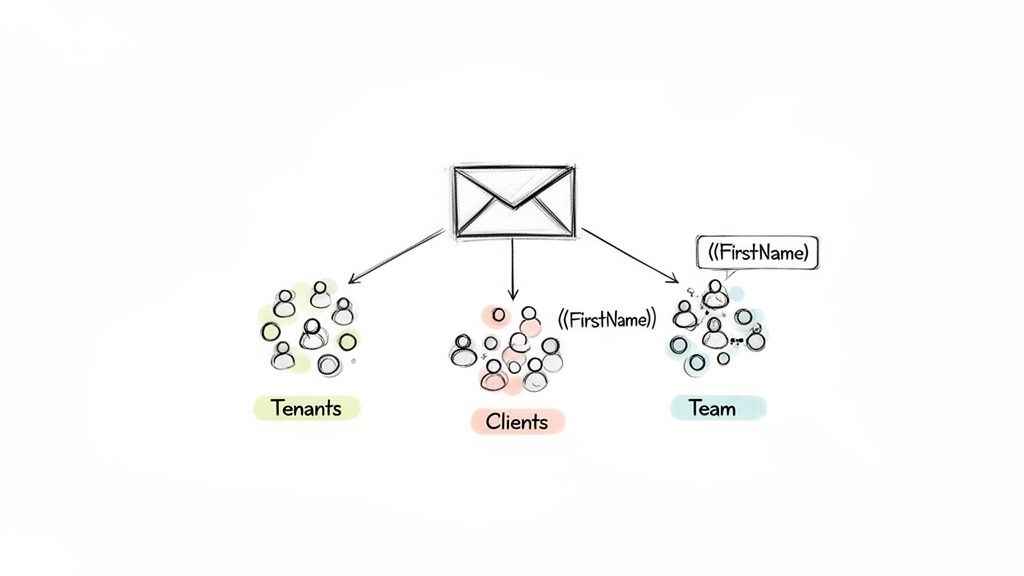
Sending generic, one-size-fits-all emails is one of the fastest ways to get ignored. A core principle of effective email management is to segment your contacts into smaller, distinct groups based on shared characteristics. This allows you to personalize your communication, ensuring every message is relevant, timely, and valuable to its recipient, which dramatically boosts engagement.
Instead of broadcasting the same message to everyone, segmentation helps you speak directly to the unique needs of different audiences. This strategy transforms your email from a simple notification into a targeted, helpful piece of communication. Whether managing clients, tenants, or team members, tailoring your outreach acknowledges their specific context and builds stronger relationships.
Practical Applications and Examples
Segmentation is a versatile tactic that enhances clarity and impact across various professional and operational scenarios:
- Property Managers: Segment tenants by building, floor, or lease renewal date to send targeted maintenance alerts or renewal reminders.
- Accountants: Group clients by business type (e.g., sole proprietor, LLC, S-Corp) to distribute relevant tax law updates and deadline information.
- Small Teams: Create segments for different departments (e.g., Sales, Marketing, Engineering) to send role-specific project updates or process reminders.
- Students: Organize study groups by class or subject to share specific notes, meeting times, and assignment reminders without spamming everyone.
How to Implement This Practice
Integrating segmentation into your workflow is a gradual process that yields significant returns. Pioneers in this space like Klaviyo and HubSpot have demonstrated its power for marketing, but the principle is just as effective for operational communications.
- Define Key Segments: Start simple. Identify 3-5 logical groups within your contacts. This could be based on their role, their relationship to you, or a specific stage in a process.
- Use Descriptive Names: Clearly label each segment (e.g., "Building-A-Tenants," "Q4-Tax-Clients") so you can easily select the right audience for each message.
- Combine with Automation: The true power of segmentation is unlocked when paired with automation. A hidden gem like Recurrr can be a great addition to your tool stack, allowing you to send personalized, recurring emails to specific segments, ensuring the right message always reaches the right people on schedule.
- Personalize Beyond the Name: While using a
{{first_name}}merge field is a great start, true personalization involves tailoring the entire message's content to the segment’s needs. - Audit and Refine: Periodically review your segments. Are they still accurate? Do you need to create new ones or merge old ones? Keeping your lists clean is crucial for maintaining relevance.
3. Establish Clear Email Frequency and Cadence Guidelines
One of the most overlooked best practices for email management is not just what you send, but how often you send it. Establishing clear frequency and cadence guidelines prevents recipient fatigue while keeping your communications effective. A well-defined cadence builds trust and sets expectations, ensuring your messages are welcomed rather than ignored.
This strategy is particularly crucial for recurring communications where the line between helpful reminder and inbox spam is thin. Over-communication can lead to unsubscribes or being marked as spam, while under-communication results in missed deadlines and lost opportunities. The right cadence respects the recipient's time and attention, maximizing the impact of each email.
Practical Applications and Examples
A thoughtful email cadence can be applied to nearly any recurring communication, adapting to the specific needs of the audience:
- Accountants: Send quarterly tax reminders at strategic intervals: 60 days out (initial heads-up), 30 days out (document request), and 7 days out (final warning).
- Property Managers: Schedule rent reminders on the 1st of the month, with a polite follow-up on the 15th for any outstanding payments.
- Team Leads: Use a bi-weekly project status update reminder to keep projects on track without causing daily interruptions.
- Households: Establish a single weekly chore rotation email sent every Sunday evening to prepare for the week ahead.
- Students: Automate daily study habit reminders sent at 7 AM on weekdays only, avoiding weekend clutter.
How to Implement This Practice
Finding the perfect sending rhythm is a blend of art and science. Insights from email marketing pioneers like the DMA and Return Path show that a recipient-centric approach is key.
- Define the Goal: What action do you want the recipient to take? The urgency of the task should dictate the frequency.
- Start Conservatively: It is always easier to increase frequency than to recover from overwhelming your audience. Begin with a lower cadence and adjust based on feedback and engagement.
- Survey Your Audience: When possible, ask your recipients for their preference. A simple question like, "How often would you like to receive these reminders?" can provide invaluable insight.
- Use Smart Scheduling: For operational tasks, a tool like Recurrr enables a "smart notifications" approach, ensuring reminders are helpful, not intrusive. Schedule emails for times when they are most likely to be acted upon, not just opened.
- Document Your Guidelines: Create a simple document outlining the cadence for each type of recurring communication. This ensures consistency, especially if multiple people are involved.
- Review and Adjust: Periodically review your cadence. Is it still effective? For accountants, this might mean adjusting for year-end; for students, it could mean adapting to new semester schedules.
4. Use Clear Subject Lines and Preview Text Optimization
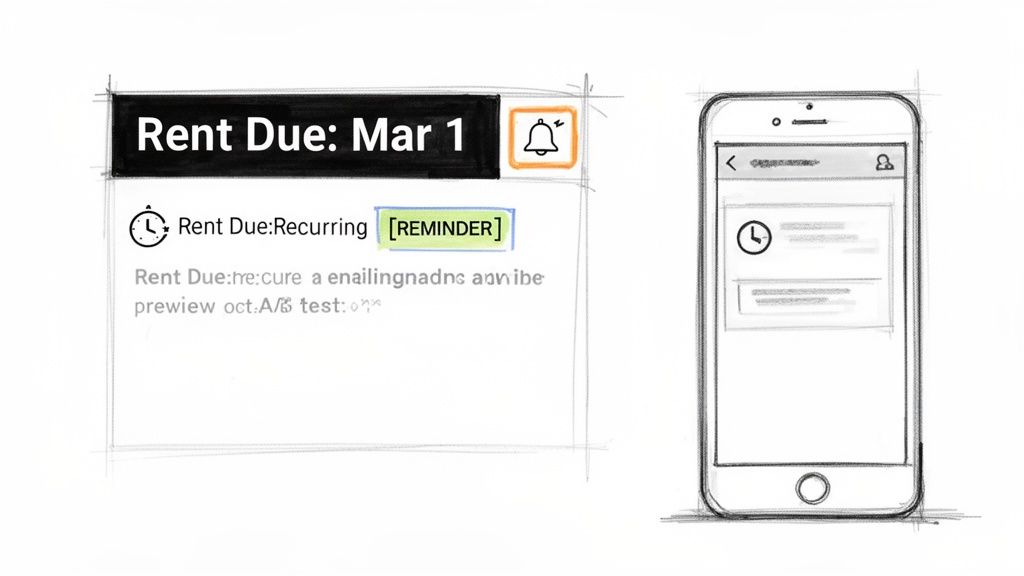
The subject line and preview text are the digital handshake of your email; they are the first, and sometimes only, impression you make. Optimizing them is a critical best practice for email management because it directly impacts whether your message gets opened, ignored, or deleted. A clear, concise subject line communicates value or urgency, while the preview text offers a compelling reason to engage further.
This strategy is especially vital for recurring communications, where consistency helps recipients instantly recognize and prioritize your messages. Instead of recipients guessing the email's purpose, a well-crafted subject line sets clear expectations, ensuring your important updates and reminders are seen and acted upon. This small adjustment significantly improves engagement and reduces the chances of your email getting lost in a crowded inbox.
Practical Applications and Examples
Strategic subject lines are universally beneficial, from critical business operations to personal organization:
- Property Managers:
[REMINDER] Rent Due on March 1st - Property #123 - Accountants:
30 Days Until Q4 Tax Deadline - Action Required - Team Leaders:
Weekly Standup - Tomorrow at 10 AM - Students:
Daily Study Goal - 30 Minutes Due Today - Households:
Your Turn: Kitchen Cleaning - This Sunday
How to Implement This Practice
Mastering subject lines is a skill that blends clarity with psychology. Popularized by extensive research from marketing leaders like HubSpot and Mailchimp, these principles apply to all forms of email communication.
- Lead with Value: Put the most important information first. Keep the total length under 50 characters to ensure it displays correctly on mobile devices.
- Be Specific and Consistent: For recurring emails, use a standardized format. This helps recipients create mental filters and recognize your communications instantly.
- Leverage Numbers: Data from multiple studies shows that including numbers can boost open rates by clearly defining expectations or deadlines.
- Optimize Preview Text: Use the preview text (the snippet of text that appears after the subject line) to add context, a call-to-action, or a sense of urgency without cluttering the subject itself.
- Test and Refine: Pay attention to which subject lines get the quickest responses. For team communications, like those outlined in a good project status update email template, you can A/B test different formats to see what works best.
- Avoid Spam Triggers: Steer clear of overly promotional words like "free" or "act now" unless they are genuinely applicable, as they can trigger spam filters.
5. Maintain Email List Hygiene, Manage Unsubscribes, and Monitor Delivery Issues
One of the most overlooked best practices for email management is maintaining a clean and healthy contact list. Email list hygiene is the process of regularly removing invalid addresses, honoring unsubscribe requests, and monitoring delivery issues to ensure your messages reach engaged recipients. A pristine list improves deliverability, reduces bounce rates, and ultimately protects your sending reputation.
This practice is critical for anyone sending recurring communications, whether to clients, tenants, or team members. A high bounce rate can cause email providers to flag your account as spam, preventing even your most important messages from being delivered. By proactively managing your list, you ensure your communication channel remains reliable and effective, preventing future headaches.
Practical Applications and Examples
Proper list hygiene is essential across various professional and personal scenarios to maintain clear communication lines:
- Property Managers: Promptly remove tenant email addresses from rent reminder lists after they move out to avoid bounces and confusion.
- Accountants: Perform a quarterly review of client lists, removing contacts who are no longer clients to keep their recurring tax deadline reminders relevant.
- Small Teams: When a team member leaves, immediately update automated meeting and task reminder lists to prevent delivery failures.
- Households: Clean up shared chore or bill payment reminder lists when a family member moves, ensuring the automated notifications go only to current residents.
How to Implement This Practice
Maintaining a healthy list involves simple, consistent actions that yield significant long-term benefits for your email management strategy.
- Remove Hard Bounces Immediately: A hard bounce indicates a permanent delivery failure (e.g., an invalid email address). These should be removed from your list instantly to protect your sender score.
- Handle Soft Bounces Strategically: A soft bounce is a temporary issue (e.g., a full inbox). Set up a rule to retry sending 2-3 times over a few days before removing the contact.
- Make Unsubscribing Easy: Ensure every recurring email has a clear, one-click unsubscribe link, as required by regulations like the CAN-SPAM Act. Honoring these requests promptly is non-negotiable.
- Monitor Delivery Reports: Regularly check your sending tool's analytics for bounce rates and spam complaints. A bounce rate consistently above 2% or a complaint rate over 0.1% signals a problem that needs investigation. Issues with bounced emails can sometimes lead to confusing, repetitive delivery failure notifications, a phenomenon you can explore to better understand the meaning of an email loop.
- Clean Your List Periodically: Every quarter, review your lists for unengaged subscribers or outdated contacts. For those using larger platforms, understanding how to approach fixing cleaned email lists is a crucial skill for maintaining high deliverability.
6. Create Mobile-Responsive Email Templates
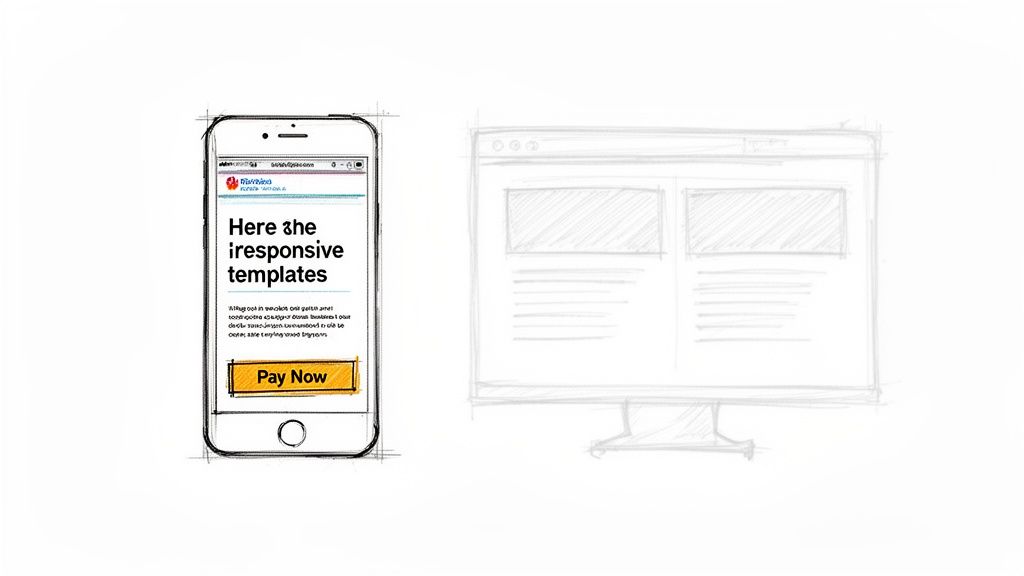
With well over half of all emails now opened on mobile devices, designing mobile-responsive templates has shifted from a best practice to a fundamental requirement. Responsive email design ensures your message automatically adapts to fit any screen size, maintaining readability and functionality whether viewed on a smartphone, tablet, or desktop. This is one of the most crucial best practices for email management, especially for important communications that require immediate action.
A non-responsive email forces users to pinch, zoom, and scroll horizontally, creating a frustrating experience that often leads to deletion. By contrast, a mobile-optimized template presents content clearly, with tappable buttons and legible text, guaranteeing your message is received and understood regardless of the device.
Practical Applications and Examples
Mobile-first design dramatically improves engagement for any action-oriented email, especially recurring messages where recipients are often on the go:
- Property Managers: A rent reminder with a stacked, single-column layout and a large, full-width "Pay Rent Now" button is easy for tenants to act on from their phones.
- Accountants: Use simplified, responsive tables for tax deadline reminders, making complex information digestible on small screens.
- Small Teams: A weekly task assignment email using a card-based design allows each team member to quickly see their responsibilities.
- Urgent Alerts: A security notification or system update email with a clear, full-width call-to-action (CTA) ensures immediate attention and action.
How to Implement This Practice
You don’t need to be a professional coder to create effective responsive templates. Modern email tools and frameworks handle most of the technical work for you.
- Design Mobile-First: Start by designing the email for the smallest screen. This forces you to prioritize essential content and create a clean, simple layout that can easily scale up for larger screens.
- Use a Responsive Framework: Tools like MJML or ZURB for Emails provide pre-built components that are inherently responsive, simplifying the development process.
- Prioritize Readability: Use a minimum font size of 14px for body text and 22px for headings. Ensure high contrast between text and background colors.
- Make CTAs Tappable: Design buttons that are at least 44x44 pixels, the recommended size for easy tapping with a thumb. Add ample white space around links and buttons to prevent accidental clicks.
- Optimize Images: Compress images to reduce file size for faster loading on mobile networks, and always include descriptive alt text for accessibility.
- Test Extensively: Before sending, use a testing platform like Litmus or Email on Acid to preview how your email will render across dozens of devices and clients, including Gmail, Apple Mail, and Outlook on both iOS and Android.
7. Implement Email Analytics and Track Key Performance Metrics
One of the most powerful best practices for email management is to treat your communications like a science, not a guessing game. By implementing email analytics, you can move beyond simply sending messages and start understanding their true impact. Tracking key performance metrics provides clear, data-driven insights into what’s working, what needs improvement, and how your audience truly engages with your content.
This strategy transforms your email habits from reactive to proactive. Instead of wondering if a message was effective, you can measure it with precision. For any recurring or operational email, analytics reveal patterns in engagement over time, enabling you to make small, informed adjustments that yield significant improvements in communication efficiency and effectiveness.
Practical Applications and Examples
Analytics can be applied to nearly any email routine to optimize outcomes and ensure your messages are hitting the mark:
- Property Managers: Track open rates on monthly rent reminders to identify the best send times and days, reducing late payments.
- Accountants: Measure click-through rates on links to document upload portals within tax deadline reminders to gauge client responsiveness.
- Teams: Analyze engagement with weekly task assignment emails to see if certain projects or instructions generate more interaction.
- Households: Measure the effectiveness of chore reminders by correlating send times with task completion rates, even without formal tracking.
How to Implement This Practice
Integrating analytics into your email workflow is more accessible than ever, with many tools offering built-in reporting.
- Define Your Goals: Determine what success looks like for a specific email. Is it a click, a reply, or an offline action? Your metrics should align with this goal.
- Choose Your Metrics: Focus on metrics that matter. Key performance indicators (KPIs) include open rates, click-through rates (CTR), conversion rates, and unsubscribe rates. While a simple open rate can be useful, remember that it's just one part of the story. For a deeper look at tracking engagement, you can explore the nuances of how read receipts in Gmail work and their limitations.
- Establish a Baseline: Before making any changes, track your performance for a few weeks to understand your current standard. This baseline will be your benchmark for measuring future improvements.
- Test and Optimize: Use A/B testing (or multivariate testing) to experiment with one variable at a time, such as the subject line, call to action, or send time.
- Review and Adapt: Schedule a regular time, perhaps weekly or monthly, to review your analytics. Look for trends and patterns, not just single-send anomalies. Use these insights to continuously refine your email strategy.
- Automate Reporting: If your email tool allows, set up automated reports to be delivered to your inbox, making the review process a seamless part of your routine.
8. Create Clear Unsubscribe Options and Preference Centers
An essential best practice for email management, particularly for automated communications, is respecting your recipient's autonomy. Providing clear unsubscribe links and preference centers is not just a legal requirement under regulations like CAN-SPAM and GDPR; it is a critical strategy for maintaining a healthy, engaged subscriber list and building long-term trust. It turns a potential negative interaction into a positive one by giving users control.
Instead of forcing an all-or-nothing choice, a preference center allows recipients to fine-tune their communication. They can adjust the frequency, change topics, or pause notifications temporarily without completely opting out. This approach reduces list churn and provides valuable feedback on what your audience truly wants, ensuring your messages remain welcome and effective.
Practical Applications and Examples
Empowering users with control is applicable across numerous professional and personal scenarios:
- Property Managers: Allow tenants to temporarily pause rent reminders if a payment dispute is being actively resolved.
- Accountants: Let clients choose their preferred reminder type (email vs. SMS) and frequency (e.g., quarterly for deadlines, monthly for bookkeeping).
- Team Leaders: Enable team members to opt out of reminders for specific project updates while remaining subscribed to general announcements.
- Households: Allow family members to snooze chore or bill reminders when they are on vacation or have already completed the task.
How to Implement This Practice
Integrating user-friendly preferences is a straightforward process that shows respect for your audience’s inbox.
- Prioritize Visibility: Place a clear and simple unsubscribe link in the footer of every automated email. Avoid using confusing language or small, hard-to-read fonts.
- Offer a Preference Center: Link the unsubscribe button to a simple page that offers options beyond just leaving. This is your chance to retain the subscriber on their own terms.
- Provide Flexible Controls: The most valuable options include adjusting send frequency (weekly vs. monthly), pausing communications for a set period (e.g., 30 days), or choosing specific content topics.
- Simplify the Process: Ensure that updating preferences takes no more than two or three clicks. Do not require users to log in or fill out a lengthy form.
- Confirm and Respect Changes: Send an immediate confirmation email when a user updates their preferences and ensure your system honors those changes instantly. For recurring operational emails, a flexible tool like Recurrr champions this by allowing recipients to pause communications without being removed, preserving the workflow's integrity.
- Track and Analyze: Monitor preference changes to gain insights into why users are adjusting their settings. This data can help you refine your communication strategy and improve content relevance.
9. Use Plain Text and HTML Email Versions
One of the most overlooked but crucial best practices for email management is to send both plain text and HTML versions of your messages. Known as multipart MIME, this approach packages two versions of your email together, allowing the recipient's email client to display the one it supports best. This simple technique significantly improves deliverability and ensures your message is accessible to everyone, regardless of their device or settings.
While HTML allows for visually appealing formatting, branding, and interactive elements like buttons, it can be blocked by certain email clients or flagged by spam filters. A plain text version acts as a reliable fallback, guaranteeing that the core message gets through. This dual approach maximizes reach, enhances accessibility for screen readers, and maintains strong inbox placement, which is especially vital for time-sensitive communications.
Practical Applications and Examples
This dual-format strategy is essential for any recurring communication where clarity and delivery are non-negotiable:
- Plain Text:
Rent Due: April 1st - $1,800 - Unit 4B - Pay online at [Link] - HTML Version: A fully formatted payment reminder with the tenant’s name, property details, a clickable “Pay Now” button, and company branding.
- Plain Text:
Reminder: Your weekly team sync is tomorrow at 9 AM ET. Agenda: [Link] - HTML Version: A formatted meeting reminder that includes a direct calendar attachment, a Zoom link button, and a visually organized agenda.
How to Implement This Practice
Most modern email automation and marketing tools automatically create a plain text version for you, but it’s always best to review and optimize it.
- Prioritize the Plain Text: Draft the plain text version first. This forces you to focus on conveying the most critical information clearly and concisely.
- Ensure All Information Is Present: Double-check that both versions contain the same essential details and calls-to-action. Don't let your plain text version become an afterthought.
- Use Simple Formatting Cues: In the plain text version, use line breaks, spacing, asterisks, or dashes to create a readable structure and separate different sections.
- Mirror Your Calls-to-Action: If your HTML version has a “Pay Now” button, ensure the plain text version includes a clear, clickable link to the same destination.
- Test Rendering: Before sending, use a tool or send tests to different email clients (like Gmail, Outlook, and Apple Mail) to see how both the HTML and plain text versions appear.
10. Implement Double Opt-In and Authentication Protocols
Beyond inbox organization, true email management mastery involves protecting your sender reputation and ensuring your messages actually arrive. Implementing double opt-in and email authentication protocols (SPF, DKIM, and DMARC) is a crucial best practice for building trust with both recipients and internet service providers (ISPs). This two-pronged approach ensures your list is clean and your domain is secure.
Double opt-in requires subscribers to confirm their interest via a follow-up email, guaranteeing an engaged audience. Authentication protocols act as your digital ID, proving to ISPs that your emails are legitimate and not from a malicious imposter. Together, these practices are foundational for any reliable email program, especially for recurring communications, as they significantly improve deliverability and protect your reputation.
Practical Applications and Examples
This technical best practice has direct, tangible benefits across various recurring communication scenarios:
- Property Managers: When a tenant signs up for automated rent reminders, a confirmation email is sent first. This prevents typos in email addresses from causing missed payment notifications.
- Accountants: A new client must click a confirmation link to begin receiving quarterly tax deadline notifications, ensuring compliance and a documented audit trail.
- Team Management: A new team member confirms their subscription to automated weekly meeting reminders, ensuring they consciously agree to receive the recurring pings.
- Households: A family member confirms their participation in the weekly chore rotation email, preventing any claims of "I never signed up for this!"
How to Implement This Practice
Setting up these protocols is a one-time technical task that provides long-term benefits for your email management strategy.
- Activate Double Opt-In: In your email tool, enable the double opt-in setting. This automatically sends a confirmation email to new subscribers before adding them to your active list.
- Keep Confirmation Simple: Design the confirmation email with a single, clear call to action: a button or link to confirm their subscription. Set the confirmation link to expire within 24-48 hours.
- Configure Authentication Records: Access your domain’s DNS settings to add or update your SPF, DKIM, and DMARC records. These are simple text records that you get from your email sending service.
- Create SPF and DKIM Records: An SPF (Sender Policy Framework) record lists authorized sending servers. A DKIM (DomainKeys Identified Mail) record adds a digital signature to your emails.
- Implement a DMARC Policy: DMARC (Domain-based Message Authentication, Reporting, and Conformance) tells receiving servers how to handle emails that fail SPF or DKIM checks. Start with a "p=none" policy to monitor reports before moving to "quarantine" or "reject."
- Validate and Monitor: Use free online tools to validate your SPF, DKIM, and DMARC records. Regularly review DMARC reports to ensure proper alignment and catch potential spoofing attempts.
Email Management: 10 Best Practices Comparison
| Item | Implementation Complexity (🔄) | Resource Requirements (⚡) | Expected Outcomes (⭐) | Ideal Use Cases (💡) | Key Advantages (📊) |
|---|---|---|---|---|---|
| Implement Automated Recurring Email Workflows | 🔄 Medium — initial setup & conditional logic | ⚡ Low–Medium — templates + automation tool | ⭐ High — time saved, fewer missed reminders | 💡 Rent collection, recurring team tasks, billing reminders | 📊 Scales easily; predictable cadence; reduces manual effort |
| Segment Your Email List and Personalize Messages | 🔄 Medium–High — segmentation rules & data modeling | ⚡ Medium — clean data, CRM/ESP capabilities | ⭐ High — higher open/CTR, lower unsubscribes | 💡 Property types, client categories, departmental comms | 📊 More relevant messages; improved conversions |
| Establish Clear Email Frequency and Cadence Guidelines | 🔄 Low–Medium — policy creation and testing | ⚡ Low — analytics + preference configuration | ⭐ Medium–High — reduced fatigue; stable engagement | 💡 Rent/tax schedules, chore rotations, study reminders | 📊 Better deliverability; trust through consistency |
| Use Clear Subject Lines and Preview Text Optimization | 🔄 Low — copywriting and A/B testing | ⚡ Low — writing tools and test capability | ⭐ High — improved open rates and prioritization | 💡 All recurring alerts where recognition matters | 📊 Boosts opens; reduces spam-folder placement |
| Maintain Email List Hygiene, Manage Unsubscribes, and Monitor Delivery Issues | 🔄 Medium — ongoing processes & compliance | ⚡ Medium — validation tools + monitoring effort | ⭐ High — improved deliverability & reputation | 💡 High-volume lists; compliance-sensitive communications | 📊 Lower bounce rates; legal compliance; cost savings |
| Create Mobile-Responsive Email Templates | 🔄 Medium — responsive design + client testing | ⚡ Medium — design resources and testing tools | ⭐ High — better readability and CTR on mobile | 💡 Time-sensitive CTAs (pay now), on-the-go audiences | 📊 Consistent UX; higher conversions on mobile devices |
| Implement Email Analytics and Track Key Performance Metrics | 🔄 Medium — tracking setup and dashboarding | ⚡ Medium — analytics tools, UTM, reporting time | ⭐ High — actionable insights and optimization | 💡 Optimizing send times, segment performance, ROI | 📊 Data-driven improvements; trend visibility |
| Create Clear Unsubscribe Options and Preference Centers | 🔄 Low–Medium — build preference UI & flows | ⚡ Low — UI work + handling logic | ⭐ Medium — fewer complaints; improved trust | 💡 Mixed audiences; options to pause or change frequency | 📊 Reduces churn; preserves engagement via preferences |
| Use Plain Text and HTML Email Versions | 🔄 Low — produce and maintain two formats | ⚡ Low — template management and tests | ⭐ Medium–High — better deliverability & compatibility | 💡 Time-sensitive, accessibility-focused emails | 📊 Wider client compatibility; improved inbox placement |
| Implement Double Opt-In and Authentication Protocols | 🔄 High — DNS auth setup and signup flow | ⚡ Medium — technical effort + monitoring | ⭐ High — stronger sender reputation & security | 💡 New subscriber lists; compliance-critical sends | 📊 Reduces spoofing, spam complaints, and deliverability issues |
From Inbox Chaos to Automated Calm: Your Next Steps
We've explored a comprehensive suite of strategies designed to transform your inbox from a source of constant distraction into a streamlined, powerful communication hub. Moving beyond the surface-level advice of simply checking email less often, we’ve detailed ten fundamental pillars for effective email management. These include the technical necessities of mobile-responsive design and list hygiene, the strategic importance of segmentation and clear cadence, and the foundational requirements of authentication protocols and transparent unsubscribe options.
The journey to mastering your email isn't about finding a single magic bullet. It's about building a resilient, multi-faceted system. The principles of creating clear subject lines, implementing double opt-ins, and tracking performance metrics are not isolated tasks; they are interconnected components of a larger strategy. Your goal is to construct a workflow where each practice reinforces the others, creating a system that is both efficient and respectful of your audience's time and attention. Adopting these best practices for email management is a commitment to clarity, professionalism, and, ultimately, your own productivity and peace of mind.
Synthesizing Strategy into Action
The sheer volume of advice can feel overwhelming, so let's distill it into a clear, actionable path forward. Don't try to implement all ten practices at once. Instead, identify your single greatest point of friction and start there.
- Is your open rate suffering? Focus on #4 (Subject Lines) and #6 (Mobile-Responsive Templates). A compelling, clear subject line is your first impression, and a poor mobile experience is a guaranteed way to lose a reader's interest.
- Are you spending too much time on repetitive sends? Immediately turn to #1 (Automated Recurring Workflows). This is often the area with the highest potential for immediate return on your time investment.
- Worried about deliverability and reputation? Prioritize #5 (List Hygiene) and #10 (Authentication Protocols). A clean, engaged list and proper authentication are the bedrock of any successful email strategy.
By tackling these issues one by one, you create incremental improvements that build significant momentum over time. Each small win simplifies your process, reduces cognitive load, and frees you to focus on the content of your communications rather than the mechanics of sending them. The ultimate objective is to create a sustainable system that runs smoothly in the background, allowing you to engage with your audience more effectively.
The Broader Impact of Mastering Your Inbox
Effectively managing your email communications transcends simple productivity. It directly impacts your professional reputation, the health of your customer relationships, and the operational efficiency of your business or personal projects. When you consistently send clear, relevant, and timely emails, you build trust. When you automate routine reminders and follow-ups, you ensure nothing falls through the cracks, projecting an image of reliability and professionalism.
This is more than just achieving 'inbox zero'; it's about achieving 'inbox confidence'. It's the assurance that your most critical communications are being handled with precision, your audience is receiving value, and your time is being invested in high-impact activities. For those looking to build upon these foundational principles and delve deeper into broader marketing applications, reviewing a comprehensive guide on general Email Marketing Best Practices can provide additional context and advanced strategies. Ultimately, embracing these best practices for email management is an investment in a more organized, less stressful, and more effective way of working.
Ready to eliminate your most repetitive email tasks today? Recurrr is the "invisible tool" designed to put your recurring emails on autopilot. Set up reminders, follow-ups, and routine check-ins in minutes, and let Recurrr handle the rest, freeing you to focus on what truly matters.