


Sometimes, you just need a simple tool for a simple job. If your goal is to send recurring emails, jumping straight to a massive automation platform is like using a sledgehammer to crack a nut. The best way to send repeating messages without getting tangled in complex workflows is to use a dedicated tool built for that one specific purpose.
Instead of mapping out multi-step "Zaps," a specialized app lets you write your message, pick a schedule, and just let it run. It's a massive time-saver and spares you the headache of setting up and maintaining something far more powerful than you actually need.
Why Complex Automation Is Overkill for Simple Tasks
When people hear "automation," their minds often leap to powerful, do-everything platforms like Zapier. And don't get me wrong, those tools are incredible for linking different apps and building sophisticated workflows with all sorts of conditional logic.
But are they the right choice for sending a weekly client check-in or a monthly rent reminder? For most people, the answer is a hard no.
The very power that makes these platforms so flexible is also what makes them unnecessarily complex for straightforward tasks. This kind of over-automation comes with hidden costs that can quickly cancel out the benefits.
The Hidden Costs of Over-Automation
First off, there’s the learning curve. To get anything done on a platform designed for power users, you have to wrap your head around triggers, actions, paths, and filters. What should take five minutes—scheduling an email—can easily spiral into an hour of watching tutorials and troubleshooting a workflow that refuses to run.
Then, you have to think about the subscription fees. Most of these platforms have a free tier, but it’s usually pretty limited on the number of "tasks" you can run each month. A single daily reminder email could burn through your free allowance in no time, pushing you onto a pricey plan built for heavy-duty business operations. You end up paying a premium for a thousand features you'll never touch.
The goal should always be to match the tool to the task. Using a complex automation platform for a simple recurring email gets the job done, but it’s messy, inefficient, and way more complicated than it needs to be.
The Power of Specialized "Invisible" Tools
This is where a focused, specialized tool comes in. Think of it as a small productivity hack or a hidden gem that works alongside your other tools. Instead of a massive system that does everything, these are "invisible tools" designed to do one thing exceptionally well. For recurring emails, that means an app focused purely on writing a message and setting a schedule. No complex logic, no unnecessary features, no fuss.
This approach gives you a few key advantages:
- Simplicity and Speed: You can get your first recurring email up and running in minutes, not hours. The interface is clean and intuitive because it's built for a single job.
- Mental Clarity: You don't have to think like a programmer just to send a simple reminder. This frees up your brainpower to focus on what your email actually says, not the technical gymnastics of sending it.
- Cost-Effectiveness: Specialized tools are almost always more affordable because they aren't bloated with features you don't need or want.
Zapier vs Dedicated Tools A Quick Comparison
To see the difference in black and white, here’s a quick breakdown of how a complex automation platform stacks up against a simple recurring email tool. The right choice often comes down to what you're trying to accomplish.
| Feature | Complex Automation (Zapier) | Simple Recurring Email Tool |
|---|---|---|
| Setup Time | 30-60+ minutes: Involves learning triggers, actions, and connecting accounts. | Under 5 minutes: Write email, set schedule, and you're done. |
| Cost | Free tier is very limited; paid plans start around $20-$50/month. | Often has a generous free tier or a low-cost plan ($5-$10/month). |
| Best For | Multi-app workflows, conditional logic, integrating entire business processes. | Sending the same email on a repeating schedule (daily, weekly, monthly, etc.). |
| Complexity | High. Built for developers and tech-savvy users. Requires troubleshooting. | Low. Designed for anyone to use without technical knowledge. |
Ultimately, while platforms like Zapier have their place for orchestrating complex digital workflows, they introduce unnecessary friction for simple, repetitive email tasks. A dedicated tool offers a much more direct and efficient path to getting the job done.
To see how this principle of focused automation plays out in other industries, check out how agencies use automated real estate marketing to boost efficiency without overcomplicating things. The core idea is the same: use the right tool for the job. And if you're looking for more ways to simplify your workload, you can dive deeper into how to automate tasks in our other guide.
Setting Up Your First Recurring Email in Five Minutes
Getting a recurring email up and running shouldn’t feel like launching a rocket. Honestly, with a dedicated tool like Recurrr, you can skip all the confusing parts and just get your message out the door.
Think about a freelancer who needs to send monthly invoice reminders. They can set up an email that automatically lands in their client's inbox a few days before the due date. This tiny automation hack takes less time than making coffee and helps them get paid on time, every single month.
You don't need fancy templates or any coding know-how to begin. It’s as simple as typing your message into a text editor.
This whole idea is about ditching complexity. Forget about branching logic and multi-step triggers.
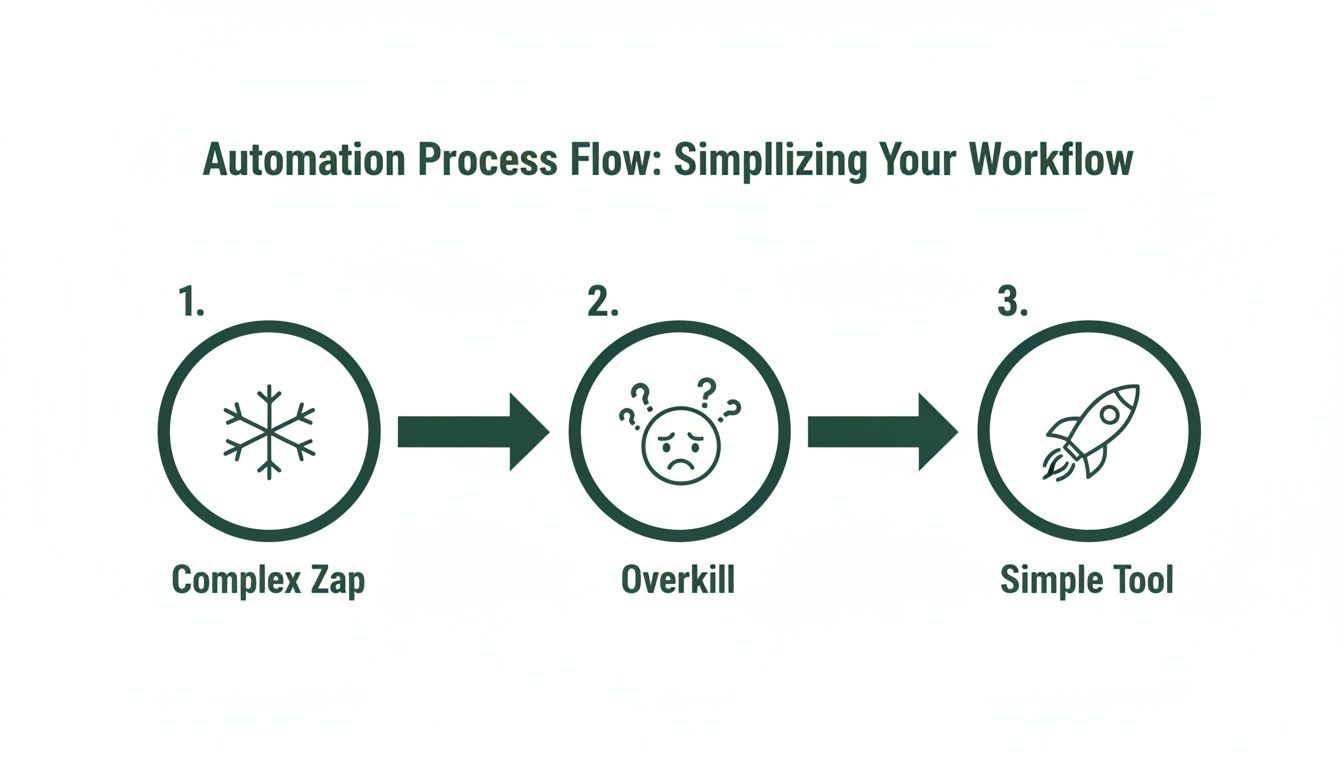
A focused tool just gets the job done. You can be live in under five minutes.
Composing Your First Message
The best recurring emails feel personal and get straight to the point. A quick intro followed by the main request is all you need to keep people reading.
A few tips from my own experience:
- Write a clear subject line: Something like “Monthly Invoice Reminder for April” works perfectly.
- Give a little context: A one-sentence recap of the project is often helpful.
- Use a friendly closing: A simple “Thanks for your prompt attention” goes a long way.
Adding Recipients and Teams
With Recurrr, you can send your email to a single person or a small team without any extra hoops to jump through. Just pick your contacts or upload them, and you're good to go.
Here's the simple flow:
- Choose your mailing list or upload a quick CSV file.
- Glance at the recipient emails in the preview to make sure they're correct.
- Give the group a name so you can easily find it later.
Scheduling Your Cadence
Setting the schedule is just a couple of clicks. Whether you need daily notes, weekly check-ins, or monthly invoices, the controls are right there.
A few common schedules I see people use:
- Daily reminders at 9 AM for their team.
- Weekly project updates every Friday afternoon.
- Monthly task lists on the first day of the month.
| Feature | Zapier Setup | Recurrr Setup |
|---|---|---|
| Initial configuration | Under 30 minutes | Under 5 minutes |
| Cost impact | Uses task credits quickly | Tiered pricing from $5/mo |
| Learning curve | High – paths, filters, coding | Low – intuitive scheduler |
Setting End Dates and Custom Rules
You have total control over the schedule. You can set an expiration date or let it run indefinitely. You can even use custom rules like "the first Monday of the month" to make sure your timing is perfect.
Key options include:
- End after X sends: The series stops automatically once it's complete.
- Recurring first Monday: Perfect for targeting specific days of the month.
- Pause or skip: Need to bypass a send? You can do it without messing up the whole schedule.
If you want to dive deeper, check out our guide on how to send repeat email with Recurrr.
Pausing or skipping a send is as easy as hitting the snooze button on your phone. No digging through menus of triggers and filters—just one click to stop or resume your series.
Using Placeholders for Personalization
Personalization is what makes your recurring emails feel like they were written by hand every time. Recurrr supports simple placeholders that you can drop in once and reuse forever.
Common placeholders include:
{FirstName}to greet each recipient by name.{DueDate}to remind clients of their specific deadlines.{CompanyName}to keep your branding consistent.
Testing With a Trial Send
Before you let it fly, always send a preview to yourself first. It’s a simple gut check to make sure your subject line, links, and placeholders all look right.
Just follow these steps:
- In Recurrr’s preview mode, trigger a one-time test send to your own inbox.
- Check how the email looks on both desktop and mobile.
- Confirm that the placeholders are pulling in the correct information.
Final Steps Before Going Live
Take one last look at your schedule settings before you hit the go button. A small tweak now can save you from a missed send later.
Remember to:
- Verify that your account’s time zone is set correctly.
- Review your sending window to avoid sending emails at 2 AM.
- Note the date of the first scheduled send so you know exactly when your message will land.
Tracking and Adjusting Your Sequence
Once your sequence is live, you can see send logs and open rates right from the Recurrr dashboard. If something isn't working, you can tweak the content or schedule on the fly without having to rebuild everything from scratch.
- Review your send history to catch any failures or bounces.
- Adjust the timing if you notice open rates are low at certain hours.
- Update the message itself based on feedback or project changes.
Managing Multiple Series
You can have several different series running at the same time, each with its own schedule and recipients. Just be sure to name them clearly so you always know which invoice reminder or team update is going out.
- Label each series so you can identify it at a glance.
- When a series is done, archive it to keep your dashboard clean.
Real-World Scenario Walk-Through
Let's say you're a property manager who needs to send rent reminders five days before the due date. With Recurrr, you'd build one series, add the {TenantName} and {DueDate} placeholders, and hit schedule. That's it.
- Write a simple greeting: “Hi {TenantName},”
- Mention the rent amount and the due date placeholder.
- Include a link to your online payment portal.
Quick Tip For Smooth Automation
Give your recurring series a clear, internal label. That way, when you look at your Recurrr dashboard, you'll instantly know which process is running and what it's for.
"Automation preparation saves you hours and helps you stay on track."
This whole process shows that you don't need a hefty subscription or hours of training to master sending recurring emails. Give it five minutes, and you'll probably wonder why you ever bothered looking for a Zap in the first place.
Real-World Scenarios Where Simple Automation Wins
Theory is great, but let's get into the nitty-gritty. The real magic of simple automation happens when you see it solve actual, everyday problems. Forget abstract ideas—we're talking about specific situations where a focused tool for recurring emails, like Recurrr, is an absolute game-changer.
These aren't complicated, multi-step workflows. They are small, powerful productivity hacks that chip away at your mental load and can be used in addition to the other tools in your stack.
The whole point is to automate the messages you'd otherwise have to remember to send yourself. Think of all those little, consistent touchpoints that keep projects humming along, clients happy, and your team on the same page. Set them up once, and you're free.
For the Property Manager Juggling Tenants
If you manage properties, you know the monthly ritual of rent reminders. It’s essential, but it’s also a drag. Automating this simple task removes the awkwardness and makes sure every tenant gets a polite, professional nudge right on schedule.
Here’s a template you can steal:
Subject: Friendly Rent Reminder for [Property Address] - Due [Due Date]
Body: Hi {FirstName},
Just a friendly heads-up that your rent of [Rent Amount] is due on [Due Date].
You can pay through our online portal right here: [Link to Payment Portal]
If you've already handled it, you can ignore this. Thanks for being a great tenant!
Best, [Your Name/Company Name]
Schedule this to go out five days before the first of the month. You’ll see payments come in faster, all without you having to think about it again.
For the Freelancer Keeping Clients in the Loop
As a freelancer, staying in front of your clients is everything. But who really wants to stop and draft a progress report at 4 PM on a Friday? This is a perfect job for a simple, recurring email.
This one small action reinforces your professionalism and makes clients feel like they're in good hands. It shows you're on top of your game, even when you're swamped.
Try this on for size:
Subject: Weekly Progress Update for [Project Name]
Body: Hi {FirstName},
Hope you had a great week! Here’s a quick rundown on the [Project Name] project:
- What we knocked out this week: [List 2-3 key achievements]
- What's on deck for next week: [Outline top priorities]
- Questions/Blockers: [Anything you need their input on]
Let me know if you have any questions. Have a great weekend!
Cheers, [Your Name]
Set this to send every Friday at 3 PM. You'll build a powerful habit of client communication without the recurring mental drain.
For the Team Lead Driving Weekly Focus
For anyone leading a team, Monday mornings set the stage for the entire week. A simple, automated email can prompt your team to outline their priorities, making sure everyone starts the week with a clear direction.
This kind of "fire-and-forget" automation is the heart of working smarter. You spend five minutes now to build a system that delivers value week in and week out. It's like having an invisible assistant keeping everyone aligned.
Here’s a quick template for that Monday morning prompt:
Subject: What are your Top 3 Priorities This Week?
Body: Happy Monday, team!
To get us all on the same page, please reply with your top 3 priorities for the week.
Looking forward to seeing what everyone's tackling. Let's make it a good one!
Thanks, [Your Name]
An automated email like this doesn't just save you time—it builds a predictable and valuable team ritual.
The power of these automated sequences is hard to ignore. Some research shows that follow-up sequences with 4 to 7 emails can generate 3 times more responses than just one. While our examples are about operations, not sales, the principle is the same: consistency gets results because most people need a nudge. You can read more about the effectiveness of automated email strategies to see just how well this works.
Each of these scenarios shows how you can send recurring emails without getting tangled up in Zapier's complexity, letting a simple, focused tool do the heavy lifting.
Mastering Advanced Features Without the Headaches
Going with a simpler tool for your recurring emails doesn't mean you have to sacrifice control. It's actually the opposite. A focused, well-designed tool often gives you more intuitive and genuinely useful features than a sprawling platform because it's built for how people actually work. The goal isn't just to automate; it's to have smart, flexible automation that bends to your life, not the other way around.
This is the whole idea behind skipping Zapier's complexity. You shouldn't have to build complicated "if-then" logic to handle everyday exceptions. A dedicated tool like Recurrr should just give you a button for it.
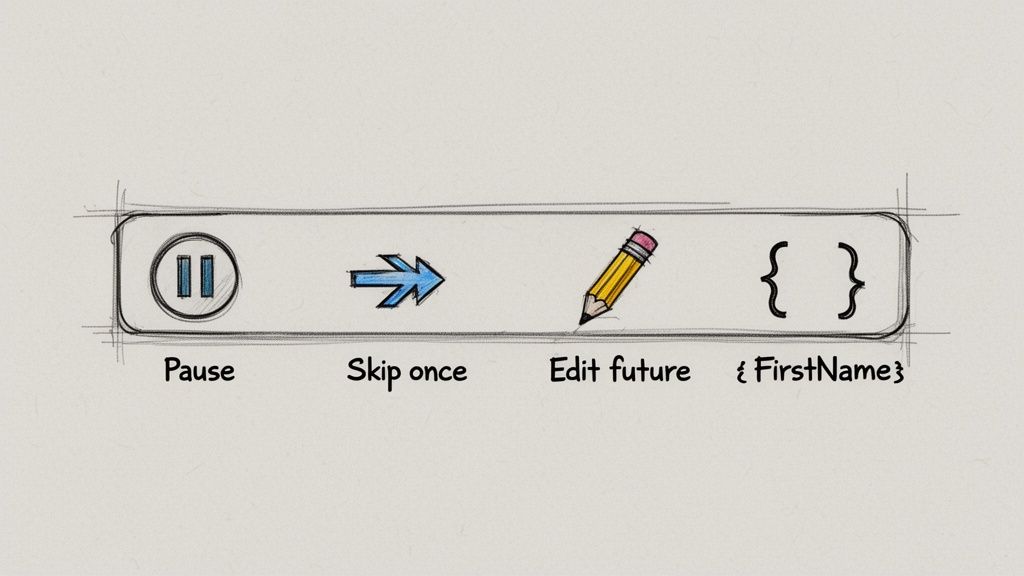
It’s all about thoughtful design. It’s the difference between being handed a box of random engine parts and being given the keys to a car. One is a project; the other is a tool that gets you where you need to go.
Pausing an Entire Series in One Click
Life is messy. A client goes on a month-long vacation, a project gets put on ice, things happen. In a heavy-duty automation system, stopping the emails might mean deactivating an entire workflow and hoping you don't break anything when you turn it back on. It can be a little nerve-wracking.
With a focused tool, it's painless. You just find your recurring email series and hit "Pause."
- No Disruption: The schedule and all your settings are kept safe and sound.
- Easy Resumption: When the project is back on, you just click "Resume," and the emails start up again right where they left off.
This is so important for managing professional relationships. It shows you're paying attention and stops you from sending messages that are suddenly irrelevant, which can make your automation feel like spam.
Skipping a Single Send Without Breaking the Chain
But what if you just need to skip one email? Maybe you just had a call with a client, and this Friday's weekly check-in is redundant. In a Zapier-style workflow, skipping one instance can be a huge pain. You might have to manually edit the run history or set up a temporary filter you have to remember to remove later. What a headache.
A dedicated tool offers a much cleaner solution: a "Skip Next" button.
This little feature is a perfect example of great design. It solves a common problem so effortlessly you barely even notice it's there. You handle a one-time exception with a single click without messing up the entire long-term schedule.
This gives you the confidence to set up long-term sequences, knowing you can jump in and make a change at any moment without causing total chaos. It’s proactive control, not reactive damage control.
Editing Future Messages for Ongoing Relevance
Projects change, details get updated, and links go out of date. The automated email you wrote three months ago might need a small tweak for all future sends. A common frustration with complex automation is that editing a core piece of content can feel like performing open-heart surgery on a live machine.
A tool built for recurring emails makes this dead simple. You just open the email series, edit the subject or body, and hit save. Every single email that goes out from that point on will have the new, updated information.
This is perfect for things like:
- Updating a link to a new monthly report template.
- Changing the due date in a recurring invoice reminder.
- Adding a new team member to the CC field.
Keeping It Personal with Simple Placeholders
Automation should save you time, not make you sound like a robot. Even the simplest recurring messages feel better with a personal touch. You don't need complex logic for this—just basic placeholders for names or other details can make a world of difference.
A simple {FirstName} tag, for example, turns a generic "Hi there" into a personal greeting. This level of personalization is incredibly easy to set up but goes a long way in maintaining a human connection, making sure your automated emails are welcomed, not just tolerated.
To see how these small efficiencies add up, you might find our guide on what is workflow automation interesting. It all comes back to a simple idea: the best tools give you the features you actually need, without burying you in the ones you don't.
How to Make Sure Your Automated Emails Actually Get Delivered and Read
It's one thing to set up a recurring email, but it's a whole different ball game to make sure it consistently lands in the right inbox and gets opened. After all, an automated message is pointless if nobody sees it. The good news is, a few simple best practices can make all the difference, helping you build trust and engagement with every single send.
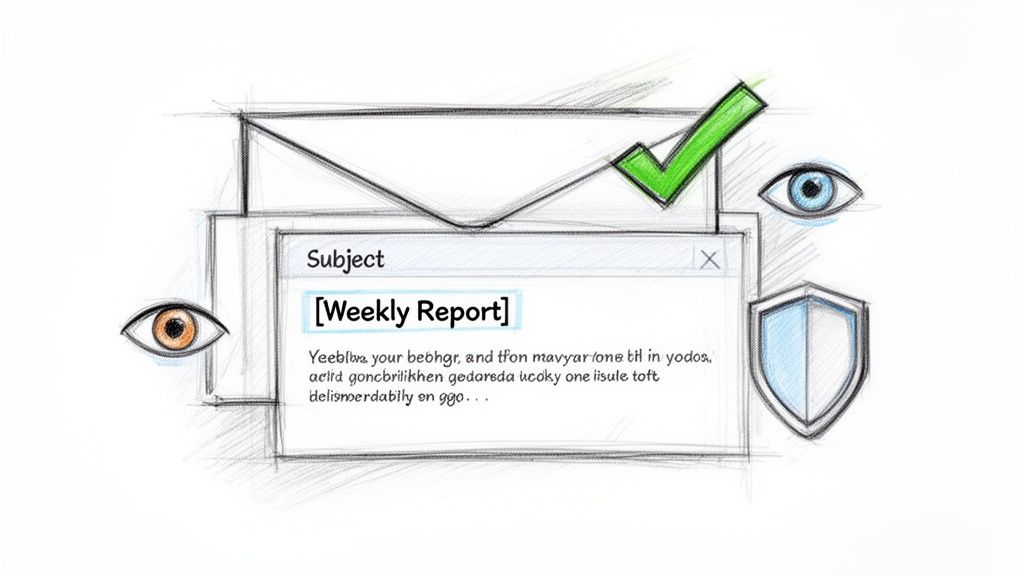
The real goal here is to get your recipients used to—and even looking forward to—your automated messages. When you get it right, your emails become a helpful part of their routine, not just another piece of clutter to archive.
Craft Subject Lines That Signal Routine
For any email that repeats, clarity crushes creativity. Every single time. Your subject line needs to act like a familiar signpost, telling the recipient exactly what the email is and why they’re getting it again. If you get cute or clickbaity, you’re just begging to be ignored or marked as spam.
Instead, stick to a predictable format. I've found that using brackets is a super effective way to signal a routine update.
- For client updates:
[Weekly Progress Report] Project Alpha - For rent reminders:
[Action Required] Rent Reminder for 123 Main St - For team check-ins:
[Team Sync] Priorities for the Week of June 10
This approach instantly sets the right expectations and makes it dead simple for people to filter and find your messages. It builds a rhythm they can count on.
Keep the Email Body Focused and Actionable
Your automated emails should be short, sweet, and have one clear job to do. The more you ask of the reader, the less likely they are to do anything at all. So, stick to one primary call to action (CTA).
If it's an invoice reminder, the only link should point to the payment portal. If you're sending a progress report, lead with a few bullet points and maybe end with a simple question if you need feedback. Piling on multiple links, images, or requests just creates decision fatigue and guarantees your email gets ignored.
A great recurring email is a small productivity hack for both the sender and the receiver. It should deliver its value in seconds, allowing the recipient to process it and move on without friction.
This laser-focused approach is also a huge win for deliverability. Emails stuffed with too many links or certain trigger words (like "free," "act now," or way too many exclamation points!!!) are a red flag for spam filters. Simplicity is your best friend in the fight to stay out of the junk folder. You can dive deeper into tracking engagement with guides like this one about read receipts in Gmail.
Build Trust Through Consistency and Testing
Consistency is the absolute bedrock of good email deliverability. When you send emails from the same address at a predictable time, email providers like Gmail and Outlook start to see your messages as legitimate. Sending at random times, on the other hand, can look sketchy to their algorithms.
And please, before you launch any recurring series, send a test email to yourself. Seriously. Check it on your computer and your phone. Make sure all the links work and the formatting isn't a mess. A broken link or sloppy layout completely undermines the professional image you're trying to project.
Getting this stuff right pays off big time. Automated lifecycle emails are one of the most powerful communication tools out there, outperforming standard broadcasts by 2 to 6 times in clicks and conversions. Well-designed flows can drive 25% to 45% of total email revenue with fewer sends, boosting results while cutting down on recipient fatigue. You can see the full impact in these email marketing statistics.
Got Questions? I've Got Answers
When you start looking for ways to send recurring emails without getting tangled up in Zapier, a few questions always pop up. Here's what people usually ask, and my straight-up answers based on experience.
Can I Make These Emails Personal?
Absolutely. You don't need a complex system to add a personal touch. The best tools for this job let you use simple placeholders, like {FirstName}, to address people by name.
The real trick is to think differently. Instead of one giant, complicated sequence, you set up a separate recurring email for each person or a small group. This keeps everything dead simple to manage. Your client check-ins and team reminders will still feel personal, but you won't have to wrestle with the confusing logic of bigger automation platforms.
What if I Need to Stop or Change a Sequence?
This is where simpler, dedicated tools are a lifesaver. Forget digging through a labyrinth of triggers and actions in a workflow editor. You get direct, obvious controls.
It’s as easy as managing a calendar event. You can:
- Hit pause on the whole series if a project gets delayed.
- Skip the next email if you just talked to the person yesterday.
- Tweak the message content for all future sends in just a few seconds.
This kind of flexibility is crucial. It makes automation feel like a helpful assistant, not a rigid set of rules you're stuck with.
Is This a Good Idea for Big Marketing Blasts?
Nope, and it's not trying to be. This approach isn't meant to replace powerful email marketing platforms like Mailchimp or HubSpot.
Think of this as a hidden gem for your operational emails—the routine stuff you'd normally send one-by-one from your own inbox.
It’s perfect for things like sending monthly rent reminders, weekly status reports to a client, or internal team check-ins. For your big marketing campaigns that need deep analytics, A/B testing, and fancy segmentation, stick with your dedicated marketing tool. This is a small productivity hack for your day-to-day workflow.
Ready to stop wrestling with complex workflows and start automating your emails the easy way? Recurrr is the simple, "invisible tool" that lets you set up recurring emails in minutes, not hours. Free up your mental space and let your routine messages run on autopilot.